

Aggregate Query
Workflow: Aggregate nodeCommunity Edition+Introduction
Used to perform aggregate function queries on data in a collection that meets certain conditions, and returns the corresponding statistical results. It is often used to process statistical data for reports.
The node's implementation is based on database aggregate functions. Currently, it only supports statistics on a single field of a collection. The numerical result of the statistics will be saved in the node's output for use by subsequent nodes.
Installation
Built-in plugin, no installation required.
Create Node
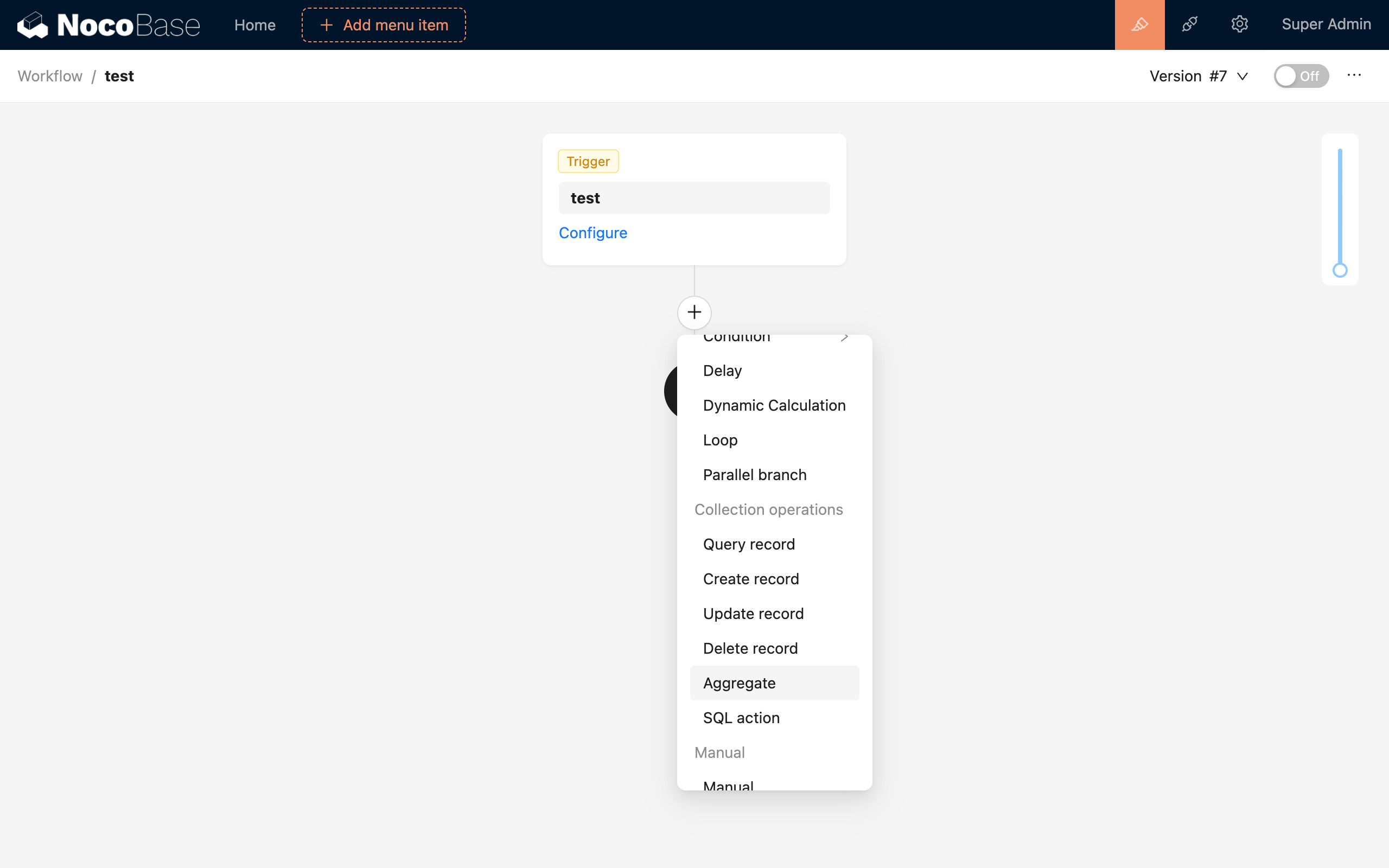
In the workflow configuration interface, click the plus (+) button in the flow to add an "Aggregate Query" node:
Node Configuration
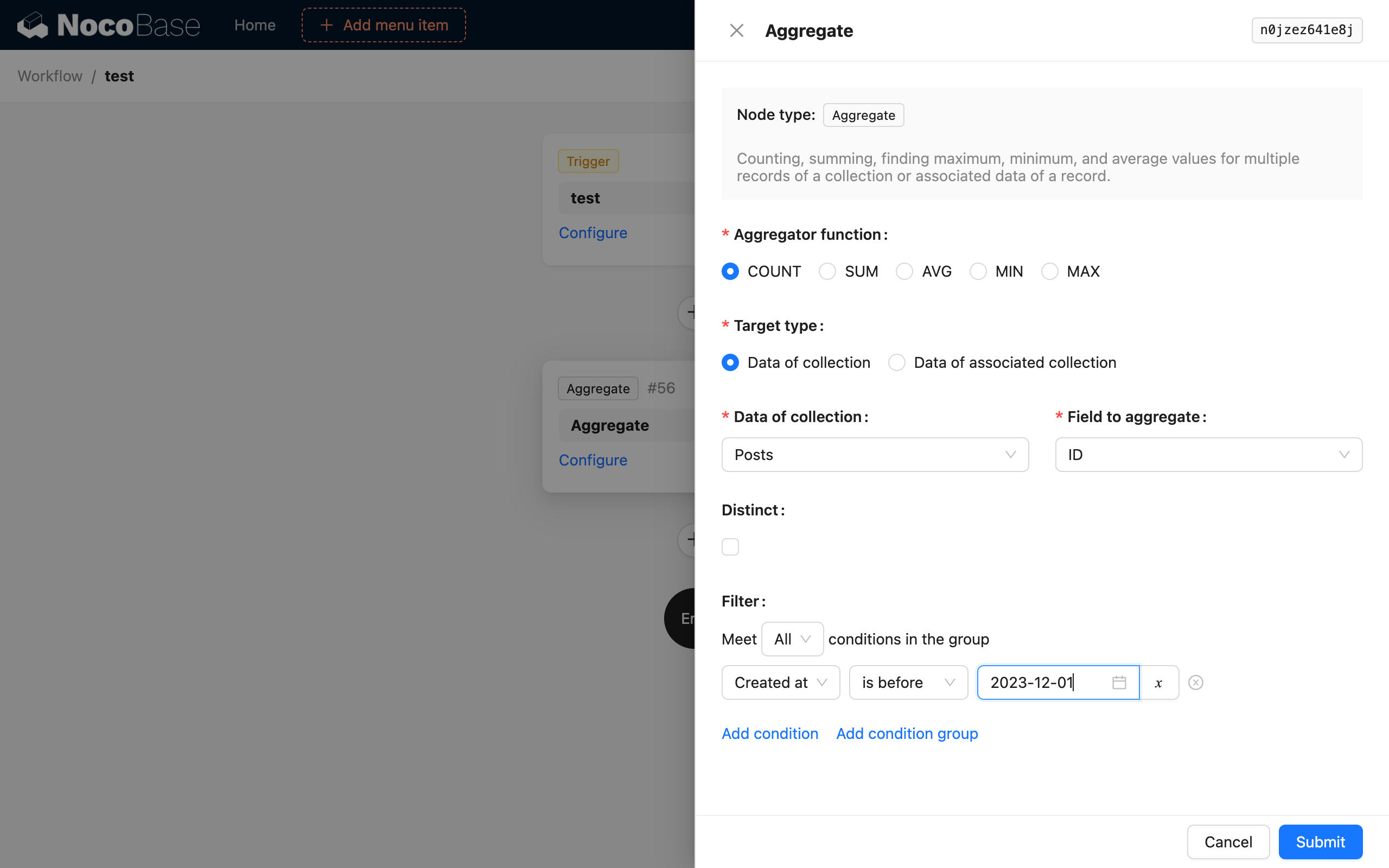
Aggregate Function
Supports 5 aggregate functions from SQL: COUNT, SUM, AVG, MIN, and MAX. Select one of them to perform an aggregate query on the data.
Target Type
The target of the aggregate query can be selected in two modes. One is to directly select the target collection and one of its fields. The other is to select its one-to-many related collection and field through an existing data object in the workflow context to perform the aggregate query.
Distinct
This is the DISTINCT in SQL. The field for deduplication is the same as the selected collection field. Selecting different fields for these two is not currently supported.
Filter Conditions
Similar to the filter conditions in a normal collection query, you can use context variables from the workflow.
Example
The aggregate target "Collection data" is relatively easy to understand. Here, we will use "counting the total number of articles in a category after a new article is added" as an example to introduce the usage of the aggregate target "Associated collection data".
First, create two collections: "Articles" and "Categories". The Articles collection has a many-to-one relationship field pointing to the Categories collection, and a reverse one-to-many relationship field is also created from Categories to Articles:
Next, create a workflow triggered by a collection event. Select it to trigger after new data is added to the Articles collection.
Then, add an aggregate query node and configure it as follows:
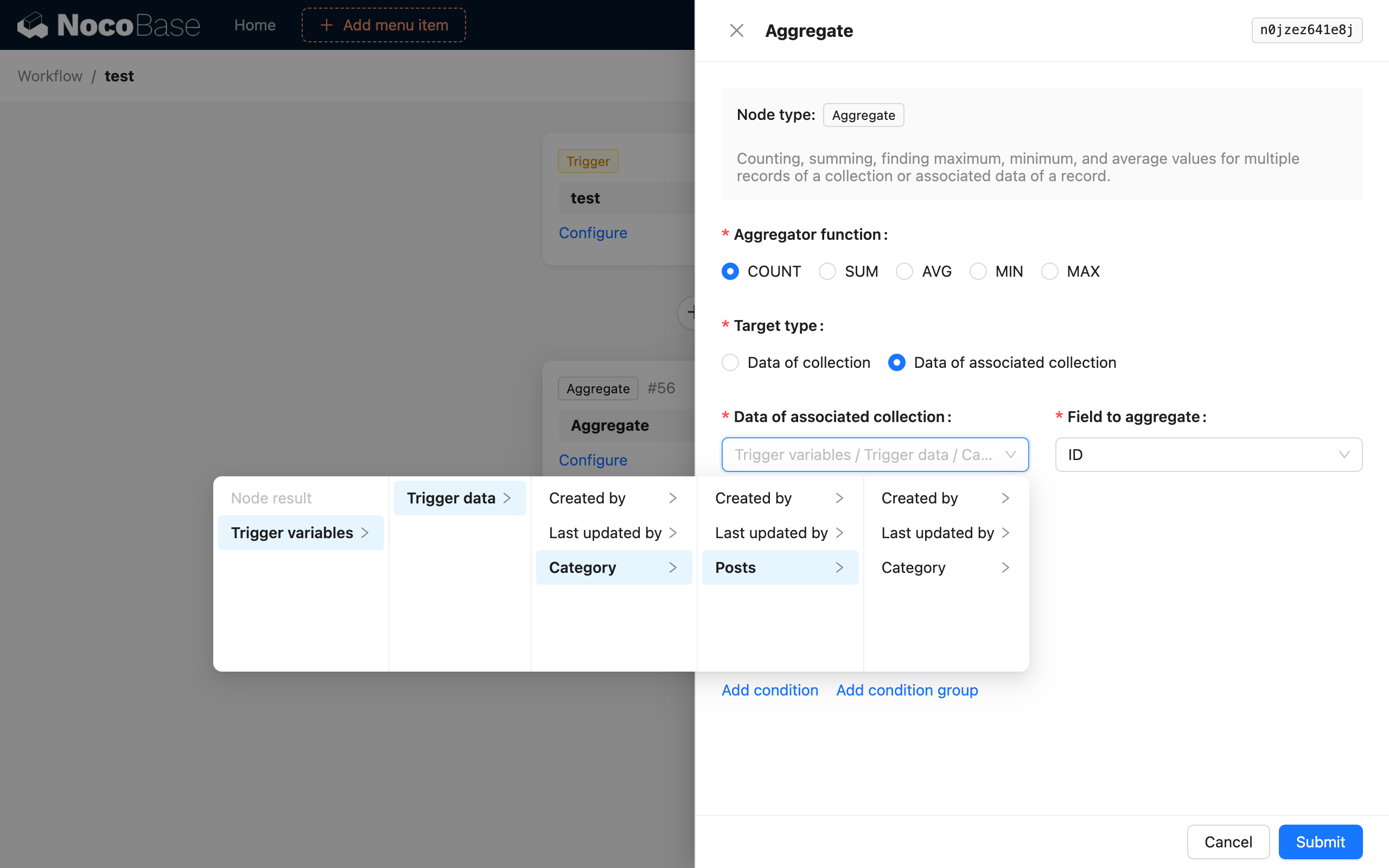
This way, after the workflow is triggered, the aggregate query node will count the number of all articles in the category of the newly added article and save it as the node's result.
If you need to use the relationship data from the collection event trigger, you must configure the relevant fields in the "Preload associated data" section of the trigger, otherwise it cannot be selected.