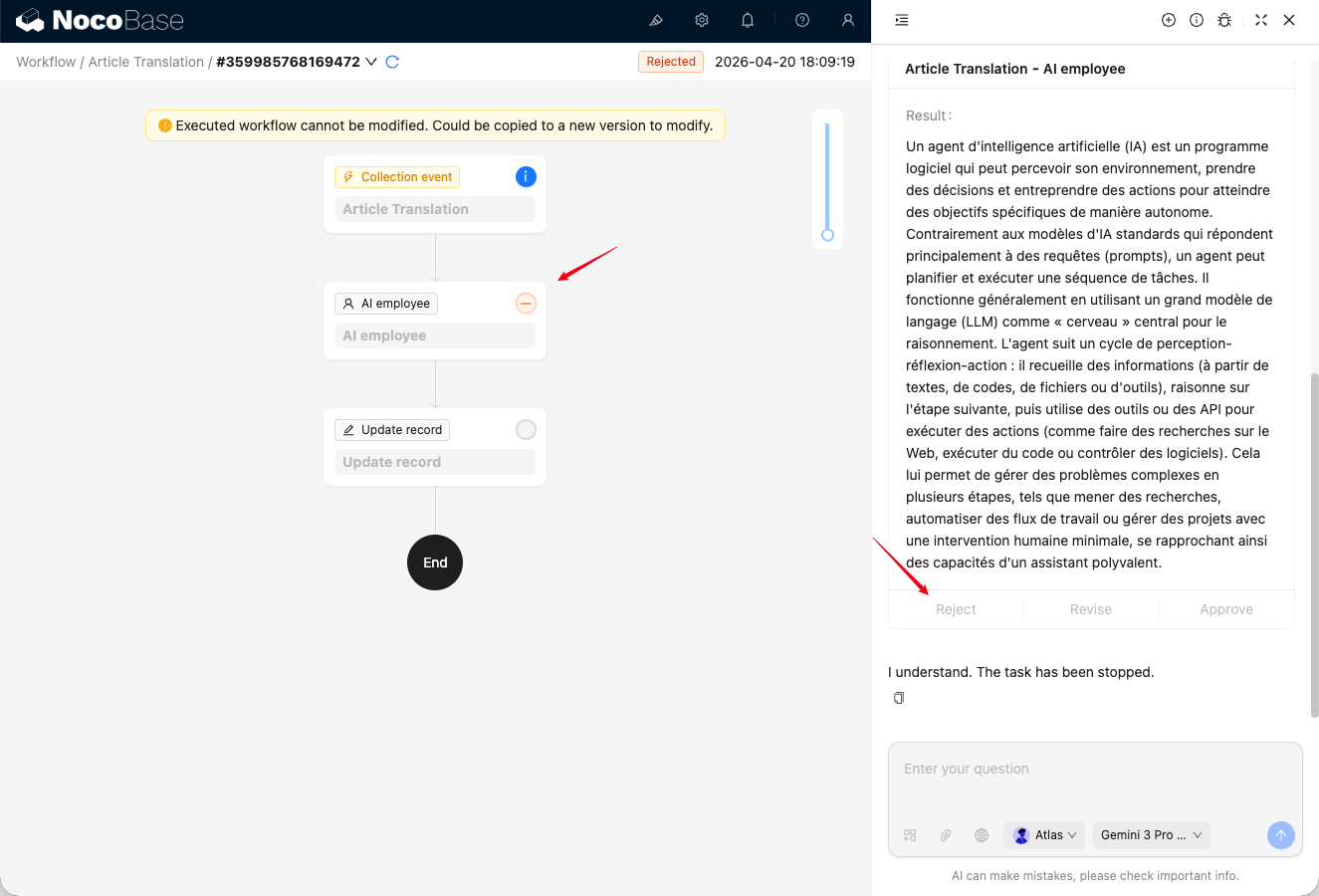
Node Approval
Notifications
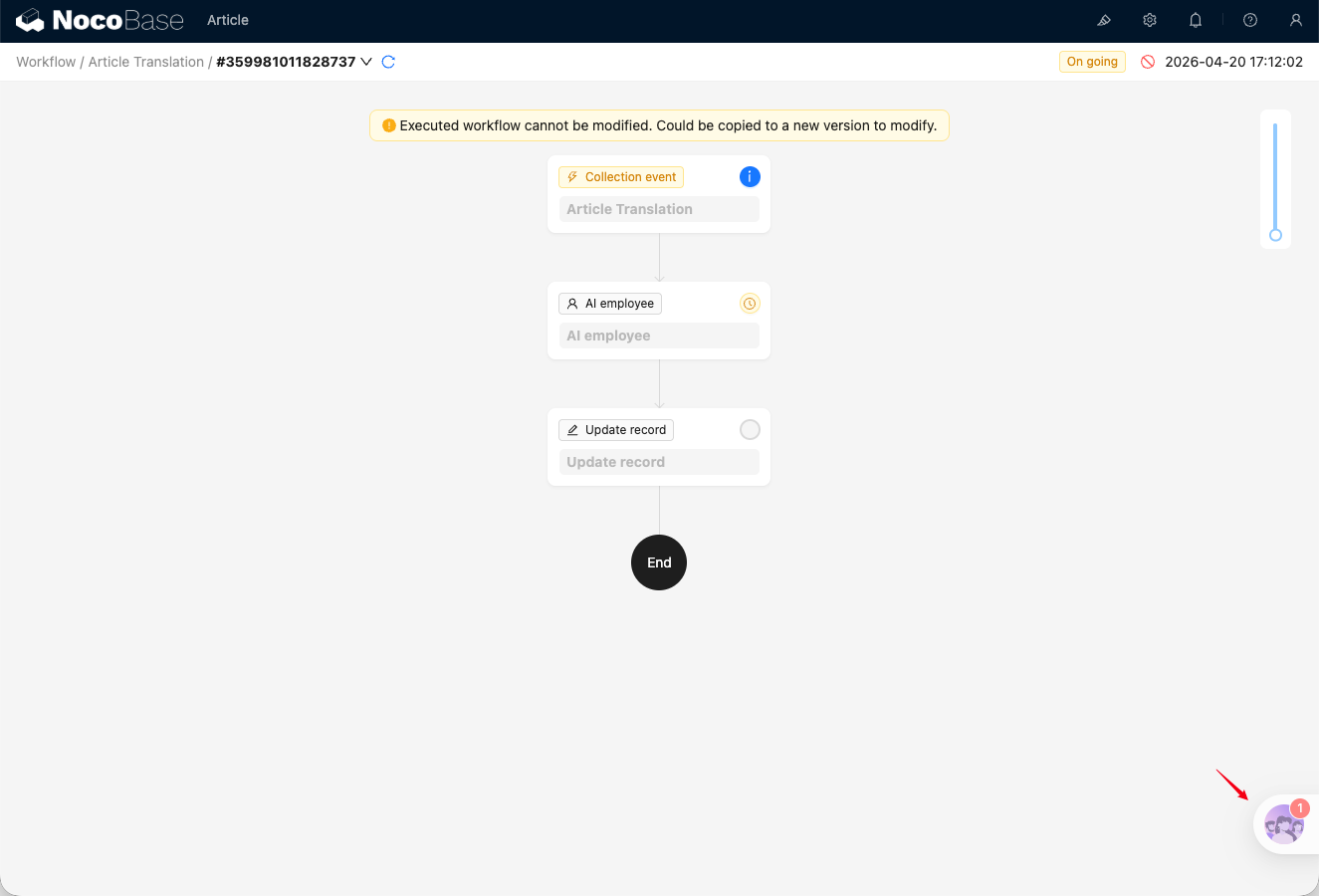
After an AI Employee node in the workflow is triggered, the approvers configured for the node will see a red dot notification at the AI Employees entry on the home page.
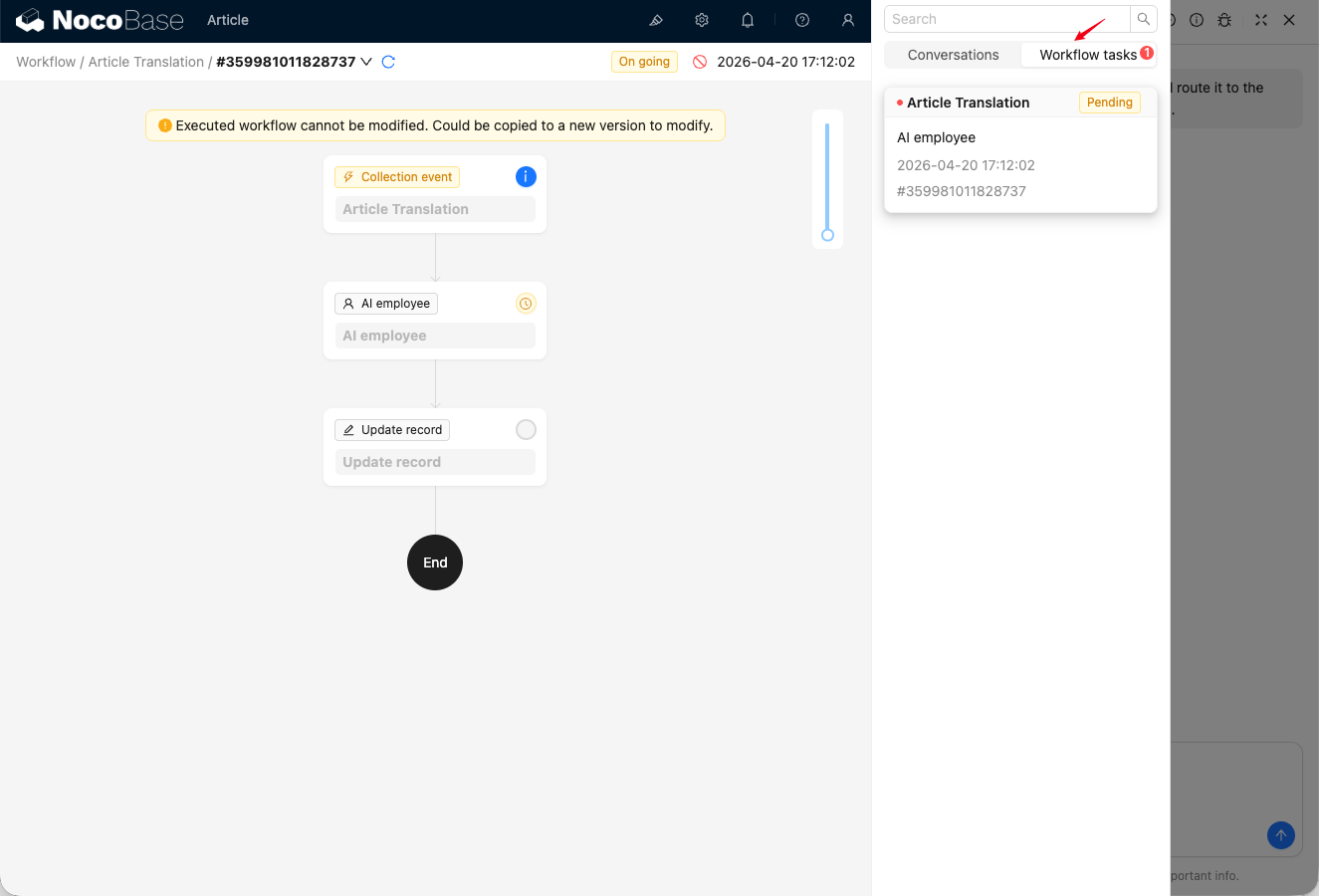
Open the AI Employees conversation list to see workflow tasks waiting for approval.
Approval
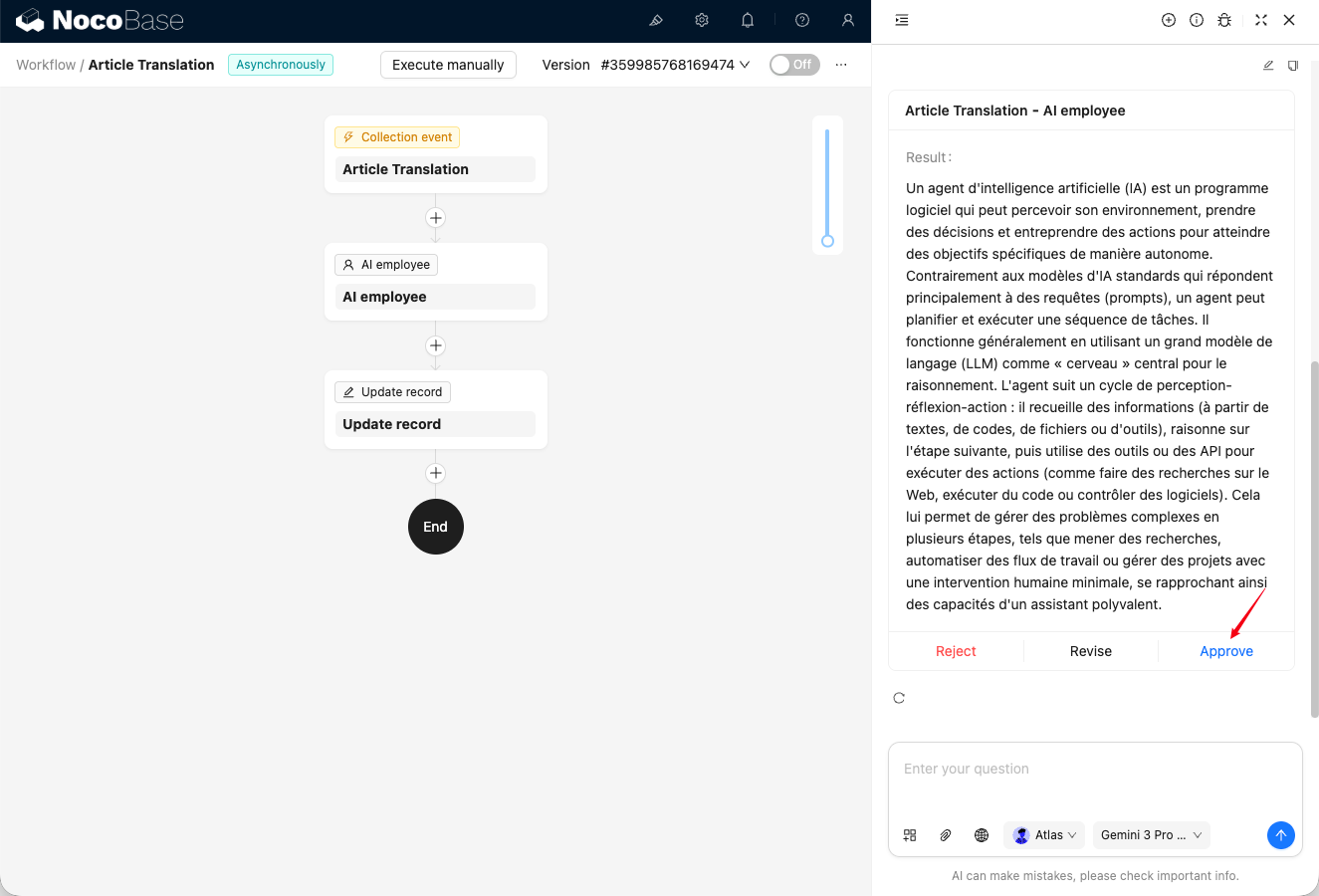
Click a workflow task to open the conversation window, which displays the AI Employee's message history. The last card sent by the AI Employee is the content that requires approval for the current node.
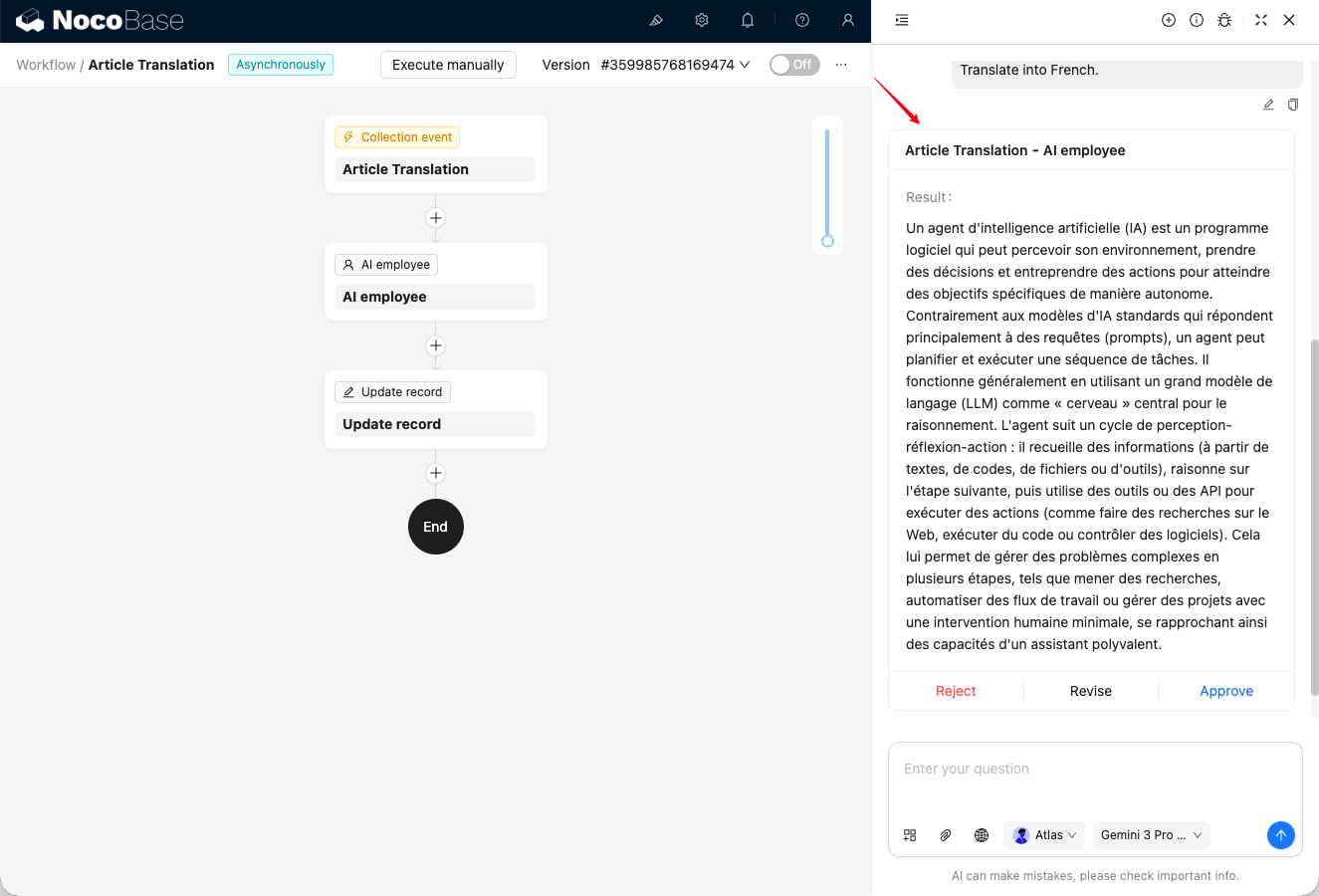
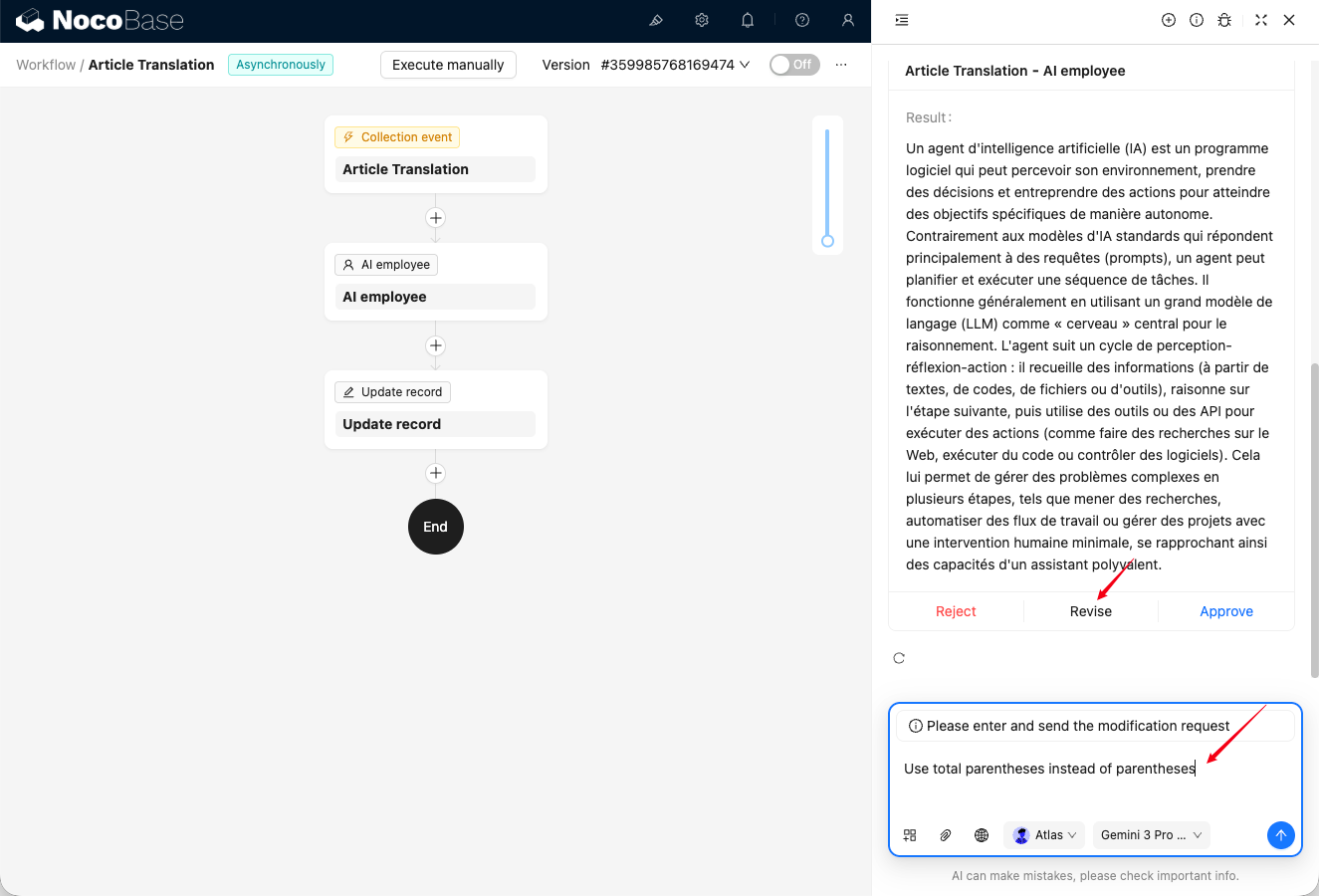
There are three actions available for content pending approval: Approve, Revise, and Reject.
Click Approve to approve the AI-generated content and allow the workflow to continue. The conversation then becomes read-only, and you can no longer continue chatting with the AI Employee.
Click Revise to send revision feedback to the AI. After you send it, the AI returns a new approval card.
Click Reject to stop execution. The workflow stops, and the conversation becomes read-only, so you can no longer continue chatting with the AI Employee.