MCP Integration
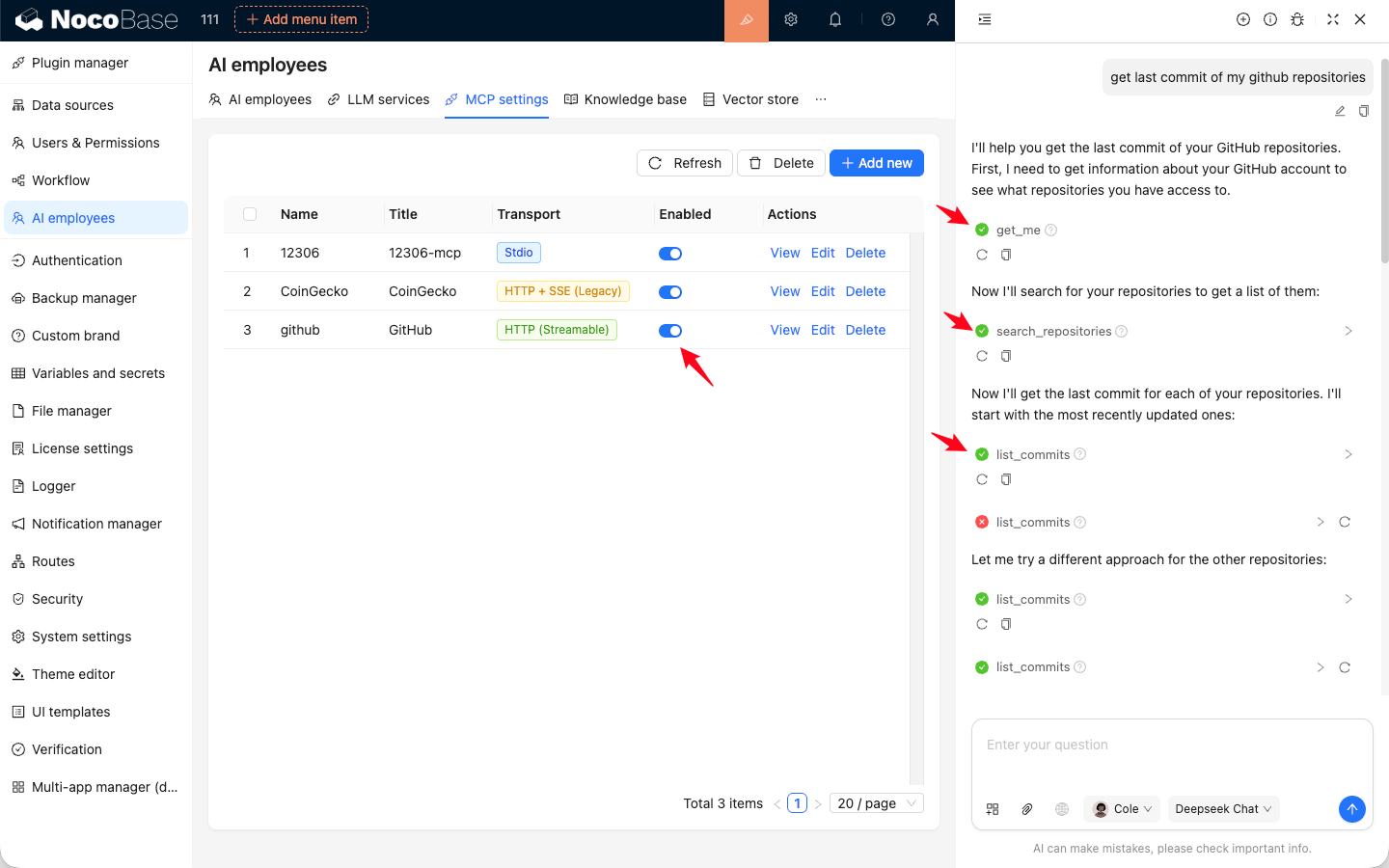
AI employeesCommunity Edition+AI Employees can connect to MCP services that follow the Model Context Protocol (MCP). Once connected, AI Employees can use the tools provided by those MCP services to complete tasks.
MCP Configuration
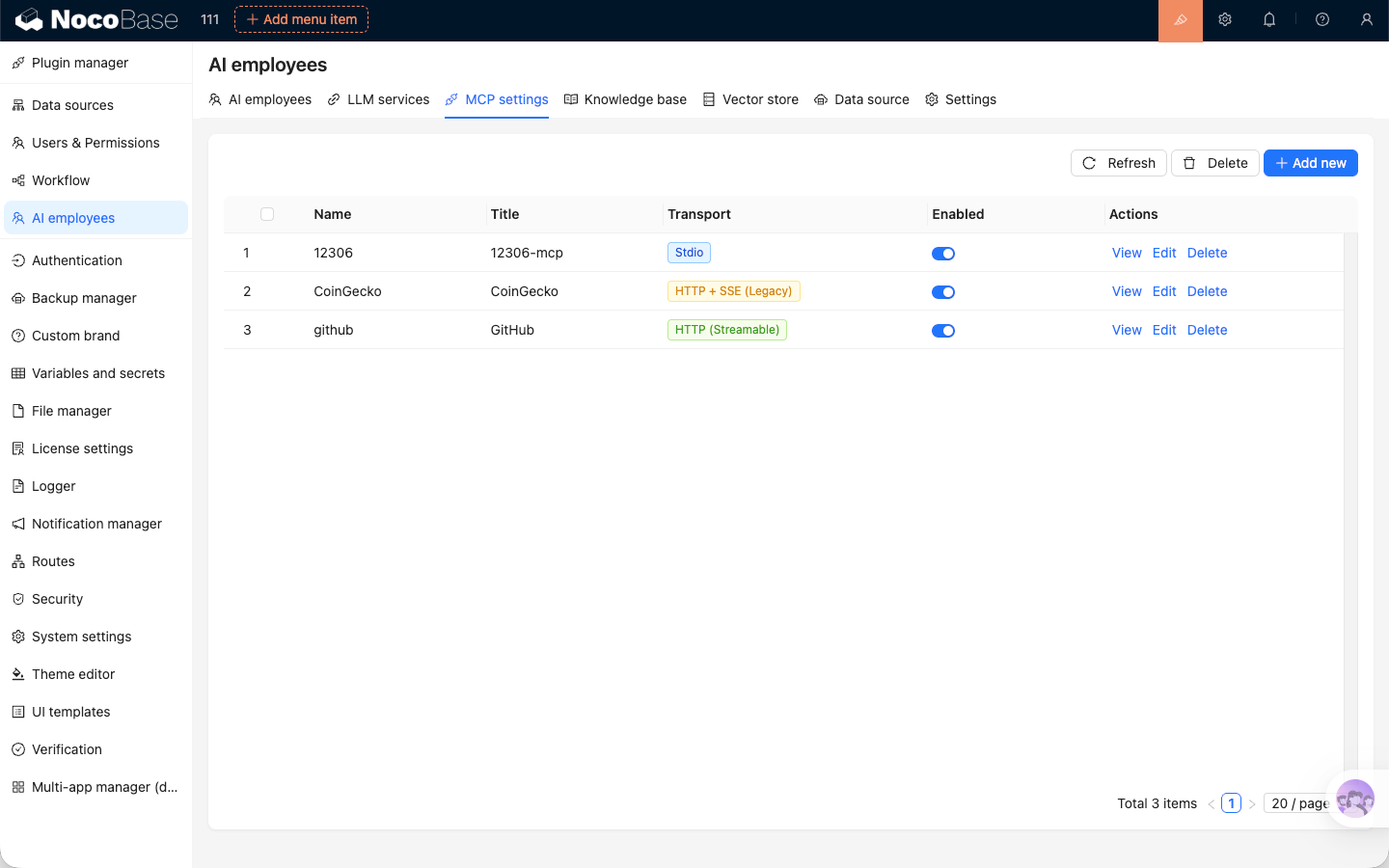
Open the MCP settings module. Here, you can add new MCP services and manage the ones that are already connected.
Add MCP Service
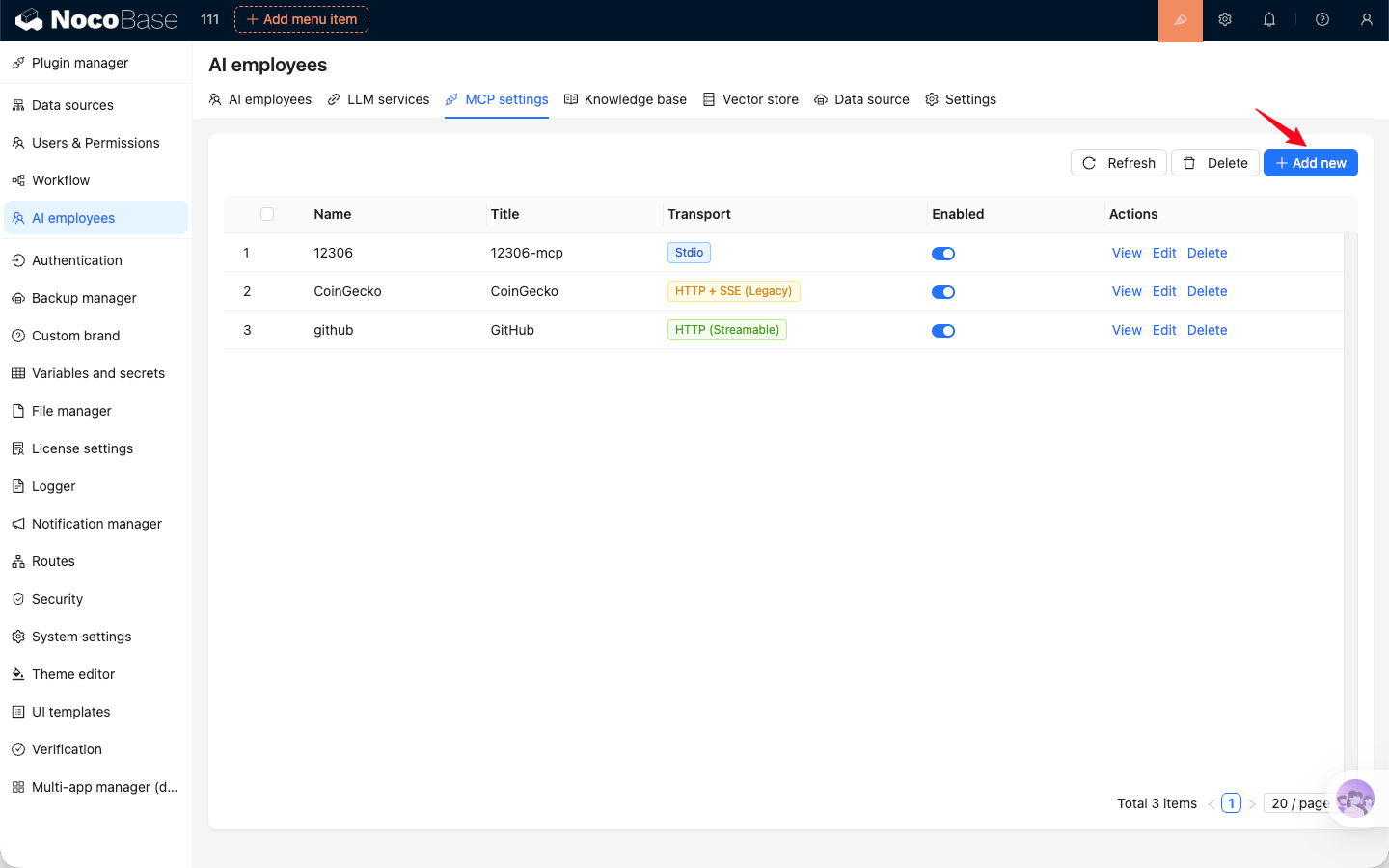
Click the Add button in the top-right corner of the MCP service list. In the dialog, enter the connection details to add the MCP service.
Two transport protocols are supported for MCP services: Stdio and HTTP (Streamable / SSE).
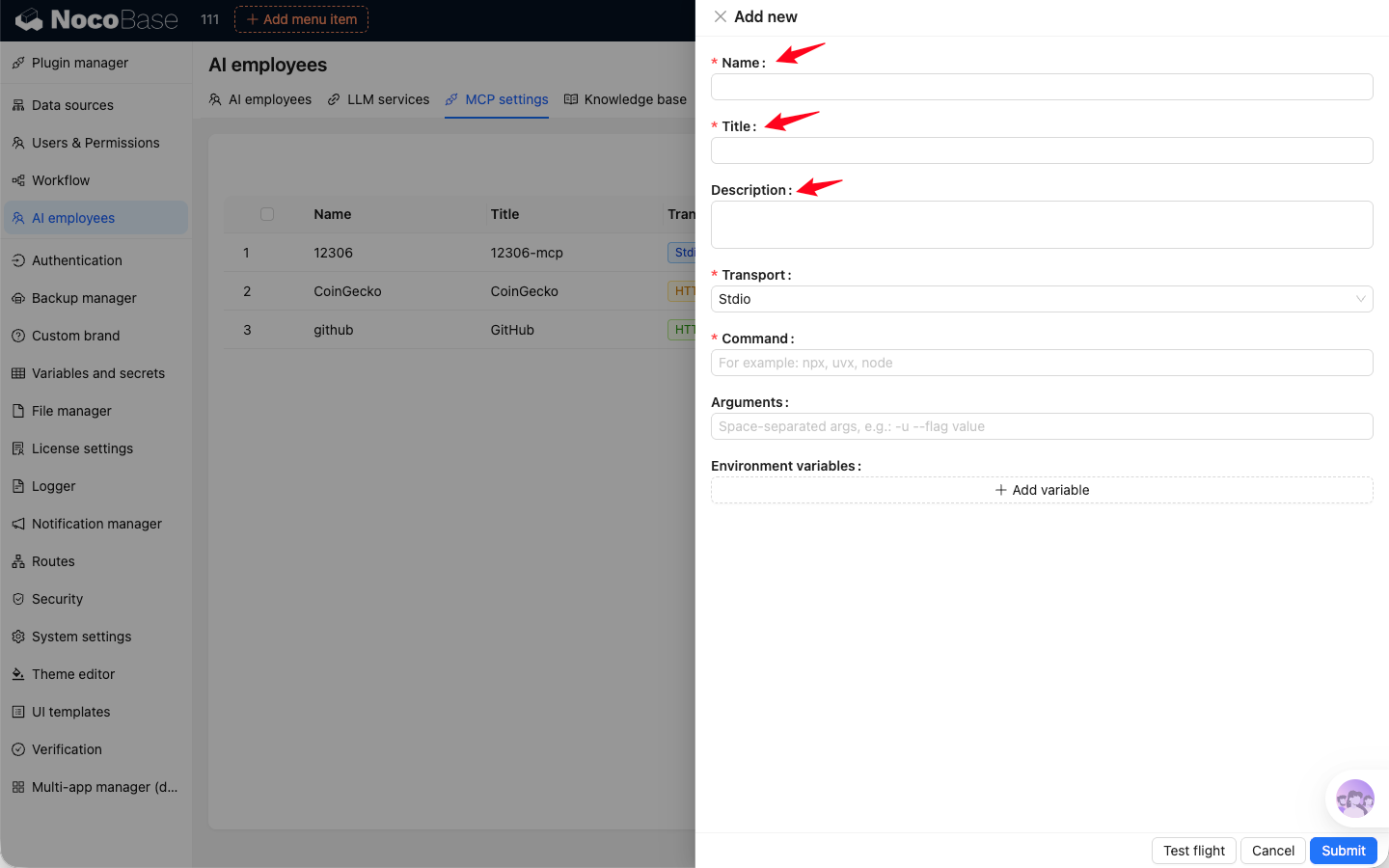
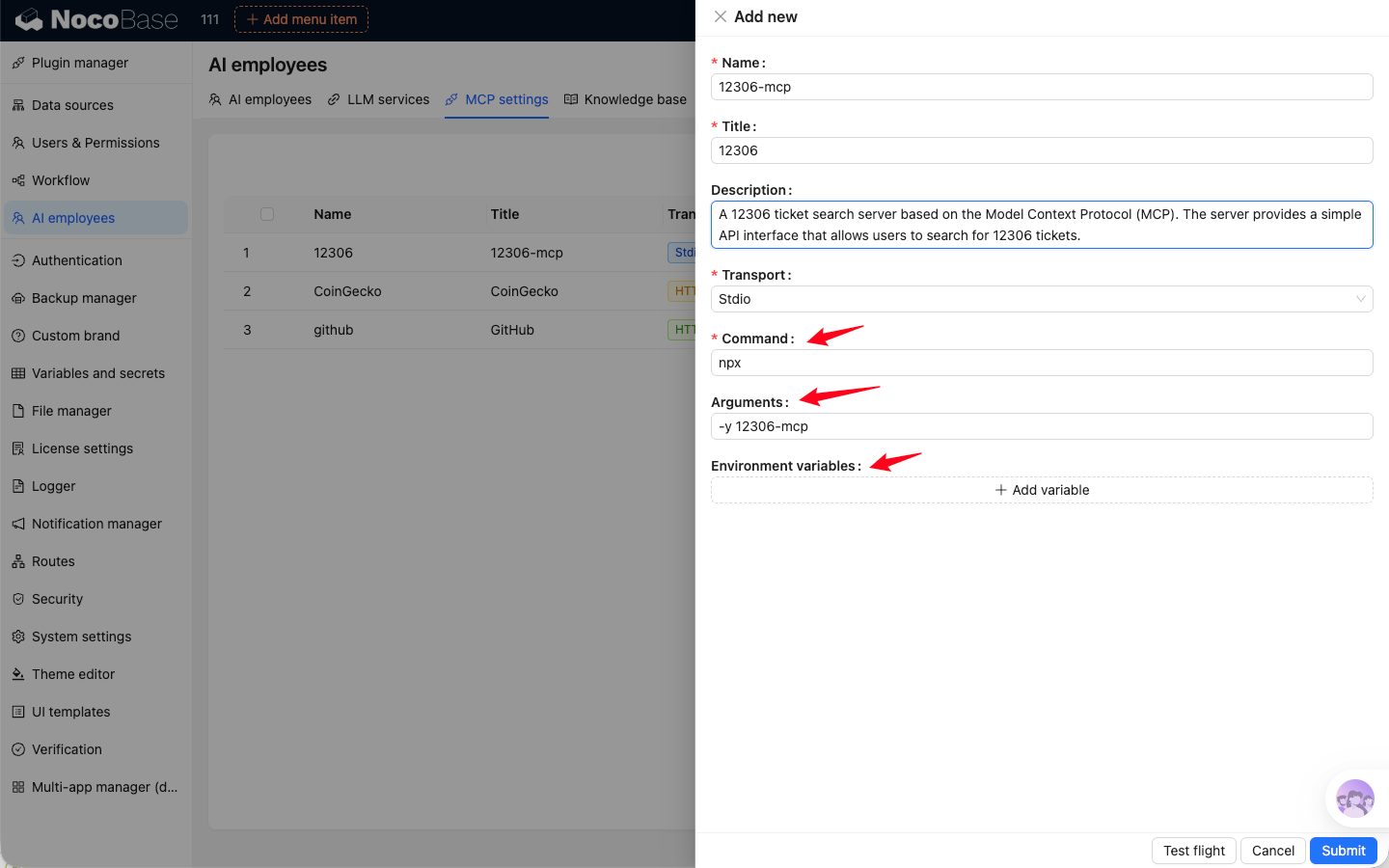
When adding an MCP service, you need to enter a Name, Title, and Description. Name is the unique identifier of the MCP service. Title is the display name shown in the system. Description is optional and can be used to briefly describe what the MCP service does.
Stdio
When adding an MCP service that uses the stdio transport protocol, you need to enter the Command and Arguments used to run the MCP service. You can also add Environment variables if the command requires them.
Commands used to run MCP services, such as node, npx, uvx, and go, must be supported by the server where NocoBase is deployed.
The NocoBase Docker image only supports Node.js-related commands such as node and npx.
HTTP
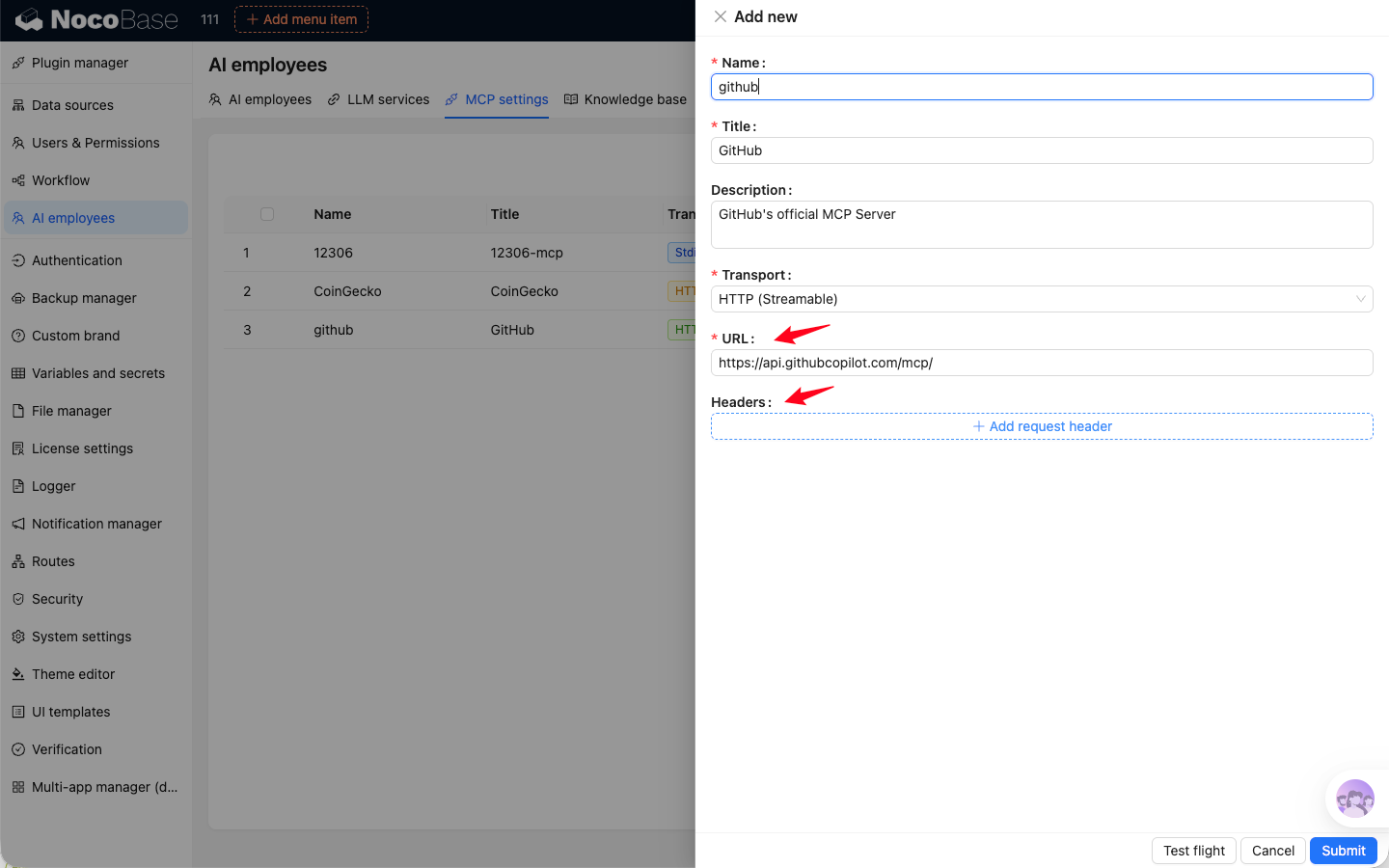
When adding an MCP service that uses the HTTP transport protocol, you need to enter the MCP service URL. You can also add Headers if needed.
The HTTP transport protocol supports both Streamable and SSE. Streamable is the newer transport defined by the MCP standard, while SSE is being deprecated. Choose the appropriate transport type based on the documentation for the MCP service you are using.
Availability Test
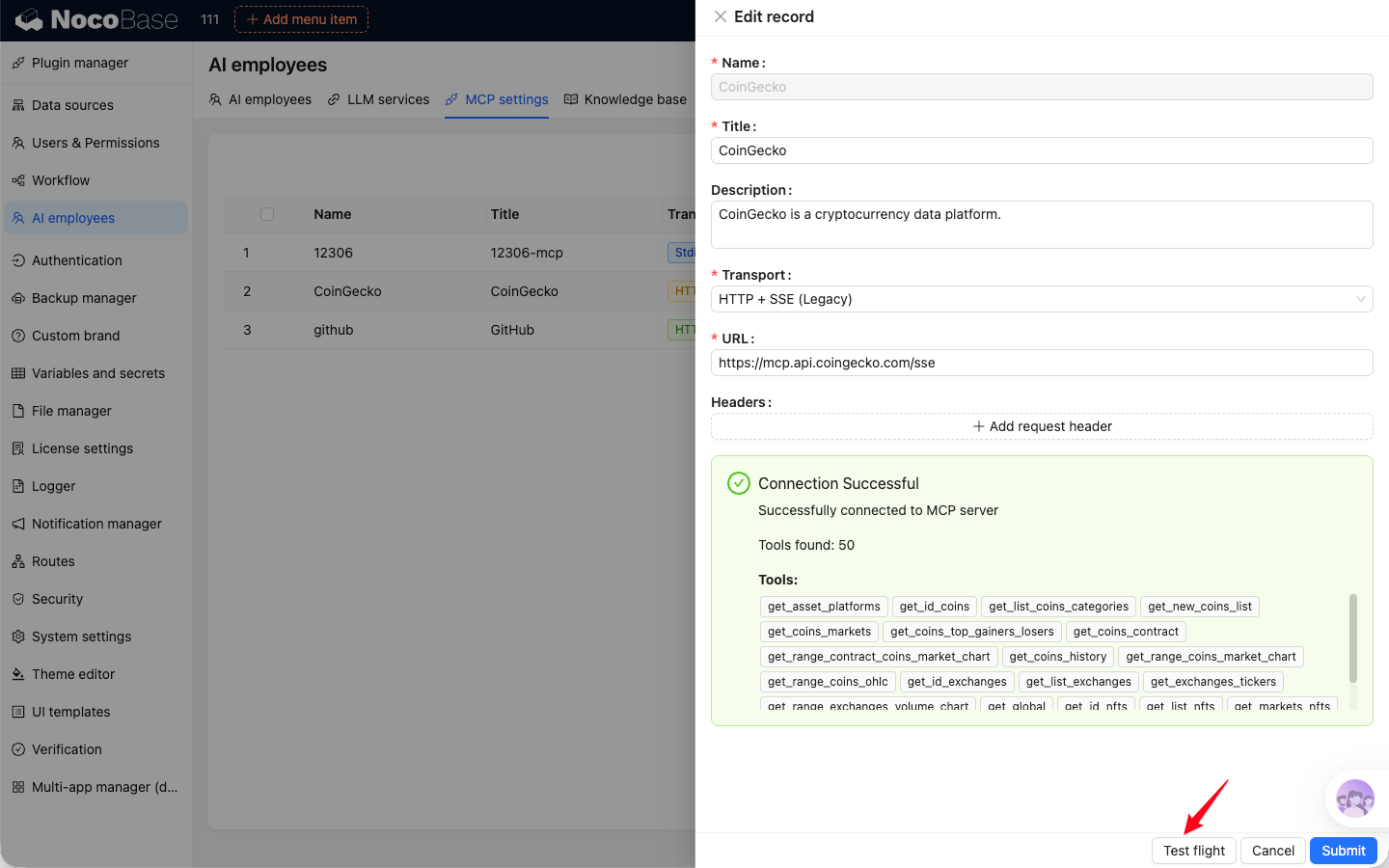
When adding or editing an MCP service, you can run an availability test after entering the configuration. If the configuration is complete and correct, and the MCP service is reachable, the system will return a success message.
View MCP Services
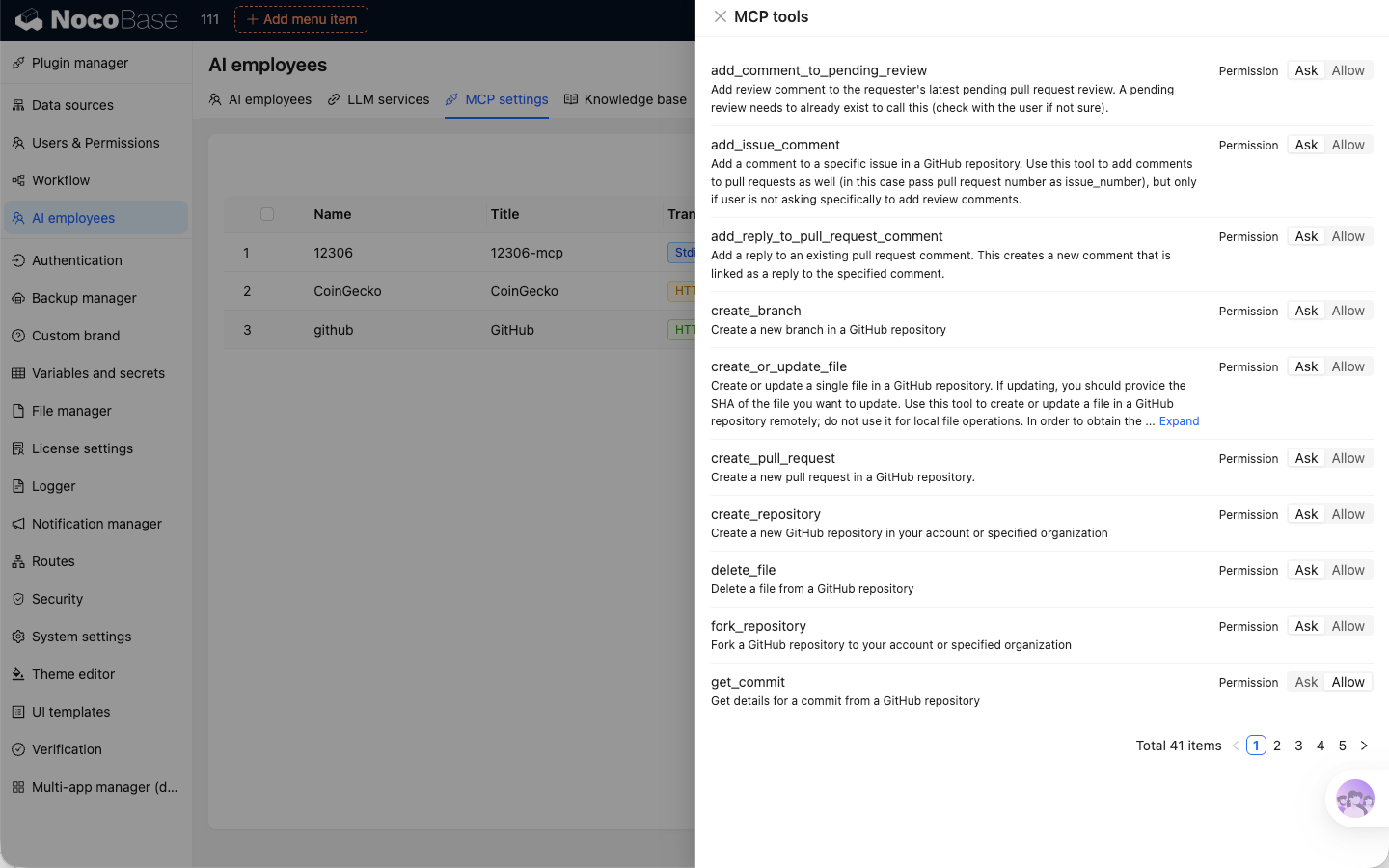
Click the View button in the MCP service list to see the list of tools provided by that MCP service.
In the tool list, you can also configure permissions for how AI Employees use each tool. If a tool is set to Ask, the system will ask for confirmation before calling it. If it is set to Allow, the tool will be called directly when needed.
Use MCP Services
After enabling the MCP services you want to use in the MCP configuration module, AI Employees will automatically use the tools provided by those services during conversations to complete tasks.