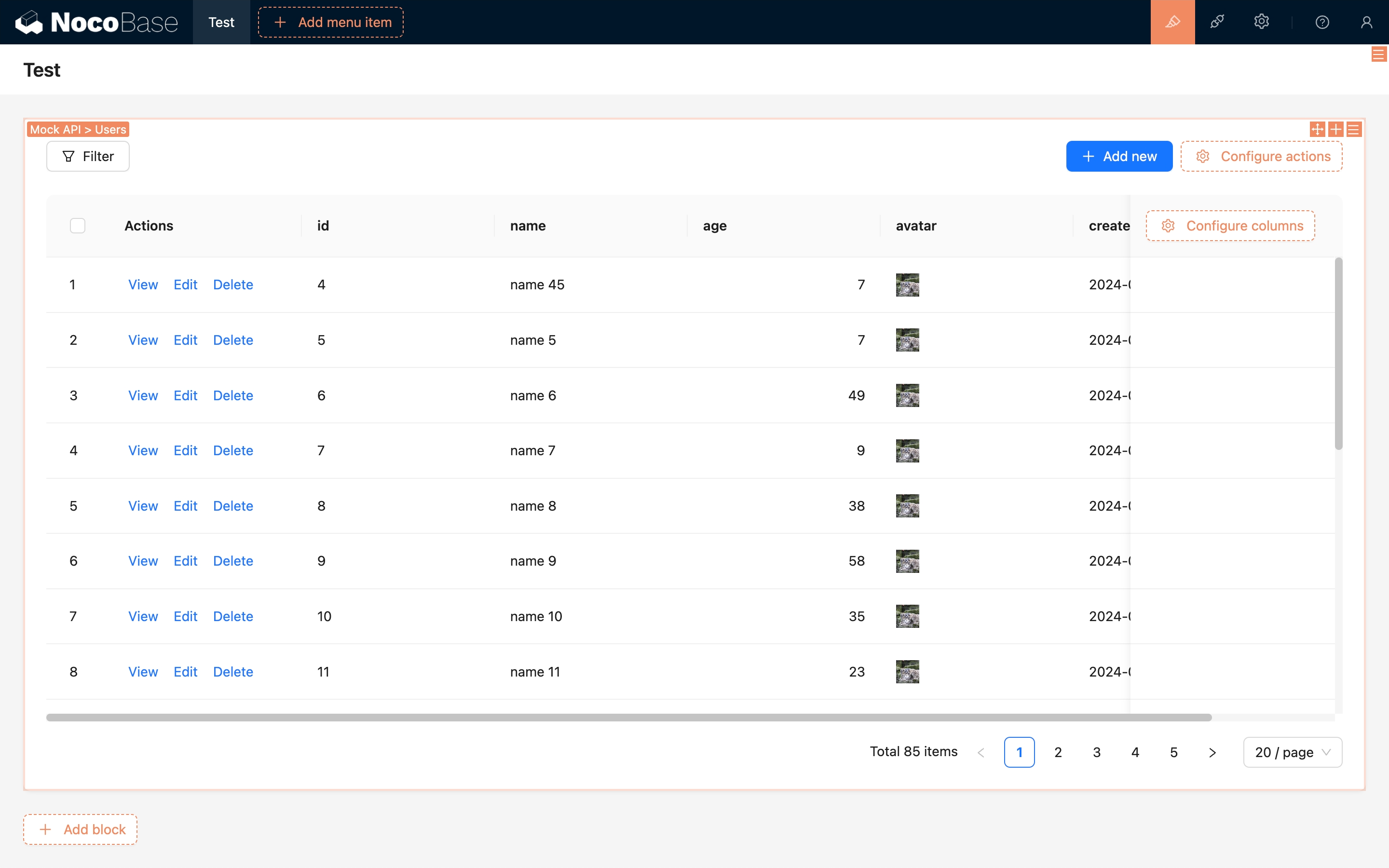
REST API data source
Introduction
Use this data source to connect data provided by REST APIs.
Installation
This is a commercial plugin. For activation instructions, see the Commercial plugin activation guide.
Add a REST API source
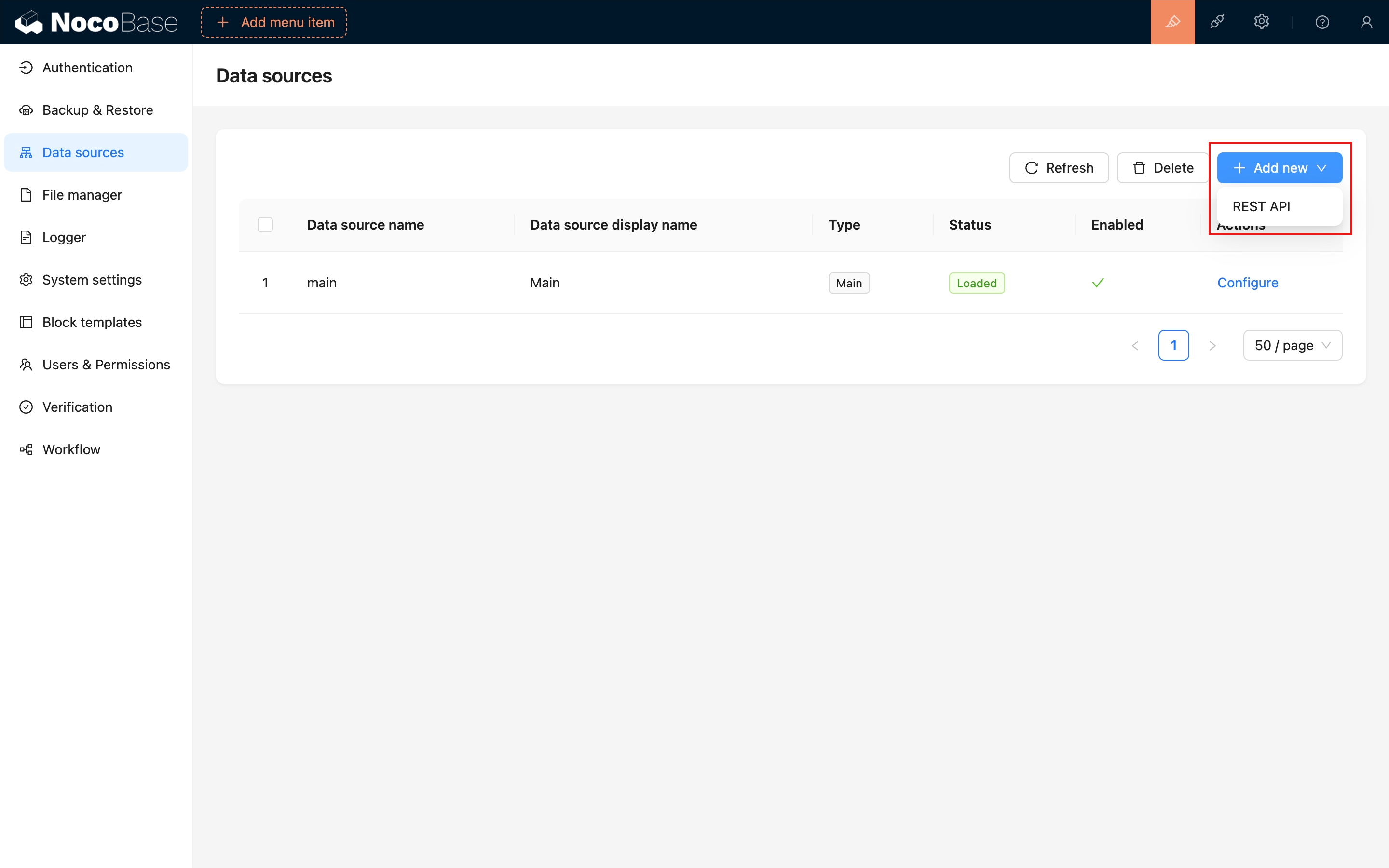
After activating the plugin, choose REST API from the Add new menu in Data source management.
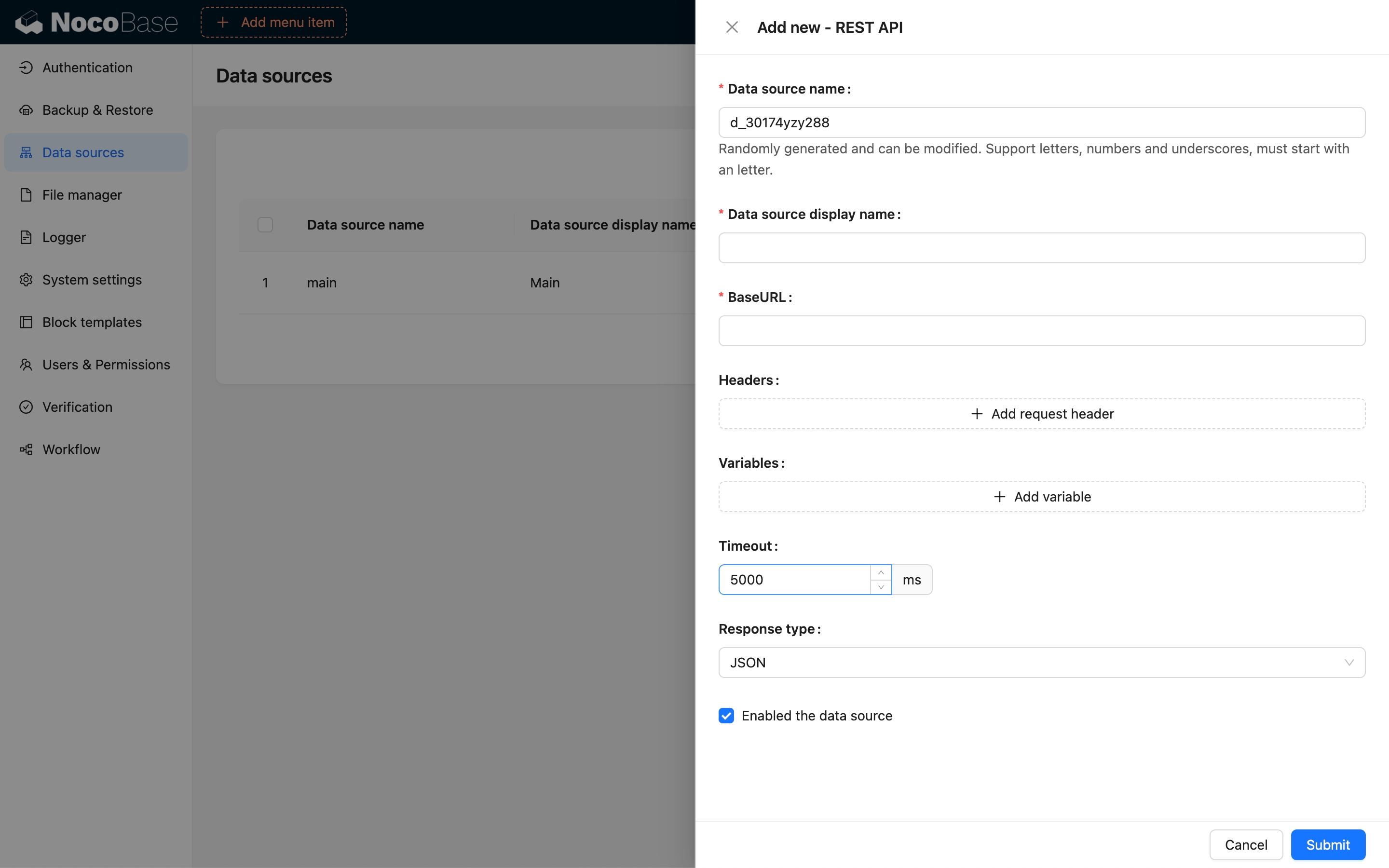
Configure the REST API source.
Add a collection
A RESTful resource maps to a NocoBase collection. For example, consider a Users resource:
It maps to the following NocoBase API configuration:
For the complete NocoBase API design specification, see the API documentation.
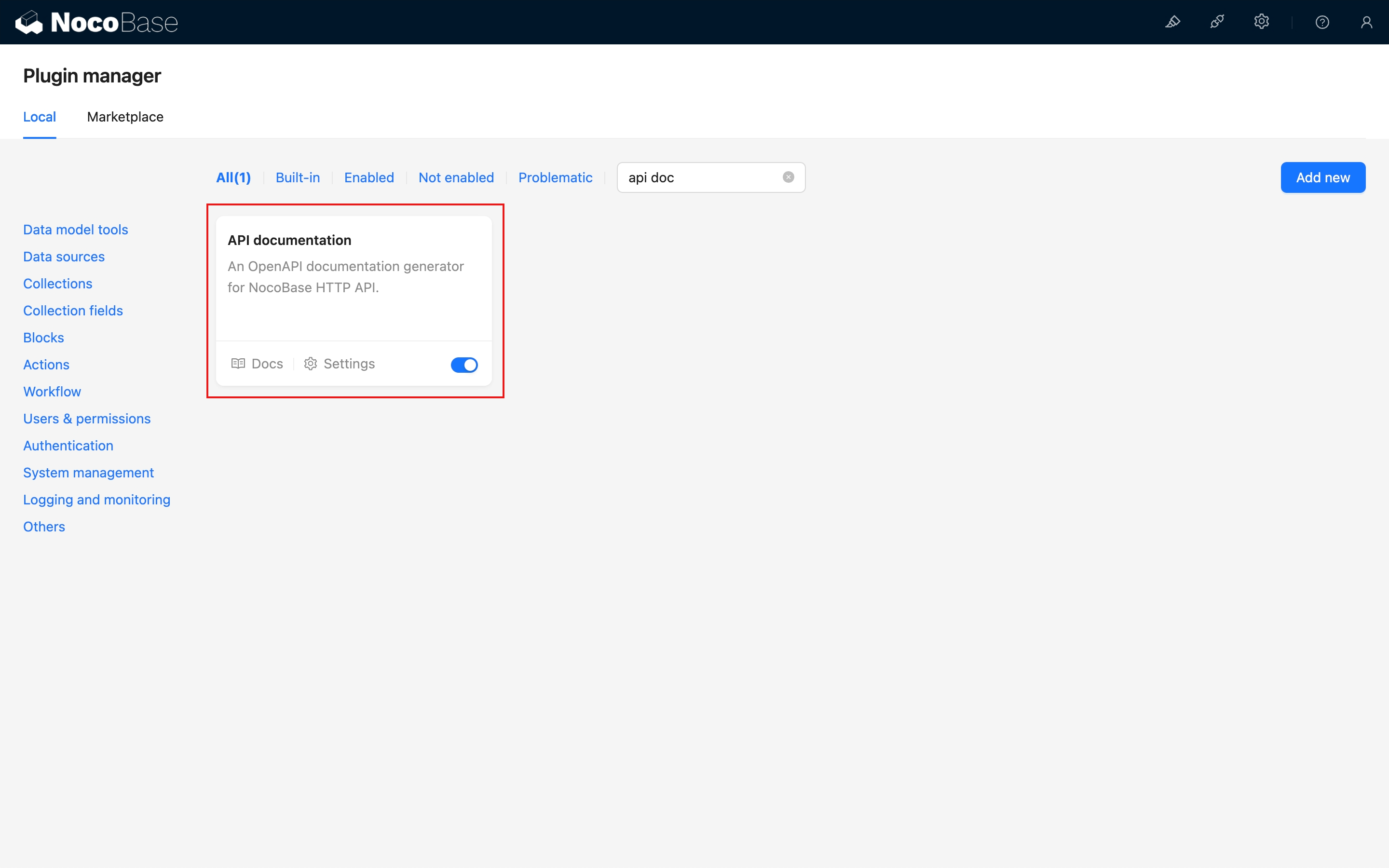
See the NocoBase API - Core section.
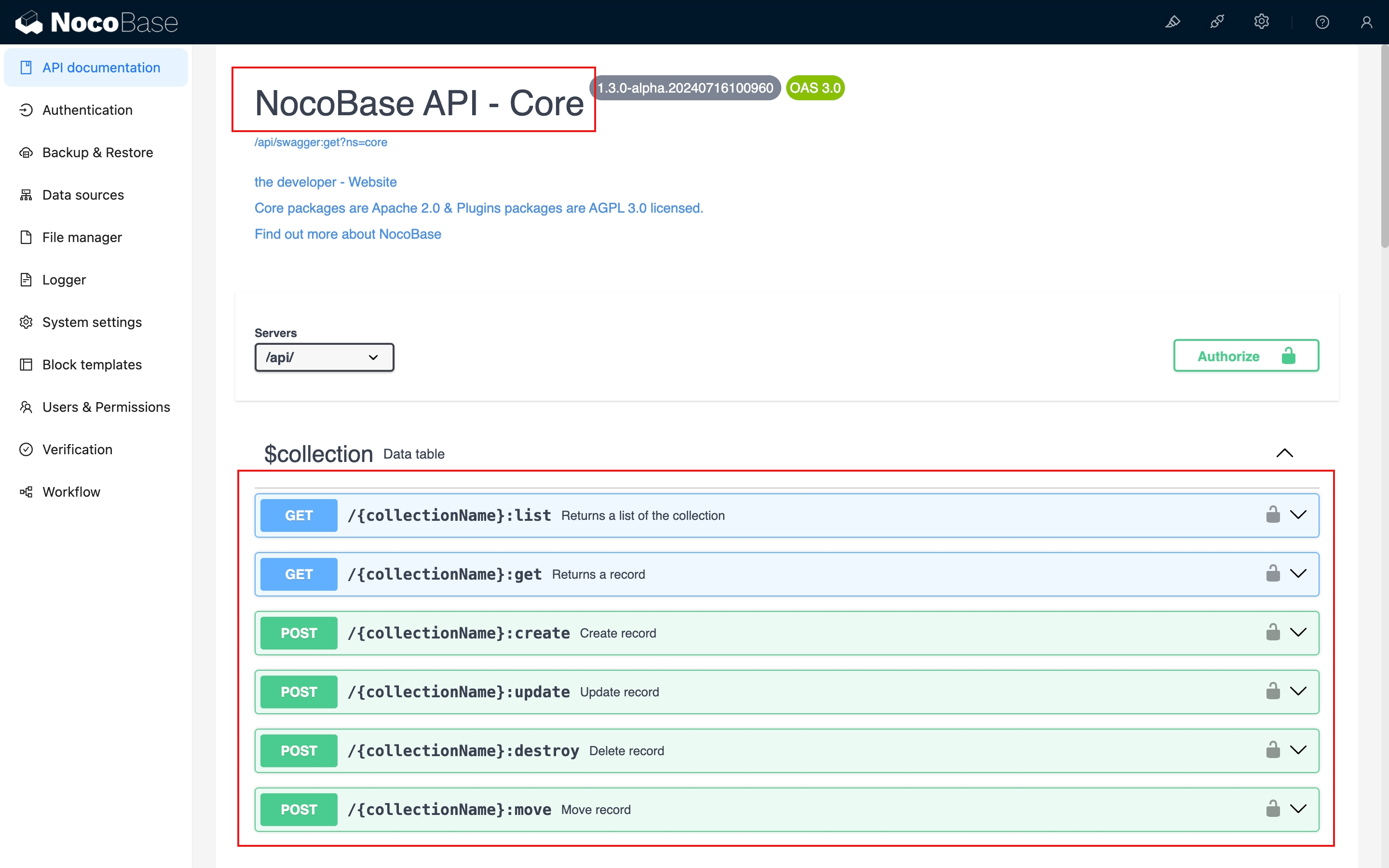
The REST API data-source collection is configured as follows.
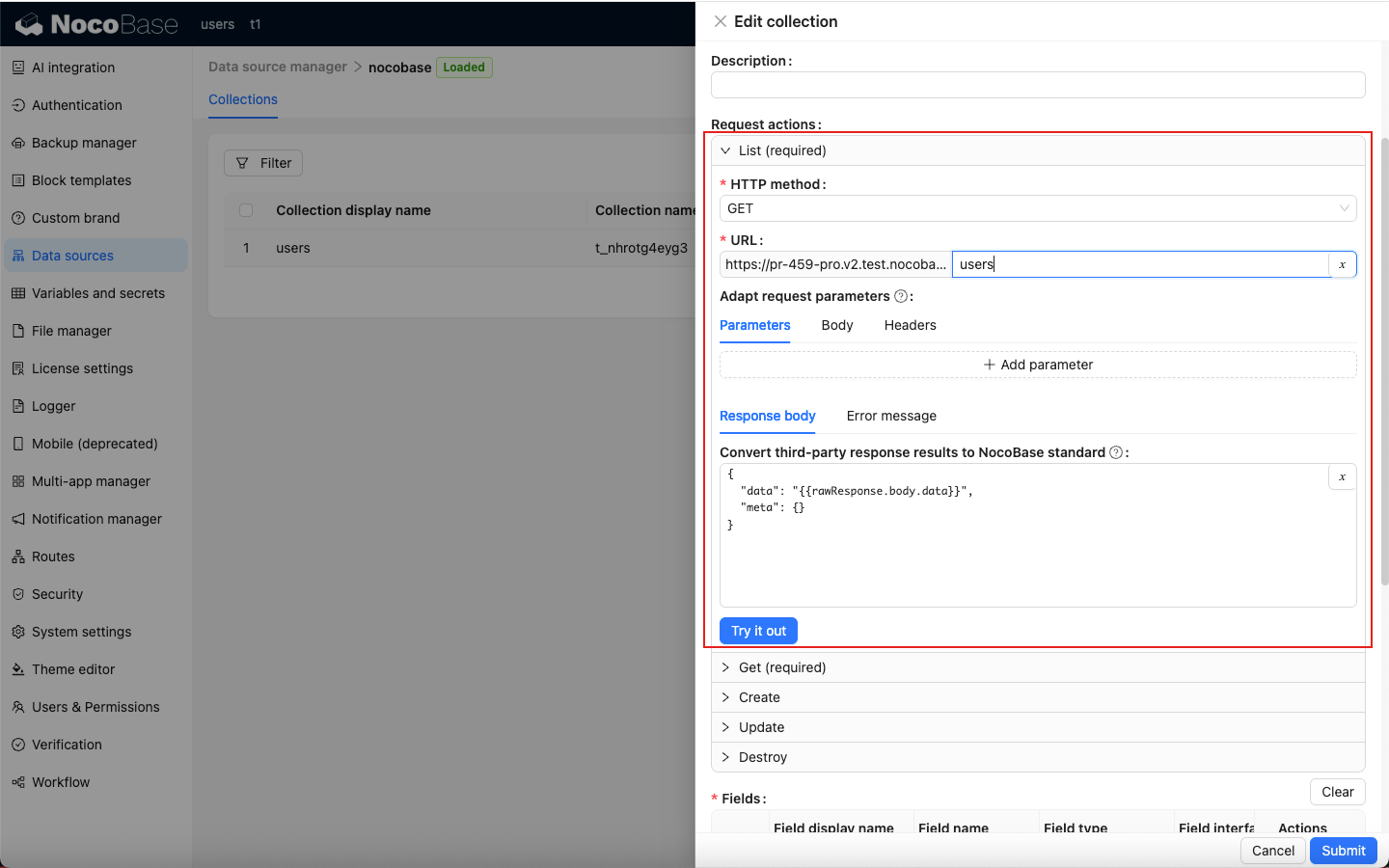
List
Configure the API mapping for retrieving a resource list.
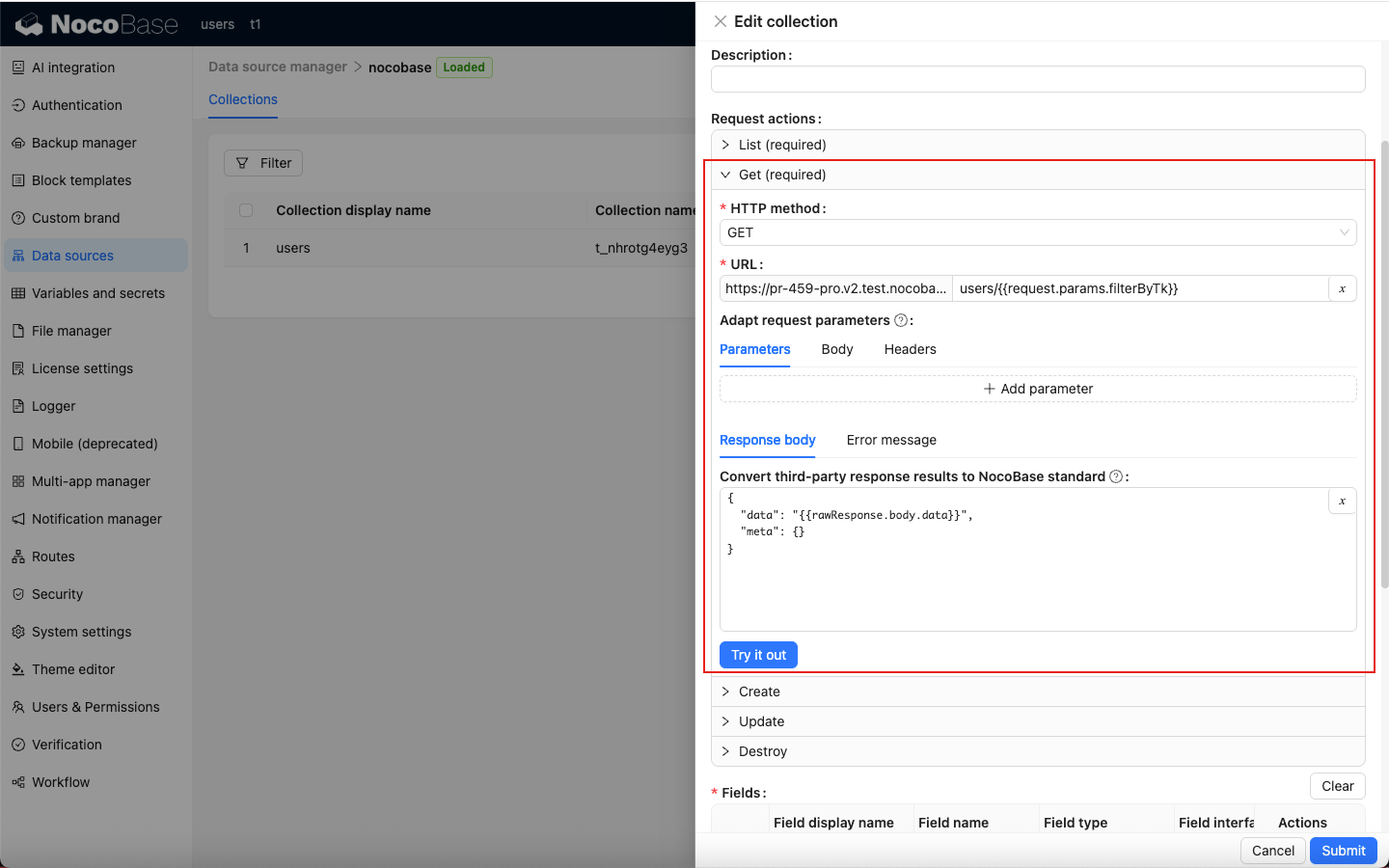
Get
Configure the API mapping for retrieving resource details.
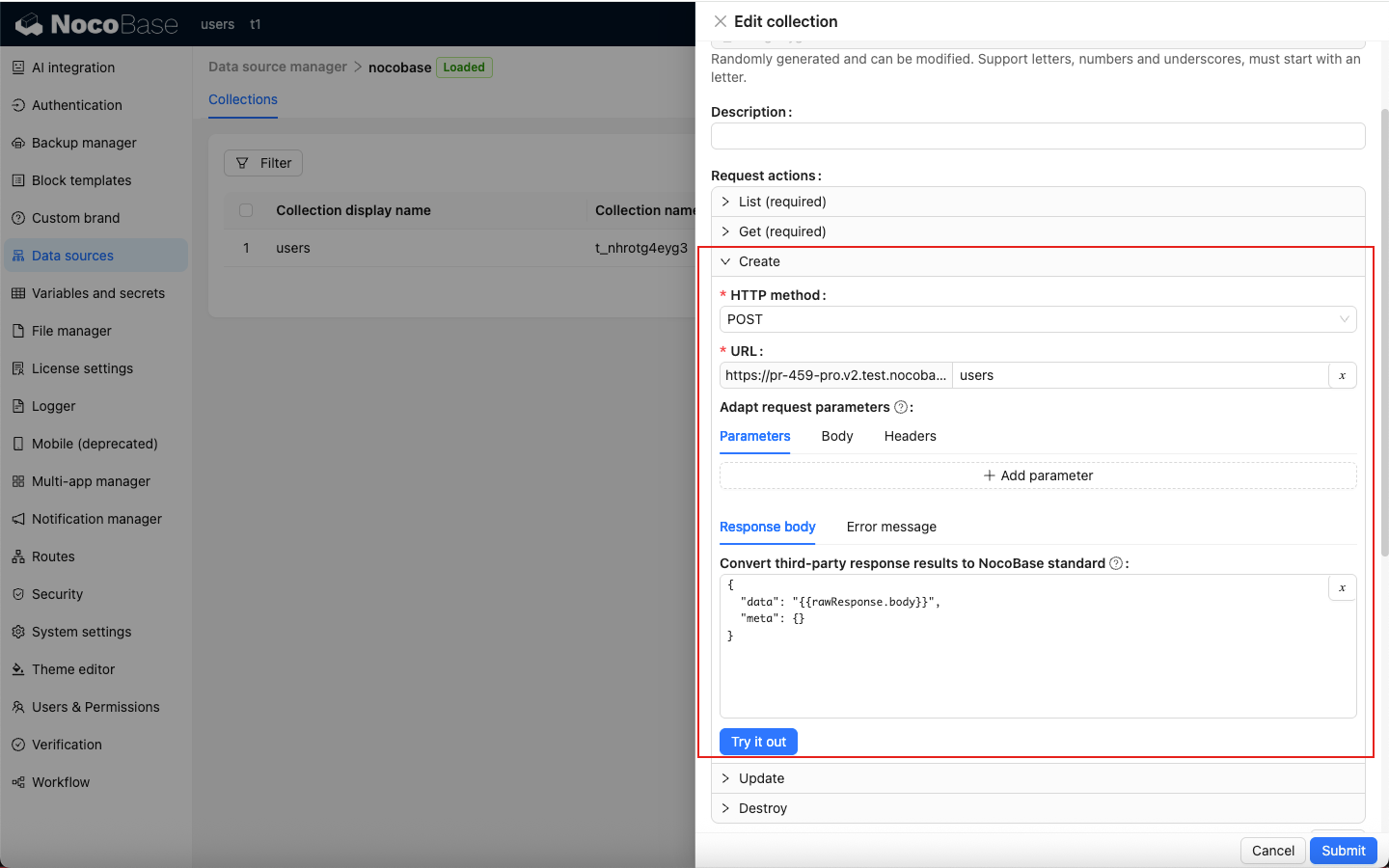
Create
Configure the API mapping for creating a resource.
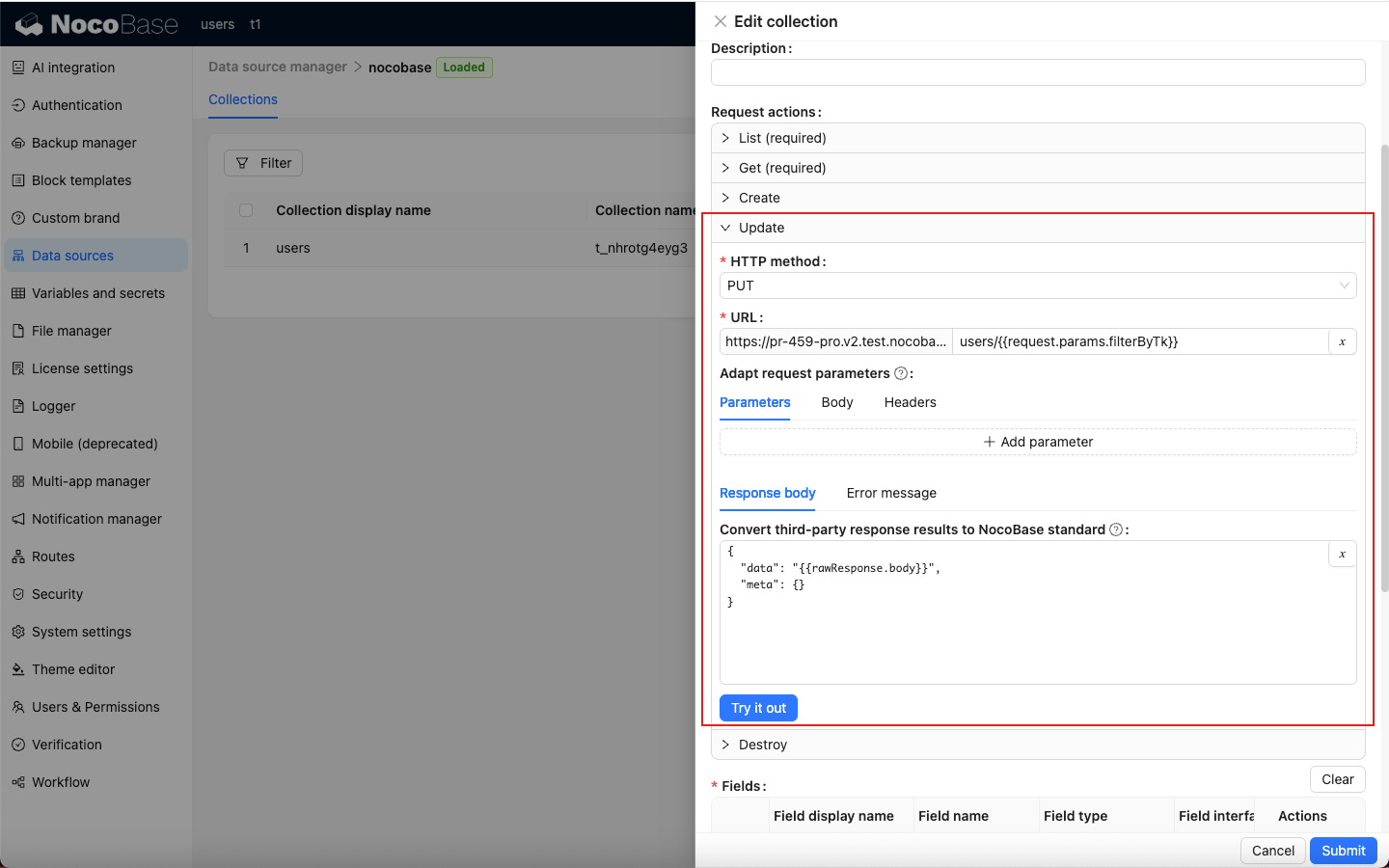
Update
Configure the API mapping for updating a resource.
Destroy
Configure the API mapping for deleting a resource.
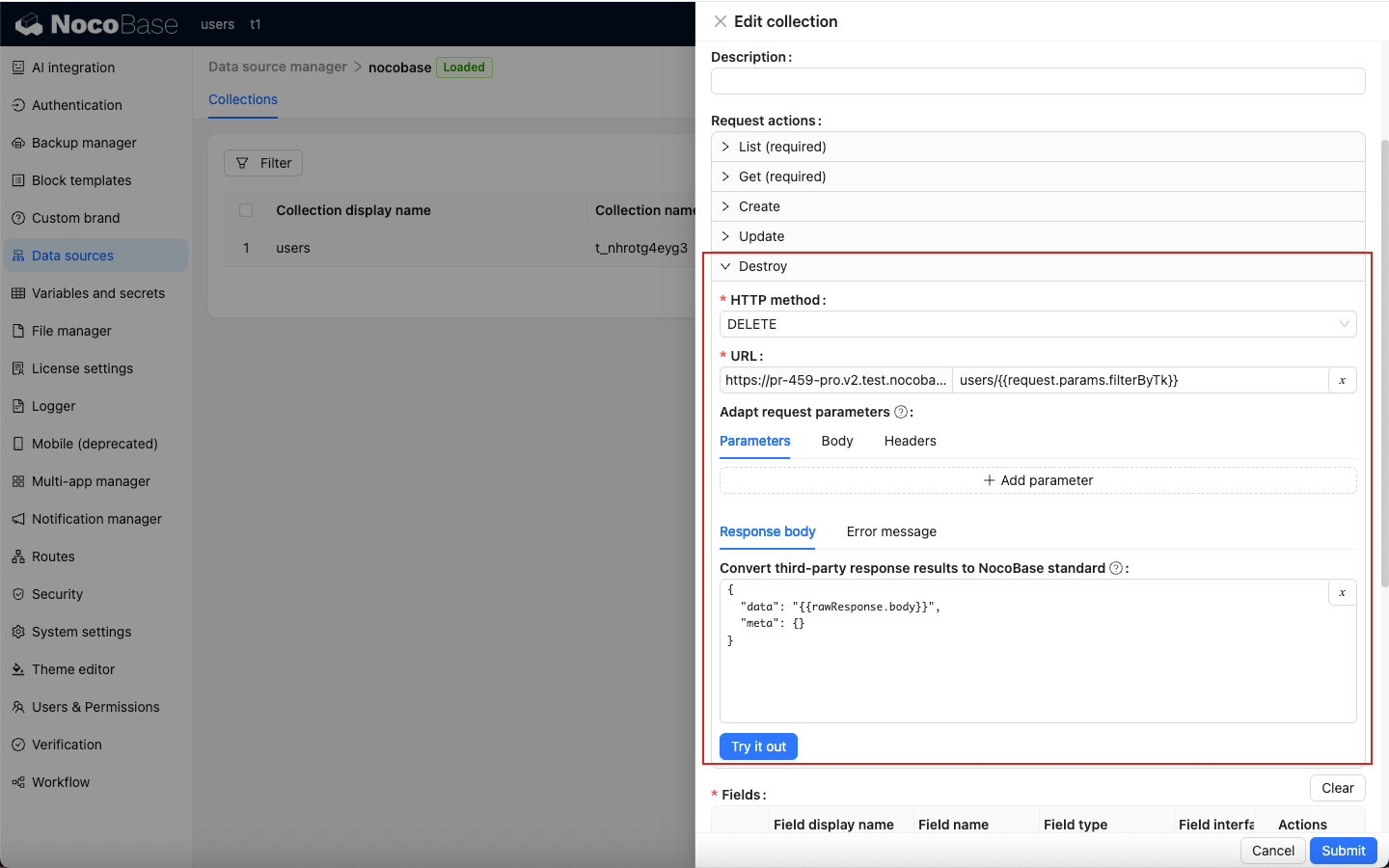
List and Get are required API mappings.
Debug APIs
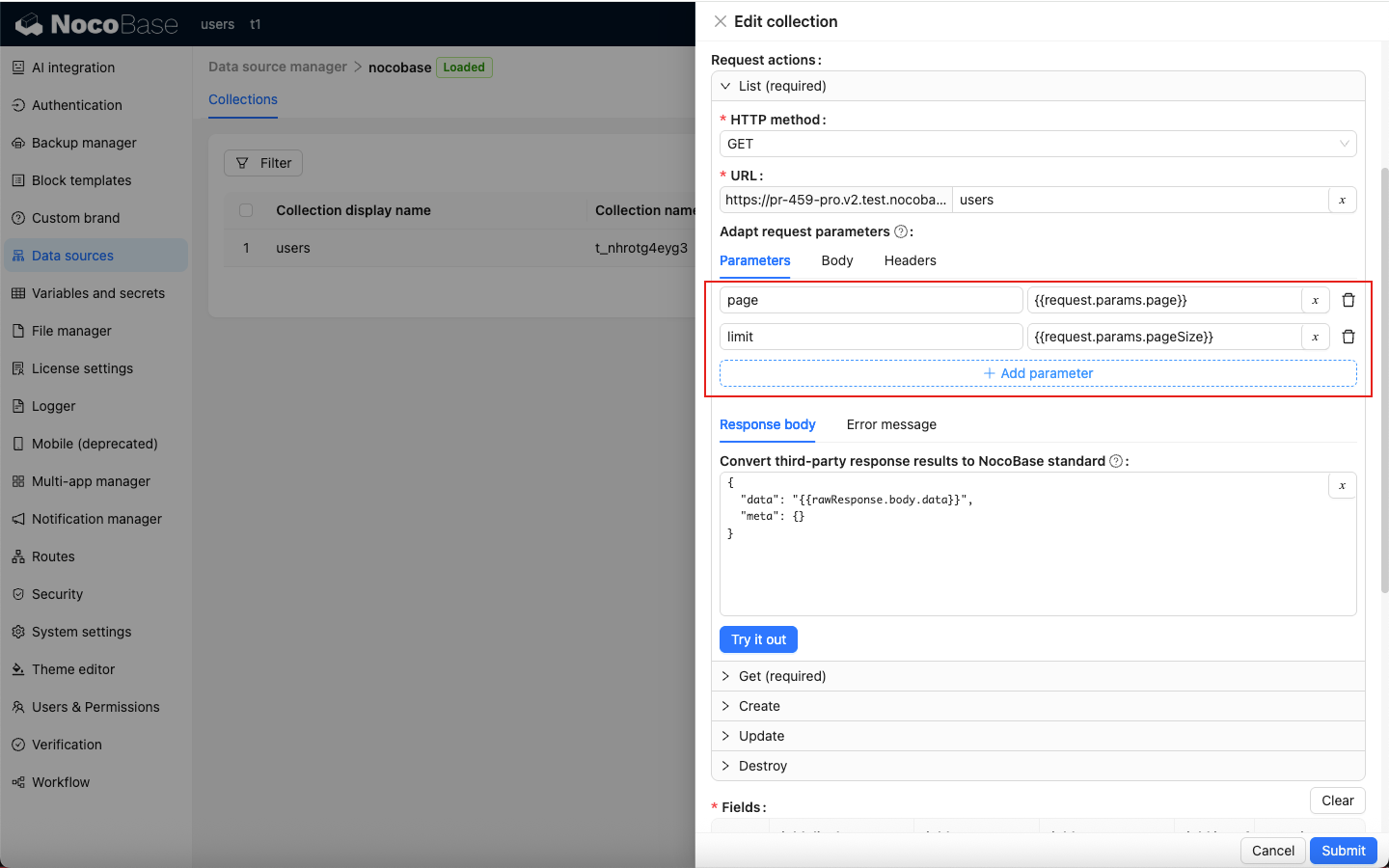
Request parameter integration
For example, configure pagination parameters for the List API. If the third-party API itself does not support pagination, NocoBase paginates the returned list data.
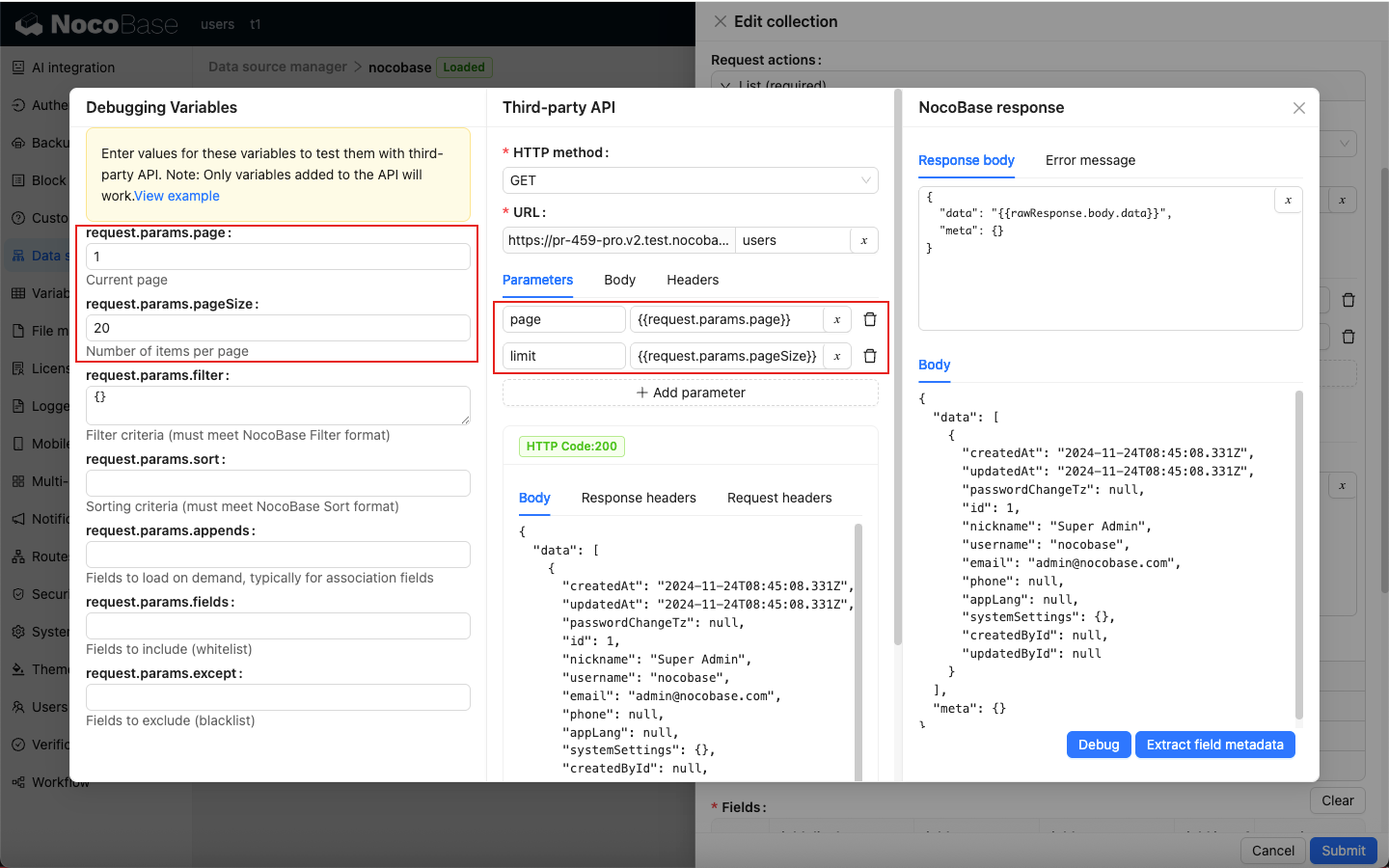
Only variables added to the API take effect.
Click Try it out to debug the API and inspect the response.
Response format conversion
The response format of a third-party API might not match the NocoBase standard. Convert it before it can be displayed correctly in the client.
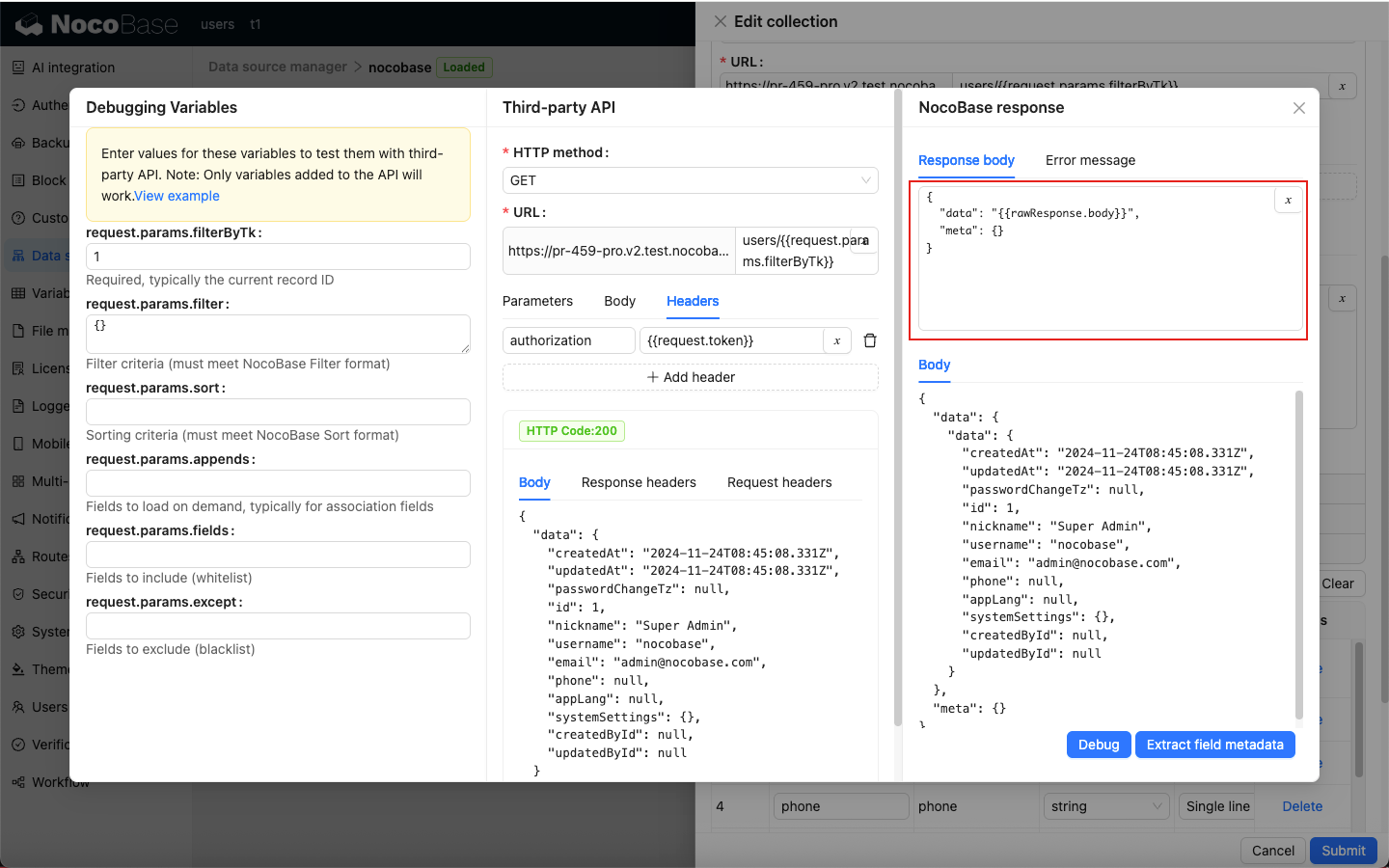
Adjust the conversion rules according to the third-party API response so that it matches the NocoBase output standard.
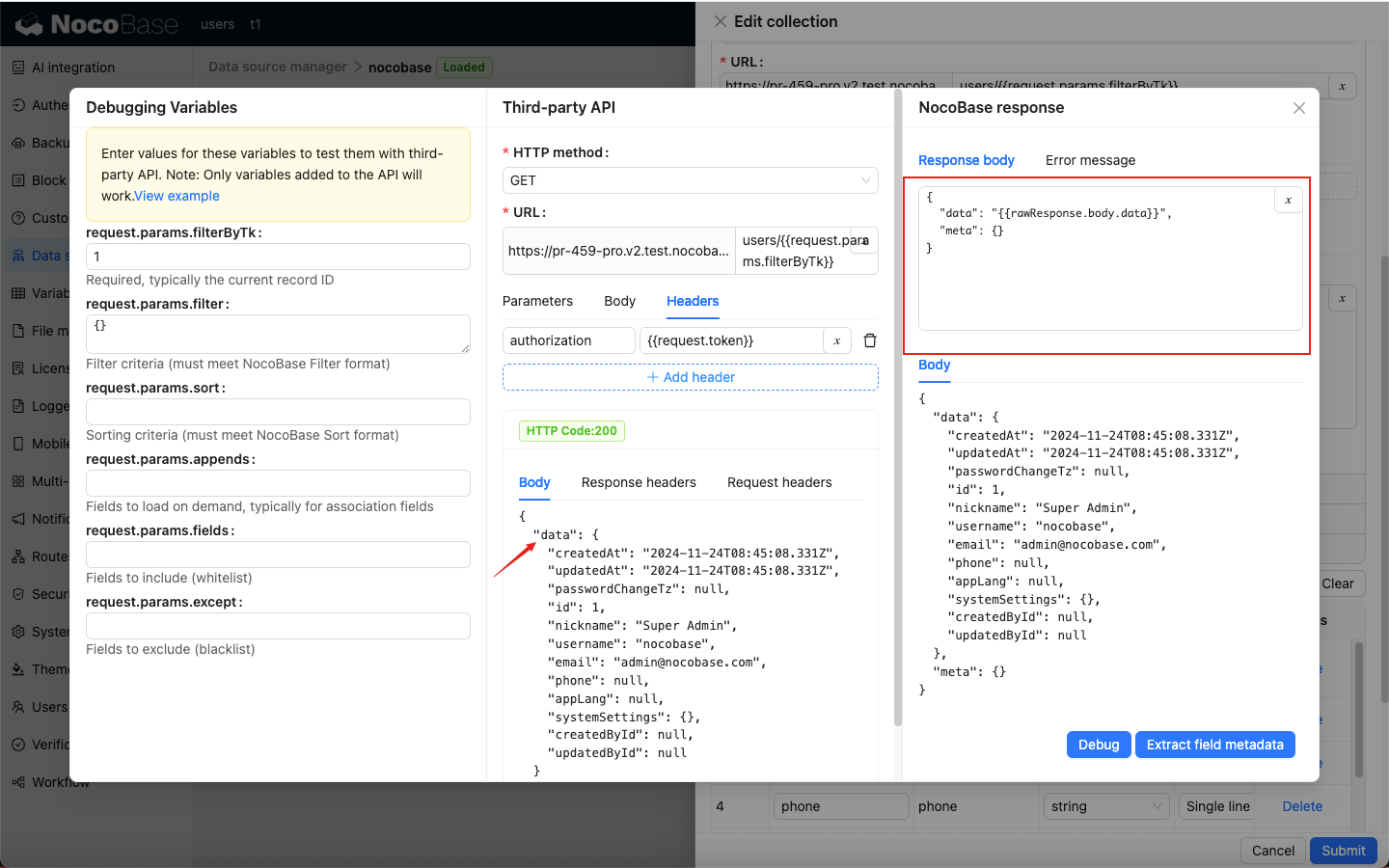
Debugging flow.
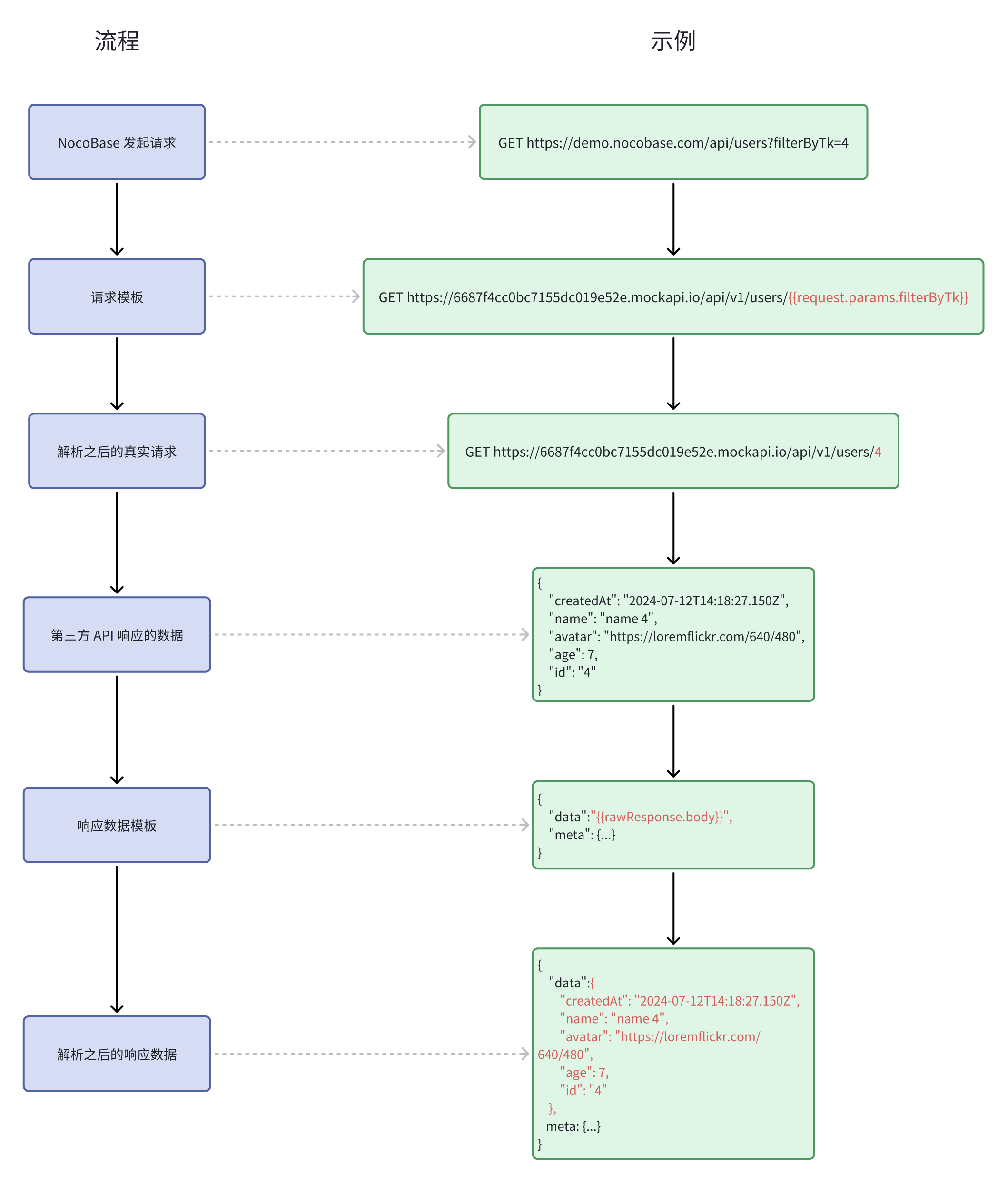
Error information conversion
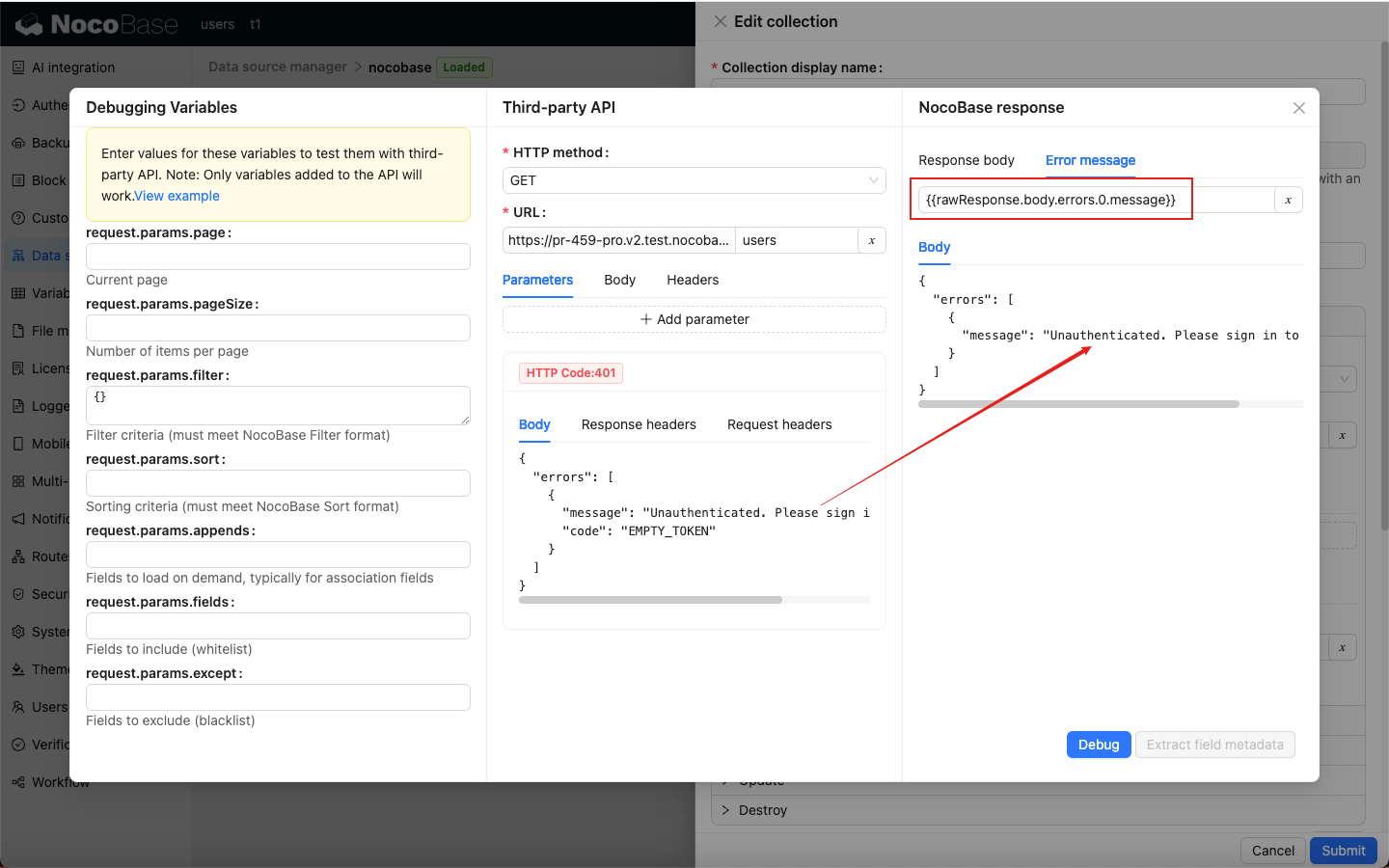
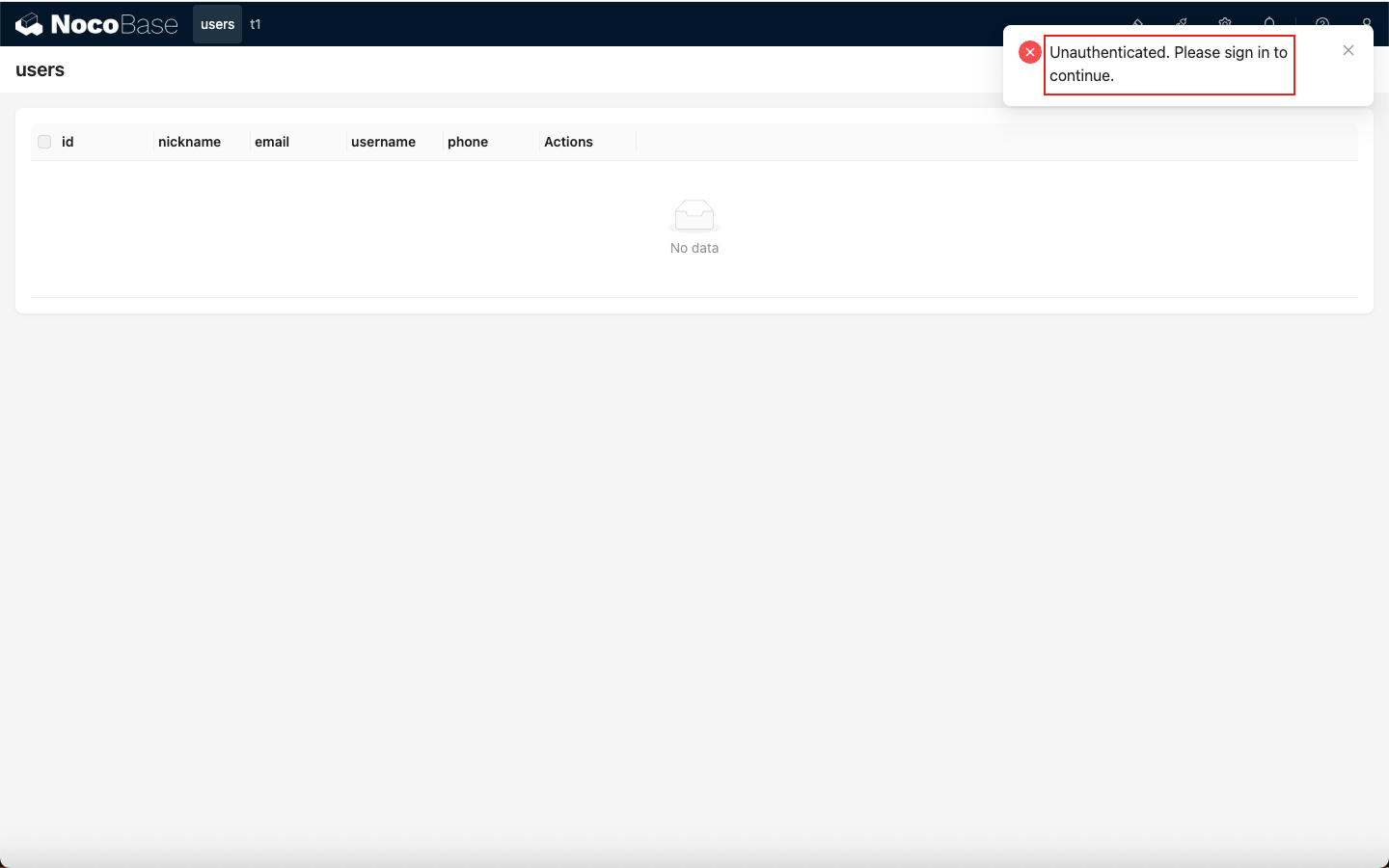
When a third-party API returns an error, its error response might not match the NocoBase standard. Convert it before the client can display it correctly.
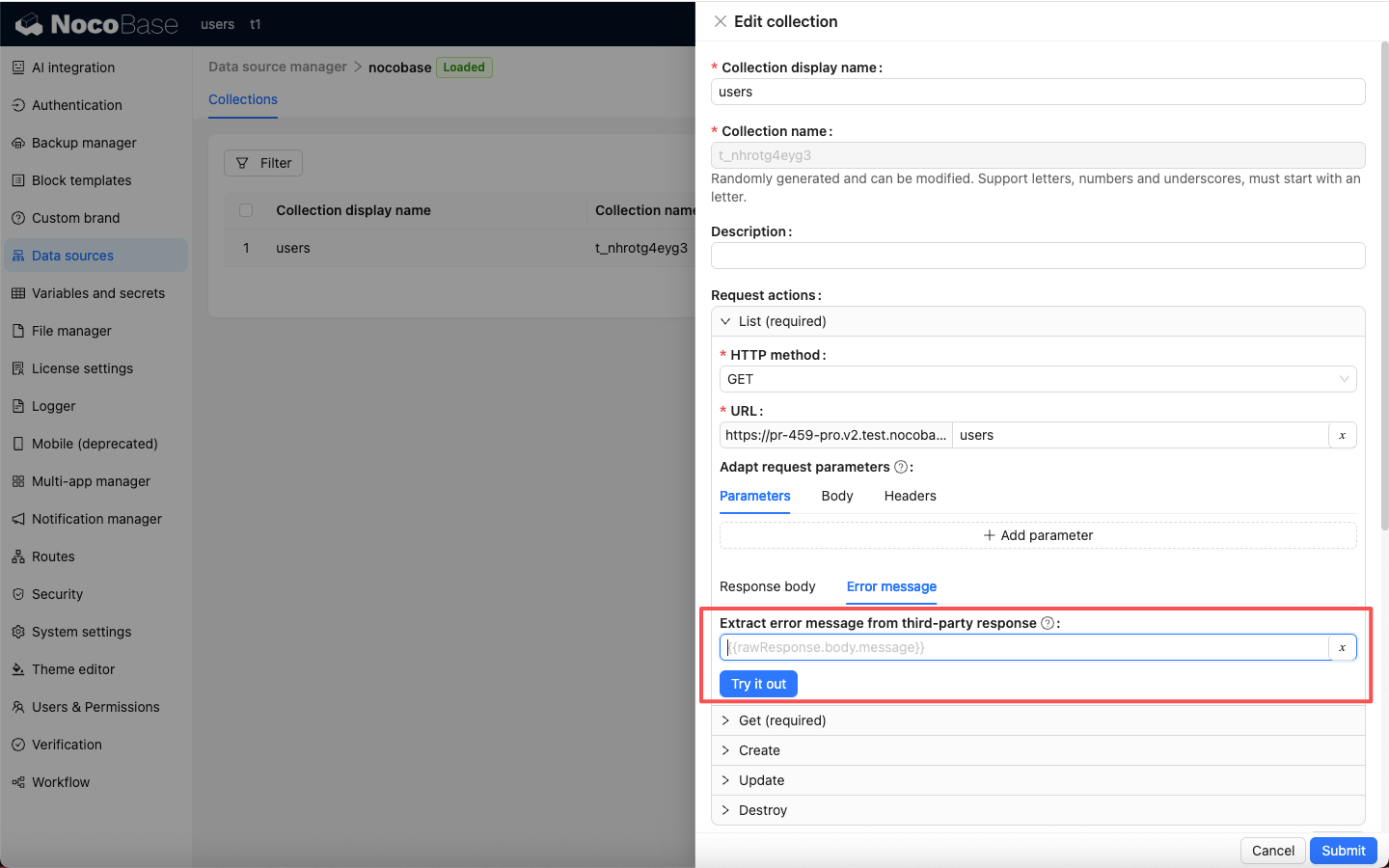
When error conversion is not configured, the error is converted by default to an error message that includes the HTTP status code.
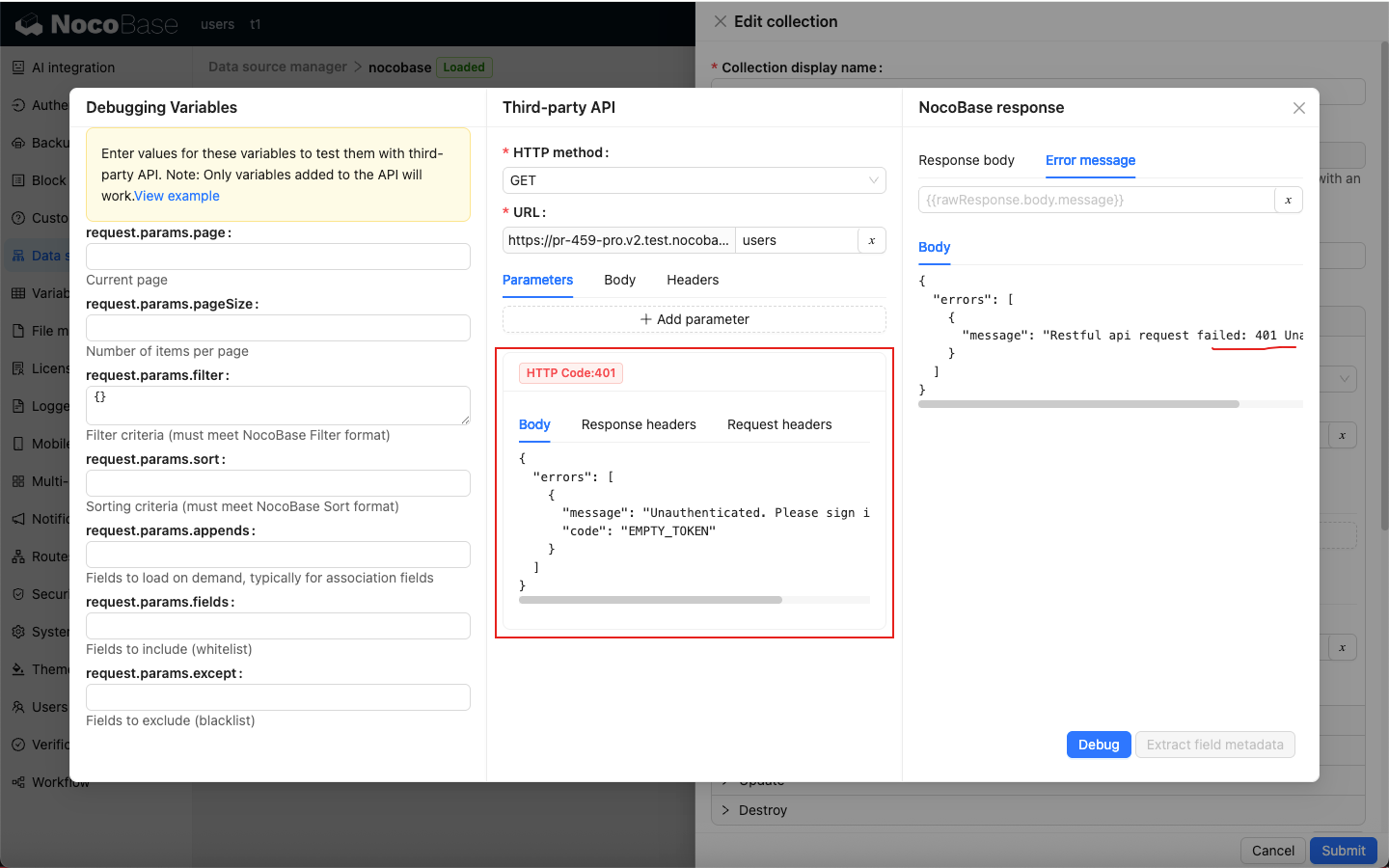
After configuring error conversion to match the NocoBase output standard, the client can display third-party API error information correctly.
Variables
The REST API data source provides three variable categories for API integration:
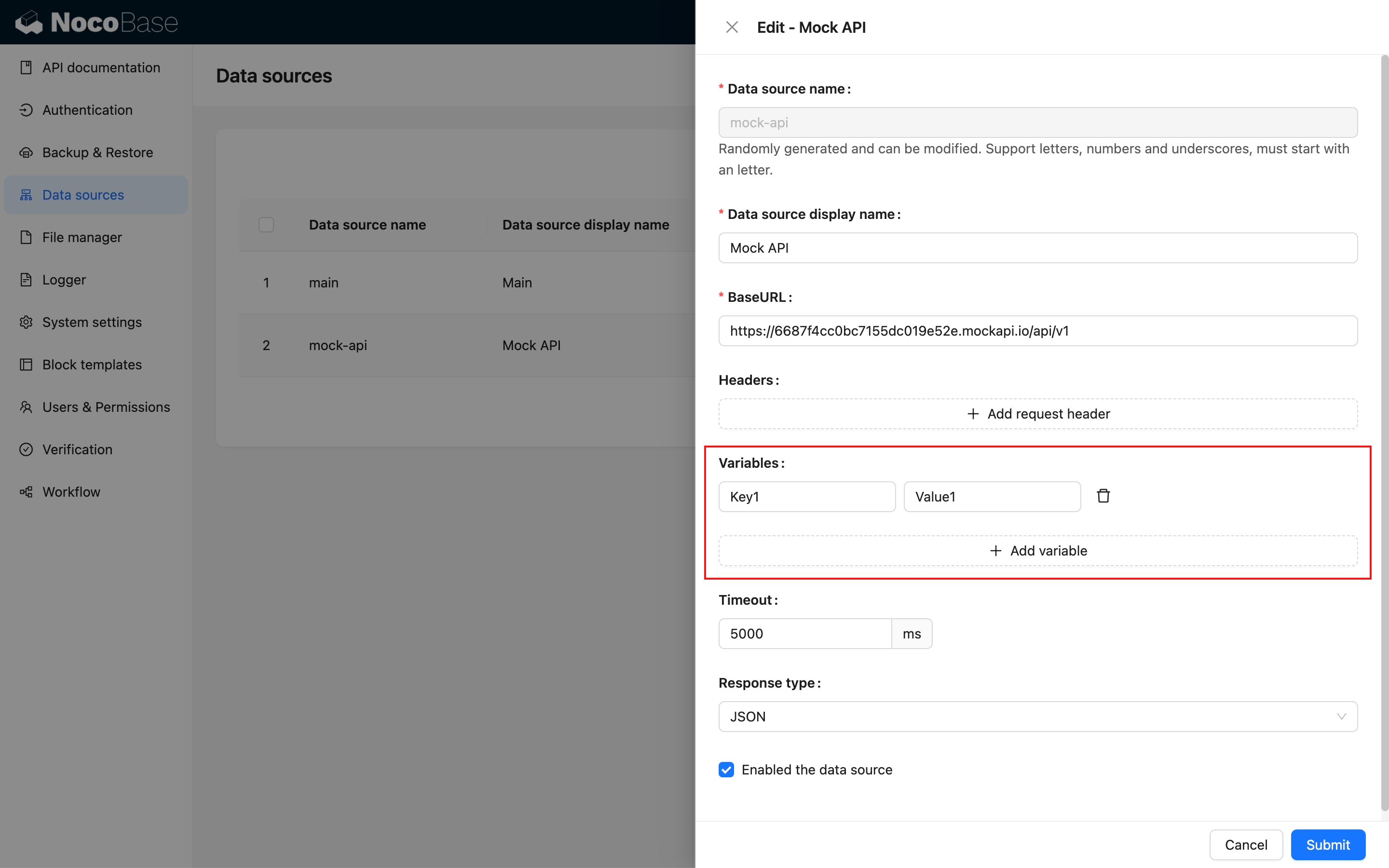
- Data-source custom variables
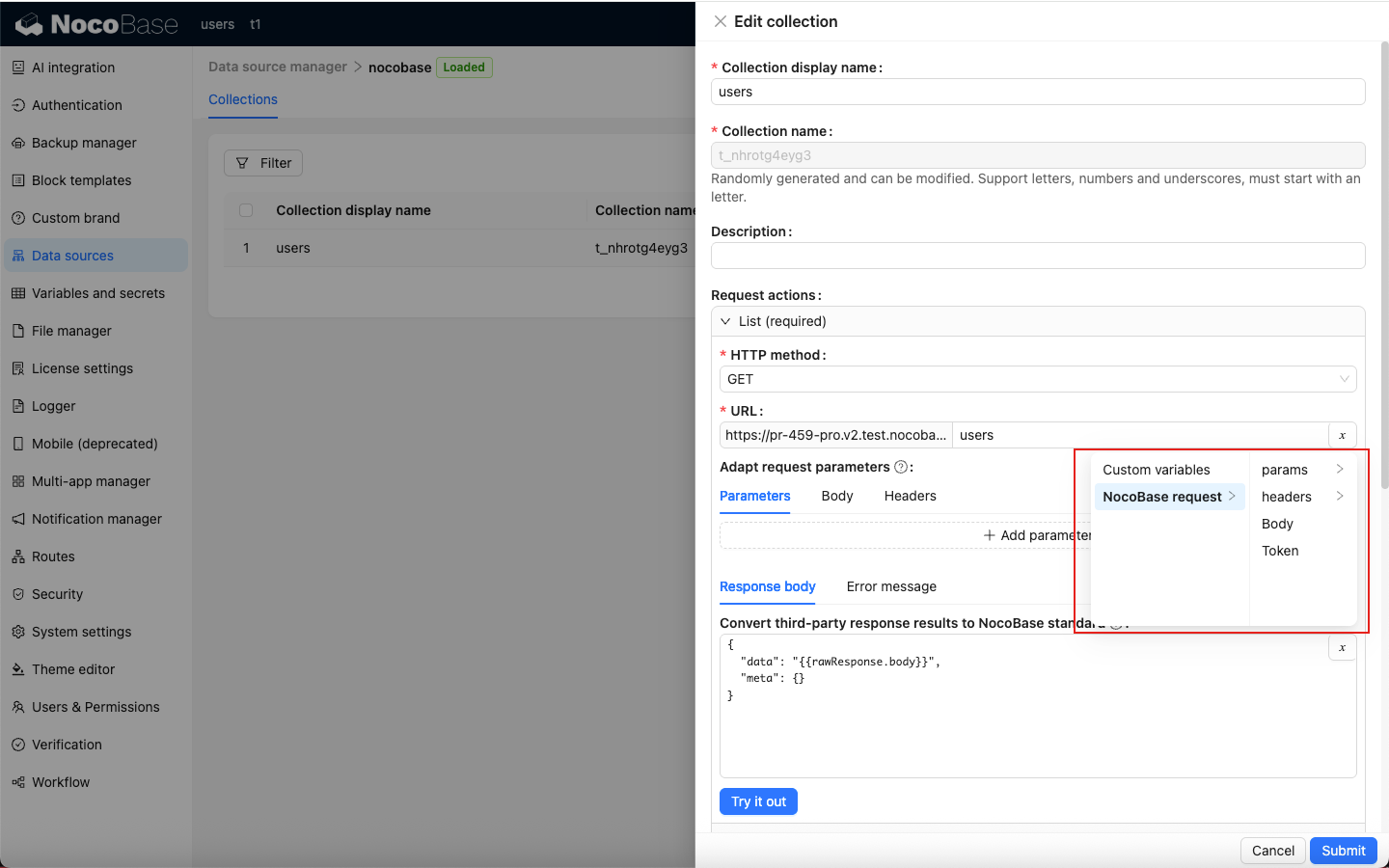
- NocoBase requests
- Third-party responses
Data-source custom variables
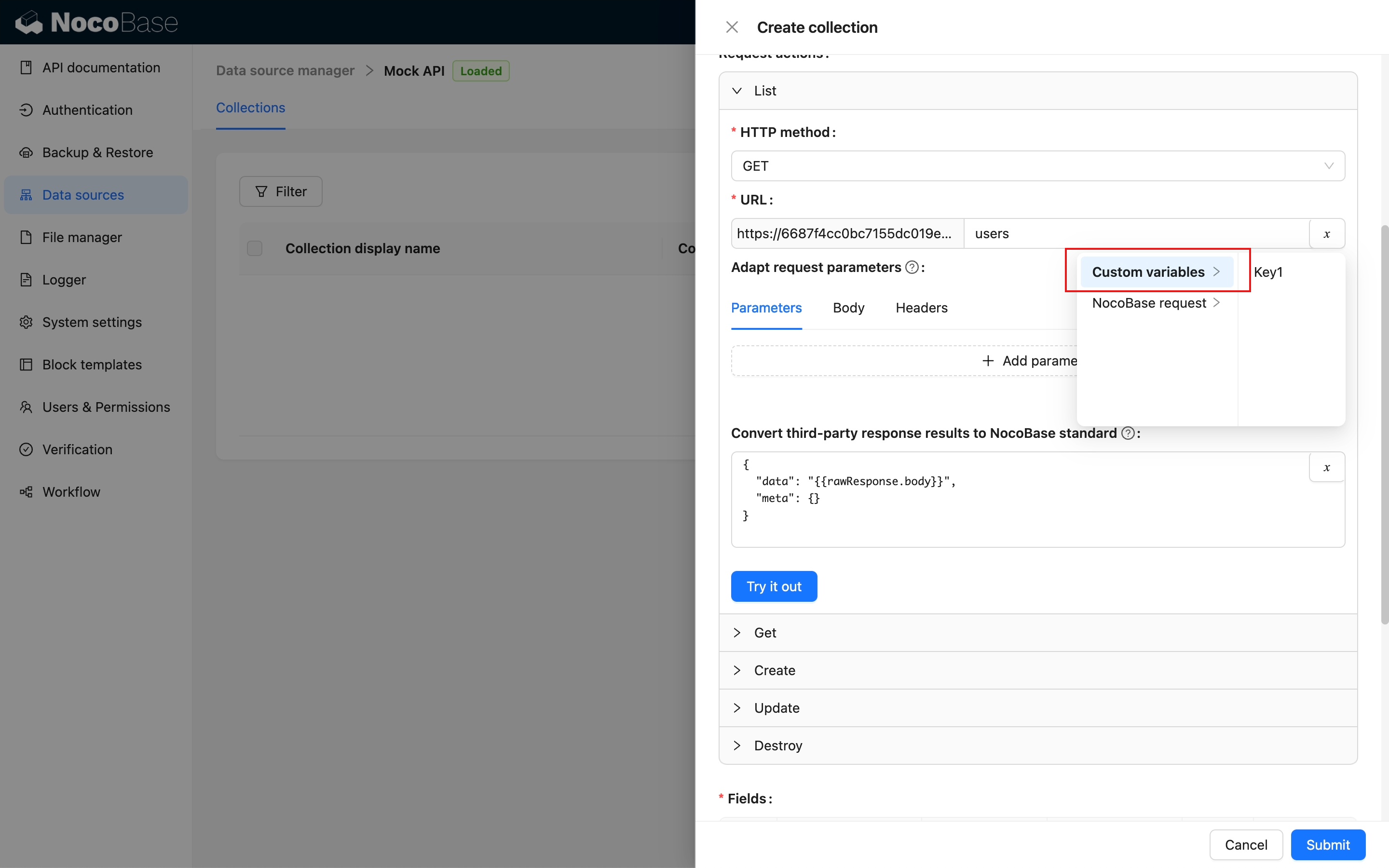
NocoBase requests
- Params: URL query parameters (Search Params). The available Params differ between APIs
- Headers: request headers, primarily providing NocoBase custom
X-information - Body: the request body
- Token: the API token of the current NocoBase request
Third-party responses
Currently, only the response Body is available.
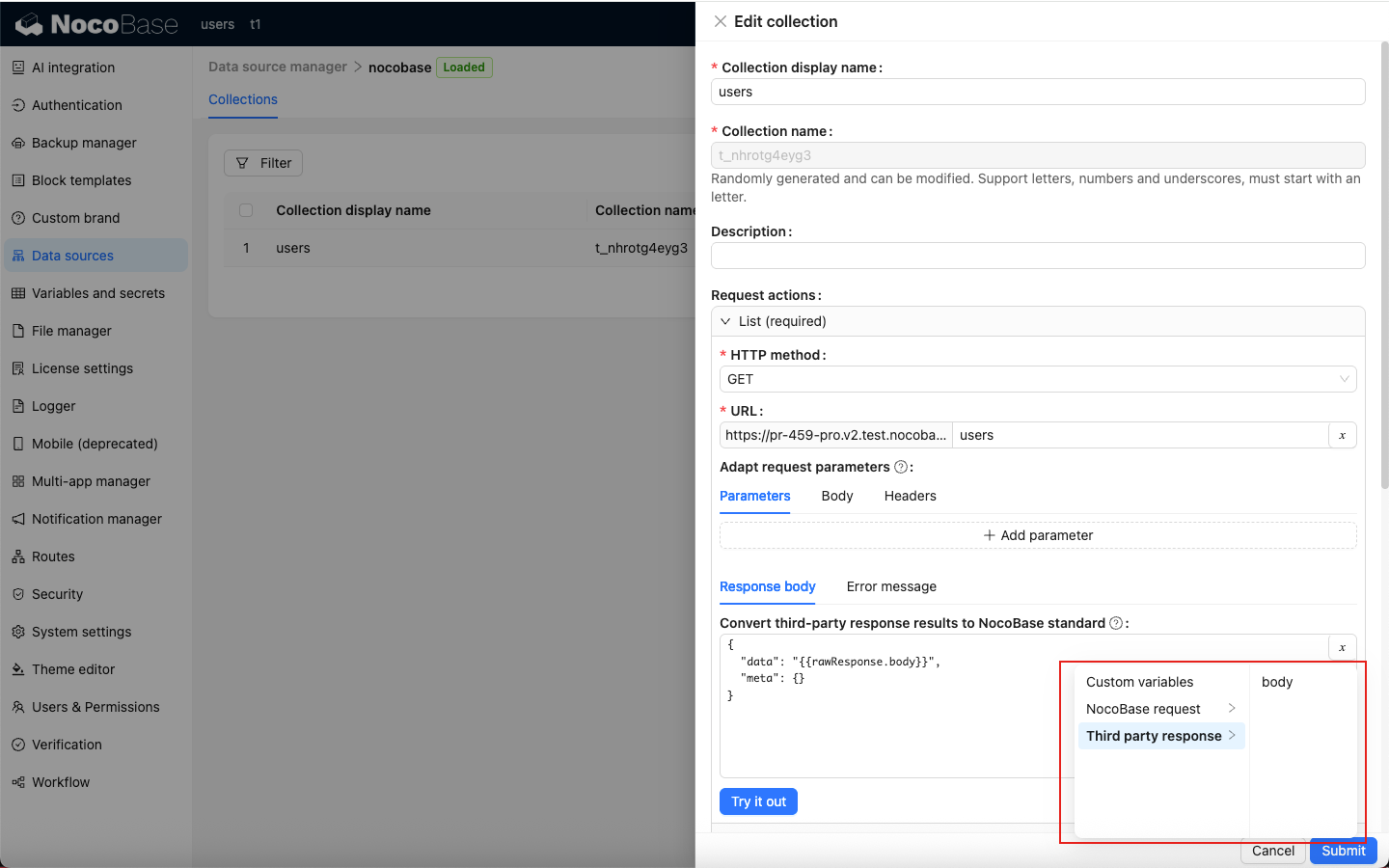
The available variables for each API integration are as follows.
List
Get
Create
Update
Destroy
Configure fields
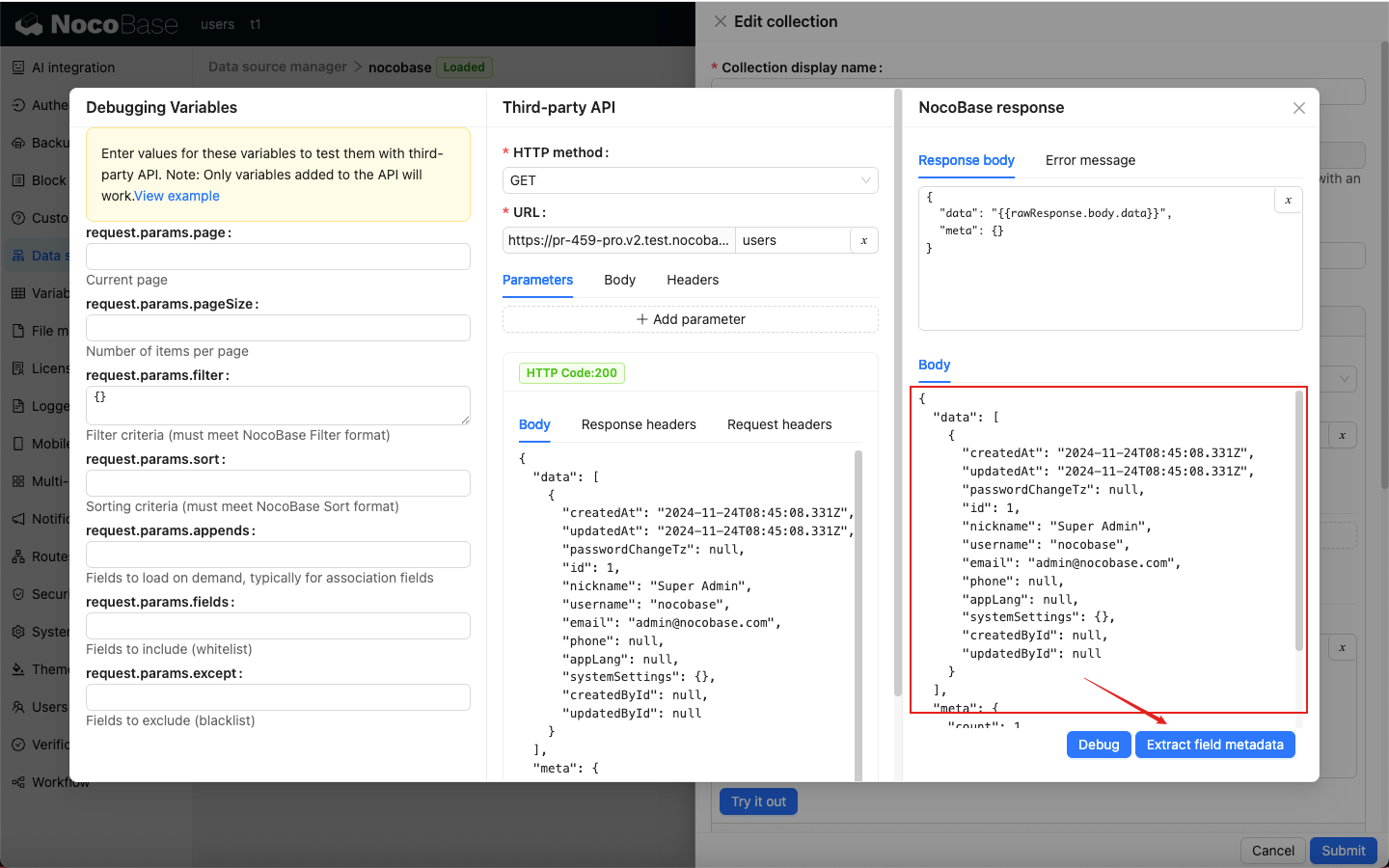
Extract field metadata (Fields) from data returned by the adapted resource CRUD APIs and use it as the fields of the collection.
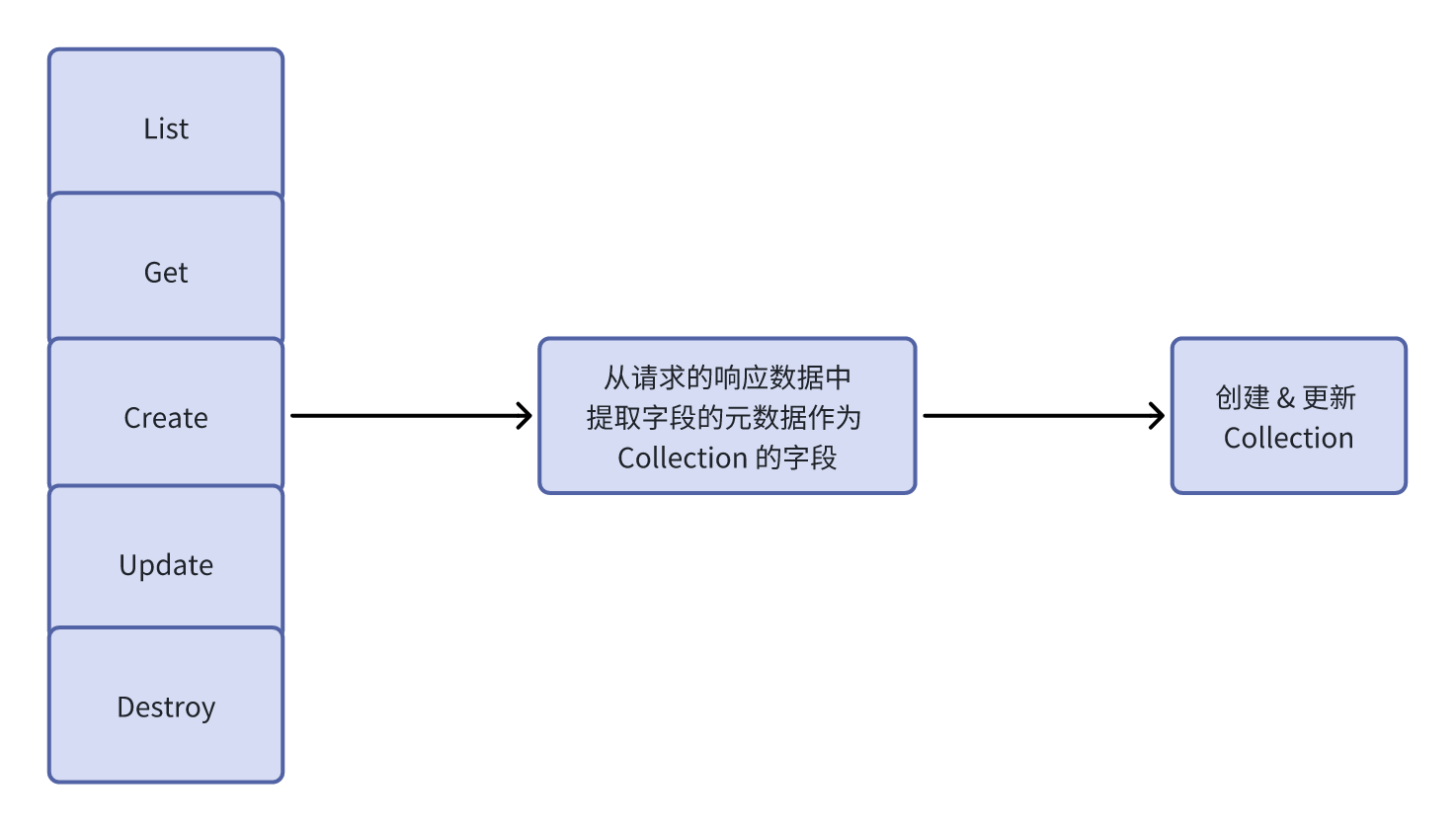
Extract field metadata.
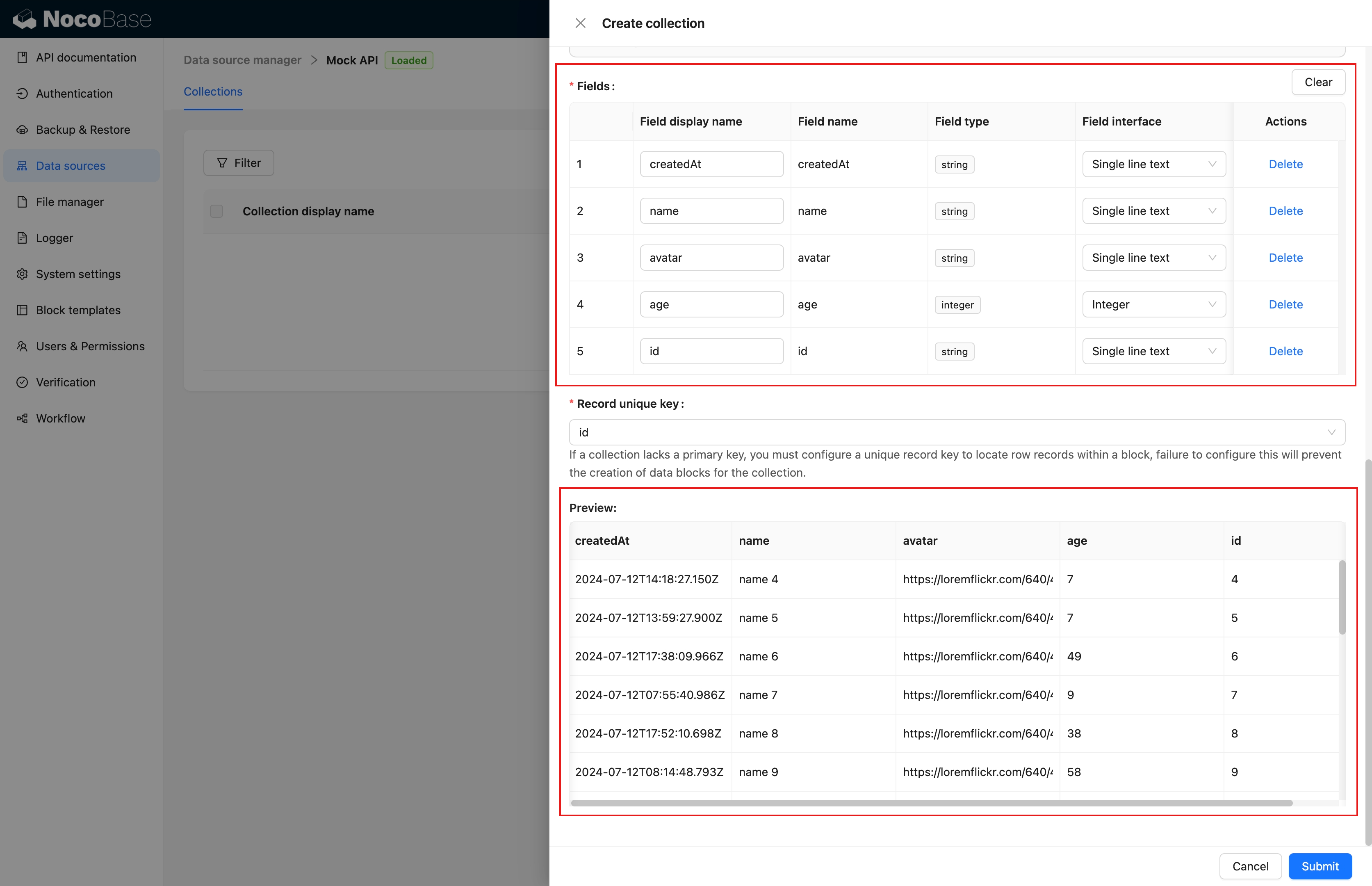
Fields and preview.
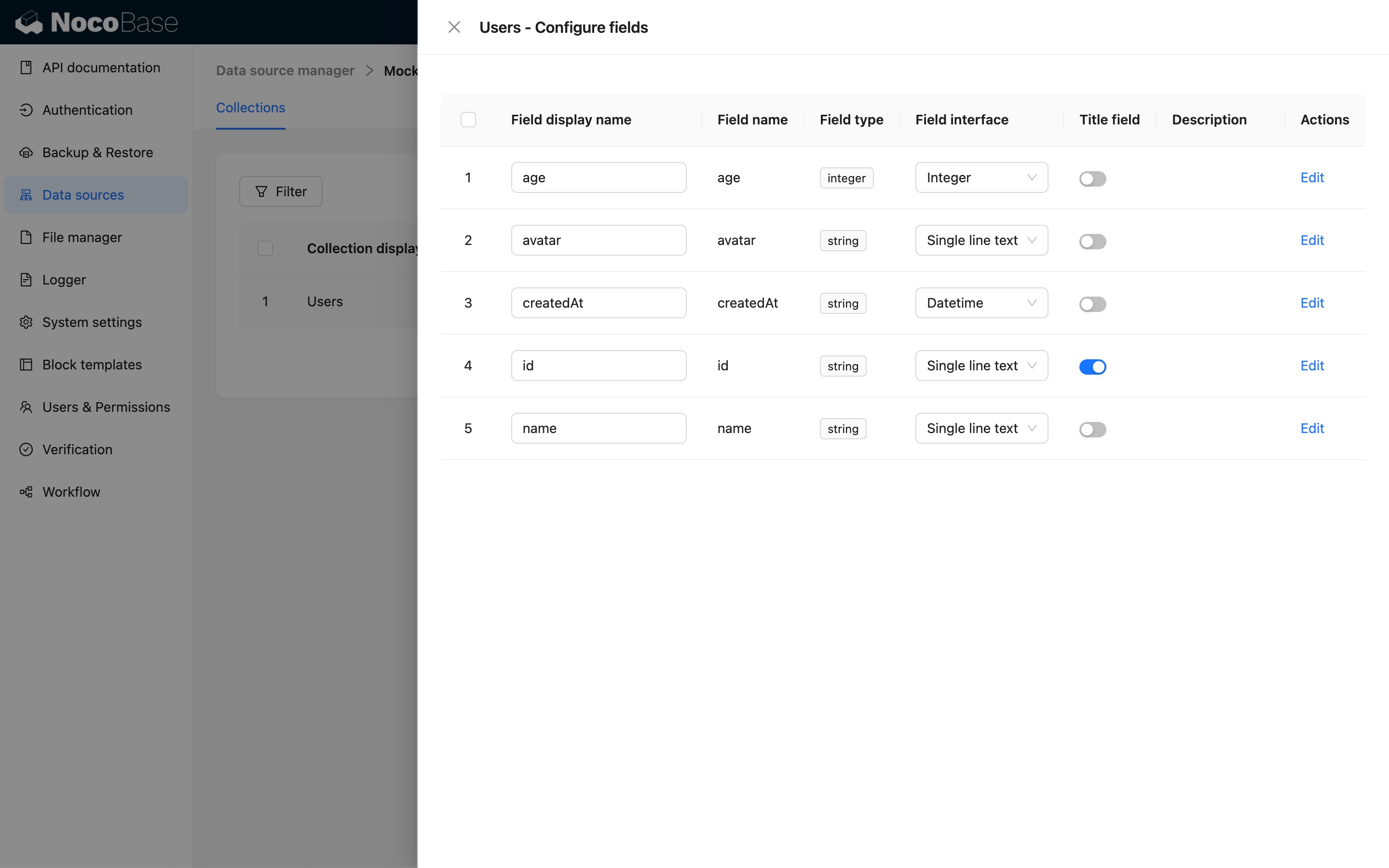
Edit fields in the same way as for other data sources.
Add REST API data-source blocks
After configuring the collection, you can add blocks to pages.