

Sort field
Collection field: SortCommunity Edition+Introduction
In NocoBase, the Sort field records the sort value of collection records. It is commonly used for drag-and-drop ordering in blocks such as Tables and Kanban.
Sort fields support ungrouped sorting and grouped sorting. Grouped sorting is suitable when records must be ordered independently inside each group, such as students ordered by class or tasks ordered by Kanban status.
Because a Sort field is a field in the same collection, grouped sorting does not support the same record appearing in multiple groups at the same time.
Installation
The Sort field is provided by a built-in plugin and does not require separate installation.
Create a Sort field
On the collection's Configure fields page, click Add field and select Sort.
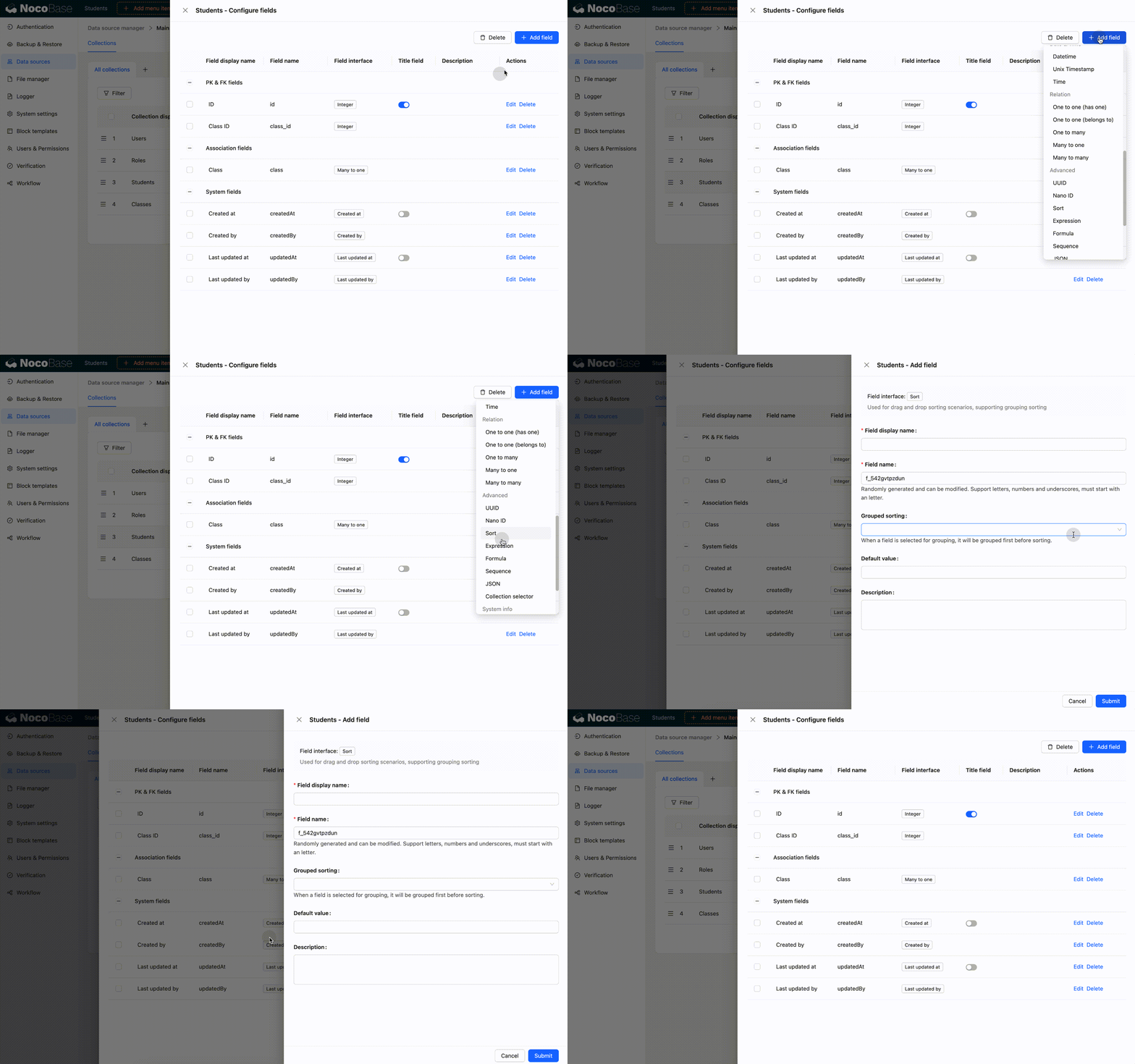
When creating a Sort field, NocoBase initializes sort values:
- Without grouped sorting, it initializes values according to the primary key and Created at fields
- With grouped sorting, it groups records first, then initializes values according to the primary key and Created at fields
If sort-value initialization fails during field creation, the Sort field is not created. Within a range, when one record moves from position A to B, the sort values of all records between A and B change. If updating any one record fails, the move fails and none of the related sort values change.
Create an ungrouped Sort field
The following example creates a sort1 field without grouped sorting.
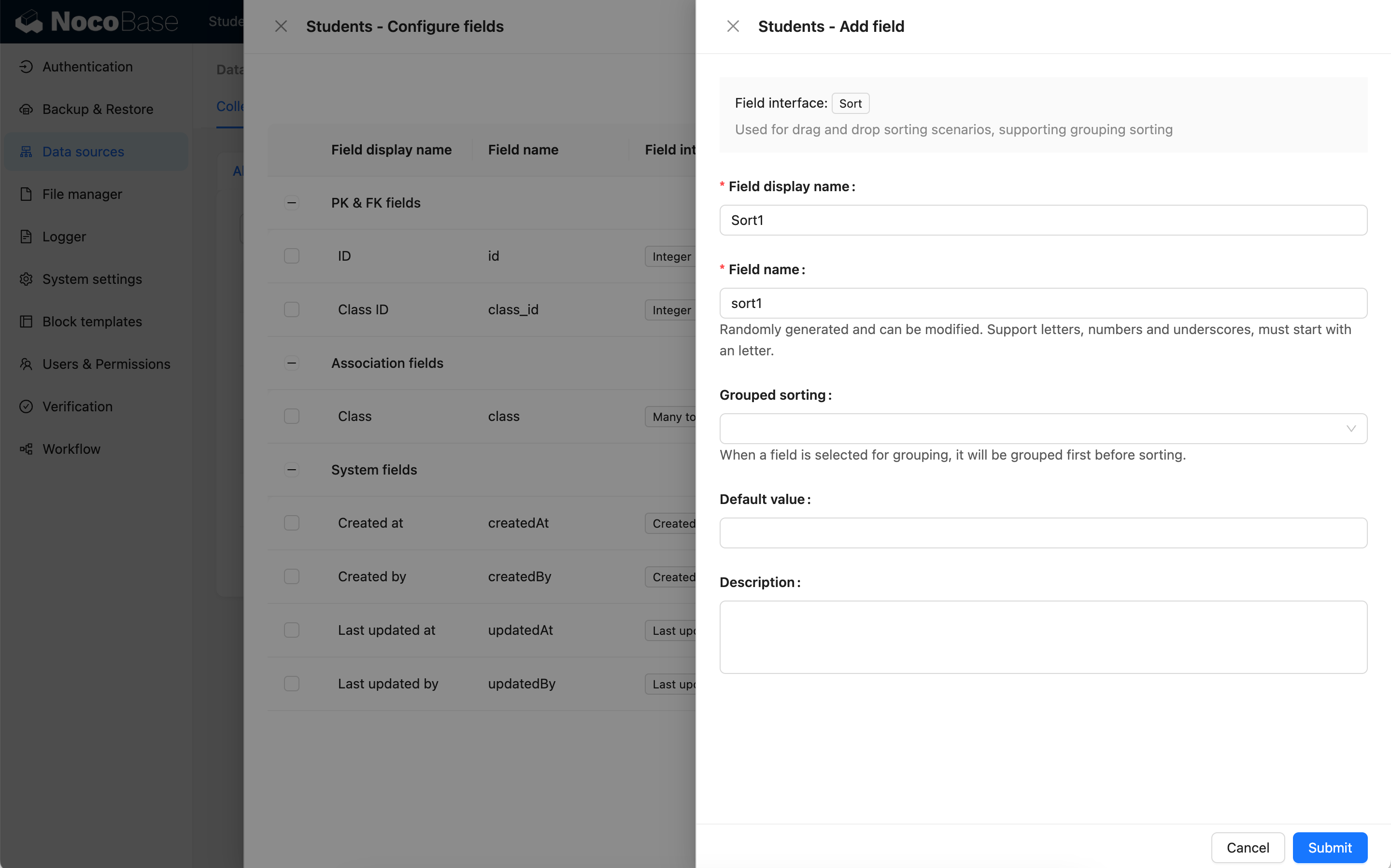
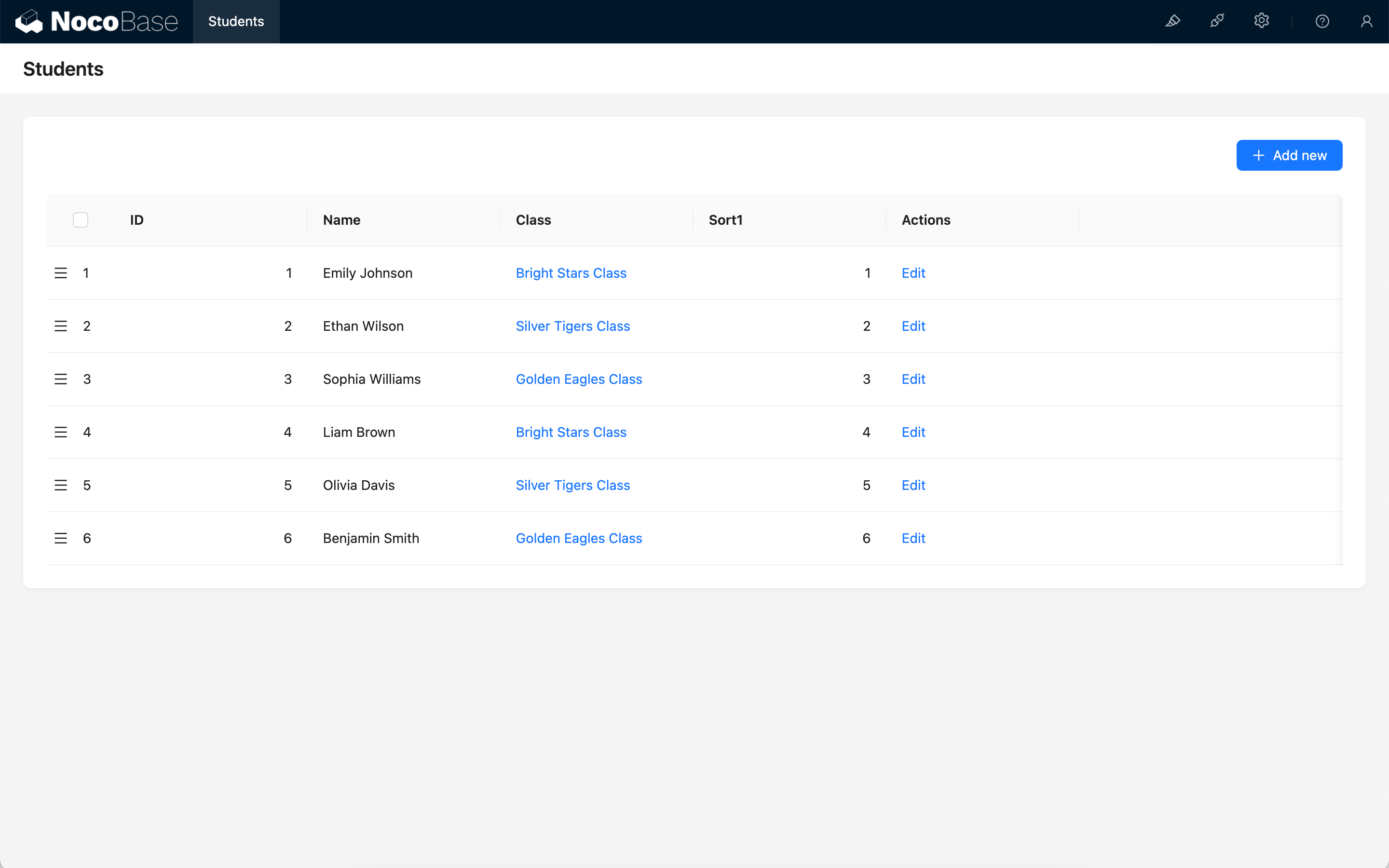
Each record's Sort field is initialized according to its primary key and Created at field.
Create a grouped Sort field
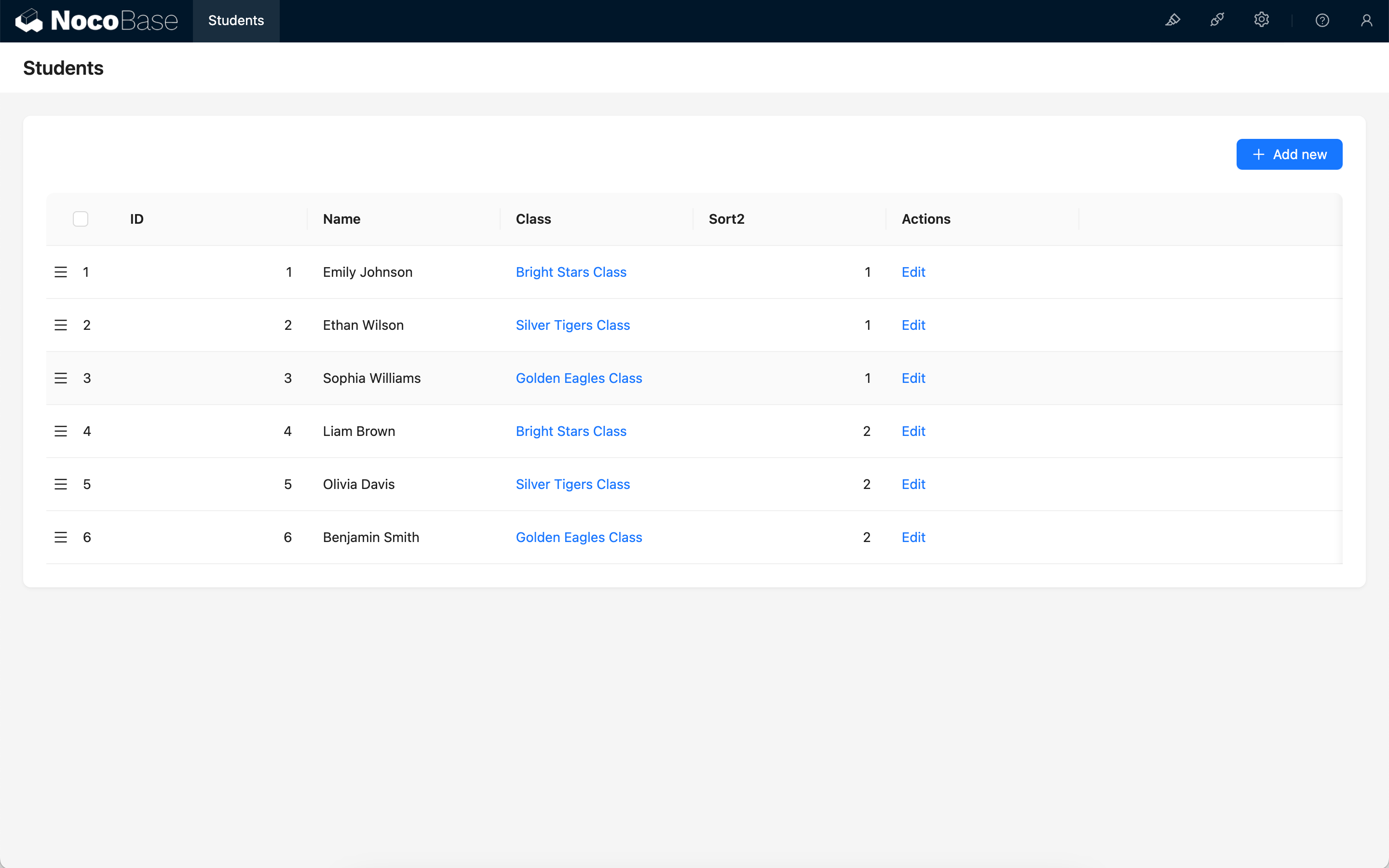
The following example creates a sort2 field grouped by Class ID.
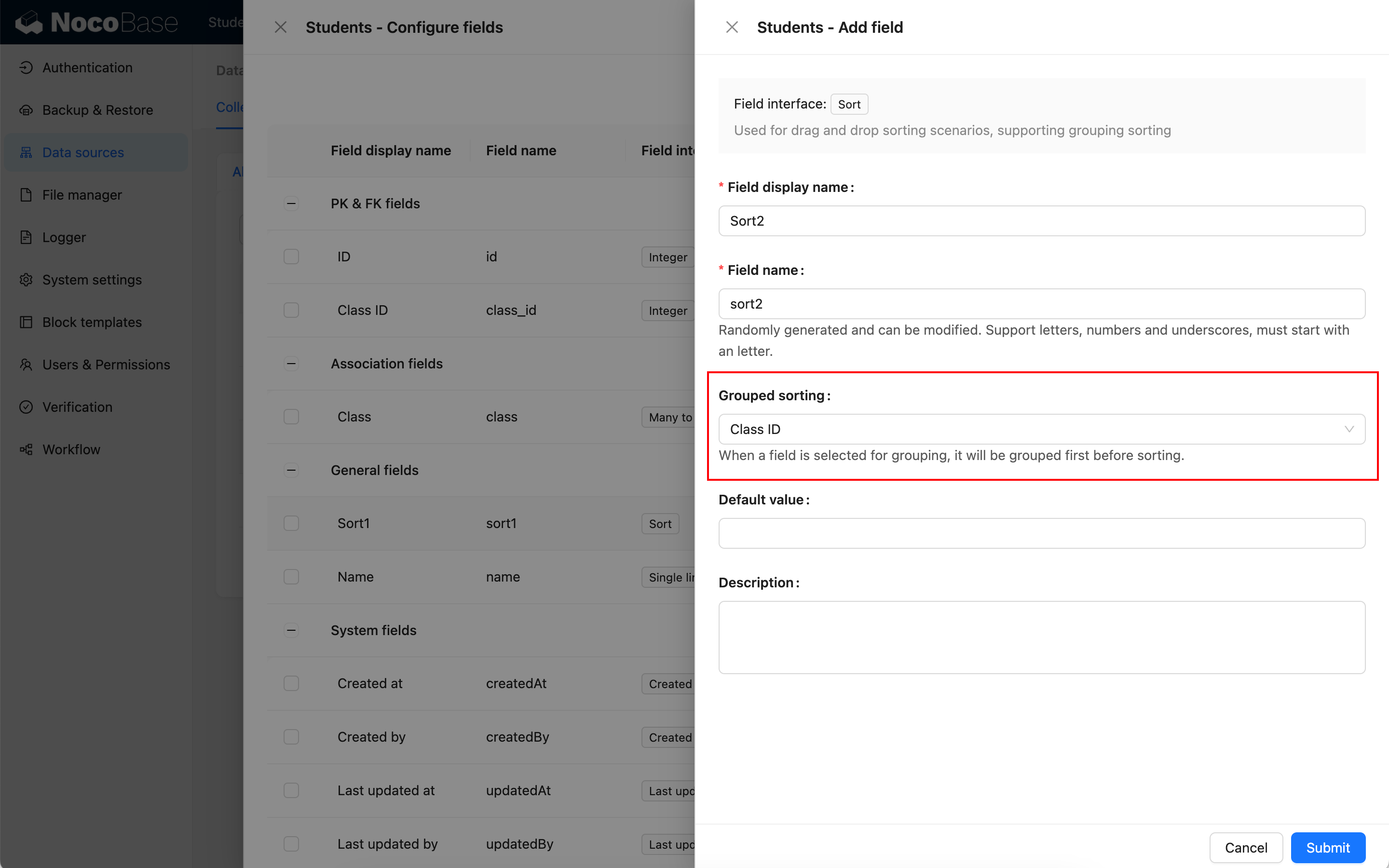
All records in the collection are first grouped by Class ID, then their Sort field values are initialized.
Drag-and-drop sorting
Sort fields are primarily used for drag-and-drop ordering of records in blocks. Table and Kanban blocks currently support drag-and-drop sorting.
- Using the same Sort field for drag-and-drop sorting in multiple blocks can disrupt existing ordering
- A Table block cannot use a grouped Sort field for drag-and-drop sorting
- In a one-to-many relation Table block, the foreign key can be used as the group
- Only Kanban blocks currently support grouped drag-and-drop sorting
Drag-and-drop Table rows
Table blocks can use Sort fields to adjust record order by drag and drop.
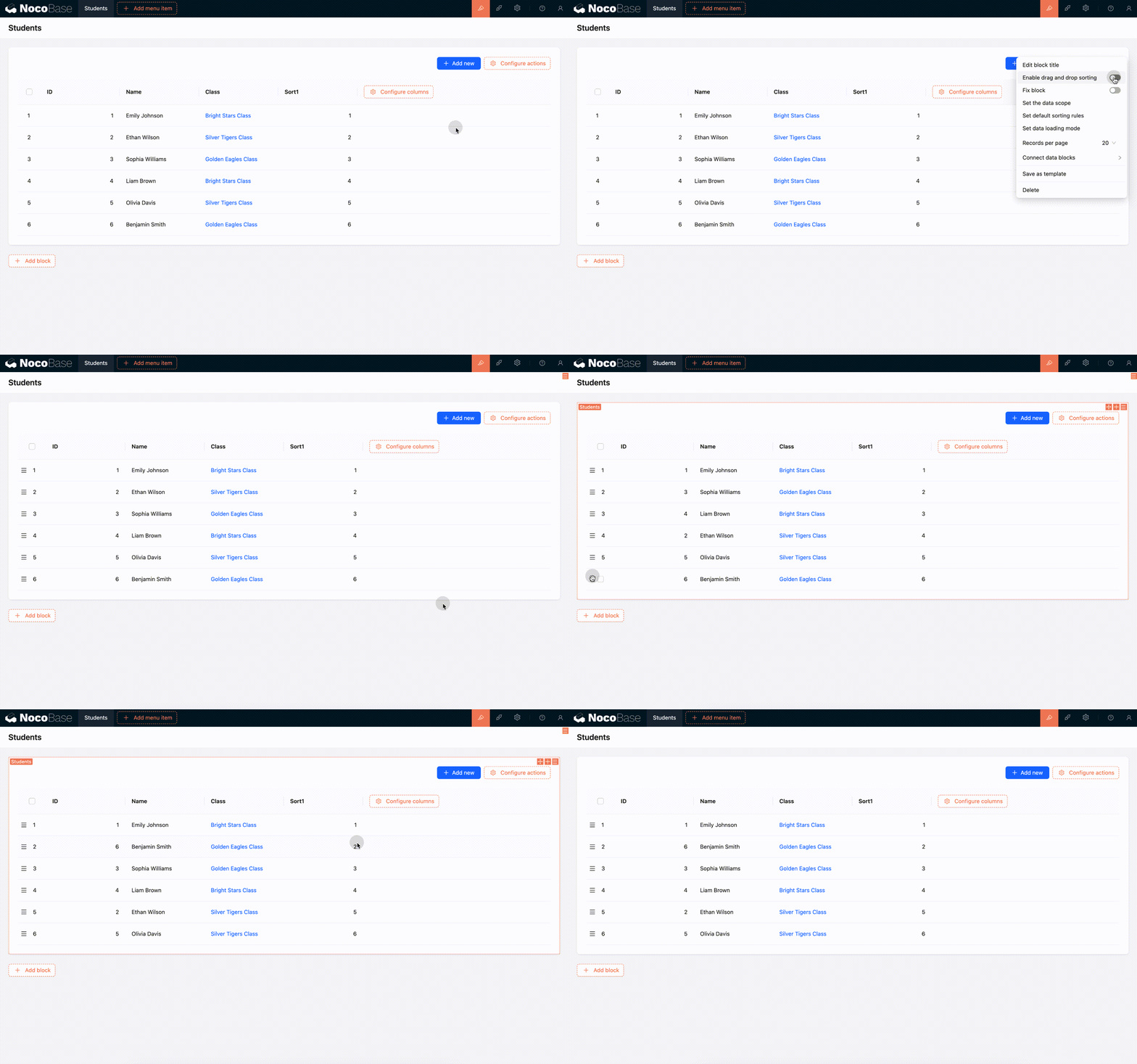
Relation Table blocks can also use Sort fields for drag-and-drop ordering.
In a one-to-many relation block, when an ungrouped Sort field is selected, all records can participate in sorting. When records are grouped by the foreign key before sorting, the rule affects only data in the current group. The final display can look the same, but the set of records participating in the sort differs.
Drag-and-drop Kanban cards
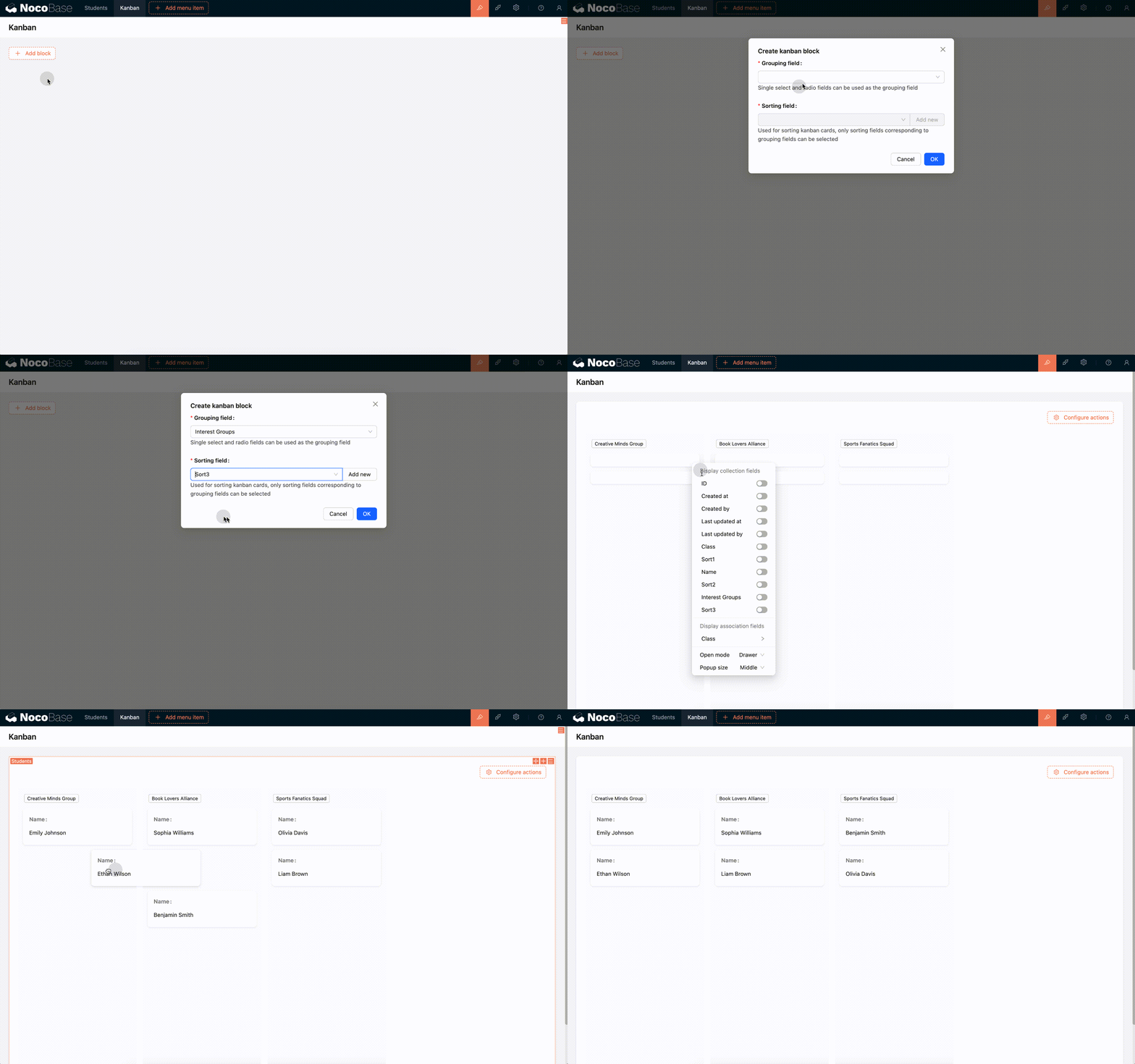
Kanban blocks can use Sort fields to adjust card order by drag and drop.
Sorting rules
Moving ungrouped records
Suppose records are ordered as follows:
When 5 moves forward to the position of 3, only the positions of 3, 4, and 5 change. Record 5 takes the position of 3, and 3 and 4 each move one position backward.
Then move 6 backward to the position of 8. Record 6 takes the position of 8, and 7 and 8 each move one position forward.
Moving between groups
With grouped sorting, when a record moves to another group, its own group also changes. Suppose there are two groups:
When 1 moves after 6, its group changes from A to B.
Sorting changes are independent of displayed records
Suppose records are ordered as follows:
The interface displays only:
When 1 moves to the position of 9, the positions of 2, 3, 4, 5, 6, 7, and 8 also change.
The interface finally displays:
Related links
- Fields - Learn about field types and field mapping.
- Table block - Use drag-and-drop sorting in a Table.
- Kanban block - Use drag-and-drop sorting in Kanban.