

China region
Introduction
In NocoBase, China region stores Chinese administrative-division information such as provinces, cities, and districts.
The China region field uses the built-in chinaRegions administrative-division collection and a cascading selector for data entry. Users select province, city, and district in order; values display as a complete hierarchical path.
For street and building-number information, use Input or Textarea.
Use cases
China region is suitable for these business scenarios:
- Locations of customers, contacts, stores, and projects
- Address basics such as registered residence, birthplace, and shipping region
- Service areas, sales territories, and project implementation areas
- Data that needs filtering or aggregation by province, city, and district
Create and configure
On the collection's Configure fields page, click Add field and select China region.
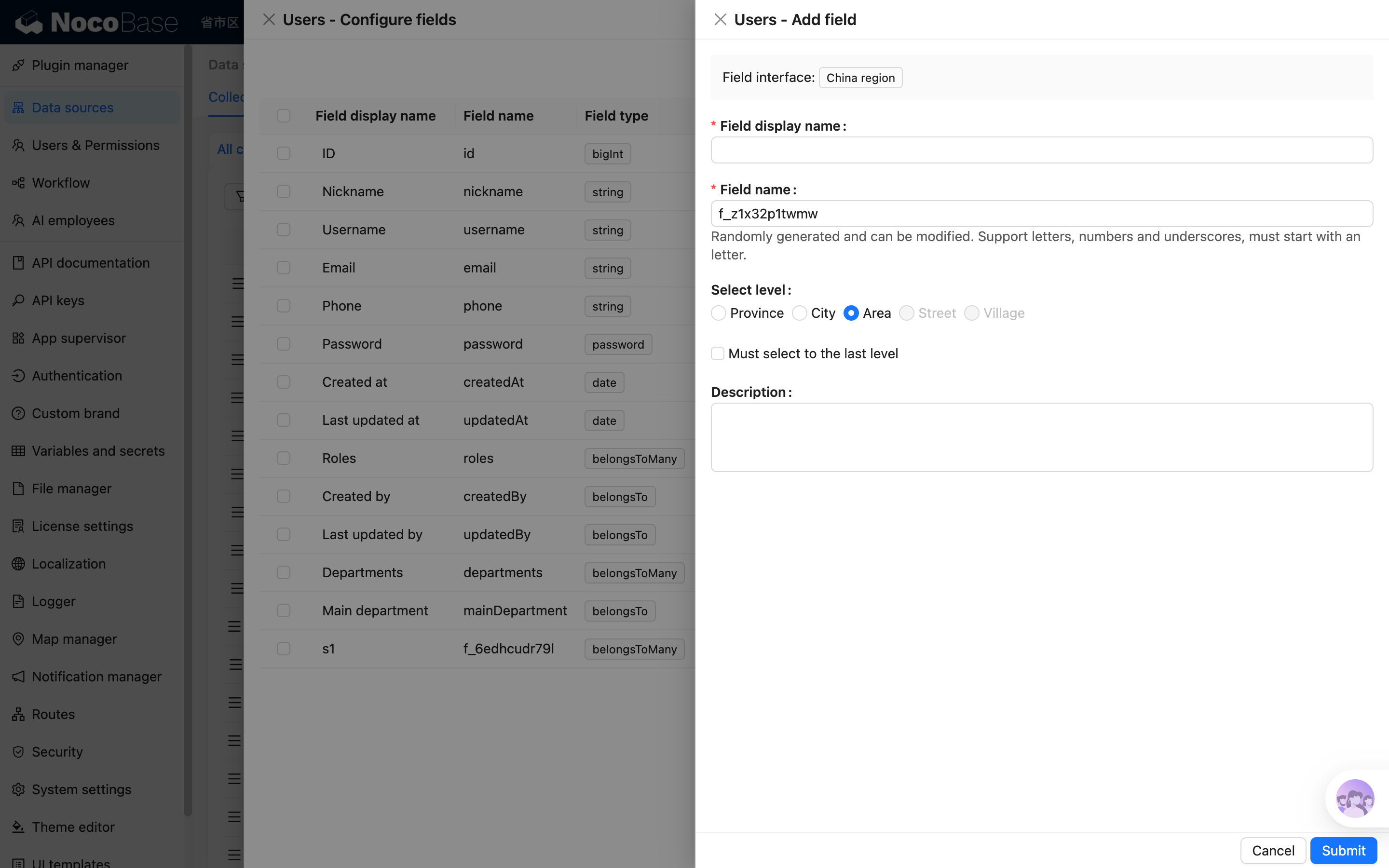
Field names are referenced by page blocks, permissions, workflows, and APIs after creation. Confirm the name before creating the field to avoid later configuration changes.
Field behavior
Edit configuration
Click Edit beside the field to change its display name, description, validation rules, selection level, and whether the last level is required.
For a field from a synchronized main-database table, editing usually maps the database field to a NocoBase Field type and Field interface.
China region depends on the plugin-provided chinaRegions collection. Enable the China region field plugin before using it.
Delete field
Click Delete beside a China region field to delete it. You can also select multiple fields and delete them in the main data source.
Deleting a China region field created in the main database usually also deletes the actual database column and its values. For a synchronized or external-data-source field, the impact depends on the data source and field origin.
Deleting a field can affect page blocks, forms, filters, permissions, workflows, APIs, imports and exports, and existing data. Confirm that the field is no longer referenced before deleting it.
Use in pages
China region fields are suitable for addresses, regions, and statistical scenarios.
Edit mode
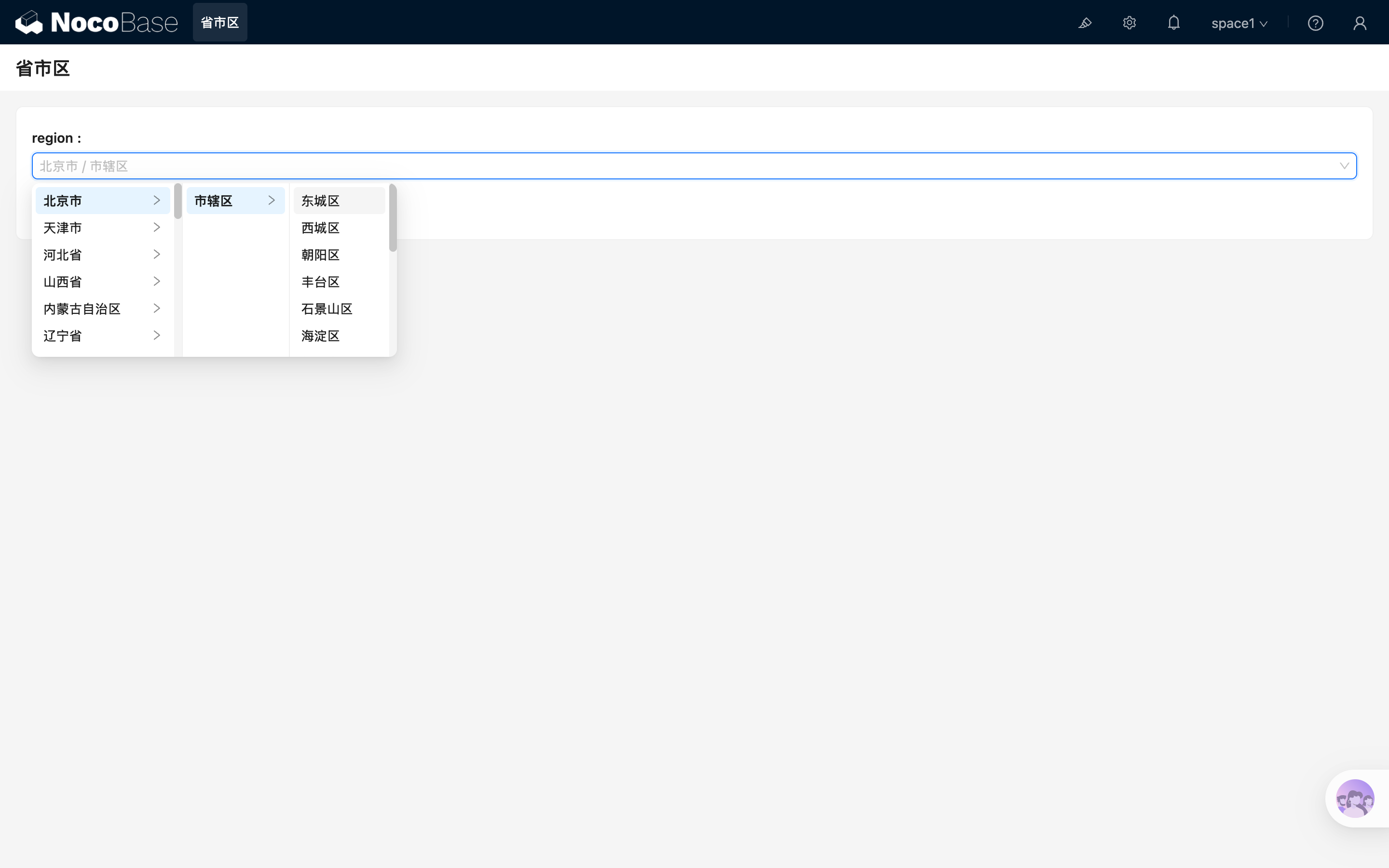
China region uses a cascading selector in edit mode.
Read mode
China region displays as a text path in read mode, for example: