

General collection

Data source: MainCommunity Edition+

Introduction

A General collection is the most common collection type. Use it for customers, orders, contracts, work orders, expense claims, projects, tasks, and other business records that do not need a special structure.

General collections can come from a new table created in the main database, an existing main-database table synchronized into NocoBase, an external-database table, a resource mapped from a REST API, or a collection in an external NocoBase application.

All of these are used as general collections in NocoBase. The difference is that NocoBase can create and maintain the real table structure for a main-database collection, while an external source normally exposes an existing structure maintained by the external system.

Use cases

  • CRM data such as customers, contacts, opportunities, and contracts.
  • Transaction data such as orders, deliveries, returns, and invoices.
  • Collaboration data such as work orders, tasks, projects, and requirements.
  • Process data such as expense claims, purchase orders, and payment requests.
  • Master data such as equipment, assets, products, and stores.

Create and configure

In the main data source, click Create collection and select General collection.
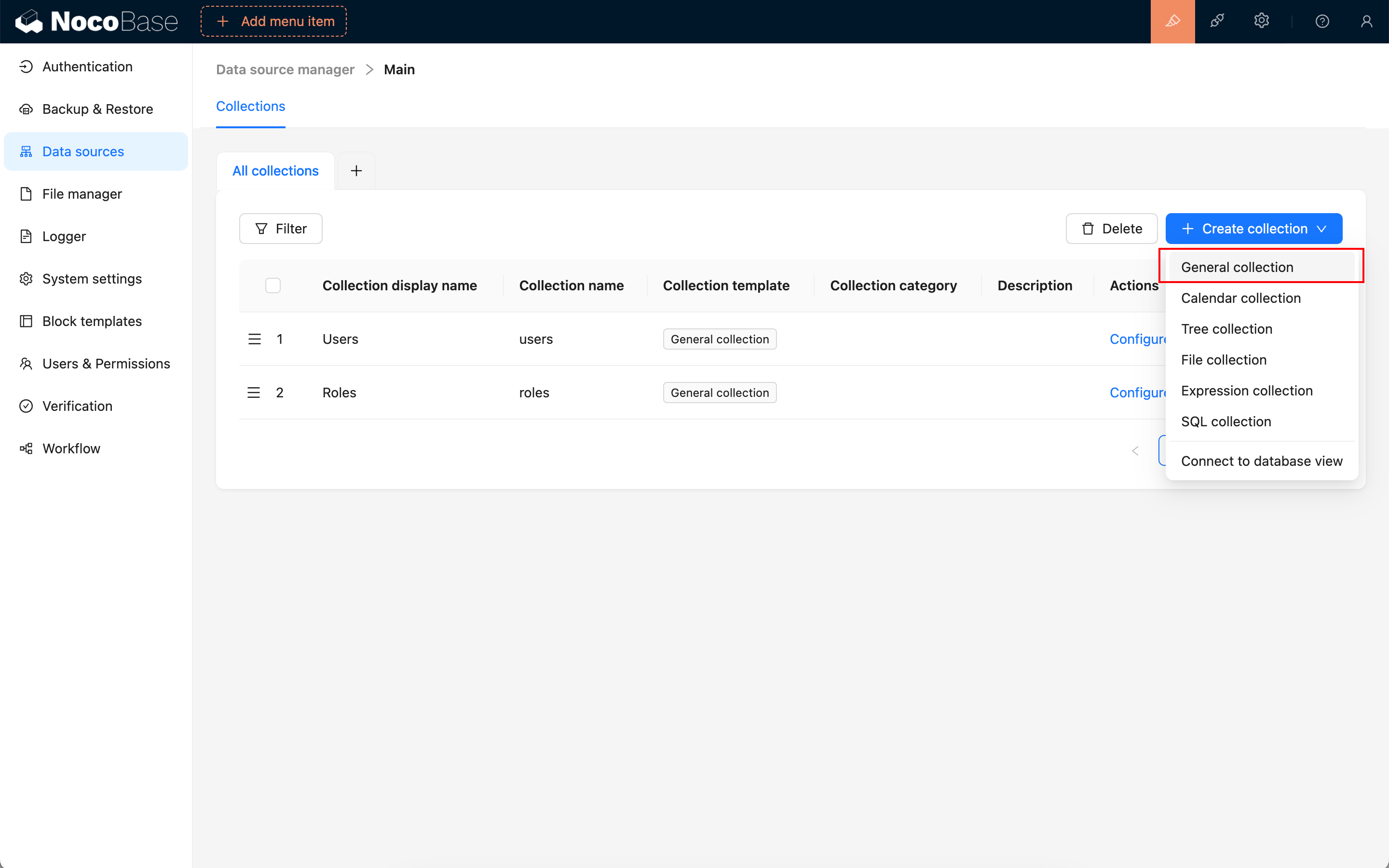
Create a general collection

SettingDescription
Collection display nameThe name displayed in the interface, such as Customers, Orders, or Contract attachments. Use a name business users can understand.
Collection nameThe internal identifier used by APIs, relation fields, permissions, and workflows. It is generated automatically but can be changed before creation. It supports letters, numbers, and underscores and must start with a letter.
CategoriesOrganizes collections in data-source management without changing the collection structure. Use business modules such as Customer management, Projects, or Finance when many collections exist.
DescriptionDocument what the collection stores, who maintains it, and the related business processes.
Use simple pagination modeSkips total-record counting when table blocks paginate. Use it for very large collections to reduce query pressure.
Preset fieldsAdds common fields such as ID, created at, created by, updated at, and last updated by. Keep them for normal business collections.

Built-in fields

Use Preset fields to add common system fields when creating the collection.

FieldField nameDescription
IDidThe default primary key that uniquely identifies a record. Its default primary-key interface is Snowflake ID (53-bit).
Created atcreatedAtRecords when a record was created. Use it for sorting, filtering, auditing, and workflow conditions.
Created bycreatedByRecords the user who created the record. Use it for creator filtering, permissions, and ownership tracking.
Updated atupdatedAtRecords when the record was last updated.
Last updated byupdatedByRecords the user who last updated the record.
SpacespaceAvailable when the multi-space plugin is enabled. It isolates data by space and is not shown in preset fields otherwise.

Primary key field

Primary key identifies a record uniquely at the database level. Keep the ID preset field when creating a collection; its default primary-key interface is Snowflake ID (53-bit).
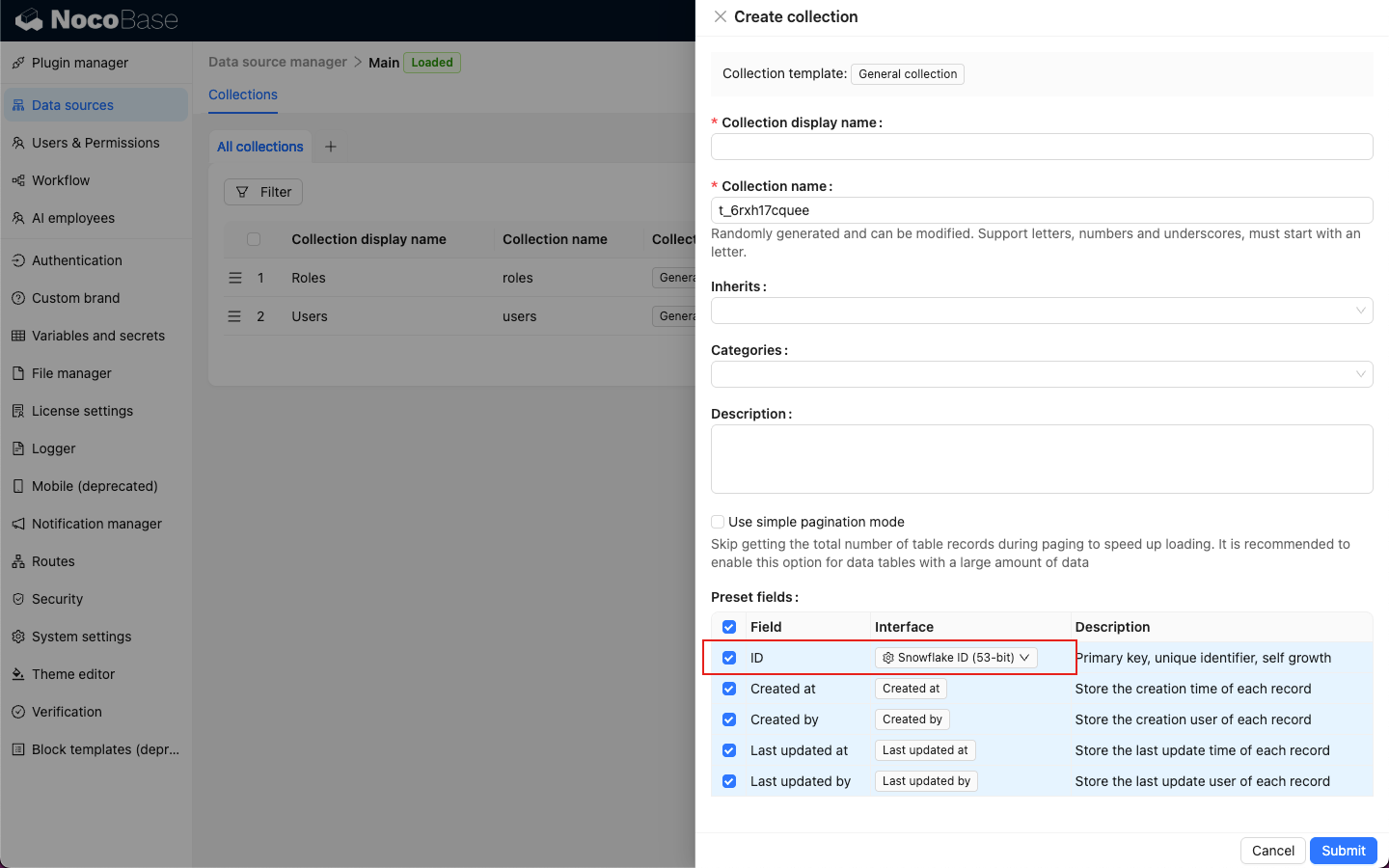
Primary key field

Hover over the ID field interface to select another primary-key type.
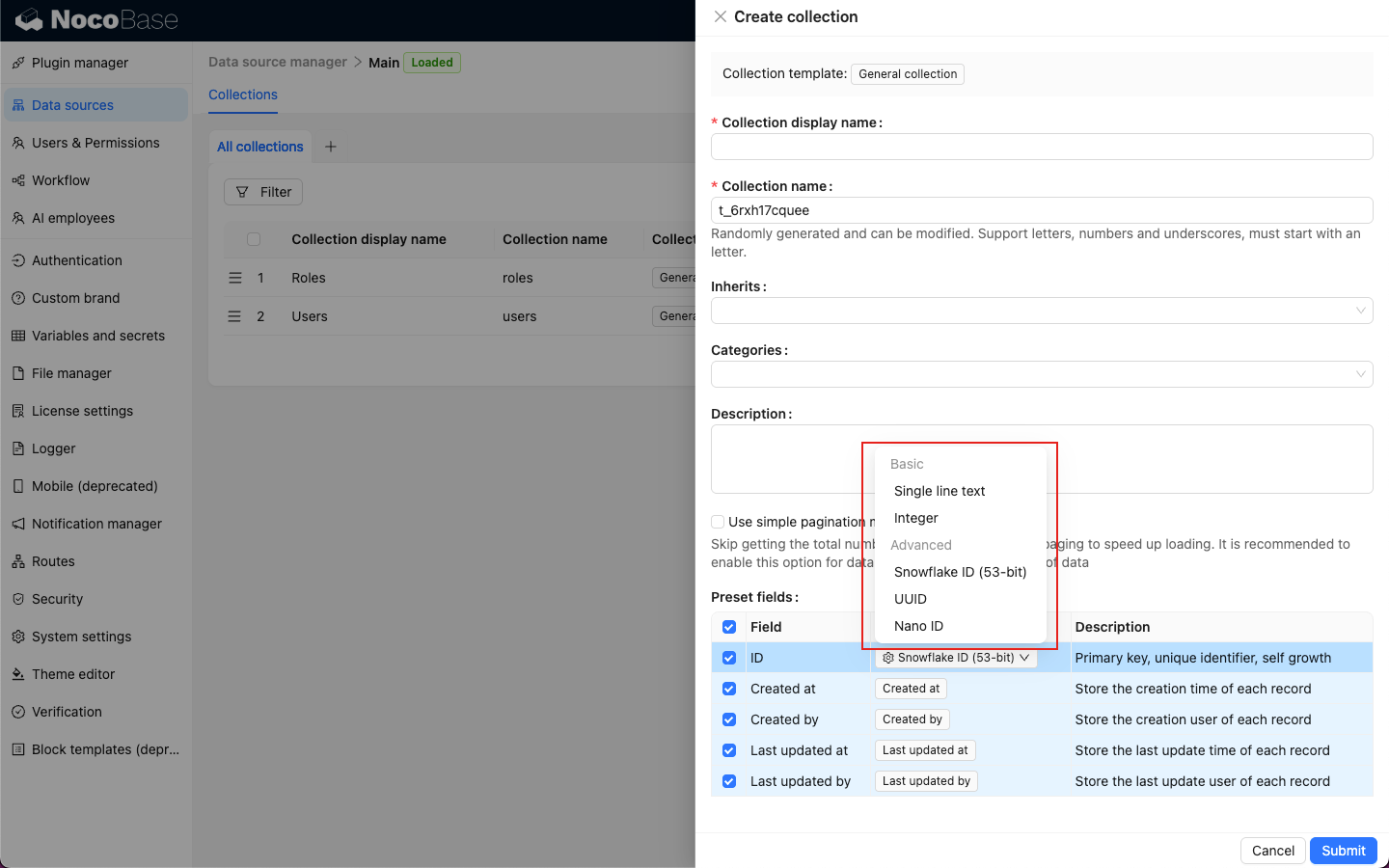
Select a primary-key interface

Available primary-key types are Single line text, Integer, Snowflake ID (53-bit), UUID, and Nano ID.

Note

A collection without a primary key must set a Record unique key when editing the collection. Otherwise, blocks cannot be created and records cannot be viewed or edited reliably.

Use in pages

General collections can be used by most data and filter blocks.

BlockUse
TableView, filter, sort, and batch-process records.
FormCreate or edit one record.
DetailsView one record in detail.
ListDisplay records as a list.
Grid cardDisplay images, files, products, assets, and other records as cards.
KanbanGroup records by status, stage, owner, or another field.
CalendarDisplay records by date or time range.
ChartCreate statistics charts from records.
MapDisplay records by geographic location.
GanttDisplay project plans and task schedules by start and end time.
Form filterFilter data blocks with form conditions.
Tree filterFilter data blocks by hierarchy, such as category, organization, or region.

Edit configuration

Click Edit beside the collection to change collection metadata and selected runtime configuration. Use Configure fields to add fields, change Field types or interfaces, or delete fields.
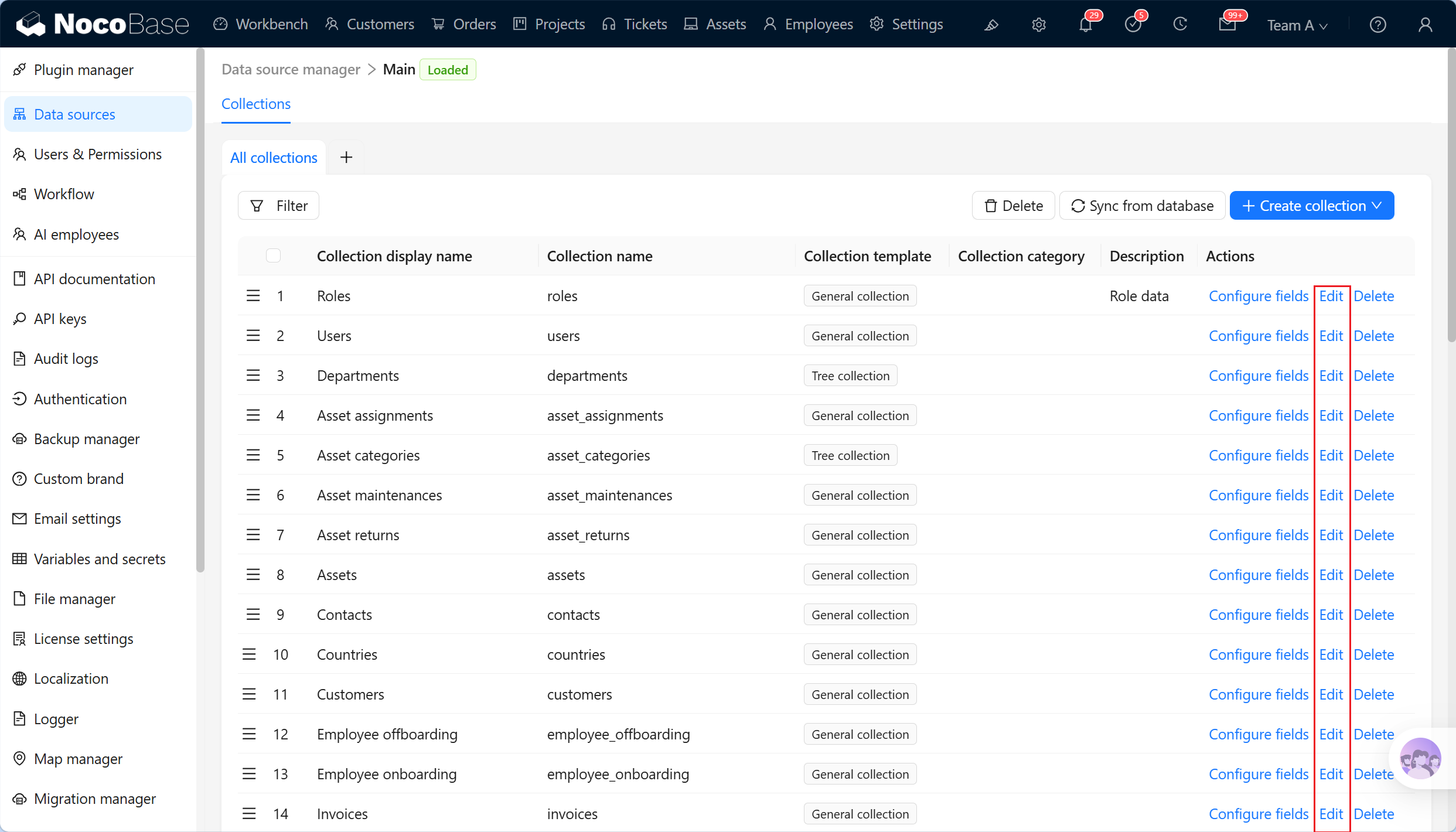
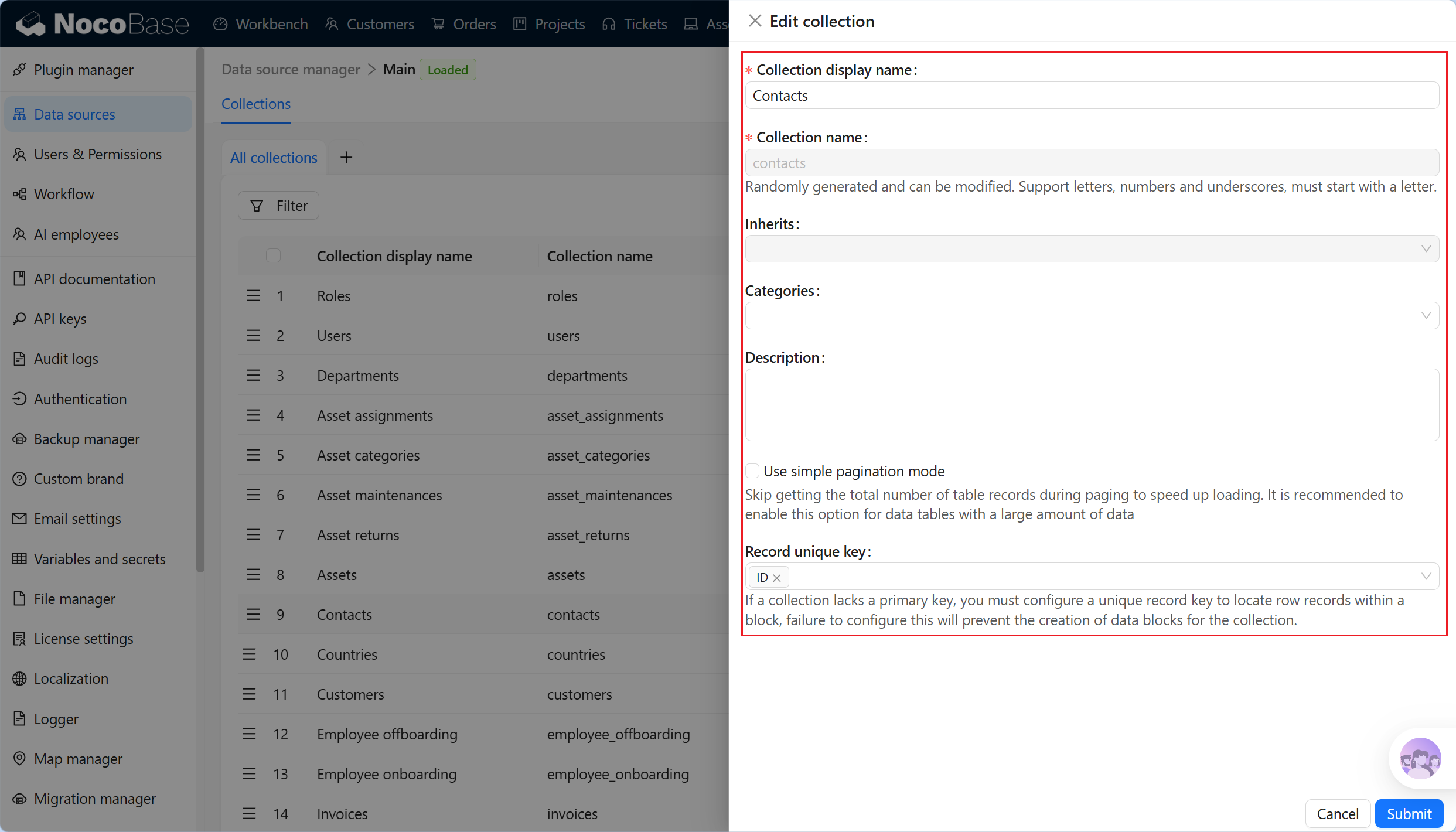
Edit a collection

Edit collection configuration

SettingCan be editedDescription
Collection display nameYesChanges only the name displayed in the interface.
Collection nameNoThe internal identifier cannot be changed after creation.
InheritsConditionalAvailable only when the main database is PostgreSQL and the setting is displayed. Check fields, blocks, permissions, and workflows before changing inheritance for an existing collection.
CategoriesYesOrganizes the management interface without changing the schema.
DescriptionYesDocument the collection purpose, maintainer, source, and related processes.
Use simple pagination modeYesSkips total-count queries in table blocks.
Record unique keyYesLocates records in blocks. It normally uses a primary key or unique field.
Note

Editing a collection does not adjust existing fields automatically. Preset fields apply only at creation. Add created-at, created-by, updated-at, or updated-by fields later through Configure fields.

Delete a collection

Click Delete beside a general collection to delete it. Main-database collections can also be selected and deleted in batches.
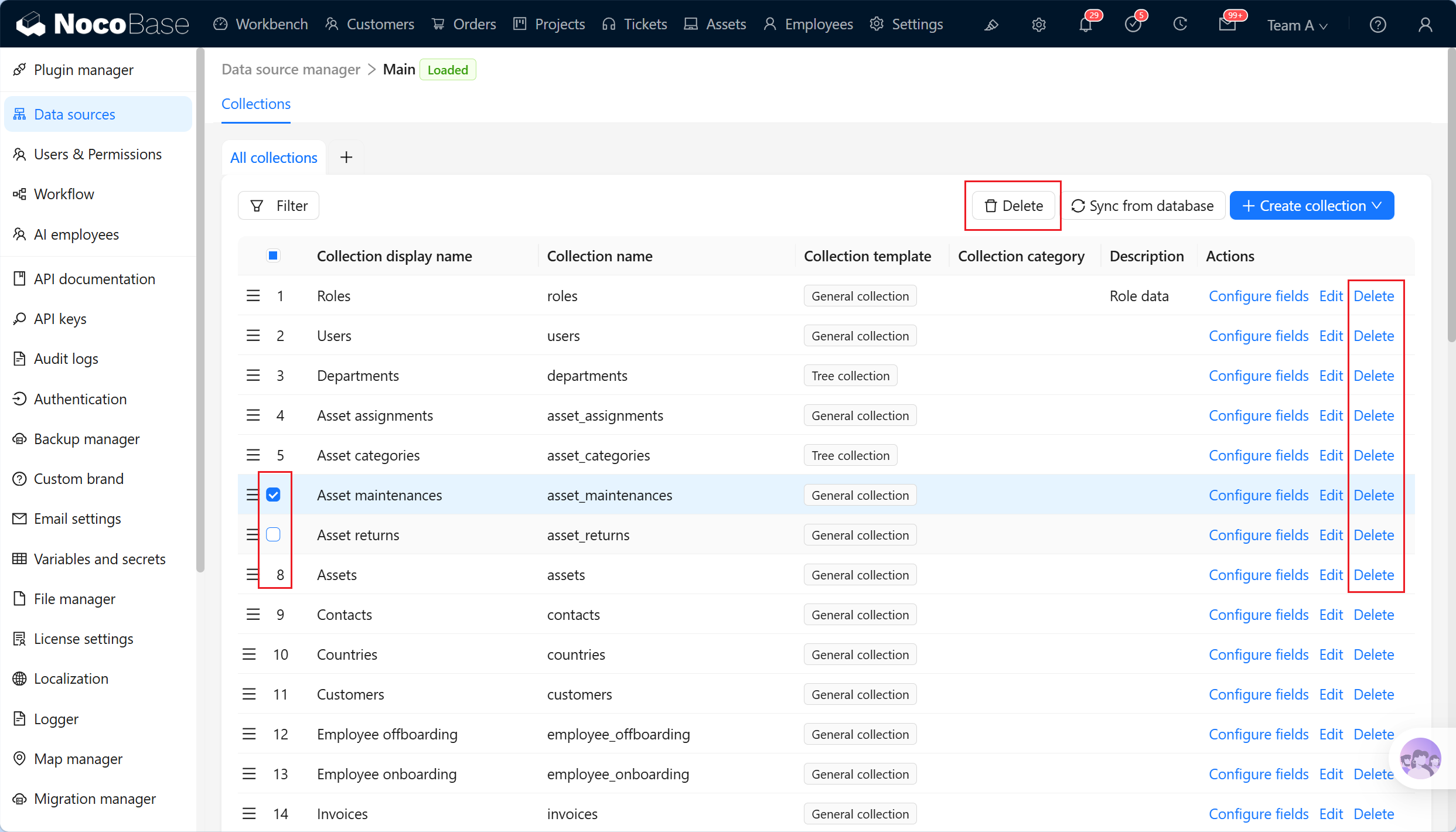
Delete a collection

After confirmation, NocoBase removes the collection metadata and the real table and data in the main database.
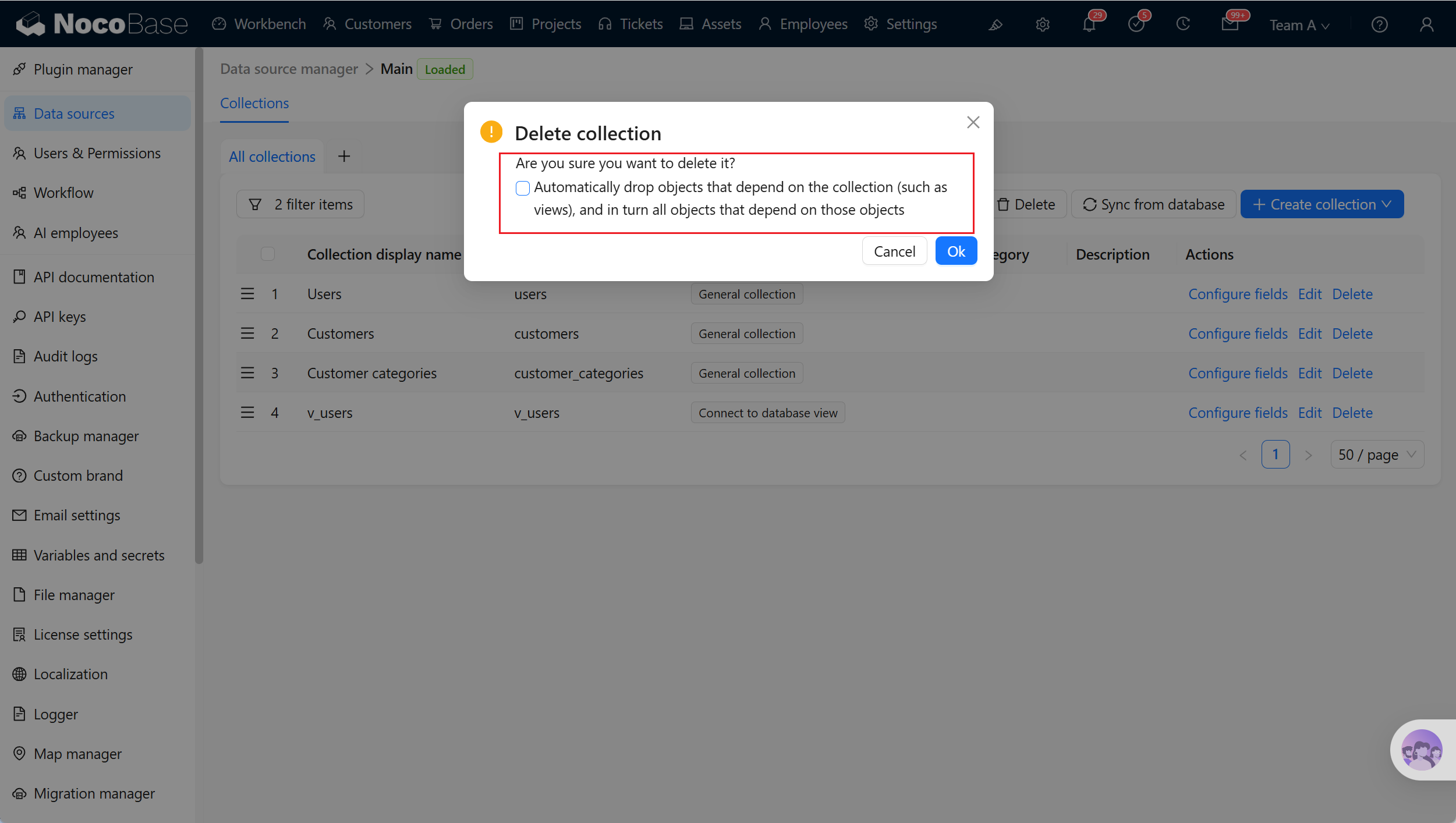
Delete confirmation

The confirmation dialog can automatically delete database objects that depend on the collection, such as database views built from it and objects that depend on those views.

Warning

Deleting a general collection is high risk. It can remove the table structure, table data, field metadata, and dependent page blocks, relation fields, permissions, workflows, and API calls. Confirm that dependent objects can be deleted before enabling automatic deletion.