

SQL collection
Collection: SQLCommunity Edition+Introduction
Write a SQL query to create an SQL collection. It does not create a real database table. NocoBase reads the query result and makes it available in Tables, Details, Charts, and Workflows. It is suitable for aggregate data and statistical reports.
SQL collections support only SELECT statements and WITH ... SELECT statements. They support query display only and do not support creating, editing, or deleting data.
Create an SQL collection
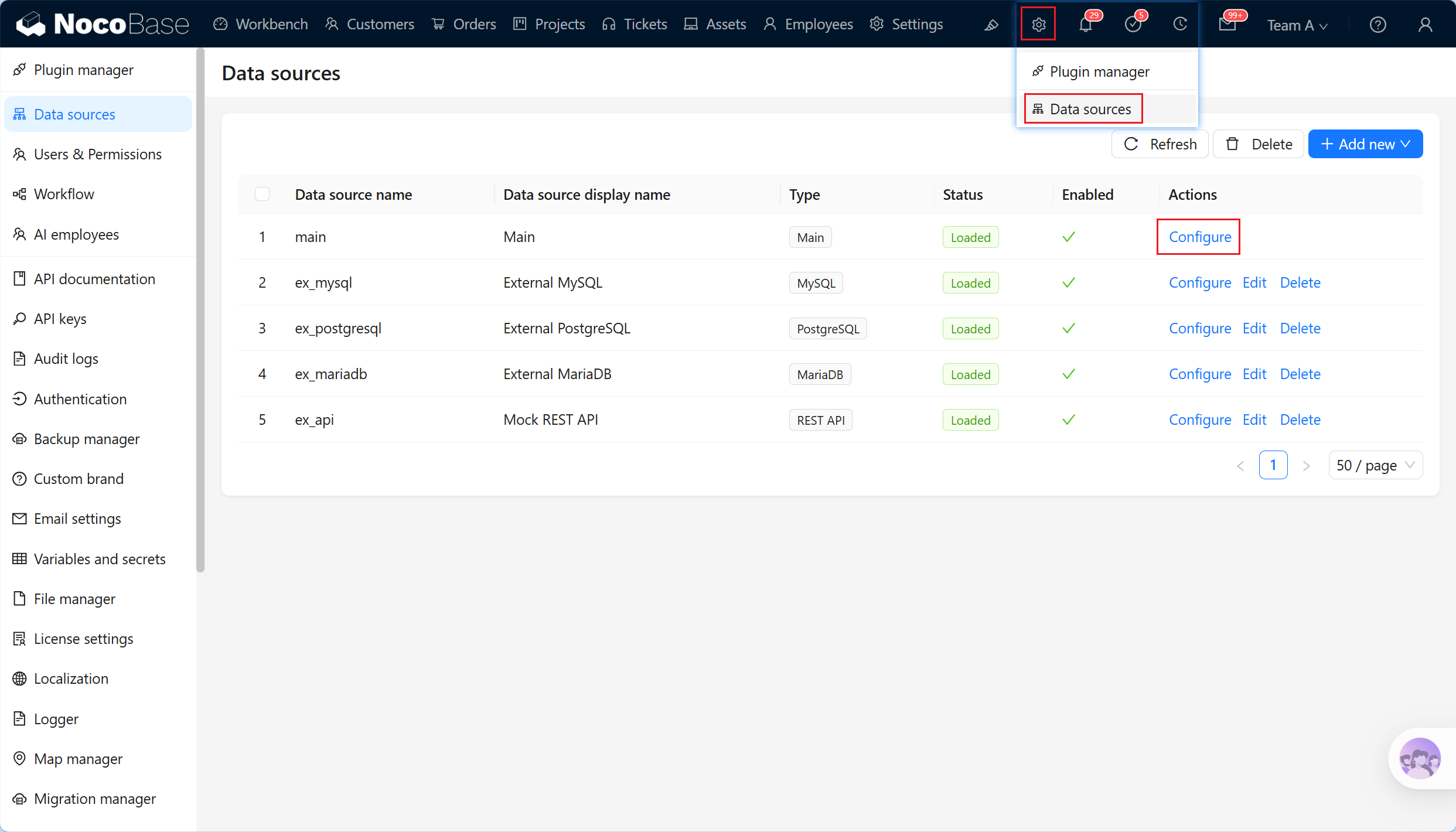
- Open the data-source home page from the Data sources menu in system settings.
- Select the Main data source in the data-source list and click Configure to open the main database.
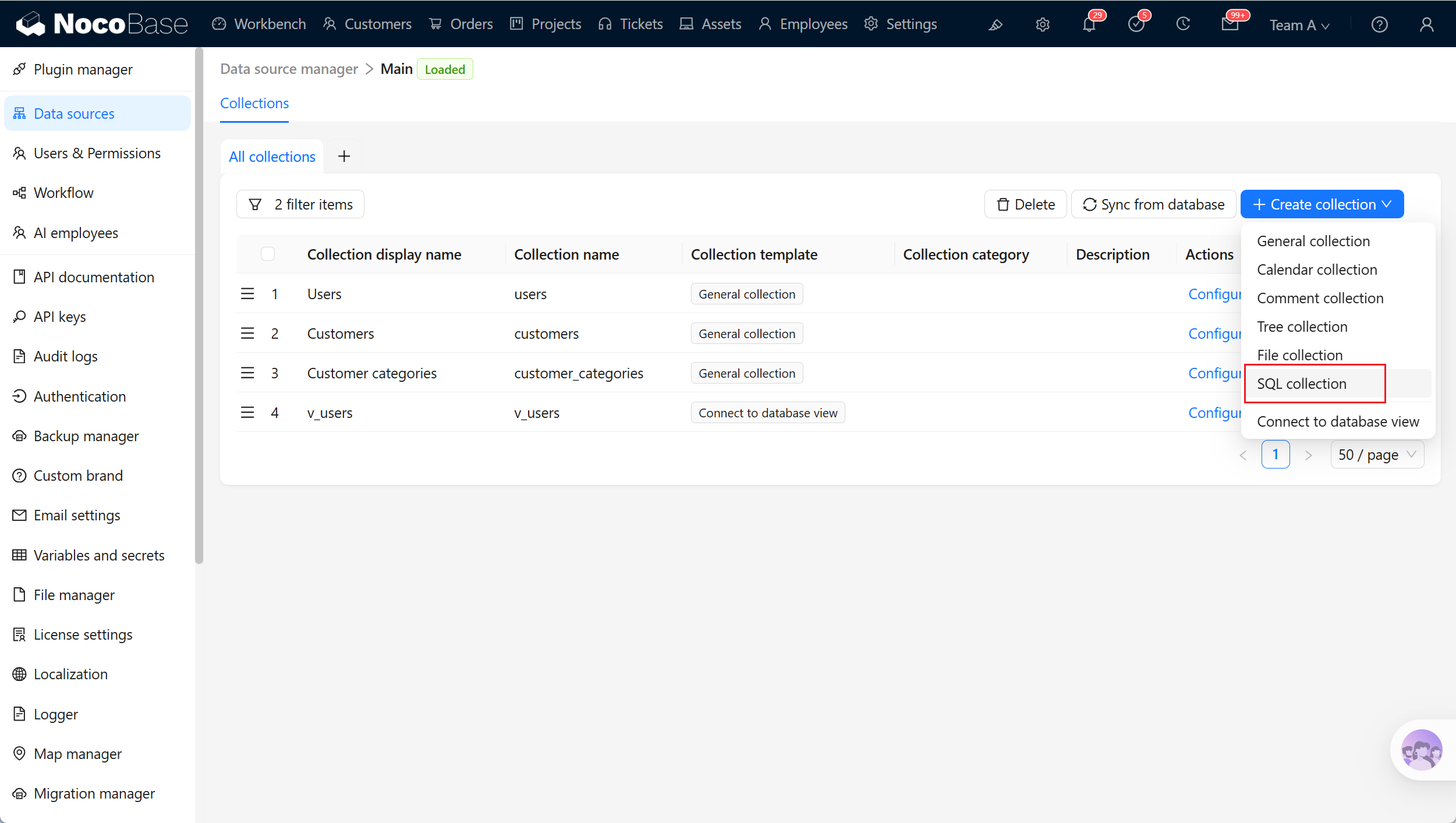
- In main database management, click Create collection and select SQL collection.
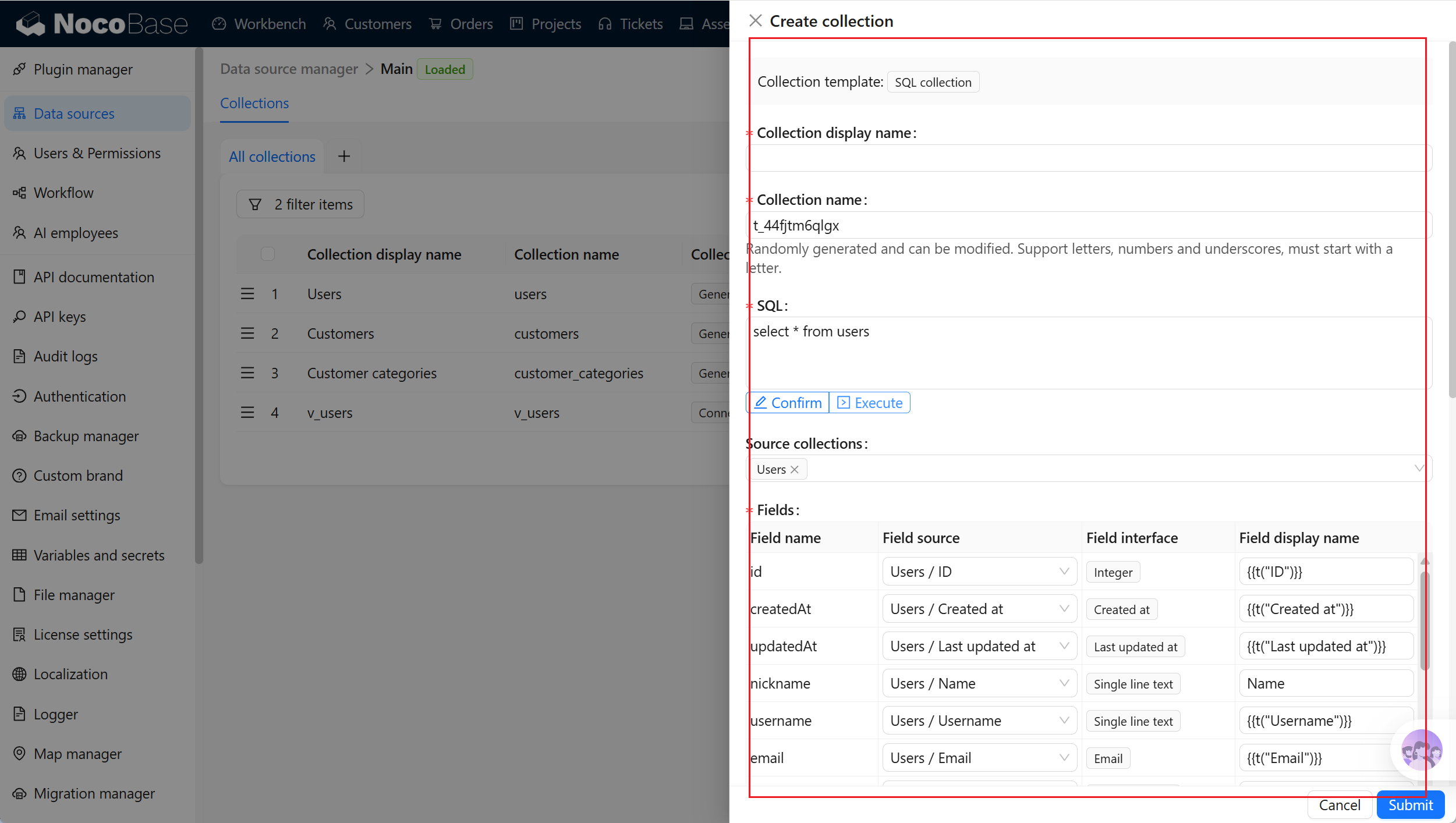
Write the SQL query
Enter the SQL query and click Execute to run it and attempt to parse returned fields and source collections. Clicking Execute is used only for preview and field parsing. After confirming that the SQL query is valid, click Confirm before the form can submit it as the confirmed query.
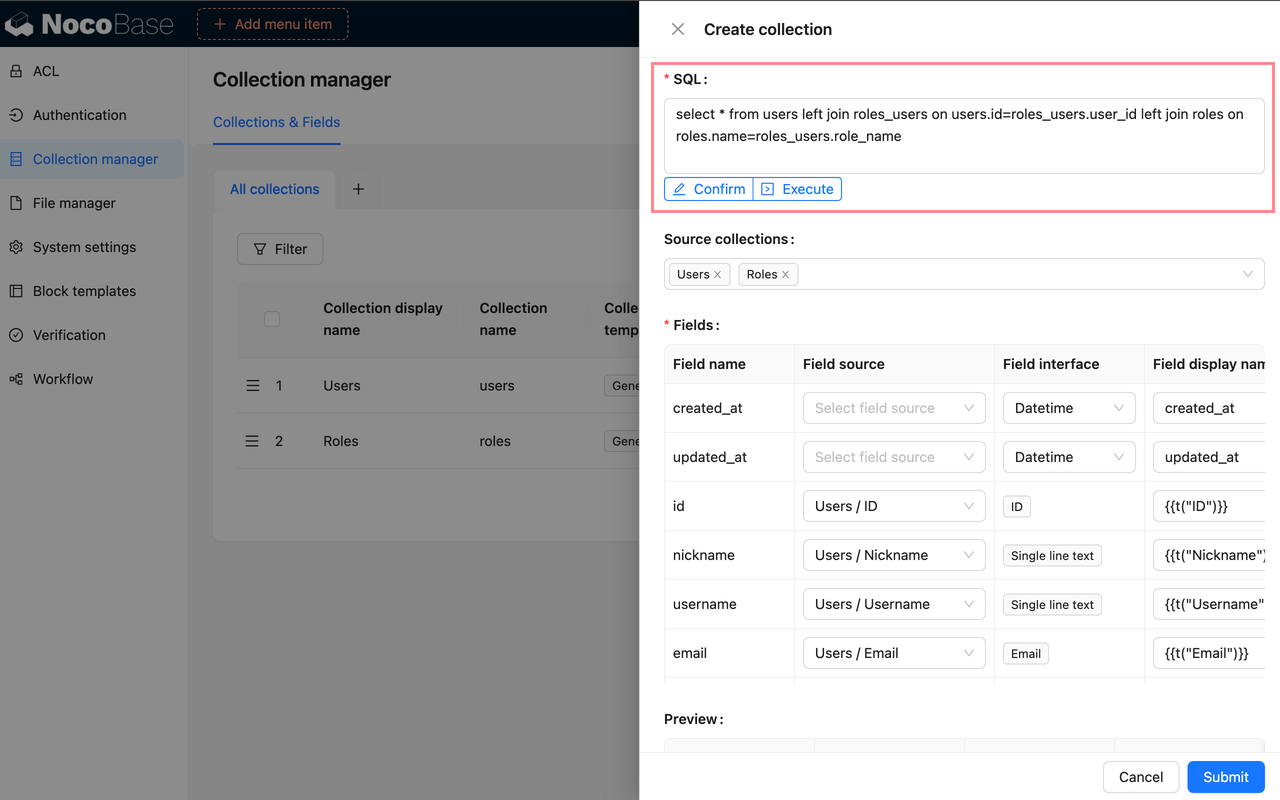
Source collections are source collections inferred from the SQL query. NocoBase identifies which existing collections most query-result fields originate from and limits the selectable Field source values during field mapping.
The inference result helps configure a query quickly. If the SQL query contains aliases, subqueries, calculated fields, aggregate functions, or complex joins, the result might be incomplete, inaccurate, or impossible to infer. You can specify Source collections manually.
Field mapping
Field mapping must be confirmed after creating an SQL collection. An SQL query result only tells NocoBase which columns it returns. To use those columns like ordinary fields in the interface, confirm a Field source or configure the Field interface and field display name.
Learn more about field configuration
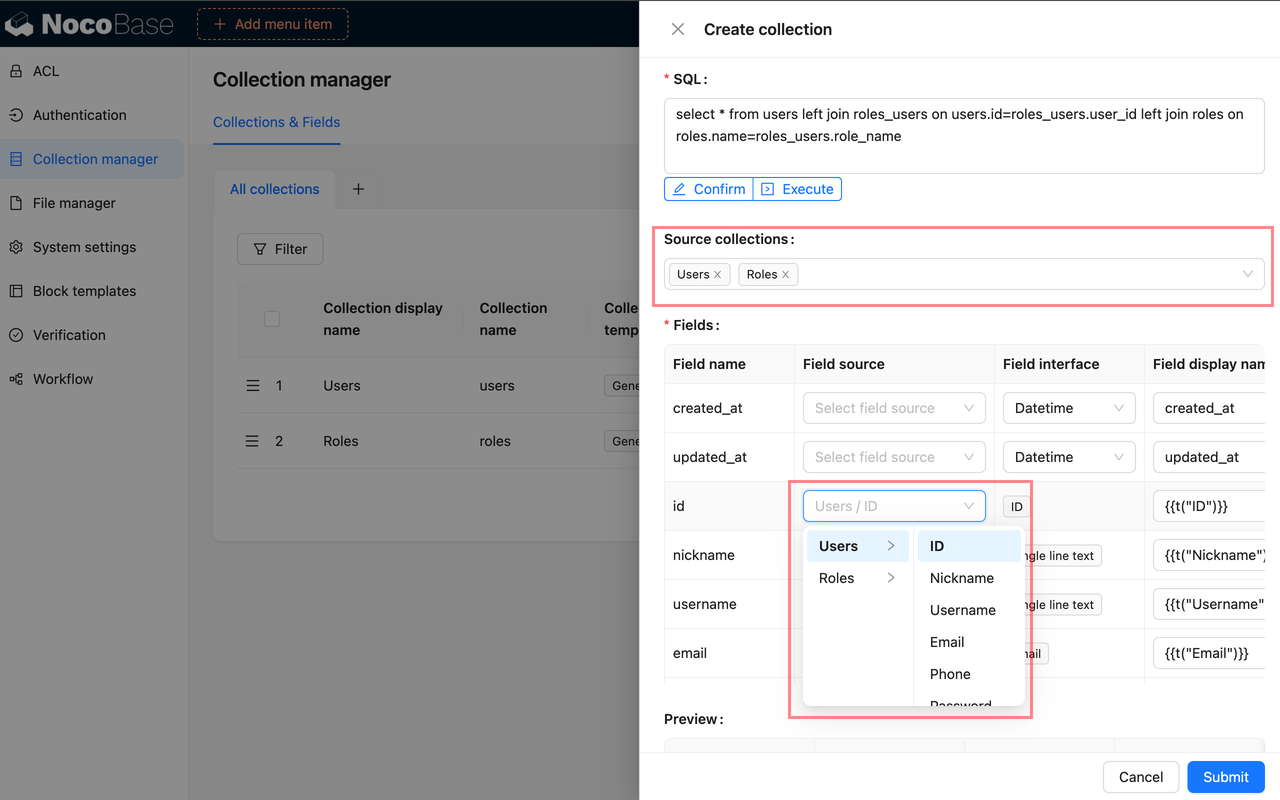
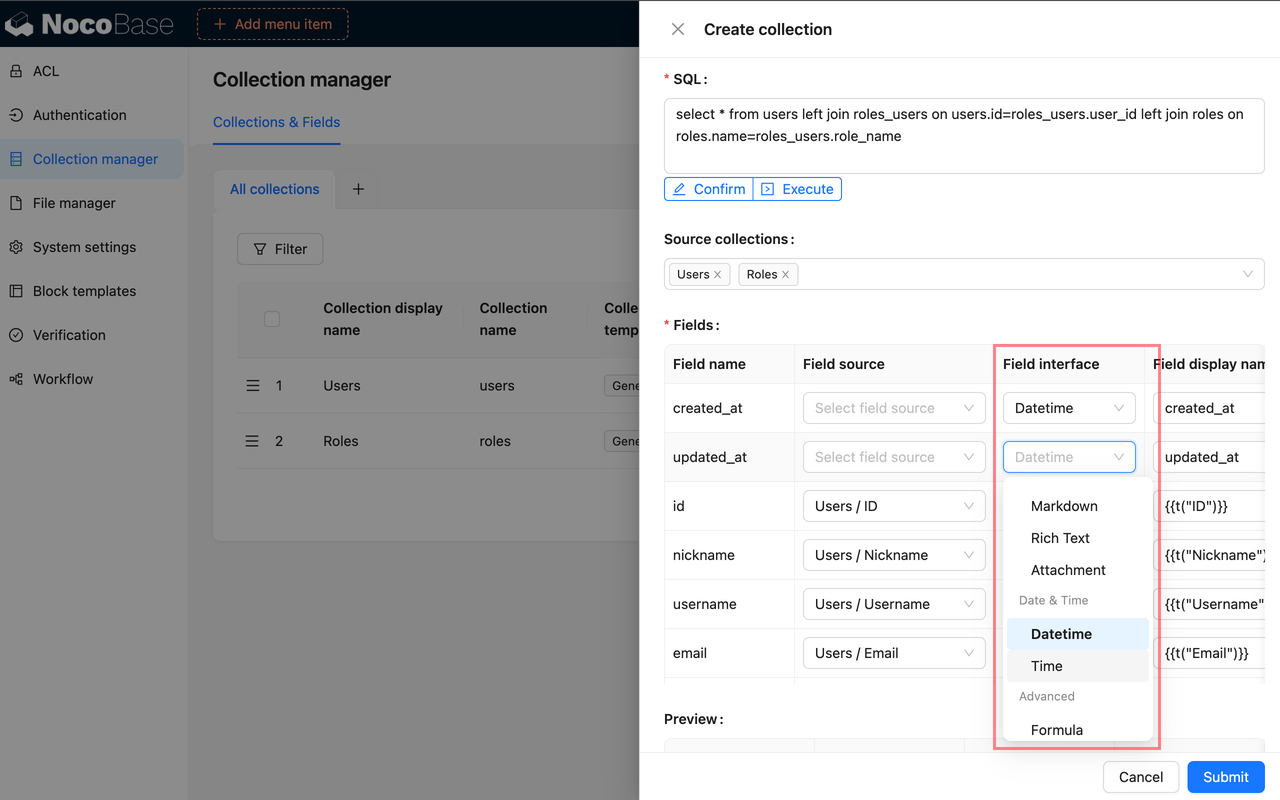
For example, if an SQL query returns customers.name as customer_name and it comes from the Customer name field in the Customers collection, map it to that field. NocoBase can then reuse the source field's title and interface configuration.
For a calculated result such as count(*) as total or sum(amount) as amount_total, there is normally no explicit source field, so choose an appropriate Field interface manually.
Field source depends on Source collections. Select source collections first so that source fields under those collections appear in the field-mapping table.
When field inference identifies a Field source, NocoBase preferentially reuses the source field's Field interface. When it cannot infer a source field, specify Field source manually. When the inferred result does not match the business meaning, remove Field source, specify another source manually, or select the Field interface and configure the Field display name manually.
Record unique key
An SQL collection requires a Record unique key. Without one, you cannot create blocks in pages or view records correctly. You can select one field or a combination of fields as the unique key. Suitable Record unique key fields usually meet these conditions:
- Each row in the query result is unique
- Field values are stable and do not change due to pagination, sorting, or statistical-calculation changes
- Fields are not empty
- Fields are always returned by the query result
For a single-table query result, return the original table primary key first. For a query result based on multi-table joins or aggregations, retain a stable business ID in the SQL or return several fields that can jointly locate a record.
Do not use values such as row_number() that change with sorting, filtering, or aggregation scope as a long-term stable Record unique key. When a Record unique key changes, page blocks, permissions, workflows, and external APIs might not locate the same record.
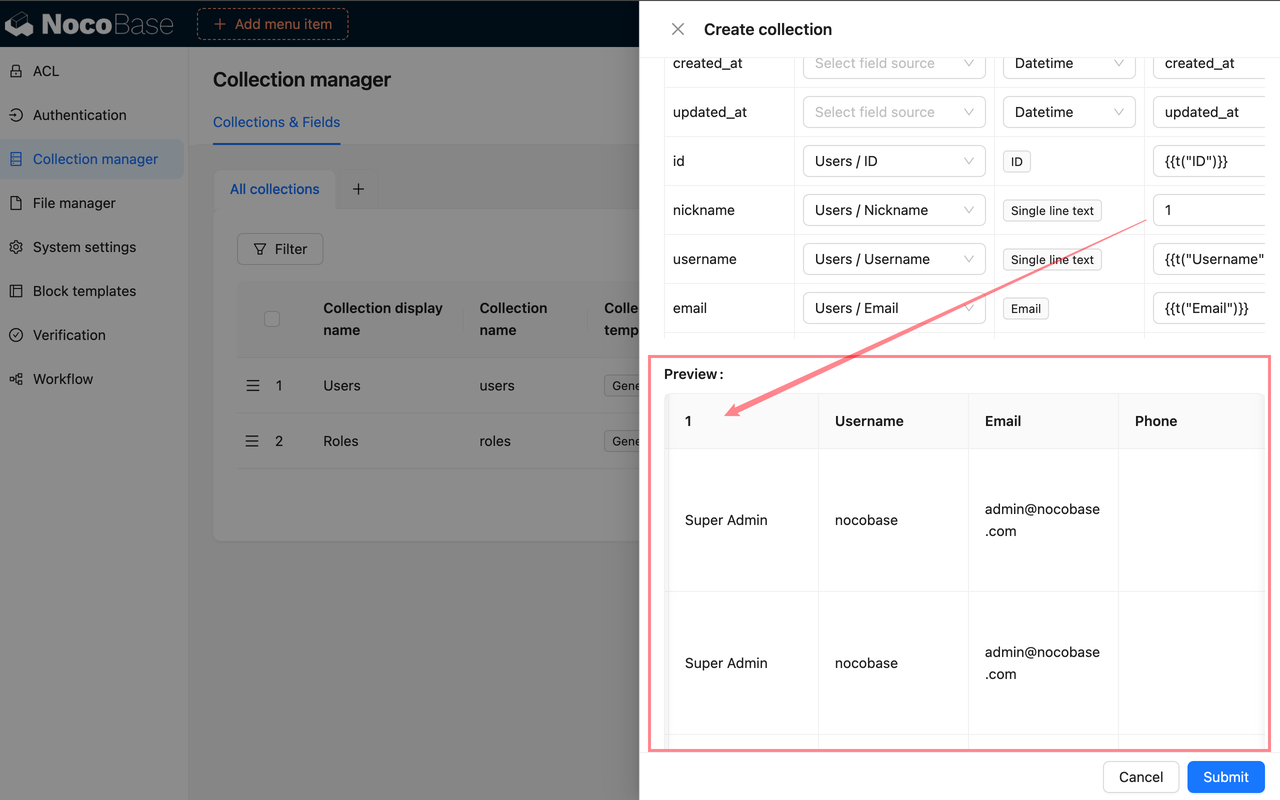
Preview query results
Before saving, use Preview to inspect SQL query results. Check the following:
- SQL executes normally
- Returned fields are complete
- Field interface and display name match the business meaning
- A Record unique key exists and is unique
- The query result is suitable for page display
Configure fields
After creating an SQL collection, click Configure fields beside it in the collection list to open field settings. Field settings maintain the fields in the SQL collection, how they display in the interface, and how SQL query results map to NocoBase Field interfaces.
Learn more about field configuration
Change the UI type
After creating an SQL collection, you can still adjust field-interface configuration in field settings. This page is mainly used to change the Field interface, display name, description, and field-specific settings.
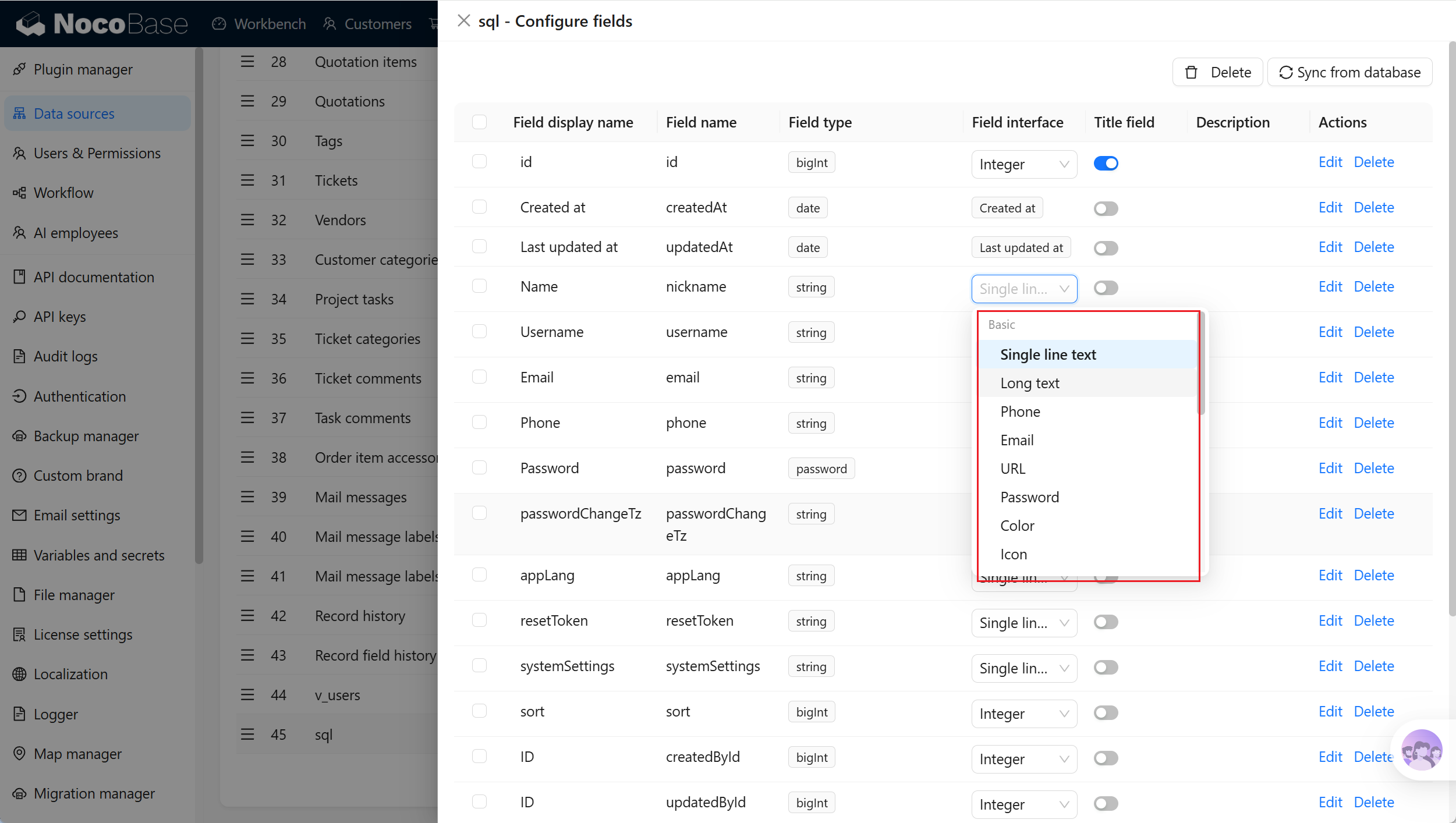
Use it in these situations:
- The Field interface set when creating the SQL collection is incorrect
- A field display name does not follow business terminology and needs a clearer name
- The business meaning of a query-result field changes and its display method needs confirmation again
- Field descriptions or field-specific settings need adjustment, such as Select options
Synchronize from database
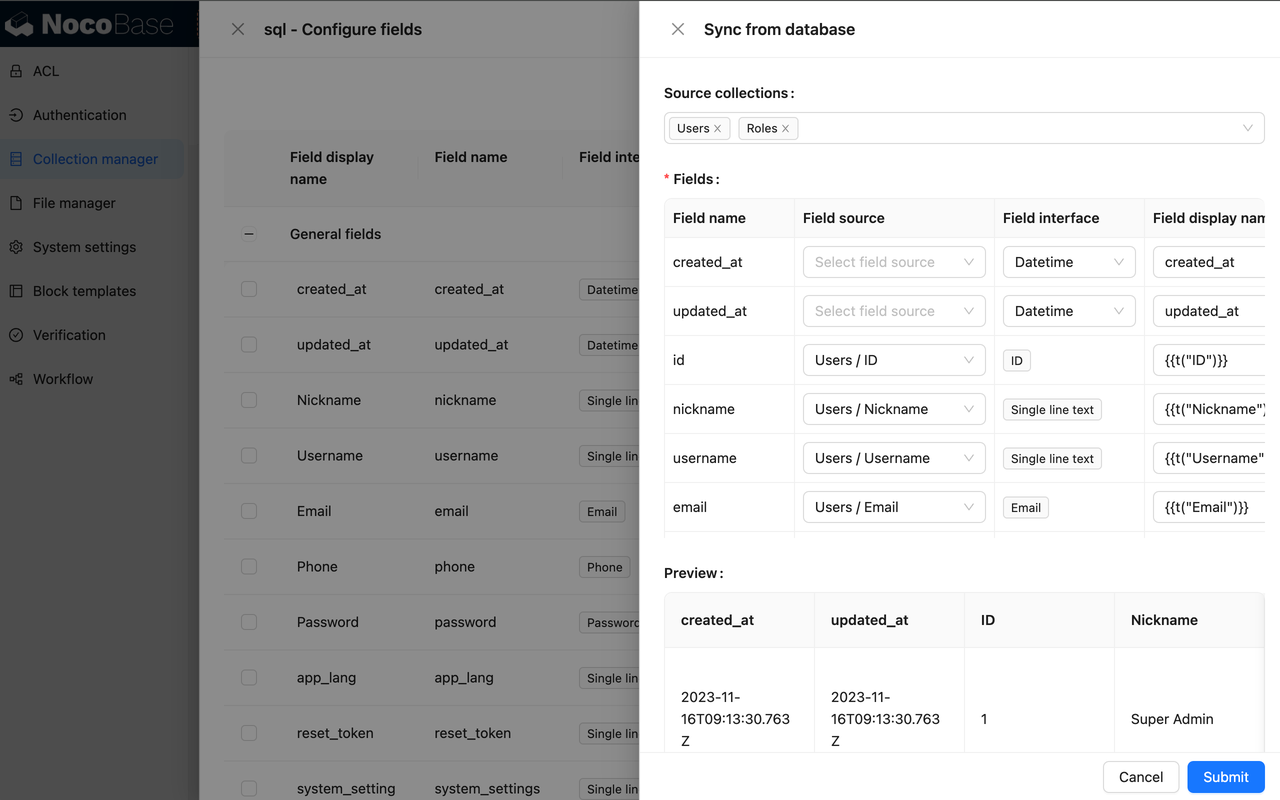
If the SQL query is unchanged but the underlying table structure or fields change, open Configure fields and click Sync from database to run the SQL again and synchronize fields. For field mapping, see Create an SQL collection.
Edit a field
Click Edit beside a field to edit its configuration. Field editing is suitable for adjusting how a field displays and is used in NocoBase, such as its display name, description, validation rules, or field-specific settings.
Learn more about field configuration
Editing field configuration does not change the SQL query, source-table column name, source-table column definition, or database index. To change the actual columns in a query result, change the SQL query first, then run it again and synchronize fields.
Delete a field
Click Delete beside a field to delete it. Deleting a field removes only the field stored in NocoBase; it does not delete the SQL query or actual columns in source tables.
Learn more about field configuration
Deleting a field can affect page blocks, filters, sorting, permissions, workflows, APIs, and existing configuration. Before deleting it, confirm whether the field is still used. If the SQL query still returns the column, NocoBase might identify the field again when you later run Sync from database.
Edit an SQL collection
In the collection list, click Edit beside an SQL collection to adjust its metadata and runtime settings in NocoBase. Editing uses mostly the same settings as creating an SQL collection, except that Collection name cannot be changed.
When the SQL query changes, click Execute again and confirm the field mapping, Record unique key, and preview result.
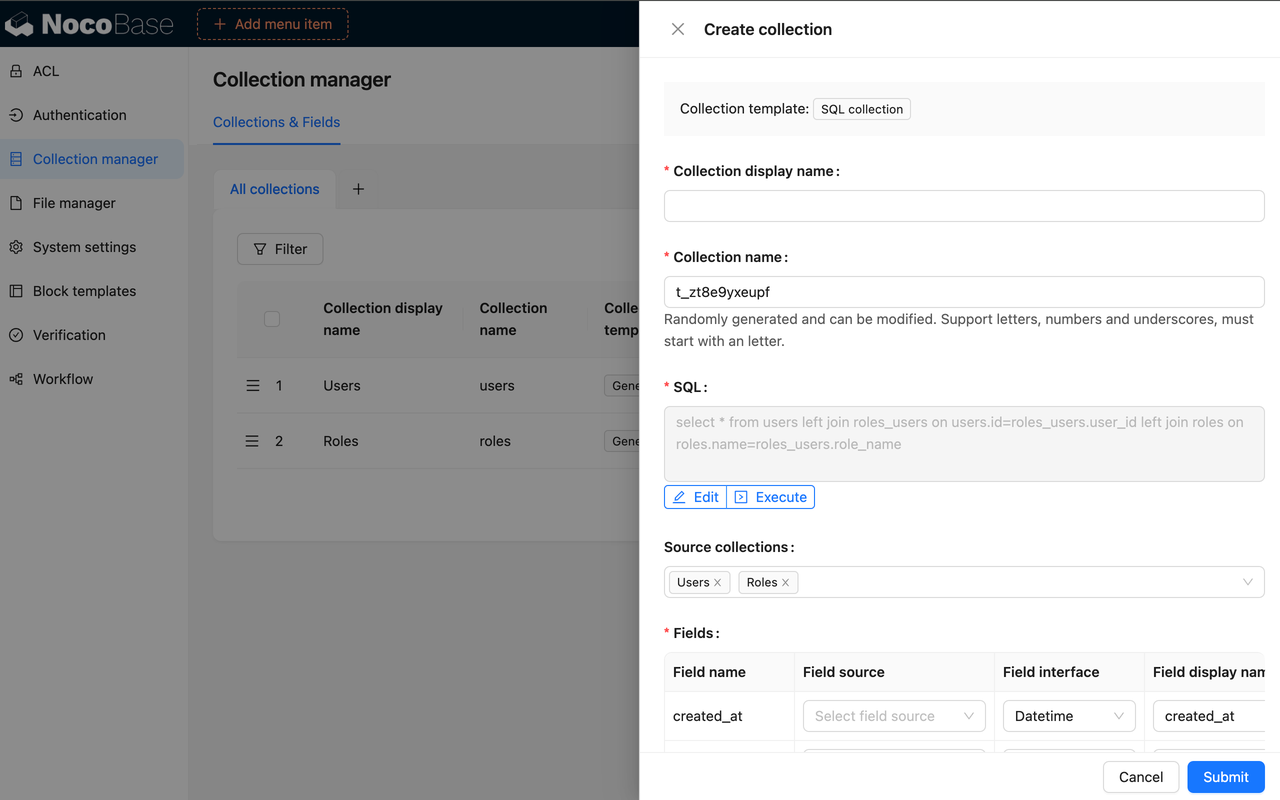
Changing an SQL query can change field names, field mapping, or the Record unique key. After changing it, recheck whether page blocks, charts, permissions, and workflows still work.
Delete an SQL collection
In the collection list, click Delete beside an SQL collection. This deletes only the SQL collection configuration and fields in NocoBase; it does not delete underlying source tables or data in those tables.
You can also select multiple SQL collections and delete them together. Before deleting, check whether page blocks, charts, permissions, workflows, or external APIs still use the SQL collection.