

Inheritance collection
Data source: MainCommunity Edition+Introduction
An Inheritance collection extends a general collection. Use it when several collections share stable common fields while each child collection also needs its own fields.
For example, create an Assets parent collection with asset number, asset name, purchase date, and owner. Then derive Computer assets, Vehicle assets, and Office furniture child collections. Each child inherits the parent fields and can add its own fields.
Inheritance collections can be created only when the main database is PostgreSQL. Other main databases, external databases, REST API data sources, and external NocoBase data sources do not support them.
Use cases
- Derive Computer assets, Vehicle assets, and Office furniture from an Assets parent collection.
- Derive Employees, Contractors, and Visitors from a People parent collection.
- Derive Tasks, Defects, and Requirements from an Items parent collection.
- Derive Purchase, Sales, and Service contracts from a Contracts parent collection.
Use inheritance when the objects have stable shared fields and differ mainly in a small set of dedicated fields.
Create and configure
In the main data source, click Create collection and choose a general-collection or inheritance-enabled entry. Select the parent collection in Inherits.
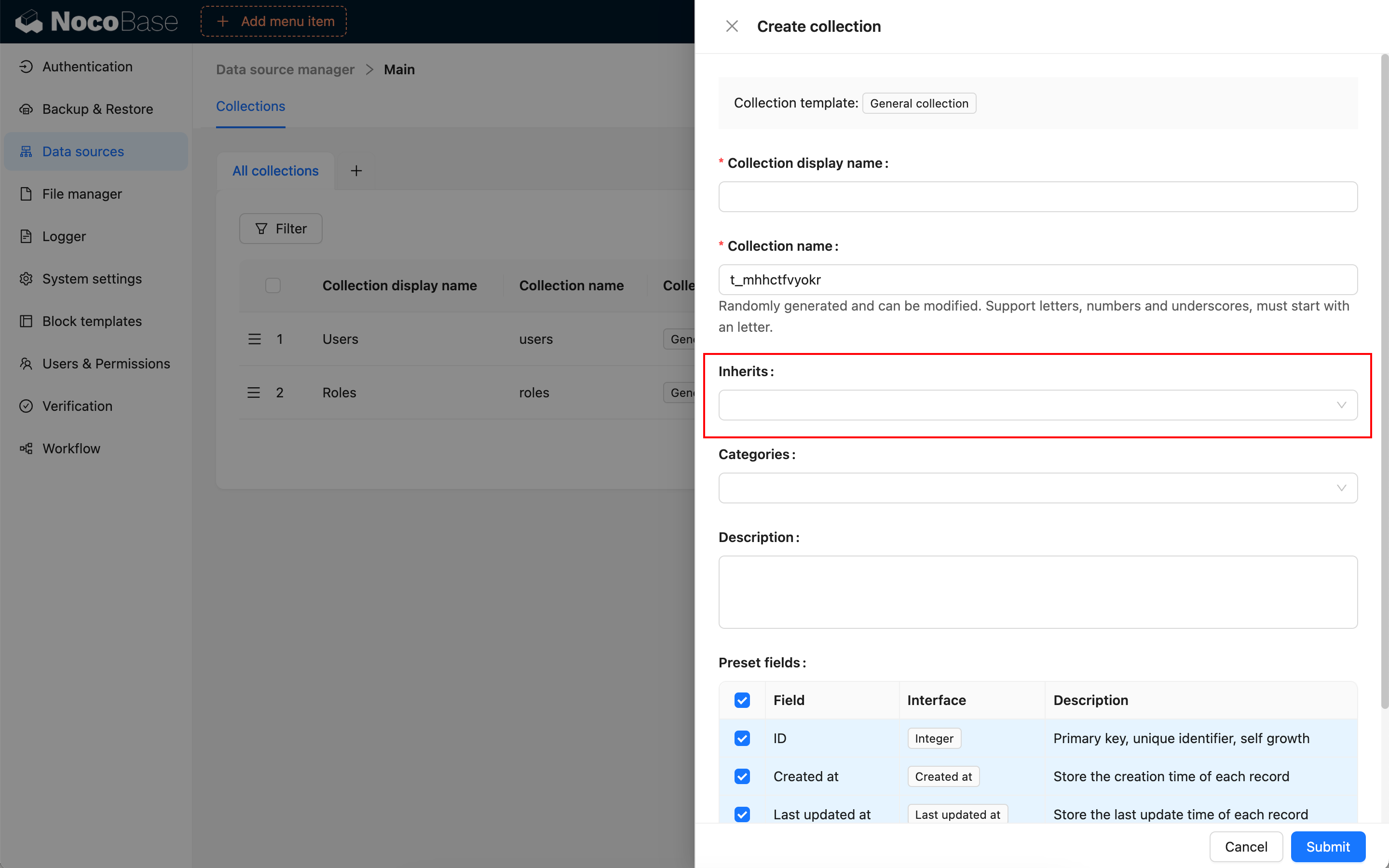
Inheritance collections use the same blocks and field configuration as General collections. In page blocks, they are normal collections that support record creation, reading, updating, and deletion.
Use inheritance only for highly similar business objects. If objects have substantially different workflows, permissions, and pages, separate general collections connected by relation fields are usually clearer.
Built-in fields
An inheritance collection inherits fields from its parent and can add fields of its own.
Parent fields affect every child that inherits them. Before changing a parent field, check whether child pages, permissions, workflows, and APIs depend on it.
Primary key field
Inheritance collections require a primary key just as general collections do. Keep the ID preset field when creating the collection; its default primary-key interface is Snowflake ID (53-bit).
If an imported or synchronized inheritance collection has no primary key, set a Record unique key when editing the collection. Otherwise page blocks might not view or edit records correctly.
Use in pages
Inheritance collections can use most blocks supported by general collections. A common approach is to configure each child collection as its own table, form, details, or Kanban block.
Edit configuration
Click Edit beside an inheritance collection to change its display name, category, description, simple-pagination mode, and Record unique key.
Do not change inheritance relationships frequently after business configuration is in use. Page blocks, relation fields, permissions, and workflows can depend on the current field structure.
Delete a collection
Click Delete beside an inheritance collection to delete it.
Deleting an inheritance collection removes the child collection metadata and the real child table in the main database. Before deleting it, confirm that no page blocks, relation fields, permissions, workflows, or APIs still use the child collection.
Deleting a child collection does not automatically mean deleting its parent. Whether dependent objects are deleted depends on the option in the confirmation dialog. Confirm that the parent and other child collections should remain before continuing.
Related links
- General collection - General collection configuration.
- Main database - Supported main database types.
- Collection fields - Field configuration.