

Tree collection
Collection: TreeCommunity Edition+Introduction
Tree collections are suitable for data with parent-child relationships, such as organizational structures, product categories, regional hierarchies, department directories, and knowledge-base directories. A Tree collection uses the adjacency-list model to store parent-child relationships, and each record can point to its own parent node.
You can create Tree collections only from the main data source. External databases, REST API data sources, and External NocoBase data sources do not support creating Tree collections.
Use cases
Tree collections are suitable for these business scenarios:
- Company organizational structures and department hierarchies
- Product categories, knowledge-base directories, and document directories
- Province, city, and district hierarchies; sales territories; and service-outlet hierarchies
- BOM categories, equipment categories, and asset categories
Create and configure
In the main data source, click Create collection and select Tree collection to create a Tree collection.
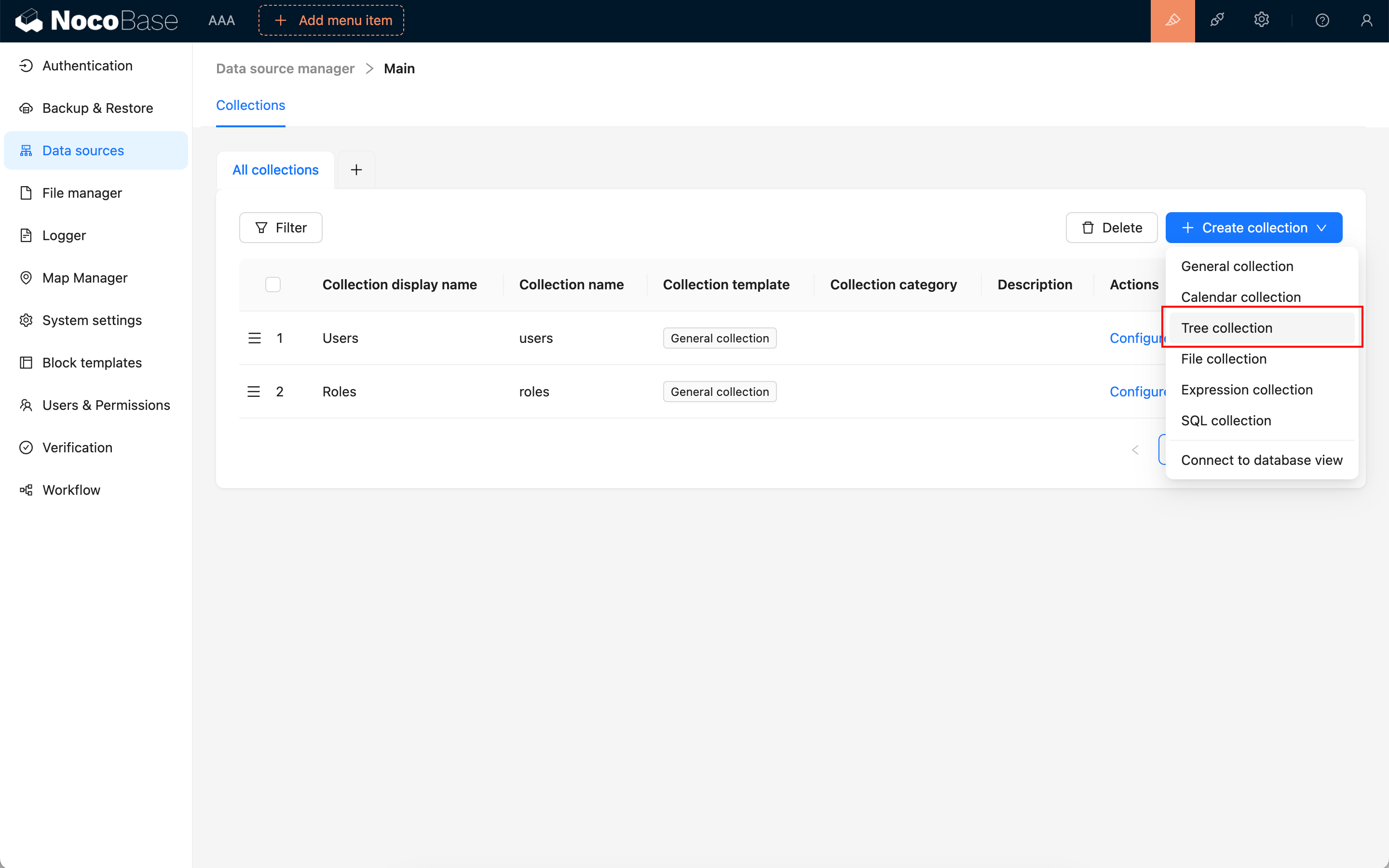
The creation settings for a Tree collection are mostly the same as those for a general collection.
Built-in fields
After a Tree collection is created, it usually includes the following built-in fields. parentId, parent, and children store the hierarchy.
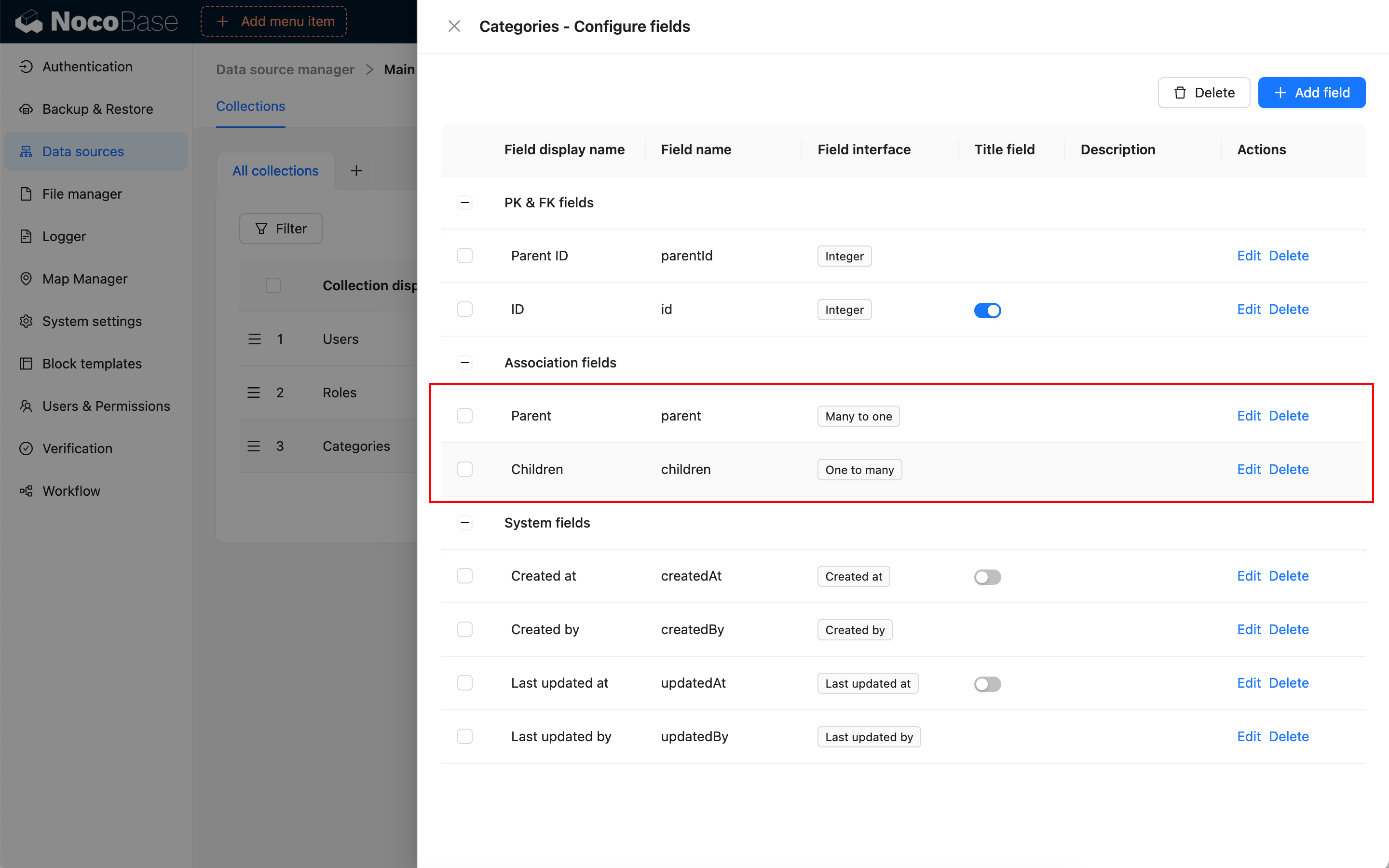
Avoid circular relationships in Tree collection data. For example, do not make B the parent of A and A the parent of B. Circular relationships cause incorrect tree displays and filter results.
Primary key field
Like a general collection, a Tree collection needs a primary key. Tree relation fields use the parent-node ID to relate to the primary-key record in the same collection.
If a Tree collection has no primary key, set Record unique key when editing the collection. Otherwise, blocks might not view or edit records correctly, and tree displays might not locate nodes reliably.
Use in pages
A Tree collection can use most of the data blocks for a general collection to create, read, update, and delete records. It can also work with tree-specific features:
Edit configuration
In the collection list, click Edit next to a Tree collection to change its display name, category, description, simple pagination mode, Record unique key, and other settings.
Do not delete Tree collection parent-child relation fields or repurpose them casually. To adjust the hierarchy, update parent-node relations in the record data first.
Delete a collection
In the collection list, click Delete next to a Tree collection to delete it.
Deleting a Tree collection deletes its collection metadata, actual database table, and hierarchy data. Before deleting it, confirm whether page blocks, Tree Filter blocks, relation fields, permissions, workflows, or APIs still depend on it.
Tree collections are often used as filter conditions for other blocks. After deleting a Tree collection, related Tree Filter blocks and page configurations that depend on its category hierarchy might stop working.
Related links
- General collection - General configuration and block usage.
- Table block - Enable Tree collection display in a table.
- Tree Filter block - Filter data with a tree structure.
- Multi-space - Learn about the Space field and data isolation by space.