

Comment collection
CommentsCommunity Edition+Introduction
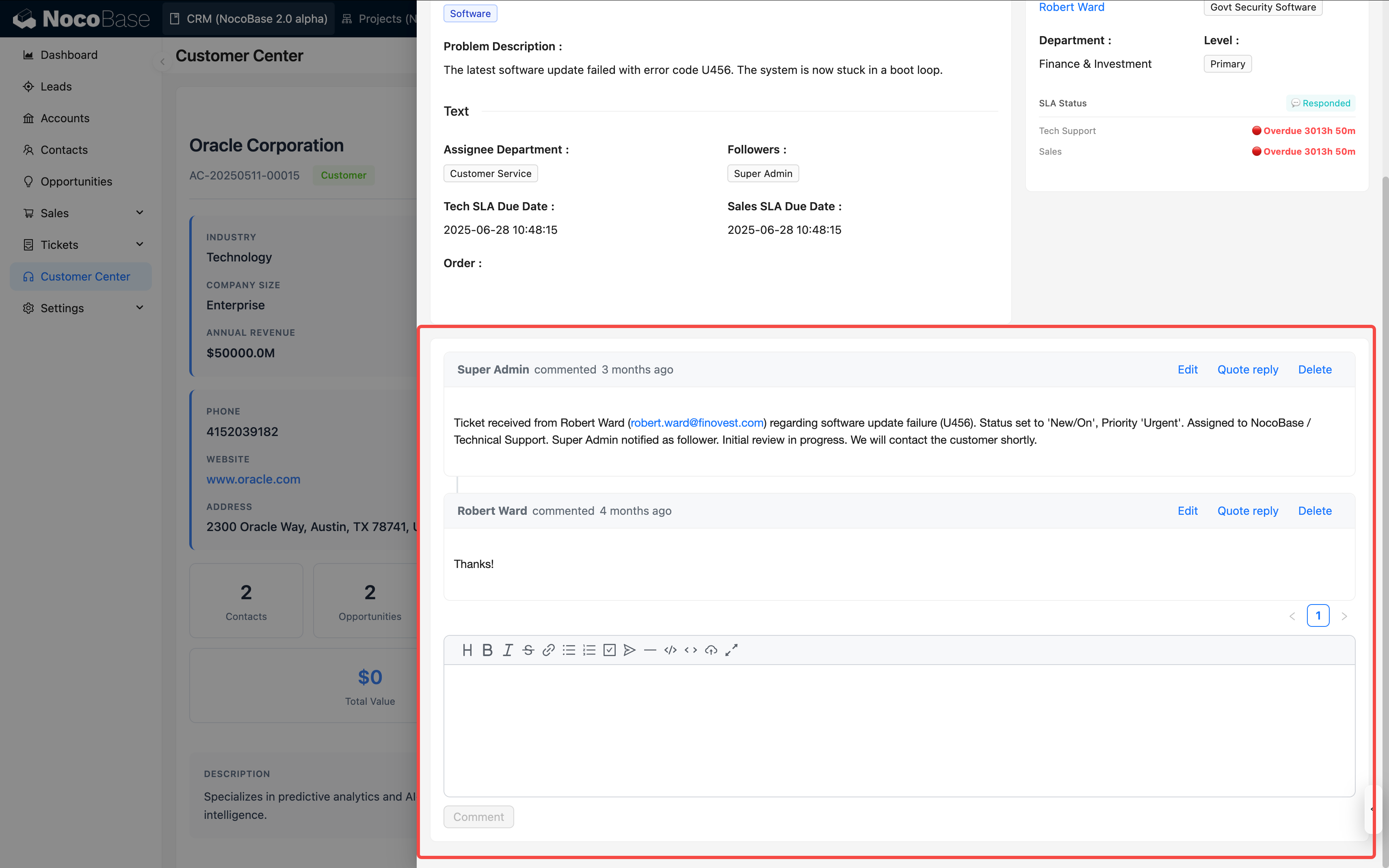
Comment collections are suitable for storing discussions, feedback, and annotations around business records. For example, you can use a Comment collection for task comments, approval opinions, article comments, and customer feedback.
A Comment collection is usually not used as an independent main business collection. A more common approach is to create a Comment collection, configure a relation field in the business collection, and then add a Comment block to the details page or popup for business records.
Use cases
Comment collections are suitable for these business scenarios:
- Collaboration discussions on tasks, requirements, and defects
- Processing opinions on approval forms, work orders, and contracts
- Comments on articles, knowledge bases, and announcements
- Customer feedback, after-sales follow-up, and internal notes
Usage flow
Comment collections are typically used together with a business collection and a Comment block:
- Create a Comment collection to store comment content, reply relations, creators, creation time, and other information.
- Create a relation field in the business collection and relate it to the Comment collection. For example, relate a
Task commentscollection to theTaskscollection. - Add a Comment block to a details page or popup for the business collection.
- When users post or reply in the Comment block, comment data is written to the Comment collection and related to the current business record.
- Configure Comment collection permissions as needed to control who can view, create, or delete comments.
Create and configure
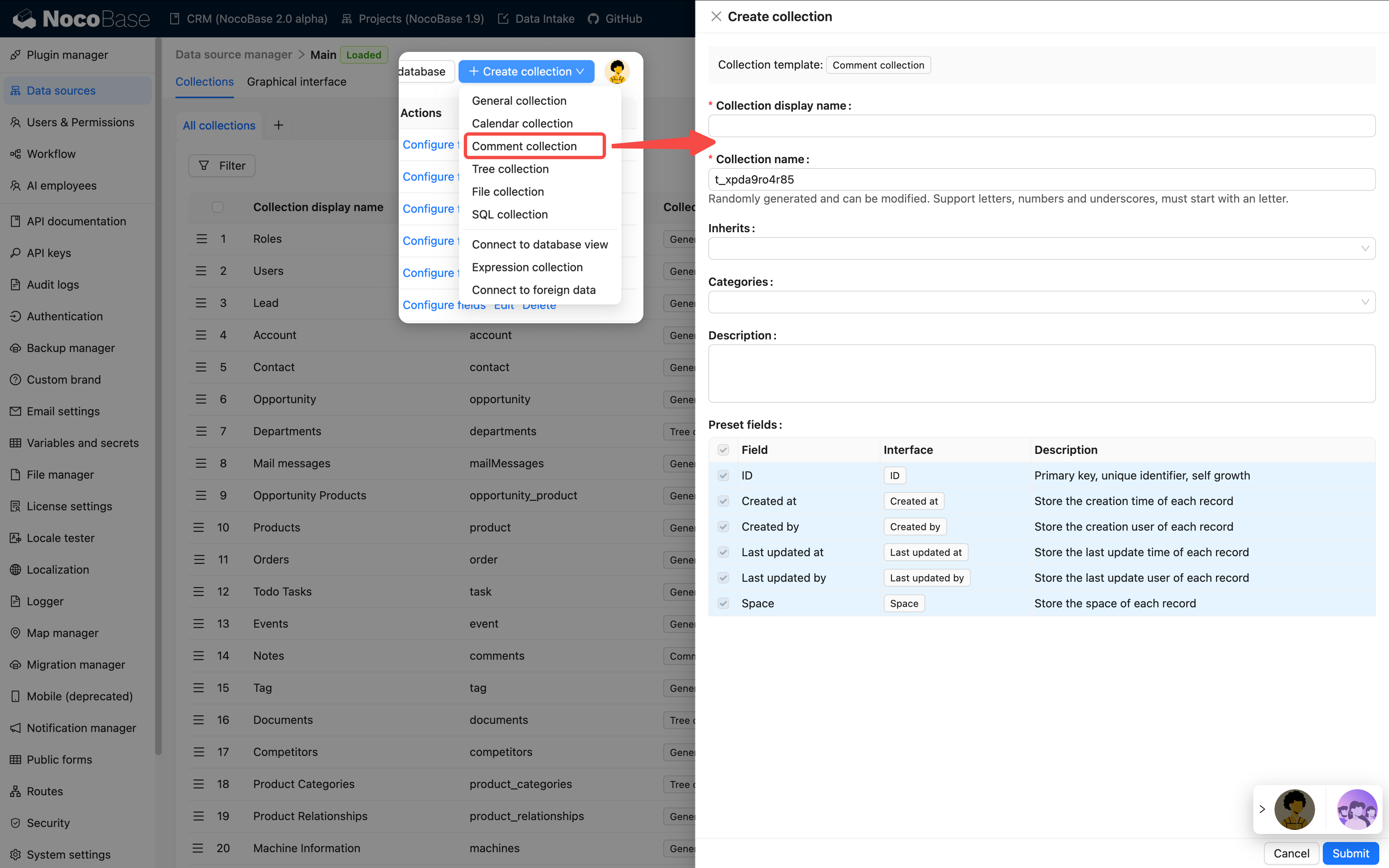
In the main data source, click Create collection and select Comment collection to create a Comment collection.
Built-in fields
After a Comment collection is created, it usually includes the following built-in fields. Comment blocks mainly use content, createdBy, and createdAt to display comment text, commenter, and comment time.
Comment collection built-in fields are normally maintained by Comment blocks and should not be deleted or repurposed casually. To store information such as comment category or processing status, add business fields instead.
Primary key field
Like a general collection, a Comment collection needs a primary key. Comment blocks use the primary key to locate comment records and reply relationships.
If a Comment collection has no primary key, set Record unique key when editing the collection. Otherwise, Comment blocks might not view, reply to, or delete comments correctly.
Create a relation
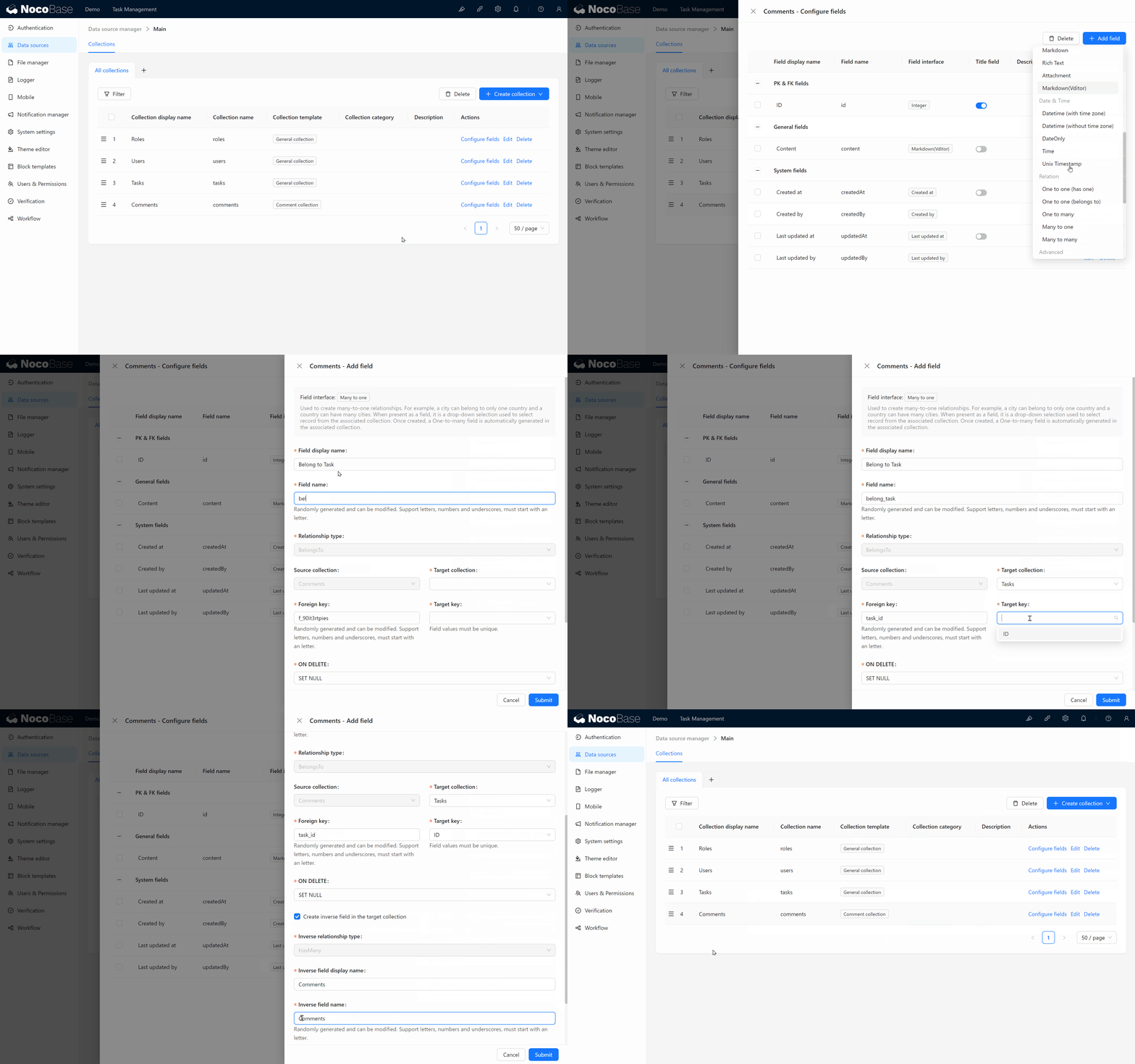
Create a relation field in the business collection and relate it to the Comment collection.
Use in pages
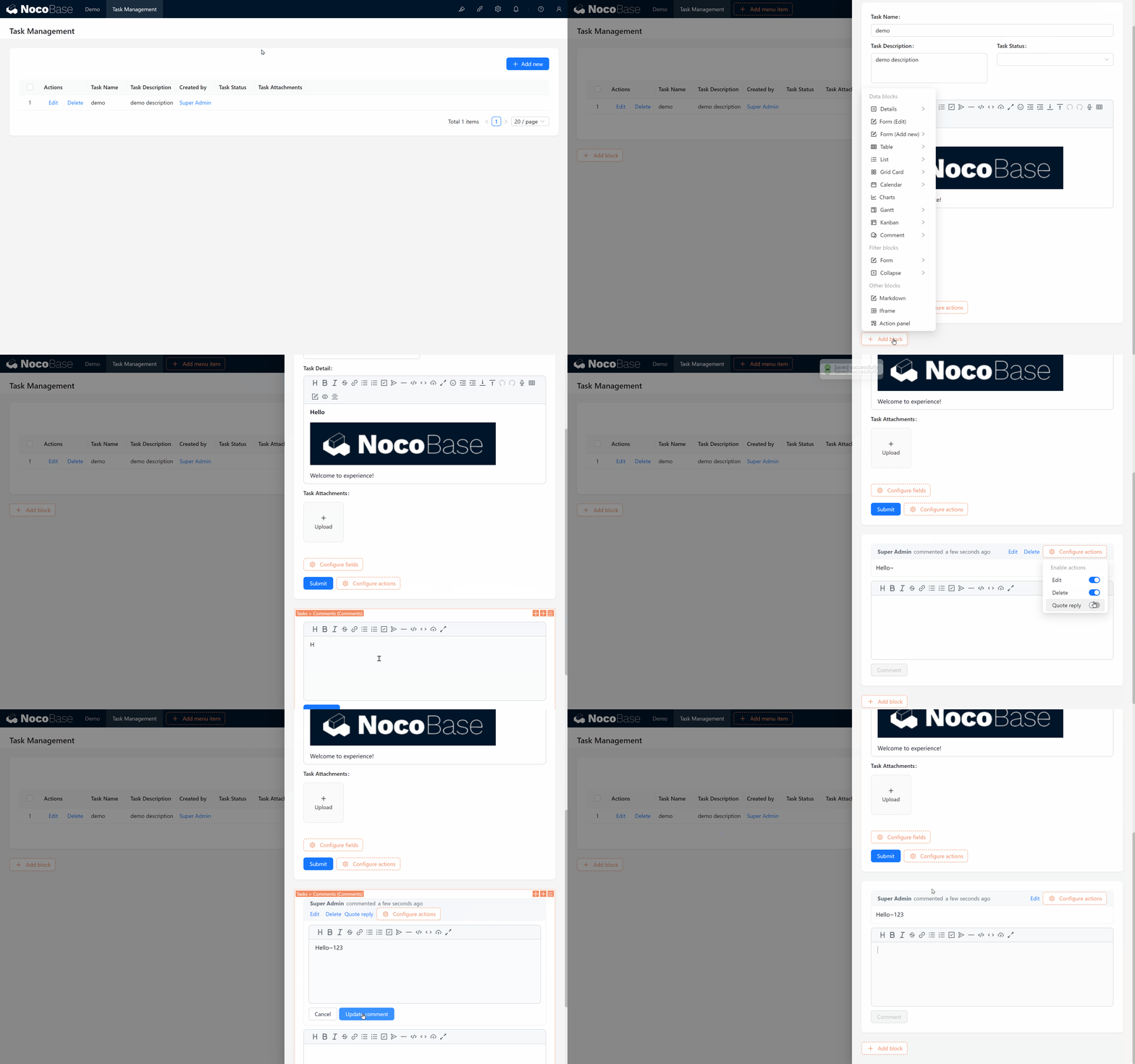
Comment collections are usually used through Comment blocks. Add a Comment block to a details page, popup, or record page of a business collection to let users comment on the current record.
Edit configuration
In the collection list, click Edit next to a Comment collection to change its display name, category, description, simple pagination mode, Record unique key, and other settings.
After a Comment collection is in use, do not casually change its comment-content field or reply-relation field. Comment blocks, permissions, workflows, and APIs might depend on these fields.
Delete a collection
In the collection list, click Delete next to a Comment collection to delete it.
Deleting a Comment collection deletes comment records, reply relations, and related collection metadata. Before deleting it, confirm whether relation fields in business collections, Comment blocks, permissions, workflows, or APIs still depend on it.
Deleting a Comment collection removes comment data from existing business records. Comments often contain collaboration history and processing opinions. Confirm whether the data needs to be backed up or archived before proceeding.
Related links
- General collection - General configuration and block usage.
- Relation fields - Learn how business collections relate to Comment collections.
- Comments plugin - Learn about Comment blocks and commenting capabilities.
- Multi-space - Learn about the Space field and data isolation by space.