

Overview
Date and time field types
Date and time field types include:
- DateTime (with time zone) - Date-time values are normalized to Coordinated Universal Time (UTC) and converted between time zones when needed
- DateTime (without time zone) - Stores a date and time without time-zone information
- Date (without time) - Stores only the date, without a time component
- Time - Stores only the time, without a date component
- Unix timestamp - Stores a Unix timestamp, usually the number of seconds since January 1, 1970
Examples of date-related field types:
Data-source mapping
The following table compares NocoBase, MySQL, and PostgreSQL types:
Notes:
- MySQL
TIMESTAMPsupports values from UTC1970-01-01 00:00:01through2038-01-19 03:14:07. Outside this range, use DATETIME or BIGINT to store a Unix timestamp.
Date and time storage flow
With time zone
This flow includes DateTime (without time zone) and Unix timestamp handling.
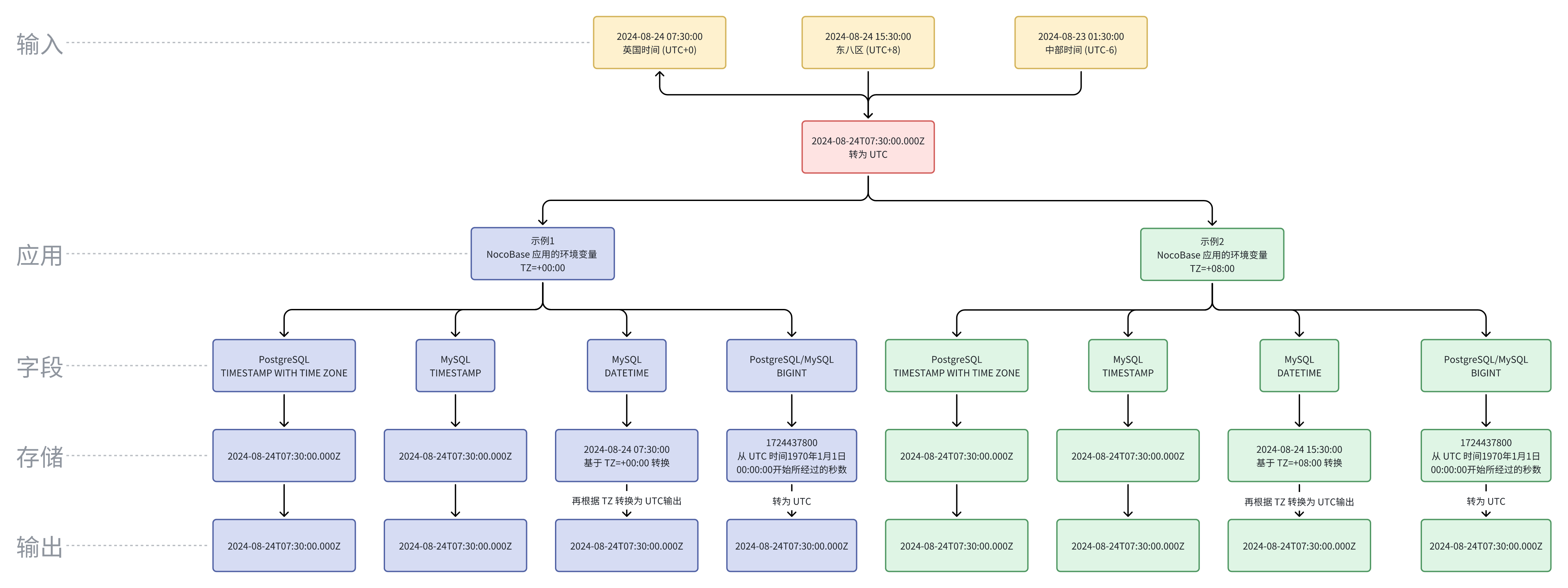
Notes:
- To support a wider range of values, the NocoBase DateTime (with time zone) field uses DATETIME in MySQL. The stored date value is converted according to the server
TZenvironment variable. If theTZenvironment variable changes, stored date-time values can change. - UTC and local time differ by time zone. Displaying a raw UTC value directly can confuse users.
Without time zone
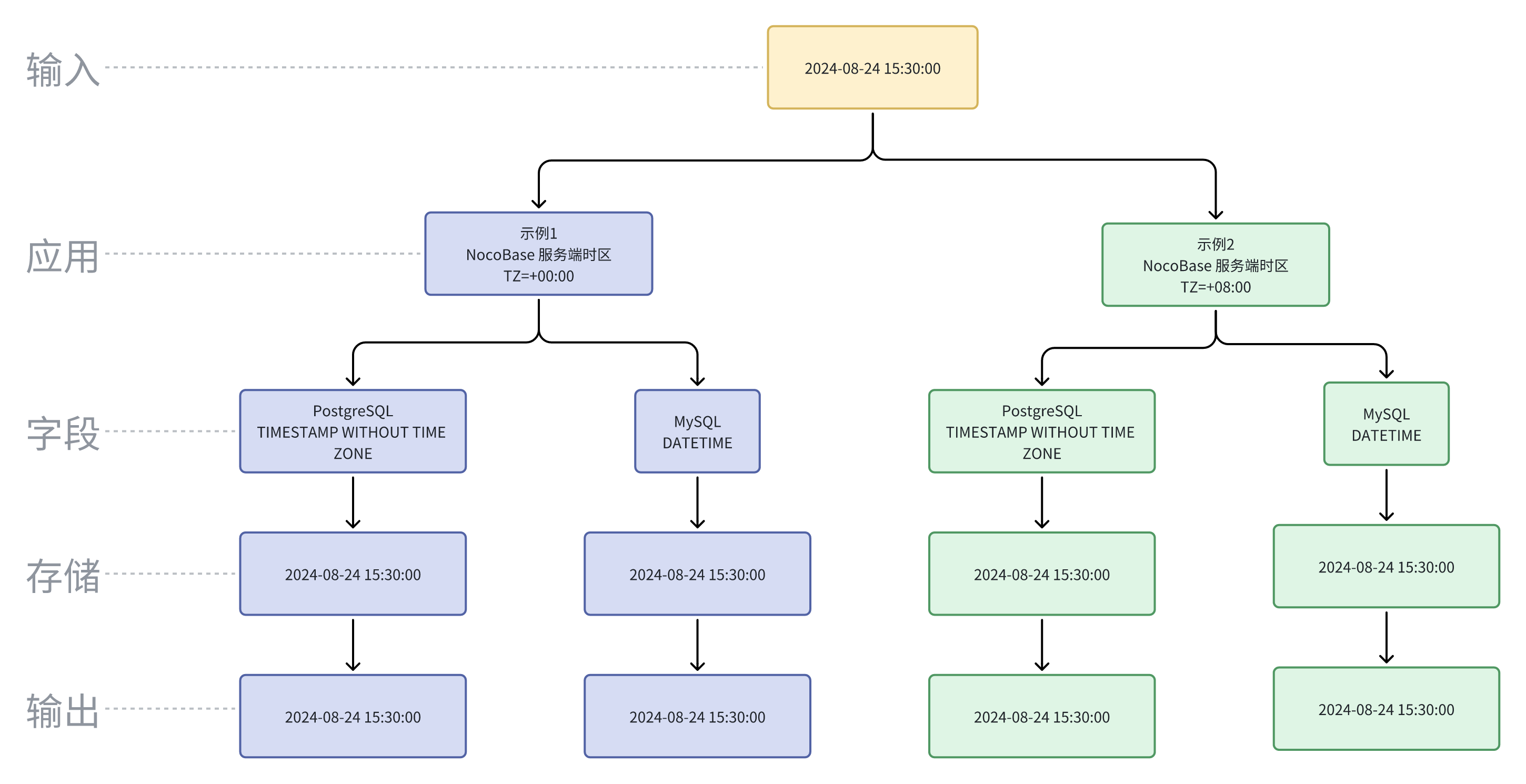
UTC
UTC (Coordinated Universal Time) is the global time standard used to coordinate and unify time around the world. It is a high-precision time standard based on atomic clocks and synchronized with the time of the Earth's rotation.
UTC and local time differ by time zone. Displaying a raw UTC value directly can confuse users. For example:
These values represent the same moment in time; only the time zone differs.