

Oracle
Data source: External OracleEnterprise Edition+Introduction
Oracle can be connected to NocoBase as an external database. NocoBase reads tables, fields, and views from Oracle and makes them available as collections in the external data source.
Unlike a main data source, the actual schema of an external Oracle database continues to be maintained by the original business system, database client, or migration scripts. NocoBase reads the schema, stores field metadata, and lets you configure blocks, permissions, workflows, and APIs.
External Oracle is suitable when you need to:
- Connect an Oracle database used by an existing ERP, MES, WMS, CRM, or other business system
- Build management pages in NocoBase without migrating historical data
- Apply permissions, workflow processing, data corrections, or reporting to existing tables
- Keep the database schema maintained by DBAs, migration scripts, or the original system
An external Oracle database is not a NocoBase system database. NocoBase does not manage its backups, restores, migrations, or schema changes.
Plugin installation
This is a commercial plugin. For activation instructions, see the Commercial plugin activation guide.
When you use Thick mode, install Oracle Client libraries in the NocoBase runtime environment and specify Client directory in the data-source settings.
Install the Oracle client
Oracle Database 12.1 and later usually use Thin mode, which does not require an additional Oracle Client installation. Install Oracle Client libraries in the NocoBase runtime environment only when connecting to a version earlier than Oracle Database 12.1 or when Thick mode is required.
After selecting Thick mode in the data-source settings, make sure the machine running the NocoBase service can load Oracle Client.
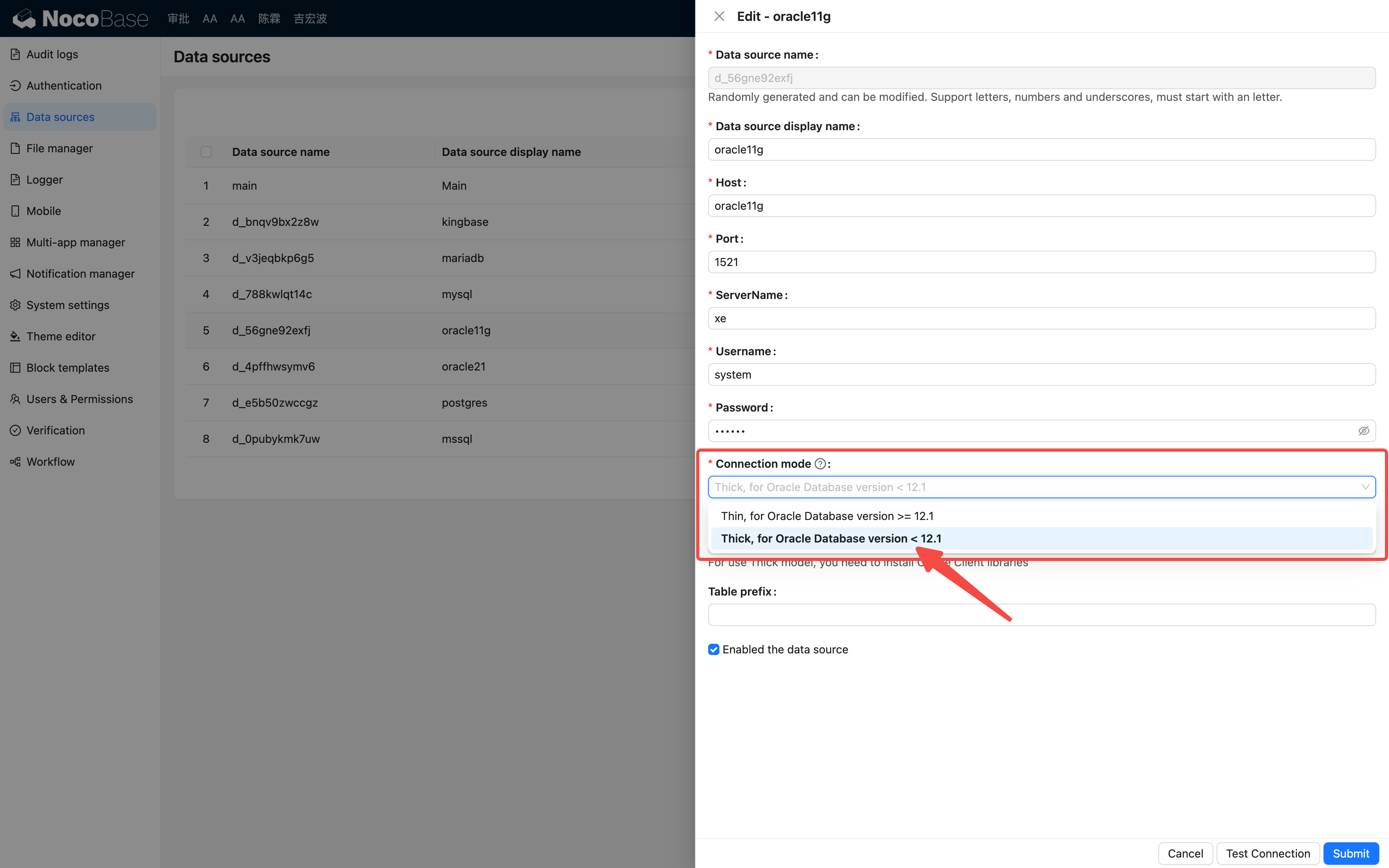
On Linux, you can install Oracle Instant Client as follows:
When Oracle Client is not installed in a system-default loadable location, enter the client library directory in Client directory. For the installation above, the directory is /opt/instantclient_19_25.
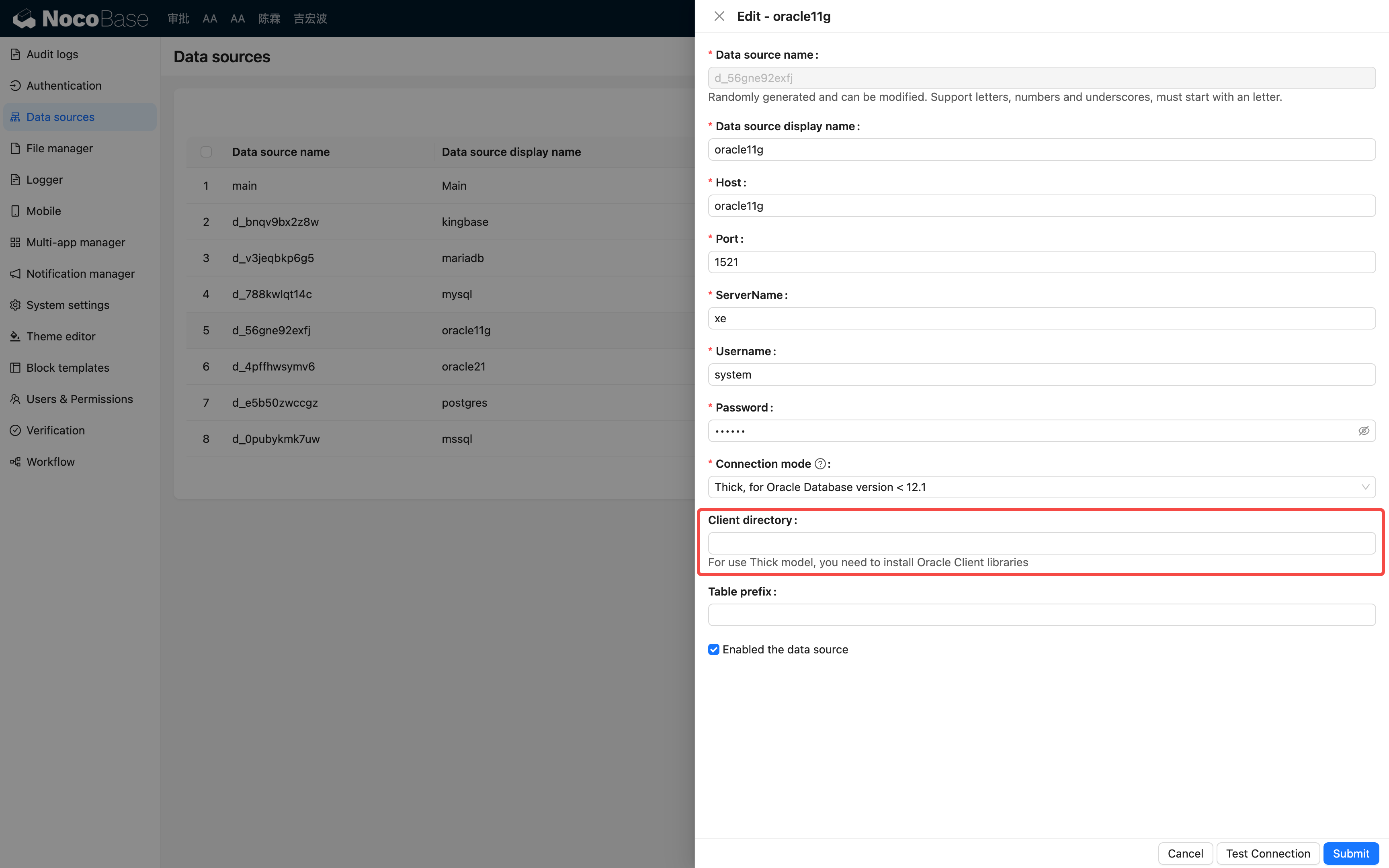
Configure Client directory only in Thick mode. Thin mode does not use this setting. For more initialization rules, see the node-oracledb initialization documentation.
Add a data source
In Data source management, click Add new, select Oracle, and then enter the connection details.
Common connection settings are as follows:
In Oracle, the connection scope is primarily determined by the Owner of the connection account, Table prefix, and Collections. If an instance contains many objects, connect with a dedicated account for the business schema to prevent unrelated objects from being added to NocoBase.
Select collections
After entering connection details, click Load Collections to read available tables and views from Oracle. The results depend on the Owner of the connection account, Table prefix, and Collections settings.
By default, Add all collections is enabled, which connects all tables and views in the current scope. To connect only selected objects, disable Add all collections and select the required tables or views from the list.
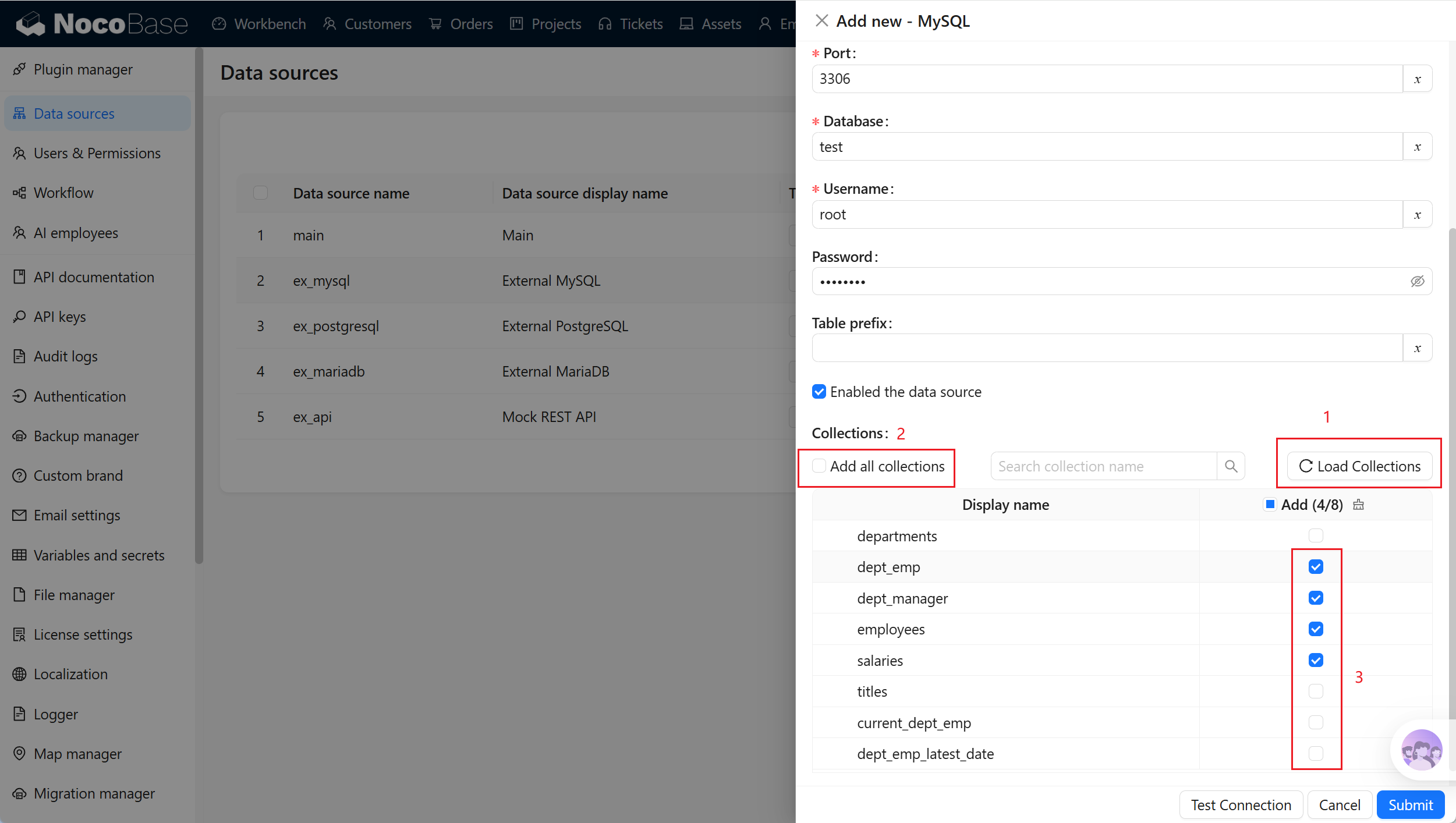
An external data source can connect up to 500 tables or views at a time. When Oracle contains many objects, narrow the scope through the Owner of the connection account, Table prefix, or Collections first.
Synchronize and configure fields
The external Oracle schema is maintained in the database. NocoBase does not create fields, change field types, or delete actual fields in the external database.
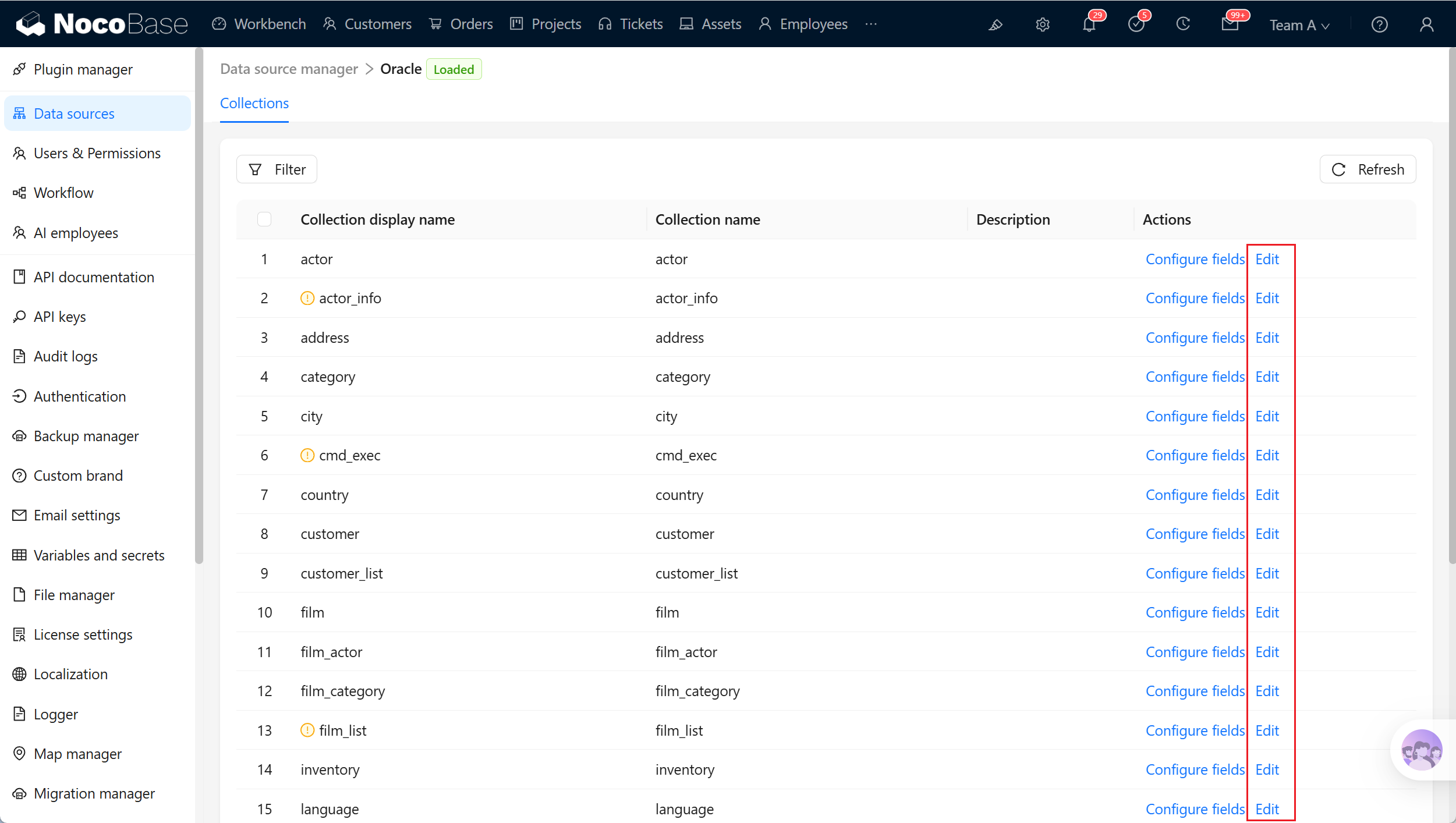
When the Oracle schema changes, run Sync from database from the data source to read collection and field metadata again. Synchronization updates the collections, fields, primary keys, unique keys, and field-type mapping metadata stored in NocoBase. It does not delete actual Oracle tables or data.
After fields are synchronized, you can configure their titles, Field type, and Field interface in NocoBase. NocoBase relationship fields are also stored as relationship metadata in NocoBase and do not automatically add actual foreign-key columns to Oracle tables.
Field type mapping
NocoBase automatically maps Oracle types to appropriate Field types and Field interfaces. You can adjust the display interface in field settings.
Binary object types such as BLOB and BFILE are not automatically used as regular file fields. To manage attachments in pages, it is usually better to use a file collection or attachment field in NocoBase to store file metadata.
Primary key and Record unique key
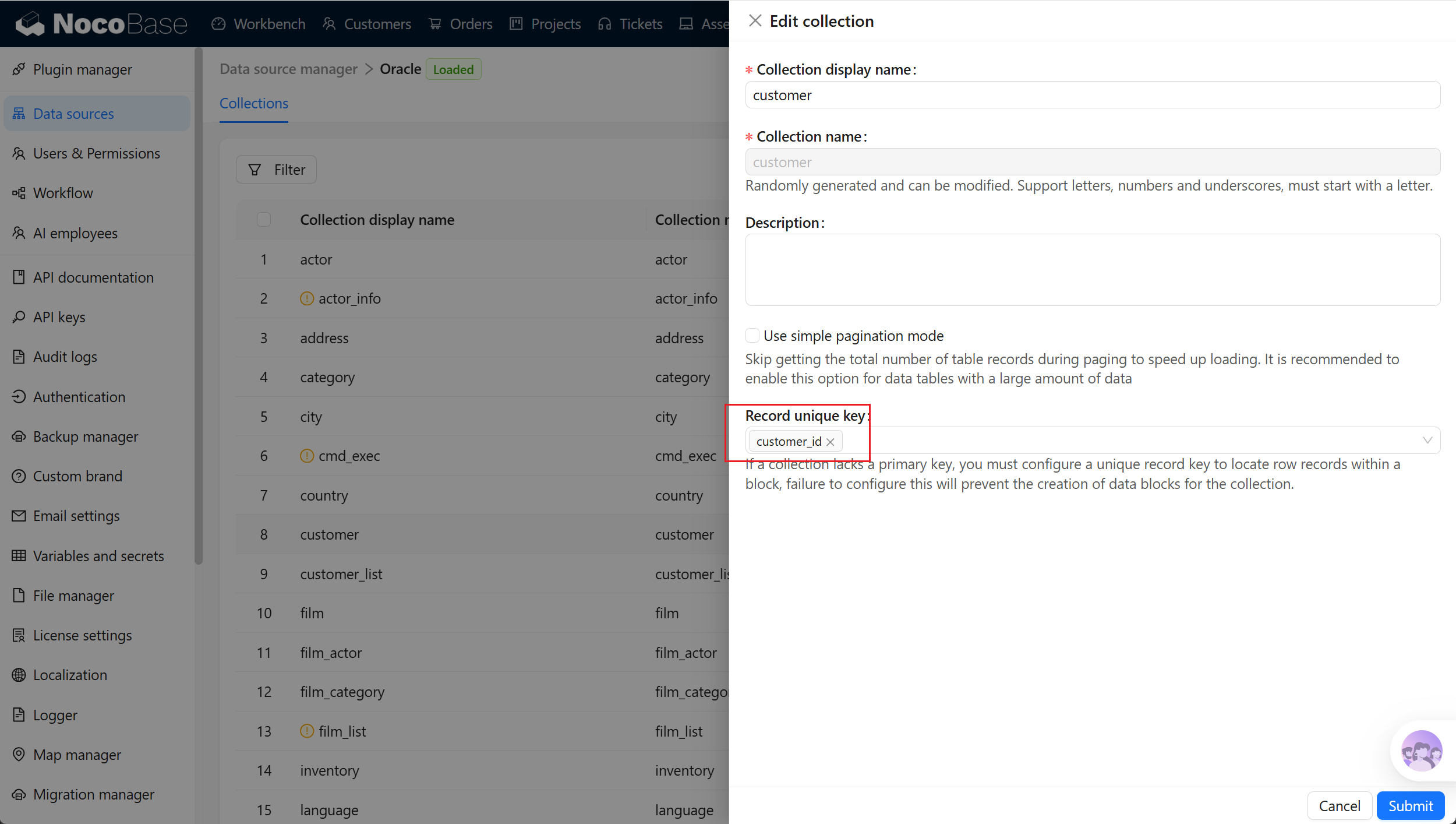
Collections used for block display and editing should have a primary key or unique field. NocoBase uses the primary key as the Record unique key when available.
For views, tables without a primary key, or composite-primary-key tables, configure Record unique key manually in the collection settings. Without a usable identifier, blocks might not view, edit, or delete records correctly.
Related links
- External databases - General external-database configuration and management.
- Data source management - Data-source entry points and management.
- Collection fields - Field types and field mapping.
- node-oracledb initialization documentation - How Oracle Client libraries are loaded.