
Application packages, versions and artifacts
package.json.name identifies an application package. A version represents an immutable delivery; its artifact is the uploaded deployment archive. A package can have several versions, and one version can serve several instances.
The sub-app project template is a development scaffold. Deployment selects a built and published version, not that scaffold.
Upload and publish artifacts
From a child project, build, upload and publish in one command:
pnpm nocobase deploy artifact upload --build --yesThe first upload creates the application package. Alternatively, run pnpm build --tar and obtain storage/exports/dist.tar.gz. In Main, open System settings → Deployment management → Build artifacts, select Upload build artifact, review its package name, version and validation results, then submit.
Uploading neither creates instances nor upgrades existing ones. Give changed code a new version. Do not delete and replace old content to reuse a version number.
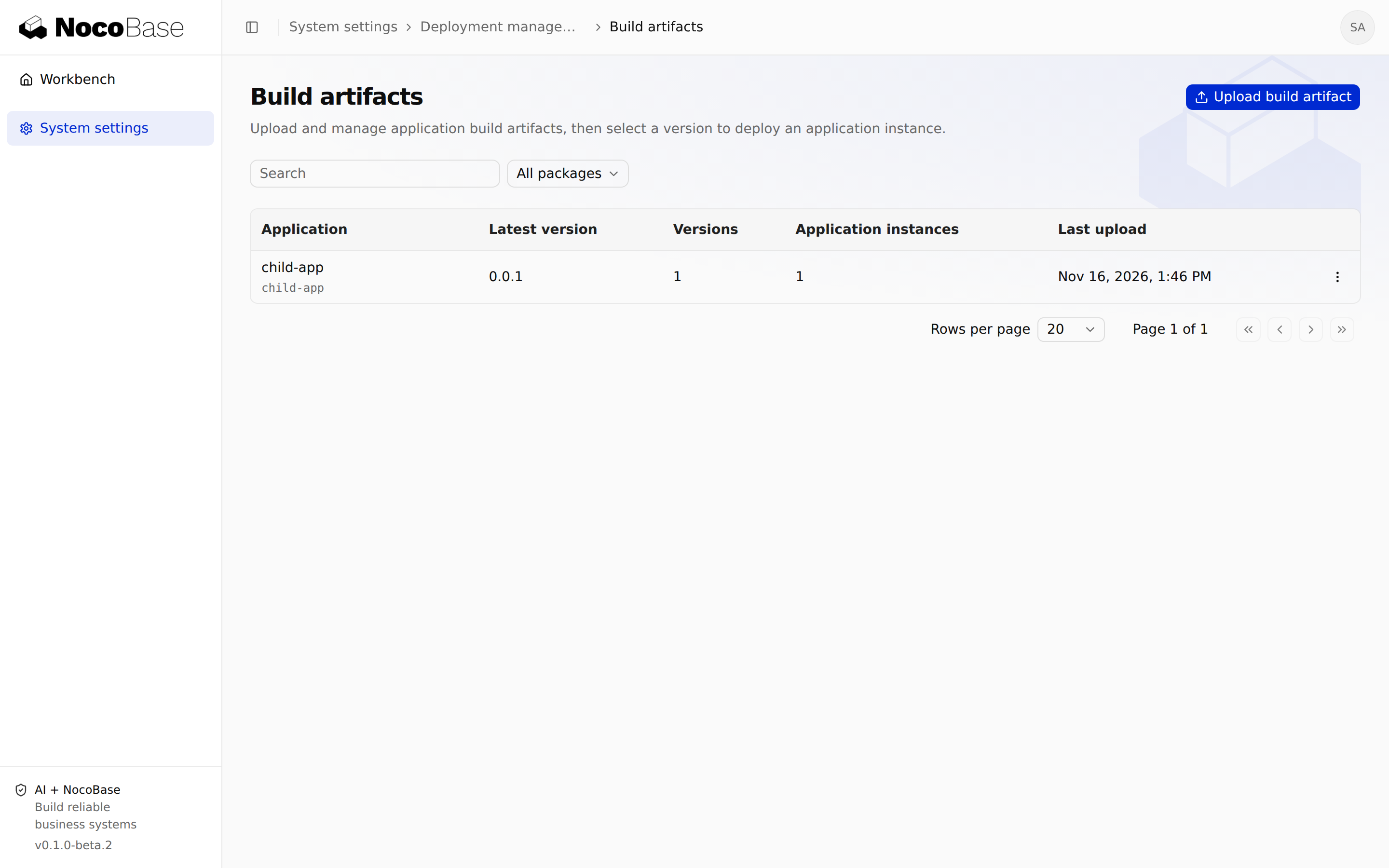
Inspect build platforms, runtime requirements and configuration
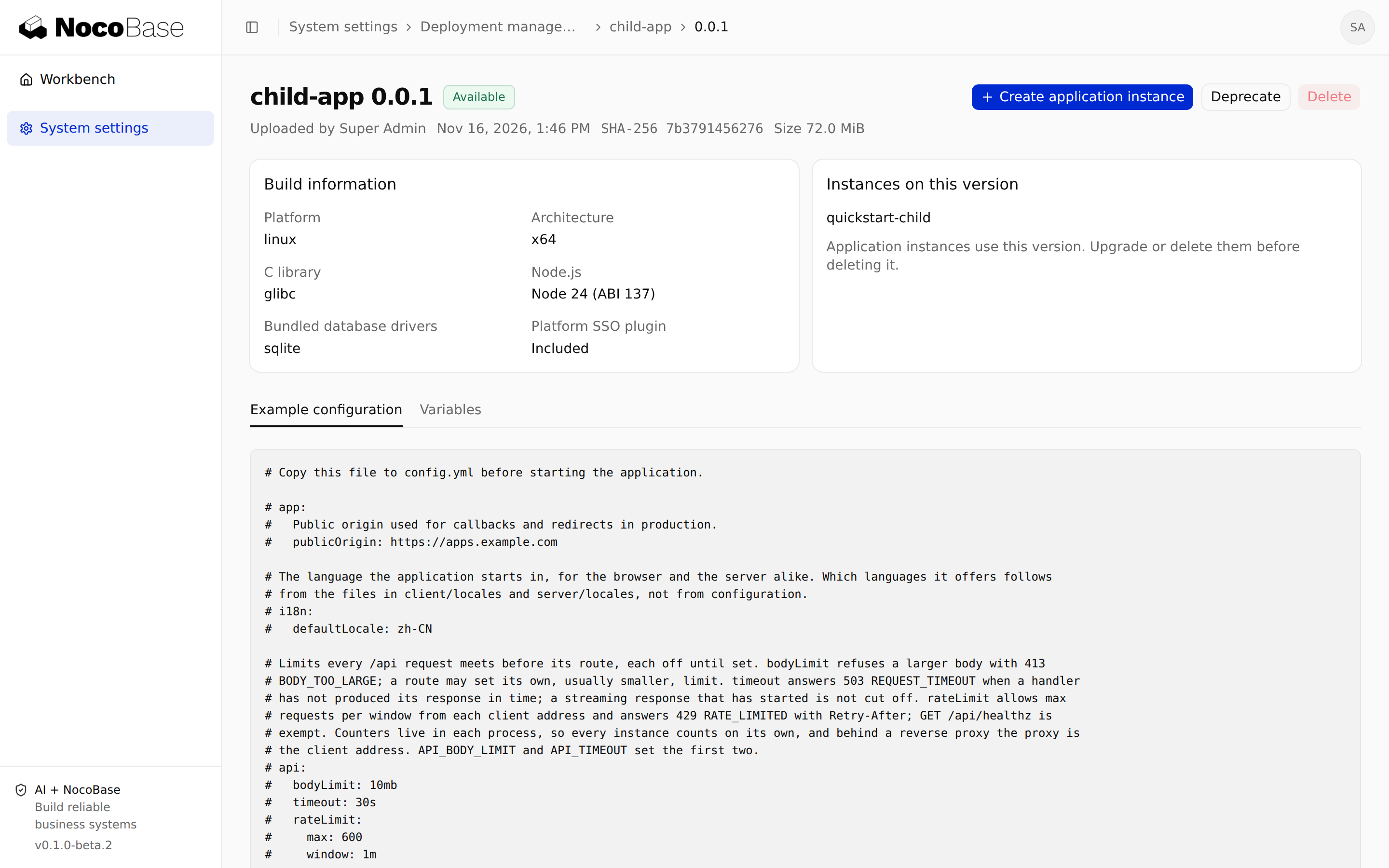
Open a version to inspect its platform, Node.js requirements, database drivers, Platform SSO dependency, configuration example and variable declarations. These declarations inform the instance creation form.
The runtime node must match the OS, CPU architecture, libc and runtime requirements. Install and register missing drivers or plugins in the child project, then rebuild. Instance settings cannot add dependencies missing from an archive.
Archives distribute code and runtime dependencies, not a particular instance's database, uploads, secrets or config.yml.
Create several instances from one version
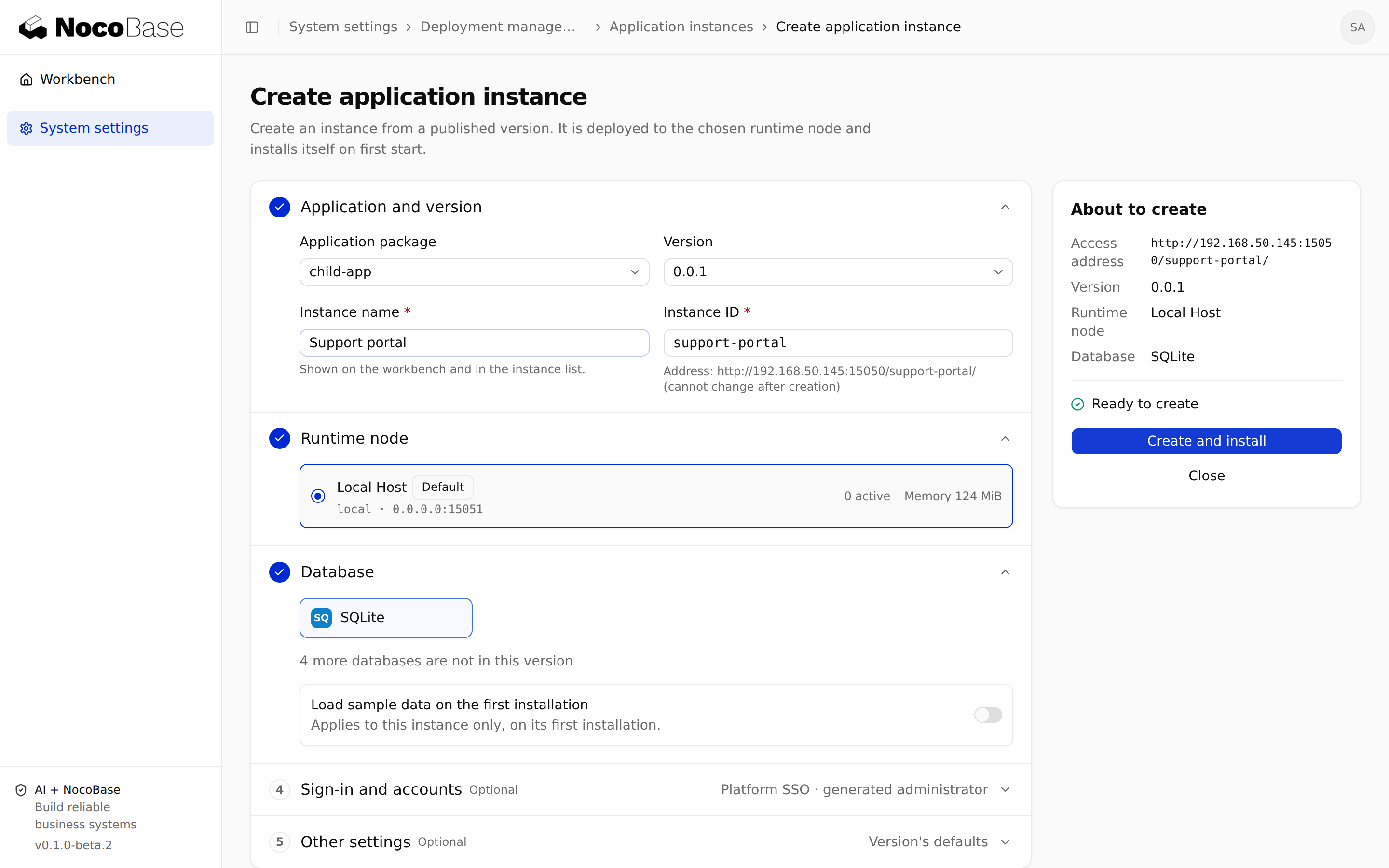
Choose Create application instance from a version or package's more menu. Give each instance a distinct ID, name and runtime node, with its own database and business configuration. Platform SSO credentials are also issued separately.
Publish once and deploy several times without rebuilding identical code. See Manage application instances for creation details.
View instances associated with a version
Use the package's Application instances tab to inspect deployments, then open an instance to verify its actual version. An available-update notice does not mean an upgrade has happened. Use instance state and the deployment record to confirm completion.
Deprecate, restore and delete versions
Deprecate versions you no longer recommend through their more menu. Deprecation does not stop running instances. Restore a version to make it available again.
Check references and UI guidance before deletion. CLI deletion requires repeating the version, for example artifact delete 0.0.1 --confirm-delete 0.0.1 --yes. Substitute the real version and proceed only when it is no longer needed. Server-side reference and state checks still apply. Deleting artifacts is not a way to delete instances.