

Doris
Data source: External DorisEnterprise Edition+Introduction
Doris can be connected to NocoBase as an external database. NocoBase reads tables, fields, and views from Doris and makes them available as collections in the external data source.
Doris is better suited to analytical queries, wide-table details, metric aggregation, and reporting. Unlike transactional databases, it is not suitable as a data source for frequently creating, editing, and deleting business records in NocoBase.
External Doris is suitable when you need to:
- Connect data-warehouse detail tables, aggregate tables, wide tables, or metric tables
- Build operational dashboards, reports, or query pages in NocoBase
- Provide business users with a read-only query entry point instead of direct database-client access
- Apply permissions and visual presentation to existing Doris data
Use Doris in NocoBase as a read-only analytical data source. Do not use it as the write data source for regular business collections, and do not configure create, edit, or delete actions in pages.
Plugin installation
This is a commercial plugin. For activation instructions, see the Commercial plugin activation guide.
Add a data source
In Data source management, click Add new, select Doris, and then enter the connection details.
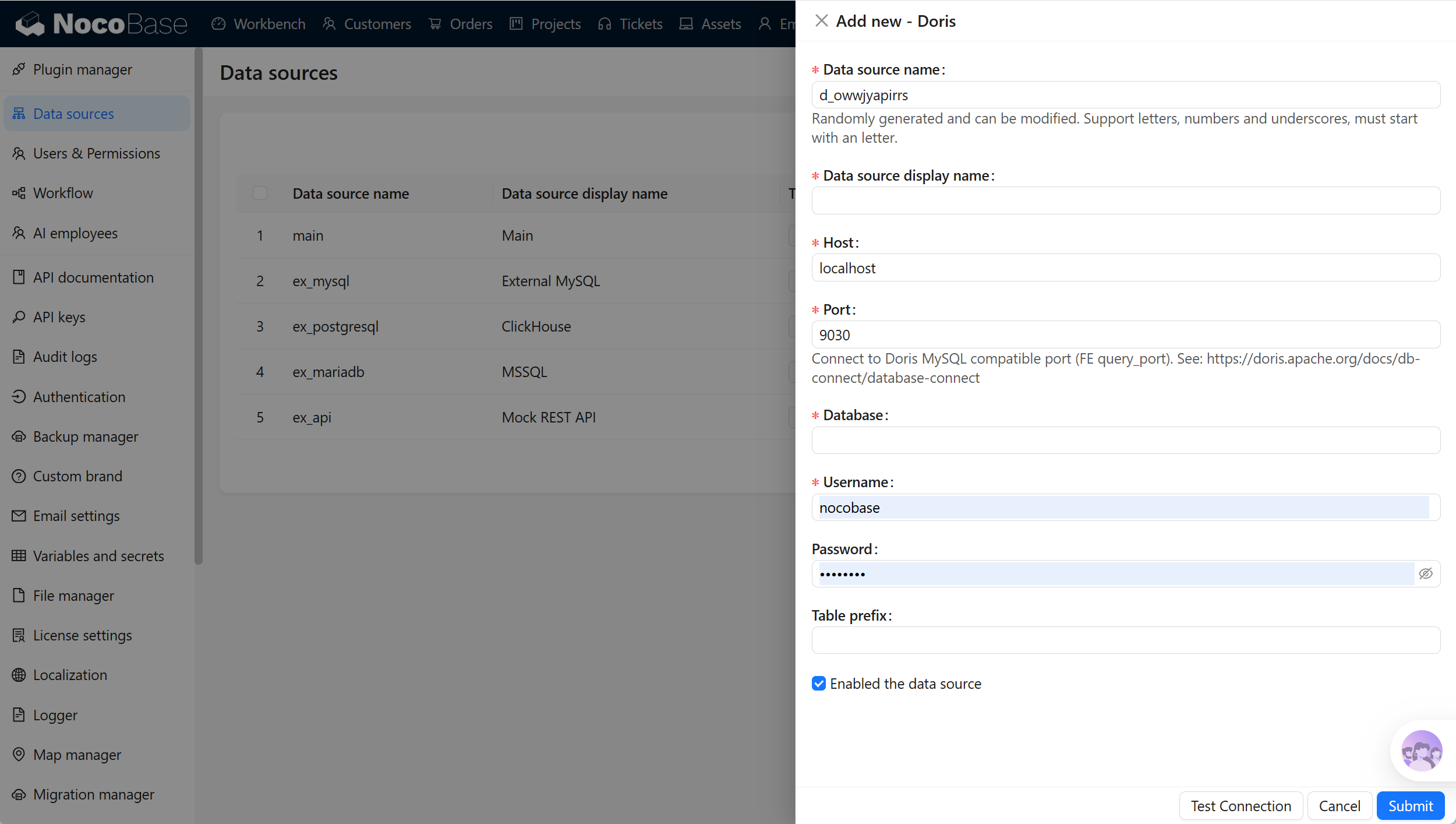
Common connection settings are as follows:
The Doris plugin connects through the MySQL-compatible protocol. Before configuring the source, make sure the Doris FE query_port is reachable from NocoBase and that the account can read metadata for the target database, tables, and columns.
Connection scope
Doris pages do not provide a Collections selection list. The connection scope is primarily controlled by Database, connection-account permissions, and Table prefix.
When Doris contains many tables, prepare a dedicated database, account, or table-name prefix for NocoBase. Expose only the tables that the current application needs to view and aggregate.
An external data source can connect up to 500 tables or views at a time. When Doris contains many objects, narrow the scope through the database, account permissions, or Table prefix first.
Synchronize and configure fields
The external Doris schema is maintained in the database. NocoBase does not create fields, change field types, or delete actual fields in the external database.
When the Doris schema changes, run Sync from database from the data source to read collection and field metadata again. Synchronization updates the collections, fields, primary keys, unique keys, and field-type mapping metadata stored in NocoBase. It does not delete actual Doris tables or data.
After fields are synchronized, you can configure their titles, Field type, and Field interface in NocoBase. NocoBase relationship fields are also stored as relationship metadata in NocoBase and do not automatically add actual foreign-key columns to Doris tables.
Field type mapping
NocoBase maps Doris types to appropriate Field types and Field interfaces according to MySQL compatibility rules and Doris-specific types. You can adjust the display interface in field settings.
VARIANT is a dynamic type available in Apache Doris 2.1.0 and later. When using a Doris version earlier than 2.1.0, you cannot connect fields of this type.
Aggregate-state, semi-structured, and complex types in Doris are better suited to display or debugging and might not be appropriate for form input. For complex types, prepare a view or detail table better suited to business viewing in Doris before connecting it to NocoBase.
Primary key and Record unique key
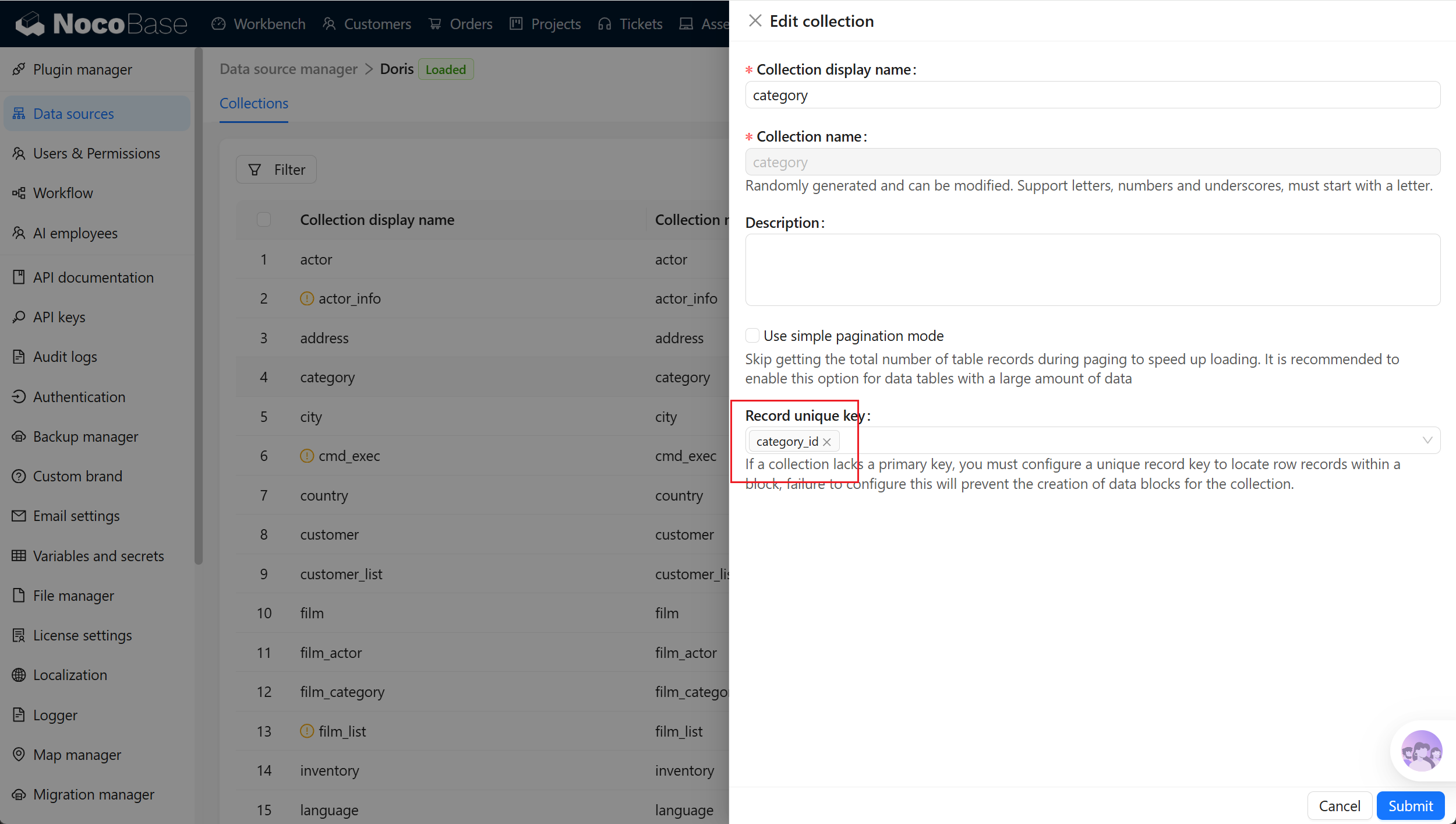
Doris data and key models are not necessarily business-unique identifiers. Collections used for block display should still have a field that can uniquely identify each record.
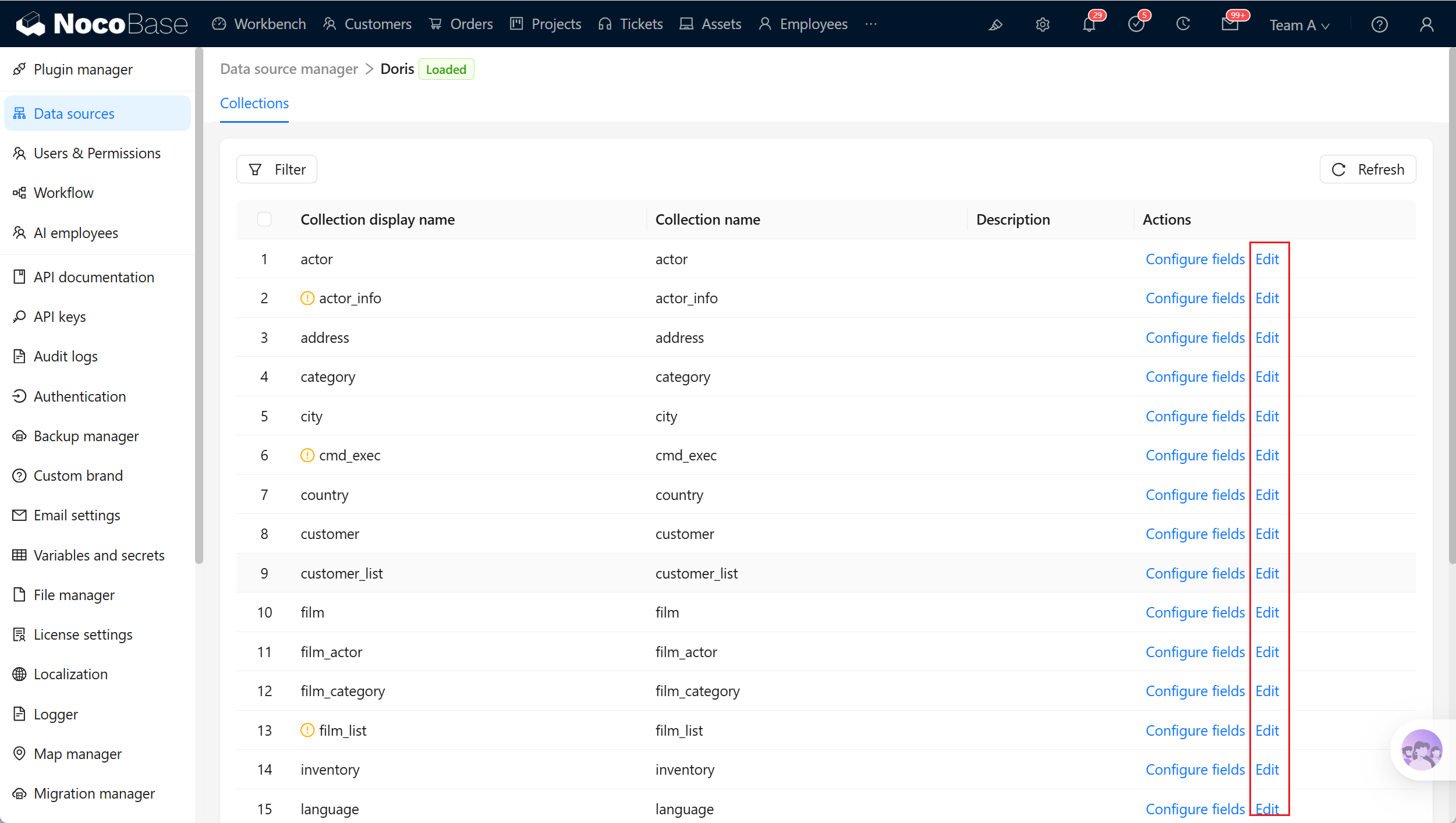
For tables or views without a unique field, configure Record unique key manually in the collection settings. Without a usable unique identifier, blocks might not display record details correctly and are not suitable for edit or delete actions.
Related links
- External databases - General external-database configuration and management.
- Data source management - Data-source entry points and management.
- Collection fields - Field types and field mapping.