
Quality › Follow-ups collects work created from tests. Each item uses the normal task owner, discussion, and acceptance flow.
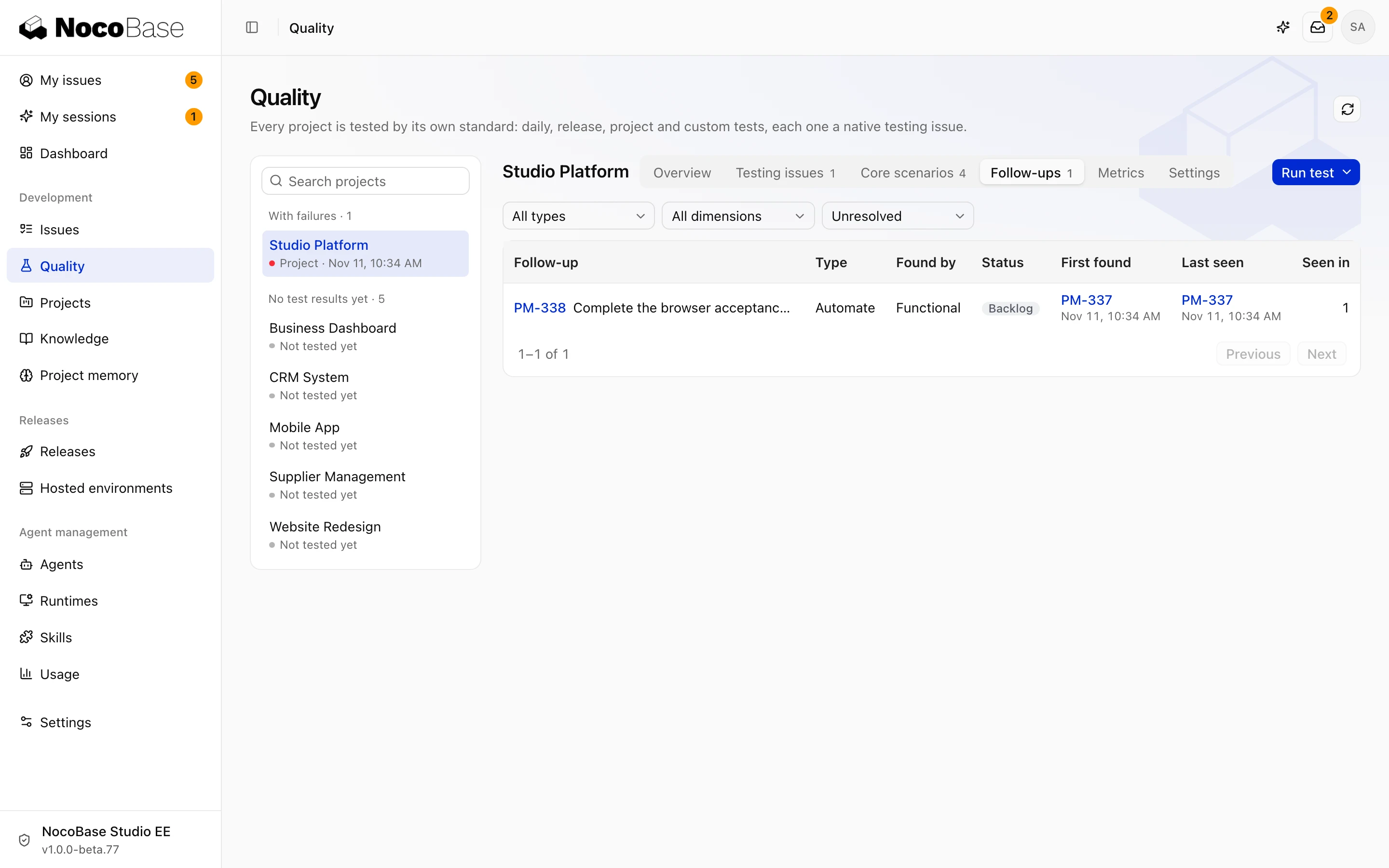
Create follow-up tasks
Agents can register defects, questions, missing automated tests, missing scenarios, and code cleanup. Each task links back to its source test and dimension.
Open the task and check its expectation, observed behavior, reproduction conditions, and evidence. Assign an owner and priority. Reuse or link an existing open task for the same problem to avoid duplicate fixes.
Business fixes run in follow-up tasks. The testing task records findings and evidence. Answer business questions on the relevant task.
Fix and retest
- Complete and accept the fix on its follow-up task.
- Start a project, release, or custom test that covers the affected scope.
- Check the new result for the original scenario or task.
Closing a follow-up does not rewrite earlier test results. Historical reports keep the original evidence; later tests show the corrected behavior.