
Open a test under Quality › Testing issues. Its delivery report uses the normal task acceptance flow.
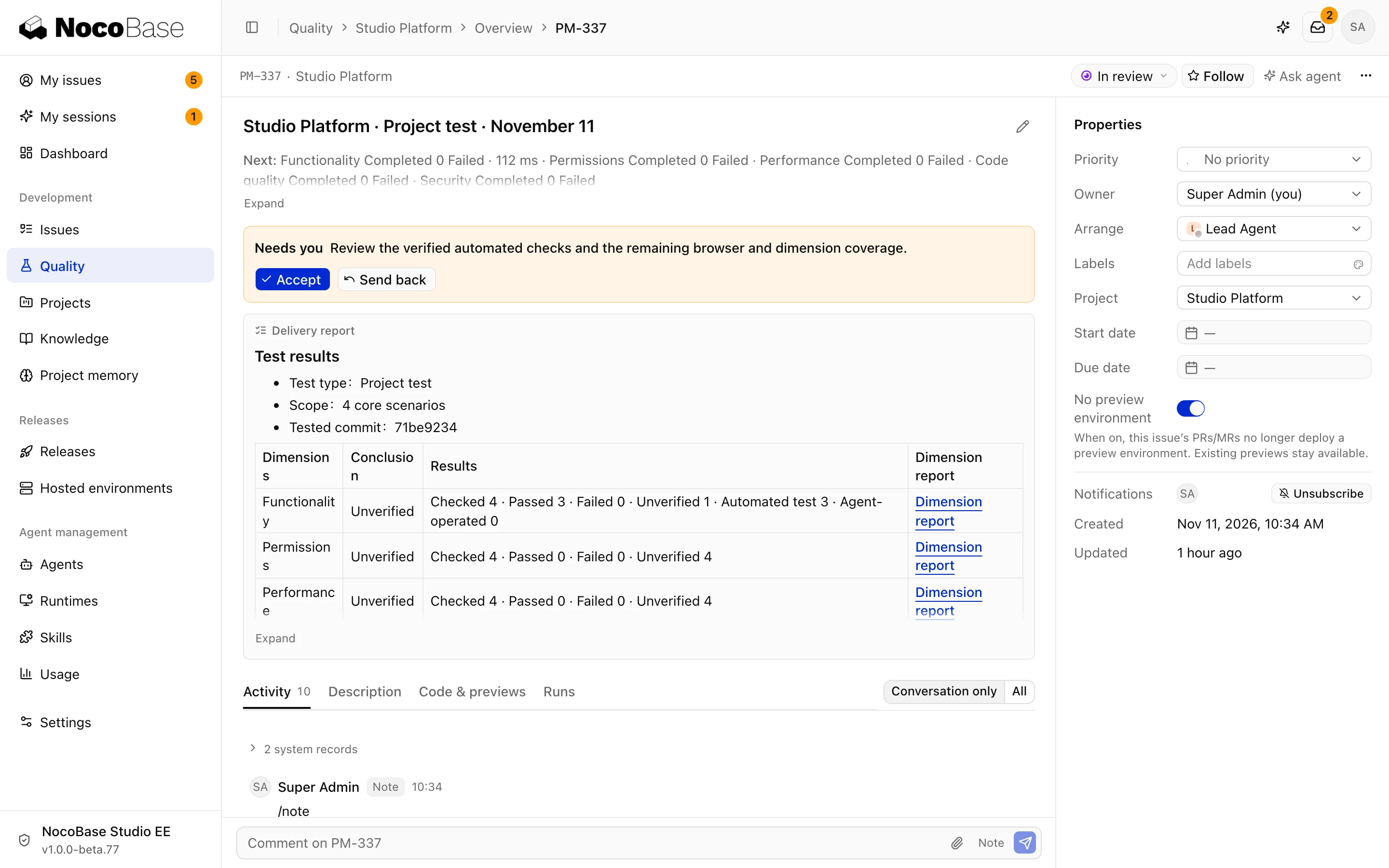
Results and evidence
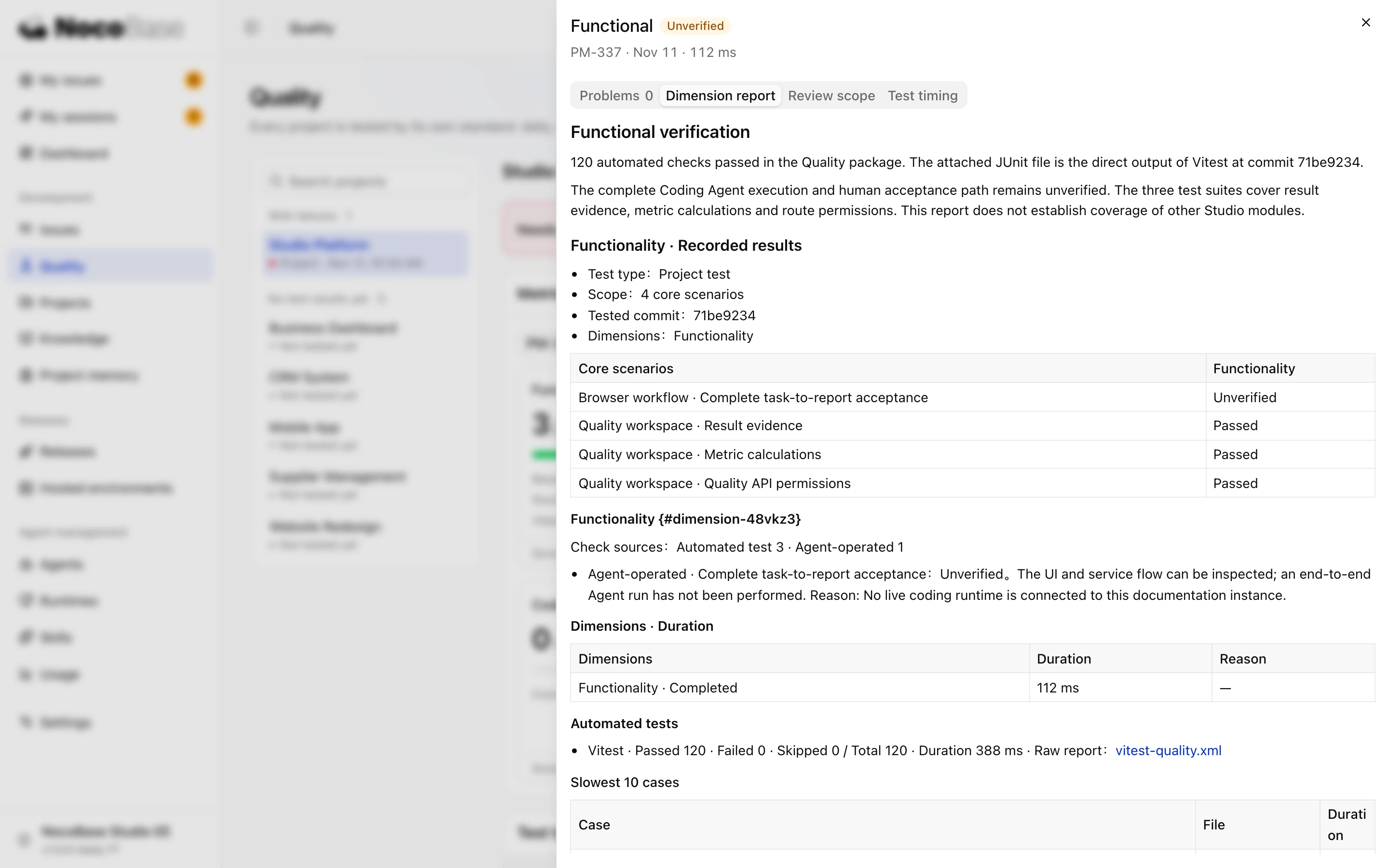
Check the scope, code commit, and selected dimensions first. Open a dimension to read its detailed report and attachments.
| Outcome | Meaning |
|---|---|
| Passed | Evidence supports the expected behavior |
| Failed | Observed behavior differs from the expectation; inspect the problem and reproduction evidence |
| Unverified | Missing access, an environment, or another prerequisite prevents a conclusion |
| Not applicable | The scenario is unrelated to this dimension; it counts as neither passed nor failed |
Open the relevant dimension to inspect its evidence. Functional results distinguish automated tests from scenarios exercised by an Agent. Performance results can include page and API measurements. For a permission finding, check which role attempted which action and what happened. If the only evidence is a code review, verify the behavior with the affected role.
Review failure evidence, reasons for unverified items, and linked follow-ups. A screenshot is one form of evidence; it does not replace a clear expectation and observation.
Accept or request changes
Accept through the task when the scope is complete, evidence can be checked, and findings have a follow-up plan. Request changes if scenarios or evidence are missing.
Tests may create PRs for test cases or core scenario assets. Keep those separate from business fixes, which belong in follow-up tasks. Accepting a test does not complete those fixes.