
Project managers configure tests under Quality › Settings. First confirm the project lead, repository, Agent, and runtime are available. Automatic triggers do not replace these prerequisites.
Trigger rules
| Type | Settings |
|---|---|
| Daily | Enable the daily schedule, choose a time, and set the minimum accumulated completed tasks |
| Release | Enable a pending-release task threshold and set its value |
| Project | No automatic trigger, weekly, or monthly; choose the day and time |
| Custom | Start manually; no schedule |
New projects have no automatic triggers. Choose an explicit time zone before enabling a schedule. Scheduled tests run under the project lead. Restore access first if that account is disabled or lacks permission.
Scenario language controls newly generated core scenarios. If unset, it follows the instance language. Existing tests keep their frozen scope and rules.
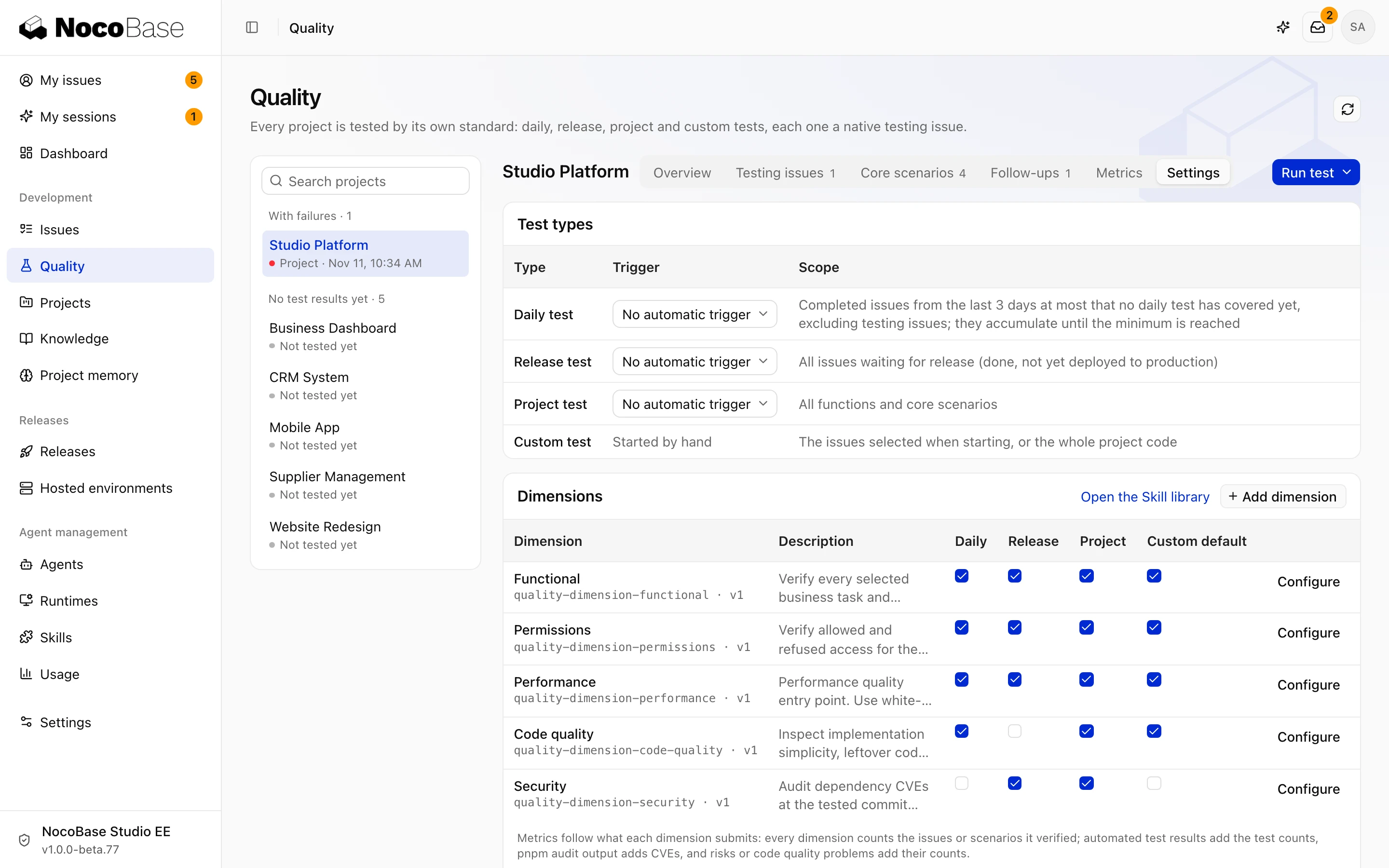
Dimensions and Skills
| Built-in dimension | Checks |
|---|---|
| Functional | Expected behavior of business tasks and core scenarios |
| Permissions | Account, role, and data access boundaries |
| Security | Dependency vulnerabilities and findings reported by security scanners |
| Performance | Page loads and API responses. Review measurements, test conditions, and risks found during code inspection |
| Code quality | Maintainability issues and slow or unstable tests |
Functional checks are always enabled. Choose the applicable test types and Skill for other dimensions. To add a dimension, enter its name, choose a library Skill, and select the test types.
Skills define checking methods; submitted results determine metrics. New tests use updated Skill versions. Existing tests retain the versions frozen at creation.
Save, then start a test to verify the configuration. Resolve runtime or permission problems before leaving automatic tests enabled without anyone able to handle them.