
Procurement wants to block new orders from suspended suppliers while still receiving goods on existing orders. The procurement manager can act as the requester, confirm the rule, and test the result. The owner takes the task, starts the Agent team, and merges the change after acceptance.
This workflow is available in Professional and Enterprise. Contact us for an image and license.
-
RequesterConfirm requirements and acceptance criteria
-
OwnerStart development
-
Agent teamImplement, verify, and submit the delivery reportIf a question comes up The requester answers. The owner can also reply on their behalf.
-
RequesterReview the deliveryIf sent back The Agent revises the work and submits it for acceptance again.
-
OwnerAfter acceptance, merge the PR or complete the task
Assign the requester and owner
The procurement manager creates an issue, chooses the project, enters the requirements and acceptance criteria, and assigns an owner. The creator is the requester by default. Open Properties on the issue to check or change either role.
If you leave the owner blank, Studio uses the default in Project settings, initially the task creator. When one person holds both roles, they can start development and accept the result directly.
Confirm requirements and start development
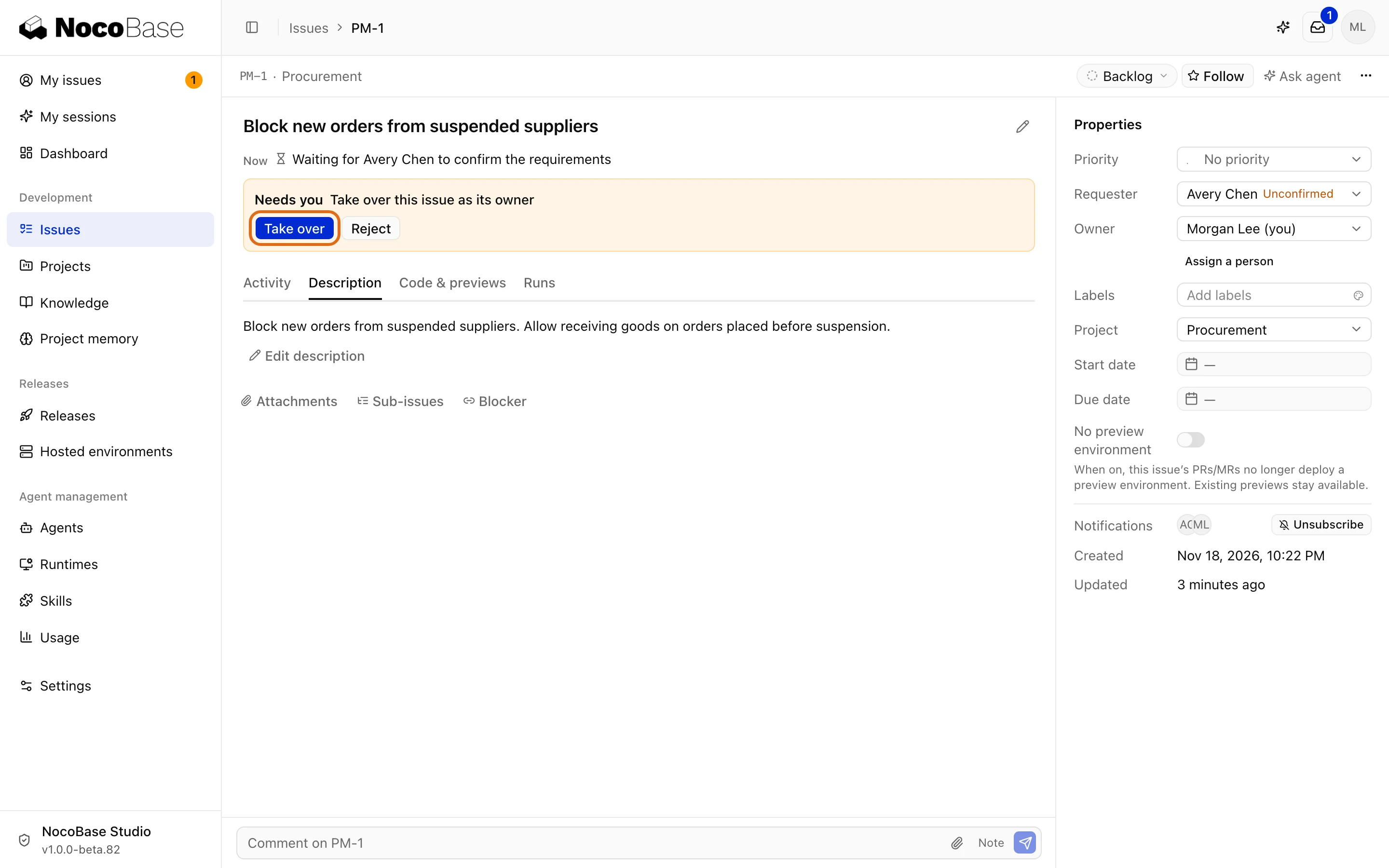
The owner opens the assigned task in My issues and selects Take over if prompted.
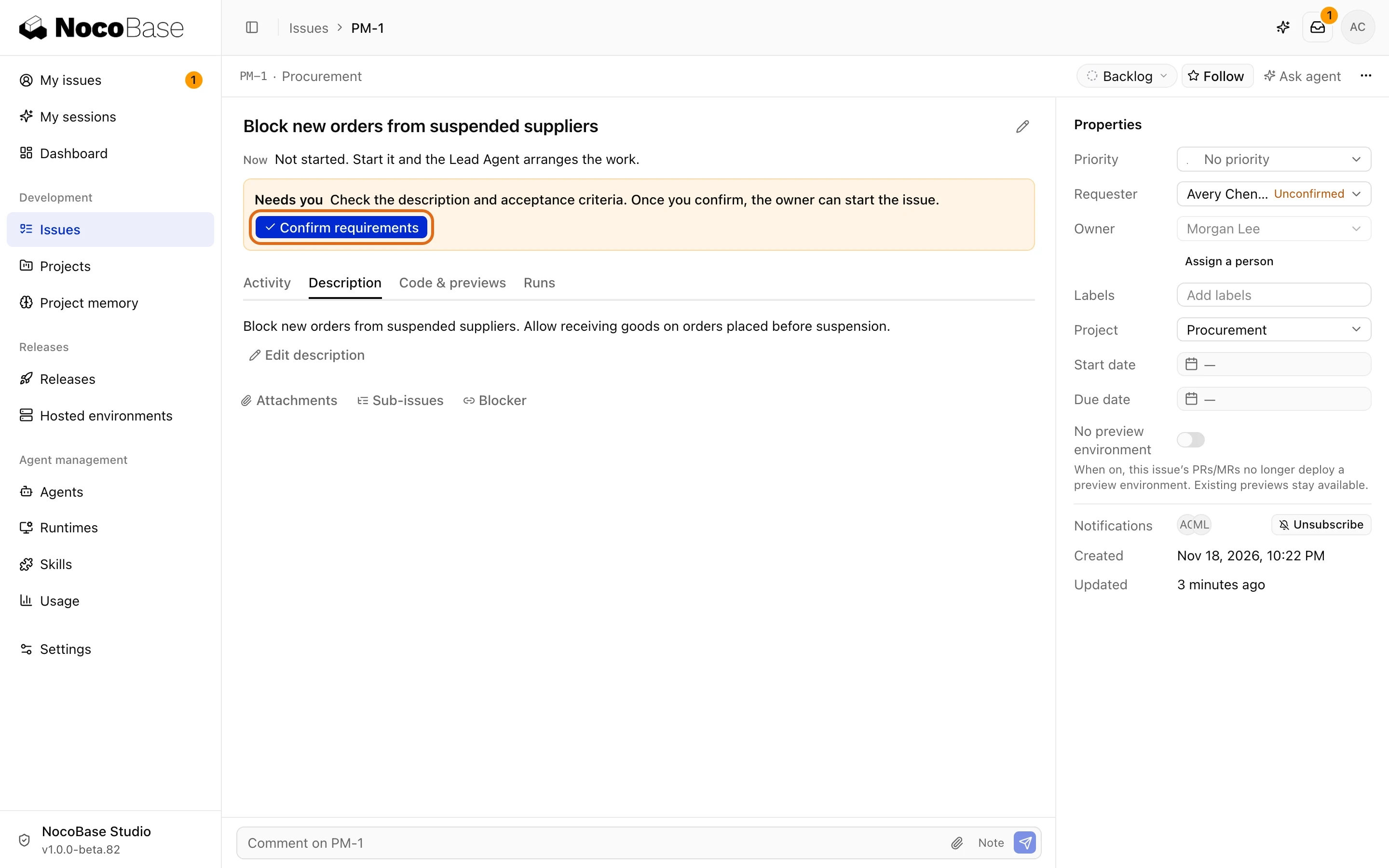
The requester opens the task from Requester decisions in the inbox, checks the description and acceptance criteria, and selects Confirm requirements. Editing the description while the task is in Backlog requires a new confirmation.
Once the requirements are confirmed, the owner selects Start. The Lead Agent assigns the development work.
Answer questions during development
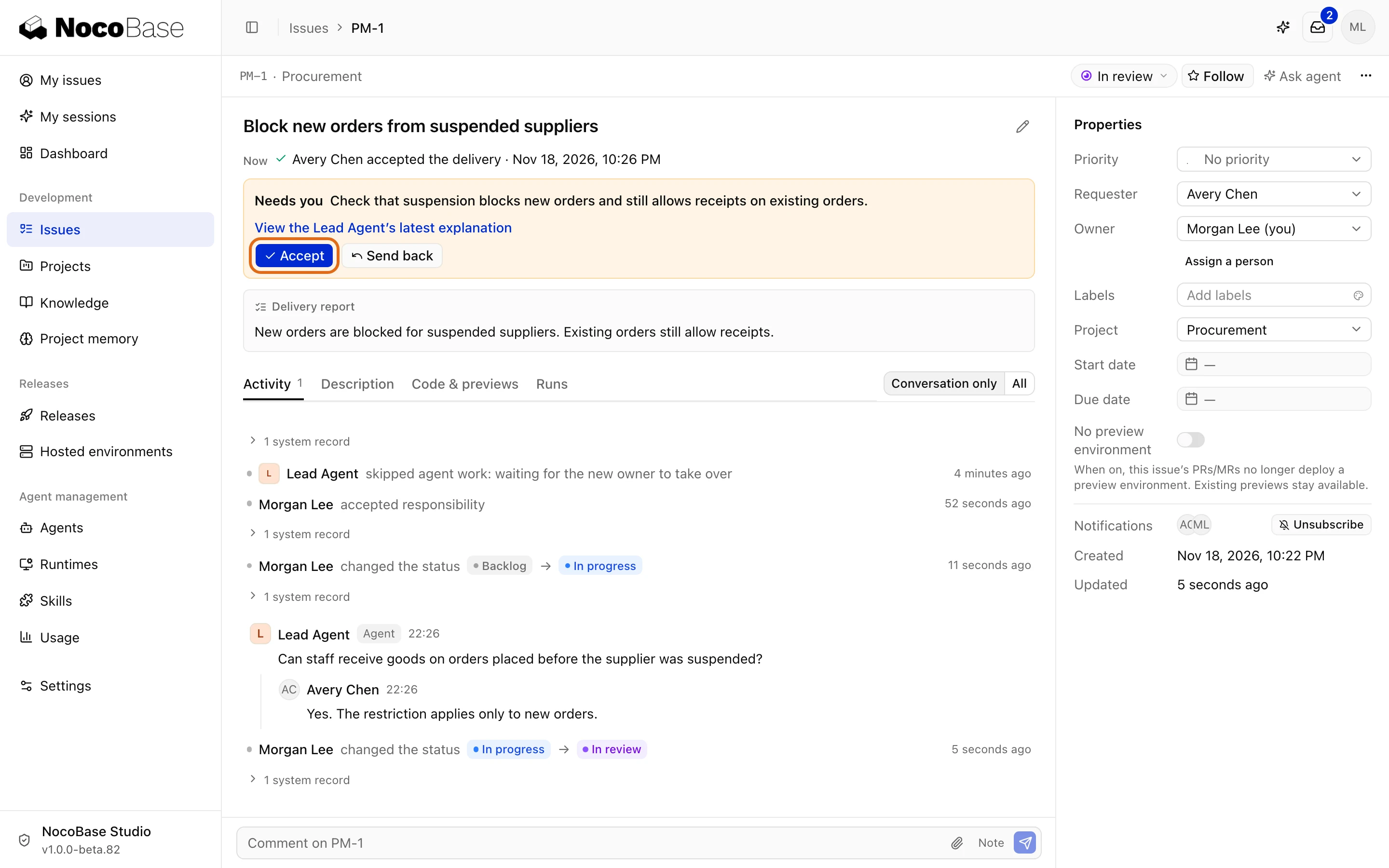
The Agent may ask whether staff can receive goods ordered before a supplier was suspended. In Requester decisions, the requester can reply, “Yes. The restriction applies only to new orders.” The reply appears in the task comments and the Agent can continue. The task stays in progress while it awaits an answer.
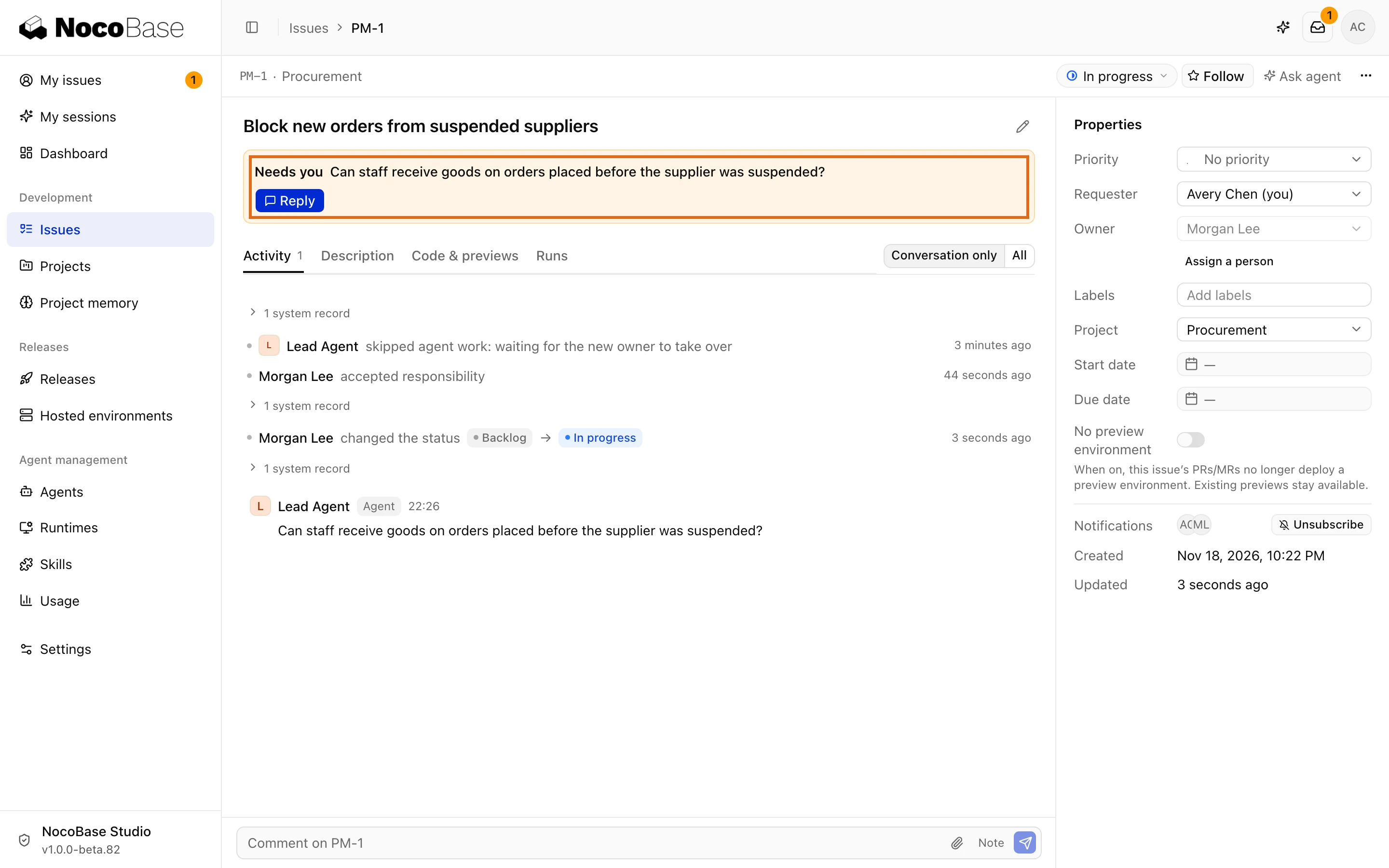
The owner can also answer on the requester's behalf from the task.
Accept delivery or request changes
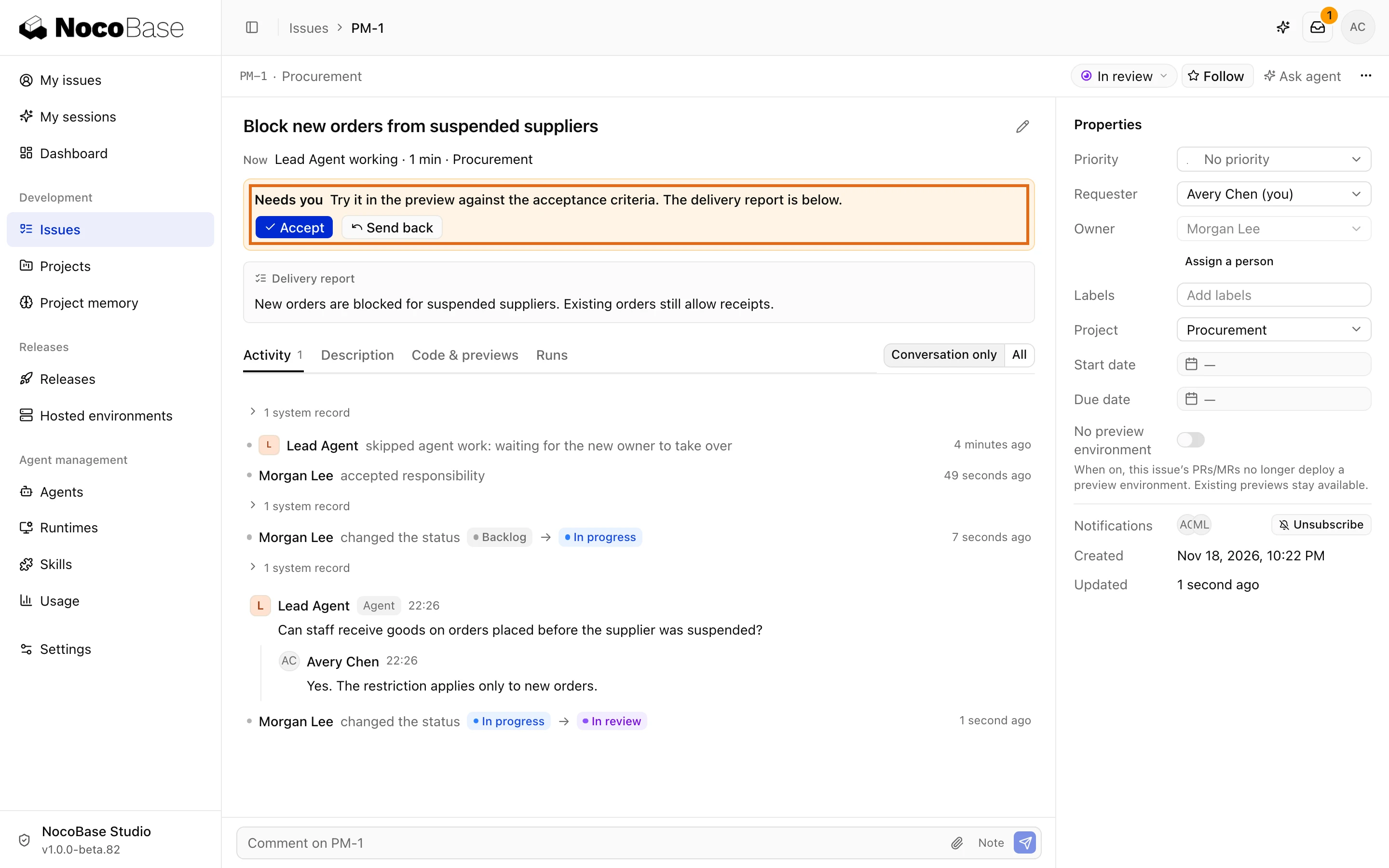
When the task moves to In review, the requester opens the delivery report from Requester decisions. If a preview is available, try both operations with the same suspended supplier.
- Create a new order. The application should block it.
- Open an order placed before suspension. You should still be able to receive the goods.
Select Accept if both checks pass. If the application also blocks the existing order, select Send back, describe the failed step, and attach a screenshot if needed. The task returns to In progress for the Agent to make the correction.
Merge or complete the task
After the requester accepts, the owner reviews the PR checks and code review and selects Merge once the PR is ready. For a task without a PR, the owner can accept the result and complete the task directly.
Linking another PR after acceptance requires the requester to accept again. If the owner sends the task back for a change that affects how the feature works, select Require the requester to accept again.