
Core scenarios describe expected business behavior, such as “Suspended suppliers cannot receive new orders.” Project tests and whole-project custom tests use them.
Maintain scenarios
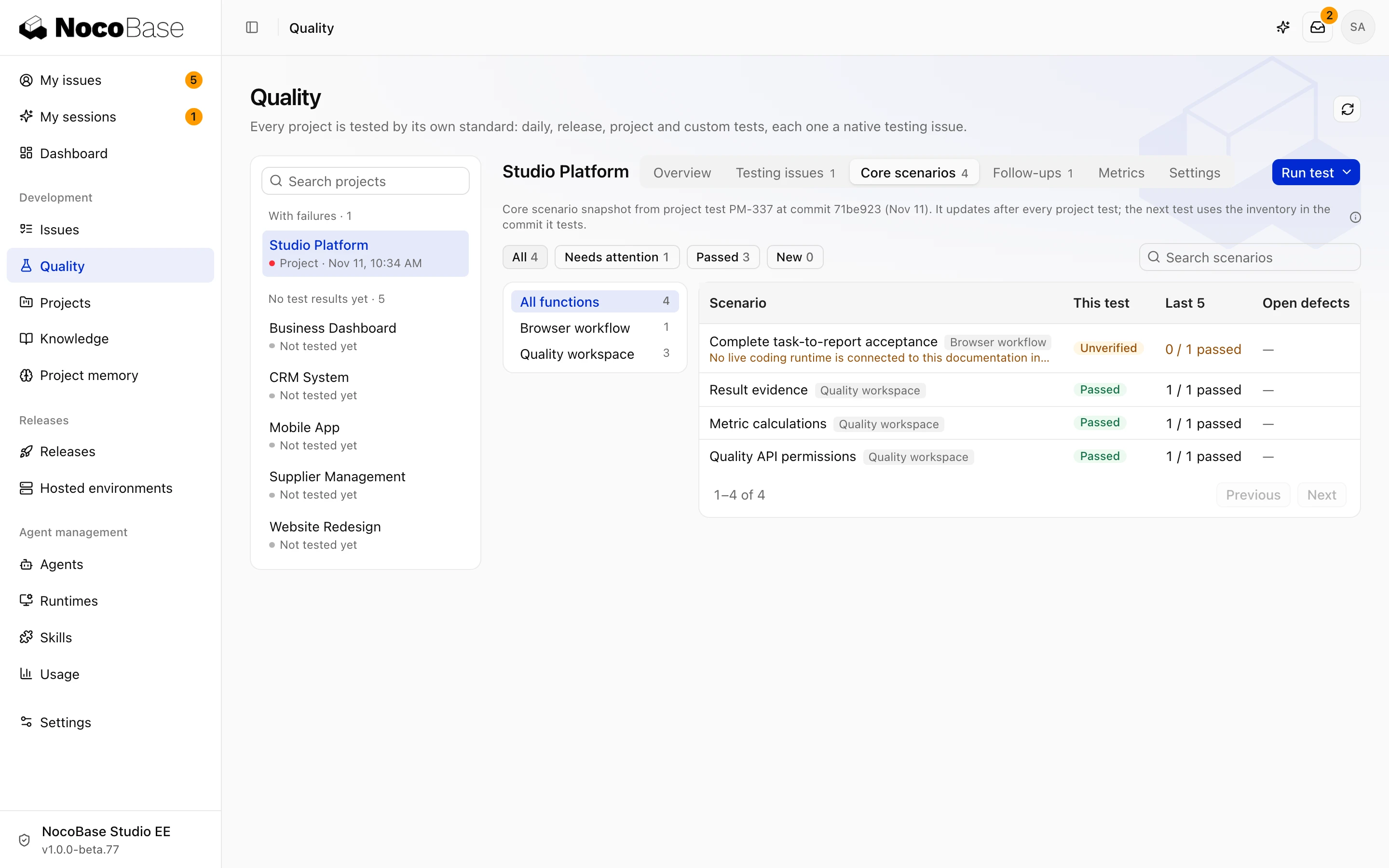
Open Quality › Core scenarios to inspect scenarios, expectations, and checkpoints by business function.
Scenario assets live in .nb-studio/scenarios/ in the tested repository. Agents maintain them as requirements change. Describe additions or corrections on a task and ask the Agent to submit the update for review. Titles can change; stable scenario keys support comparison between tests.
The page shows a snapshot submitted by a test. Editing repository files does not update coverage until a later test submits a new snapshot.
Inspect coverage
Results distinguish automated coverage, Agent-operated checks, and unverified items. Open a scenario to inspect its checkpoints, observations, and evidence.
Reuse an existing automated test when it proves the scenario. Other behavior still needs direct verification. Keep reasons for unverified items and use follow-ups to complete missing environments, scenarios, or test cases.