Table Block
Introduction
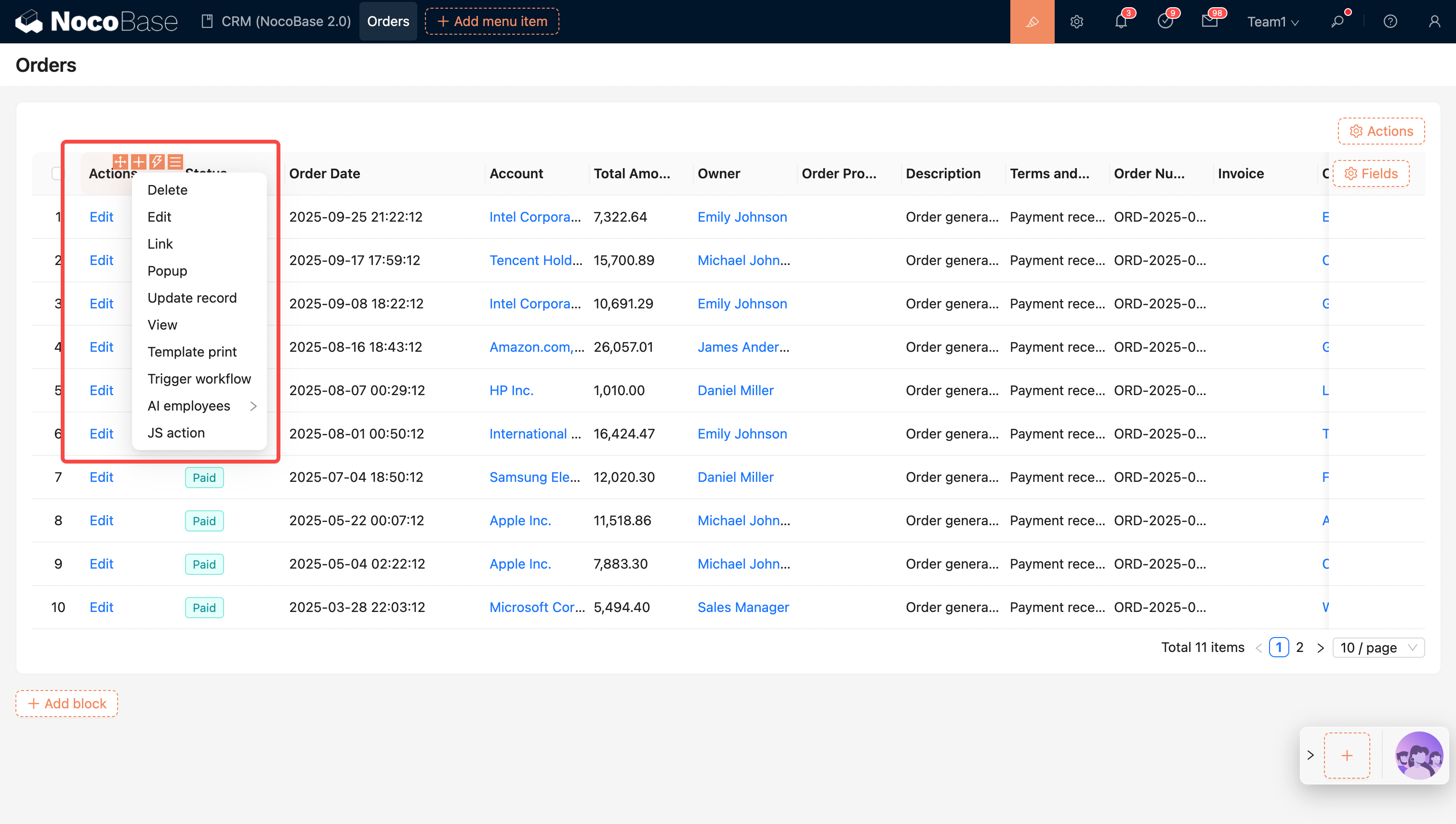
The Table block is one of the core built-in data blocks in NocoBase, primarily used to display and manage structured data in a tabular format. It offers flexible configuration options, allowing users to customize table columns, column widths, sorting rules, and data scope to ensure the displayed data meets specific business needs.
Key Features:
- Flexible Column Configuration: You can customize the table's columns and column widths to suit different data display requirements.
- Sorting Rules: Supports sorting table data. Users can arrange data in ascending or descending order based on different fields.
- Data Scope Setting: By setting the data scope, users can control the range of data displayed, avoiding interference from irrelevant data.
- Action Configuration: The Table block has various built-in action options. Users can easily configure actions like Filter, Add New, Edit, and Delete for quick data management.
- Quick Edit: Supports direct data editing within the table, simplifying the operational process and improving work efficiency.
Block Settings
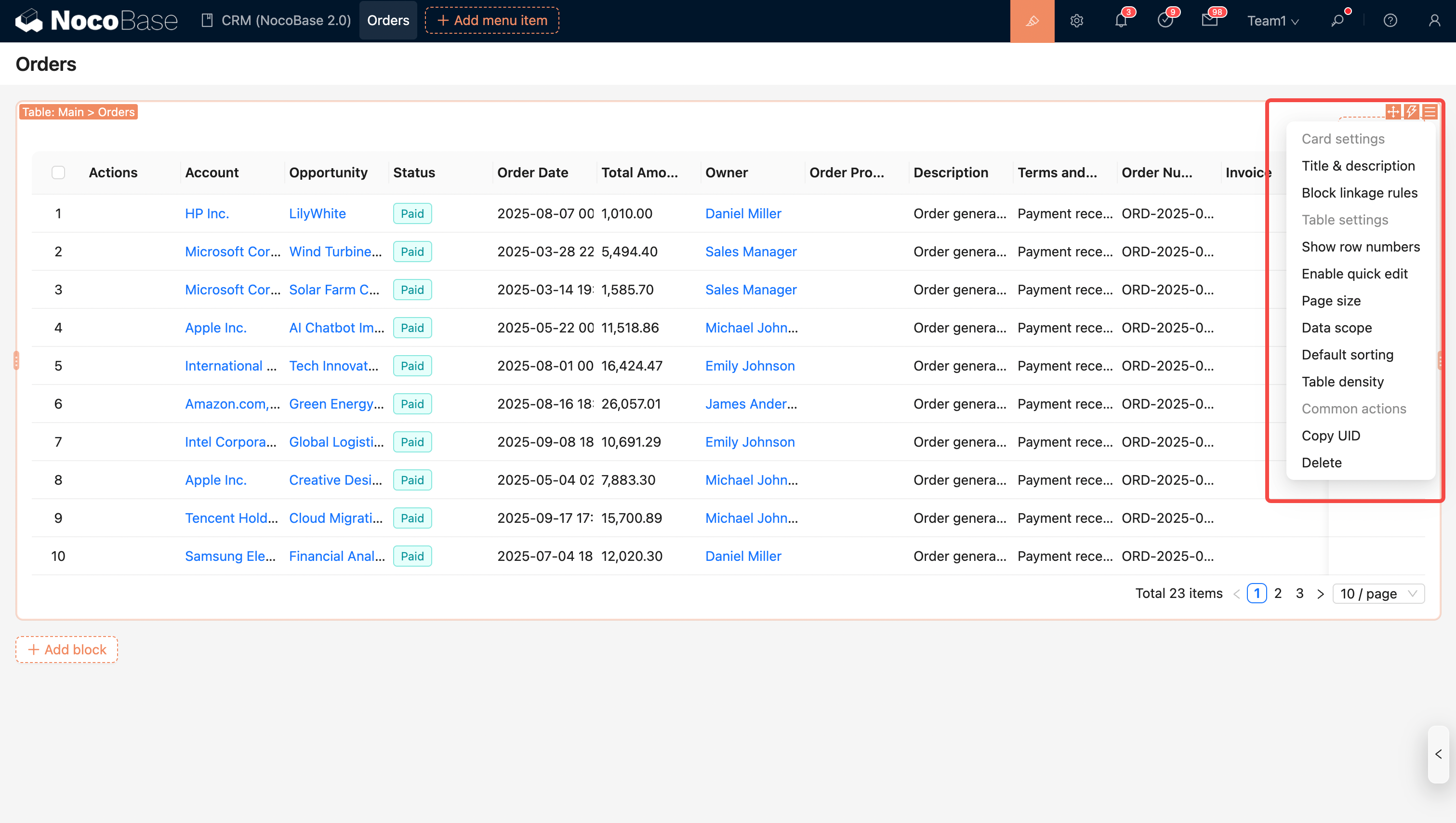
Block Linkage Rules
Control block behavior (e.g., whether to display or execute JavaScript) through linkage rules.
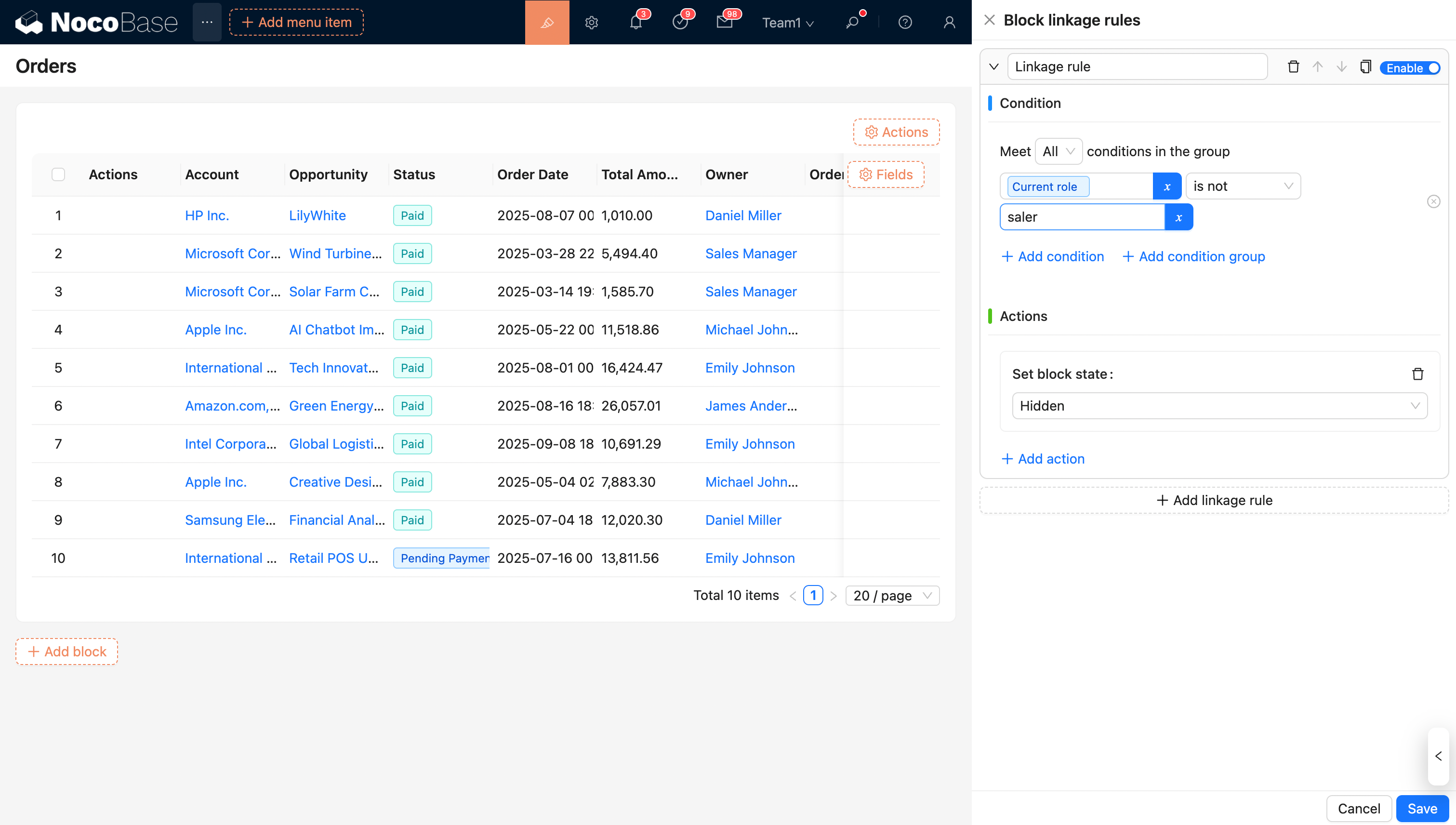
For more details, see Linkage Rules
Set Data Scope
Example: By default, filter orders where the "Status" is "Paid".
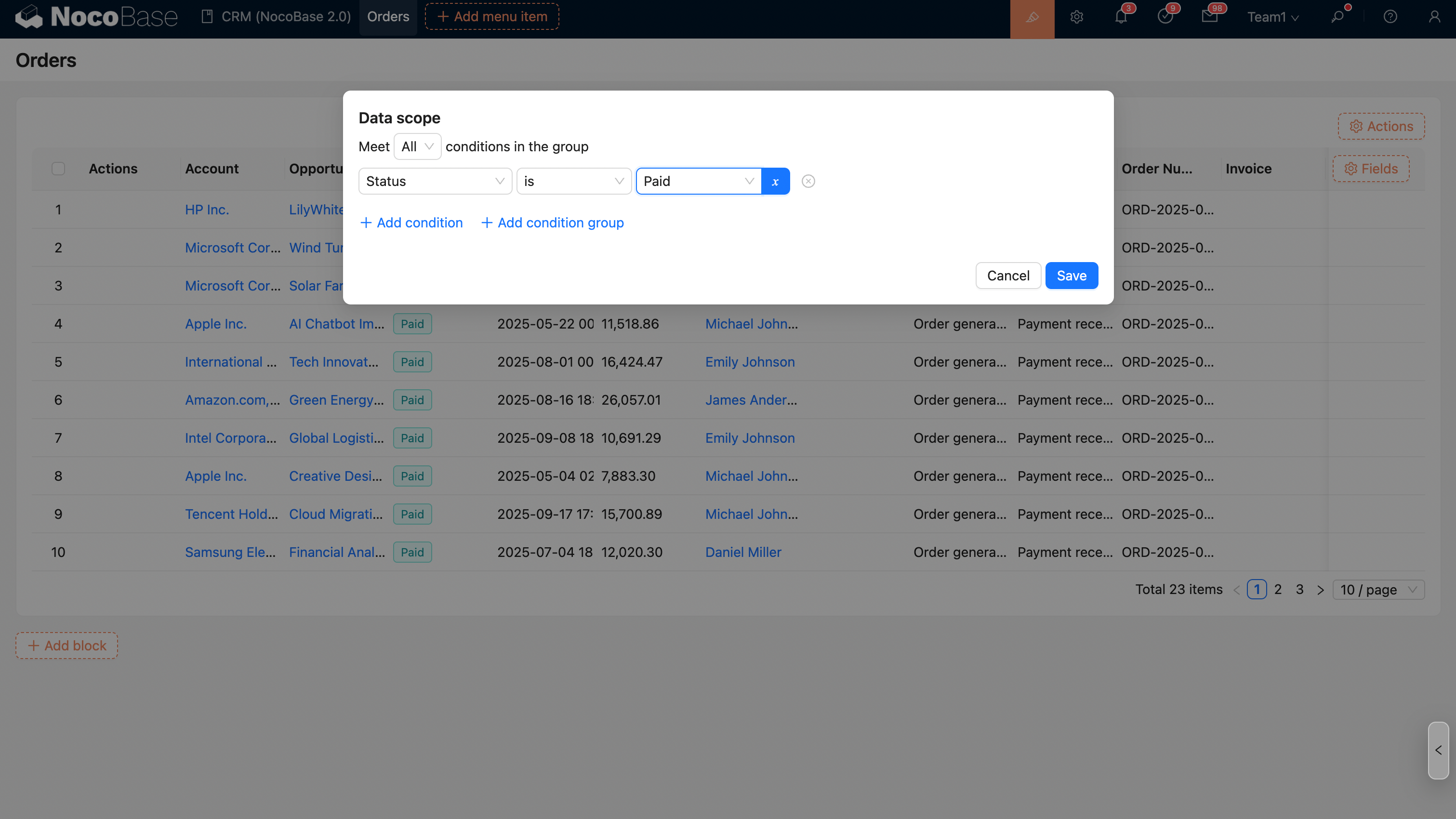
For more details, see Set Data Scope
Set Sorting Rules
Example: Display orders in descending order by date.
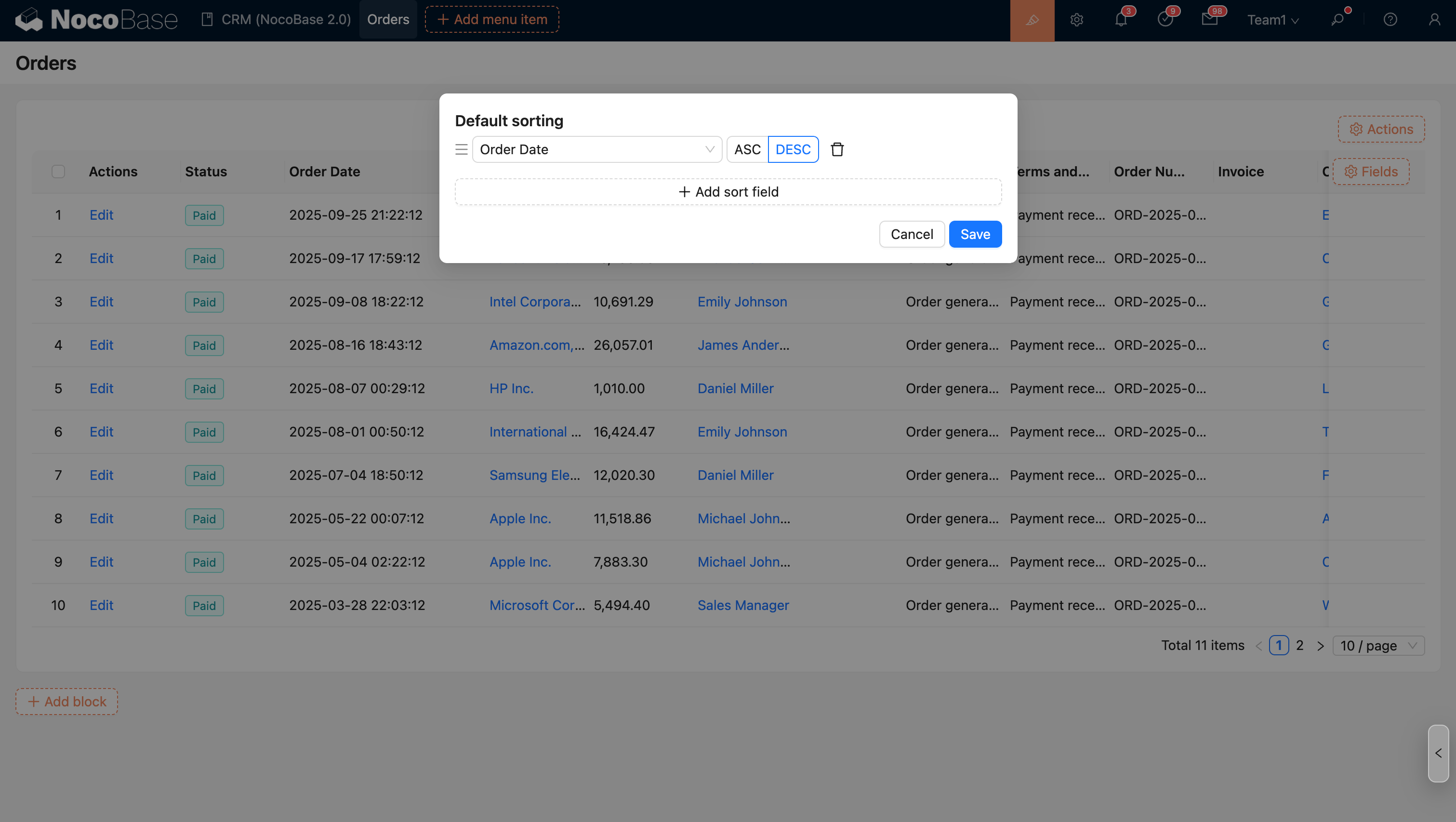
For more details, see Set Sorting Rules
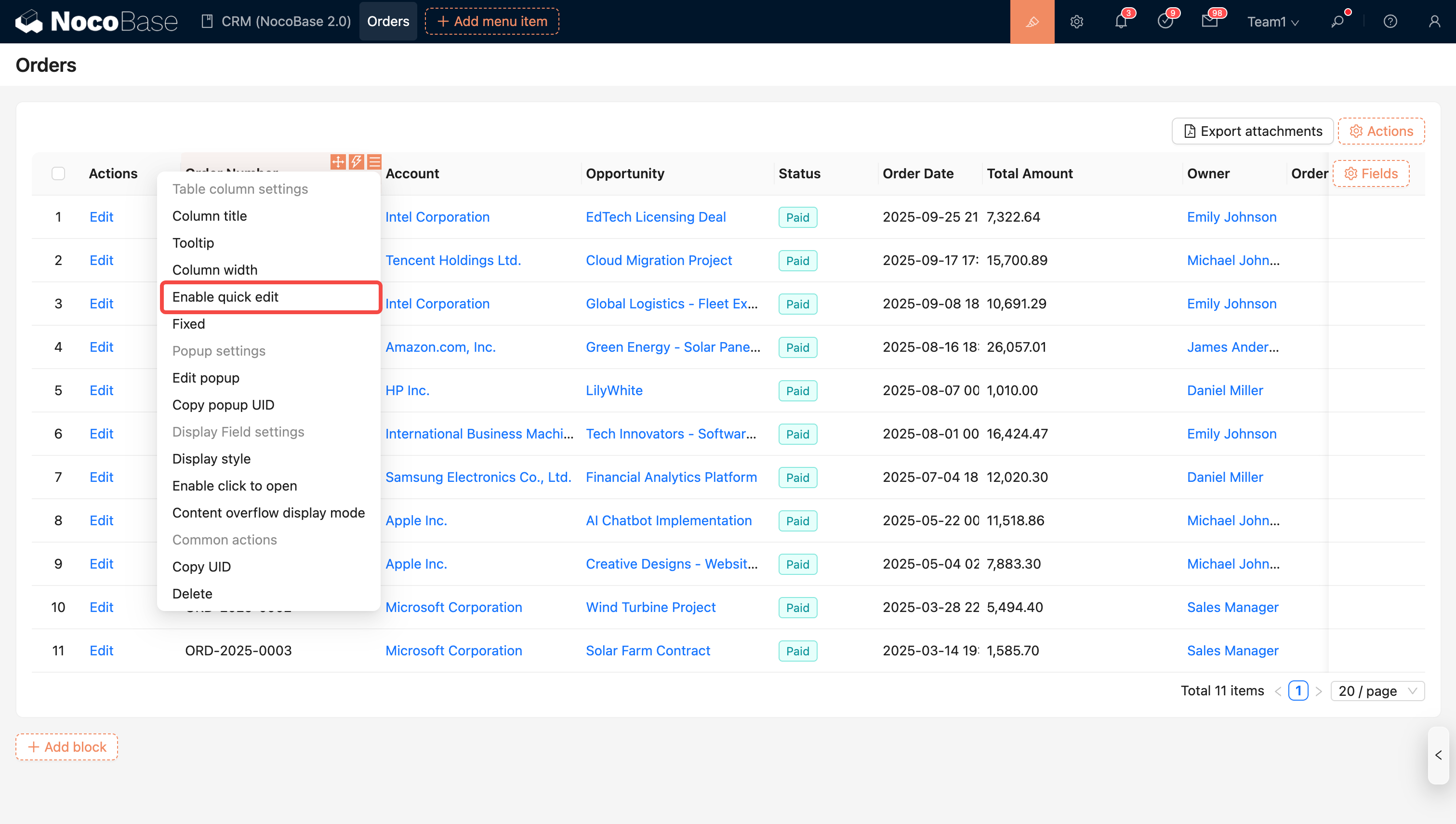
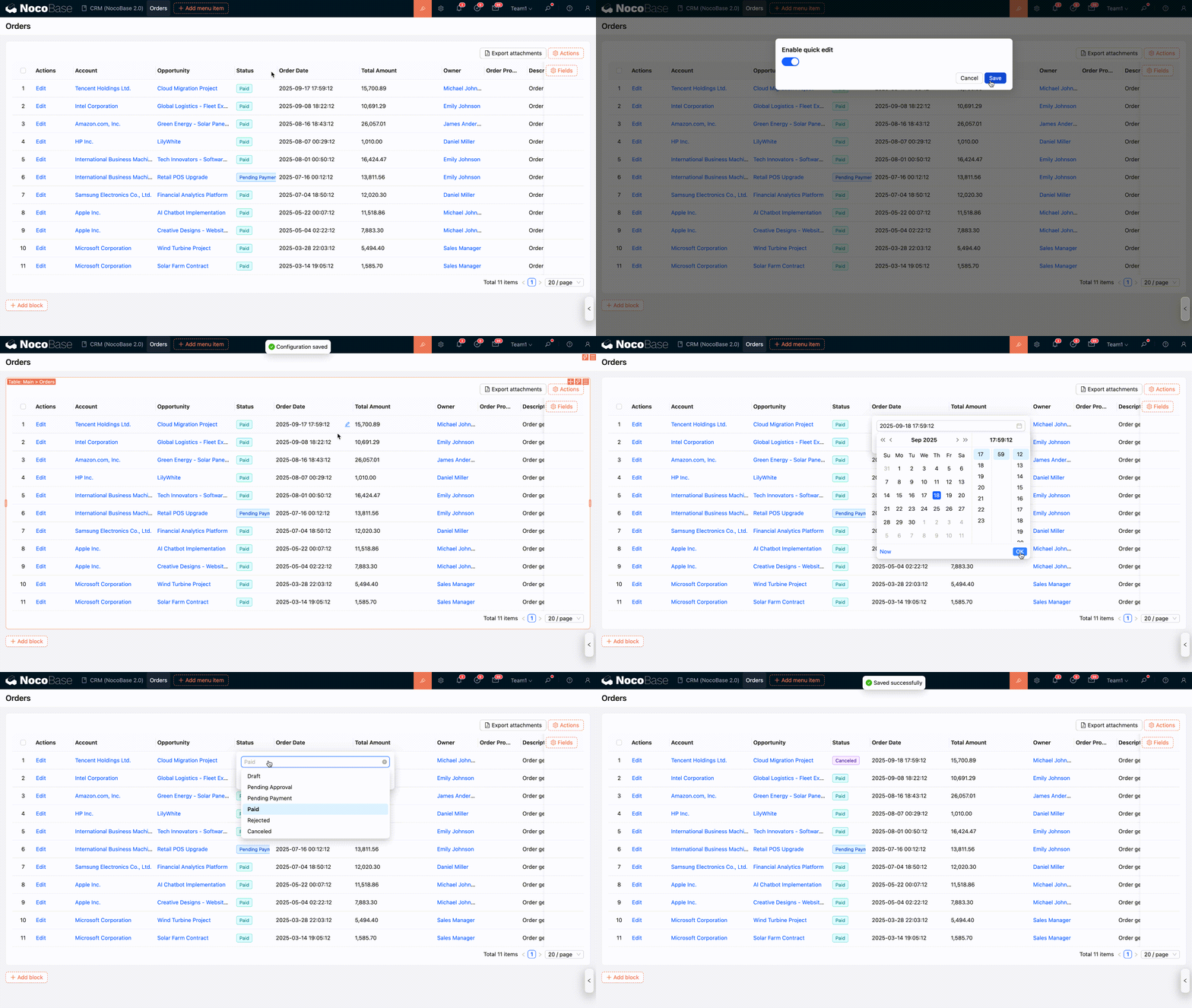
Enable Quick Edit
Activate "Enable Quick Edit" in the block settings and table column settings to customize which columns can be quickly edited.
Enable Tree Table
When the data table is a hierarchical (tree) table, the table block can enable the "Enable Tree Table" feature. By default, this option is turned off. Once enabled, the block will display data in a tree structure and support the corresponding configuration options and operations.


Expand All Rows by Default
When the tree table is enabled, the block supports expanding all child rows by default when it is loaded.
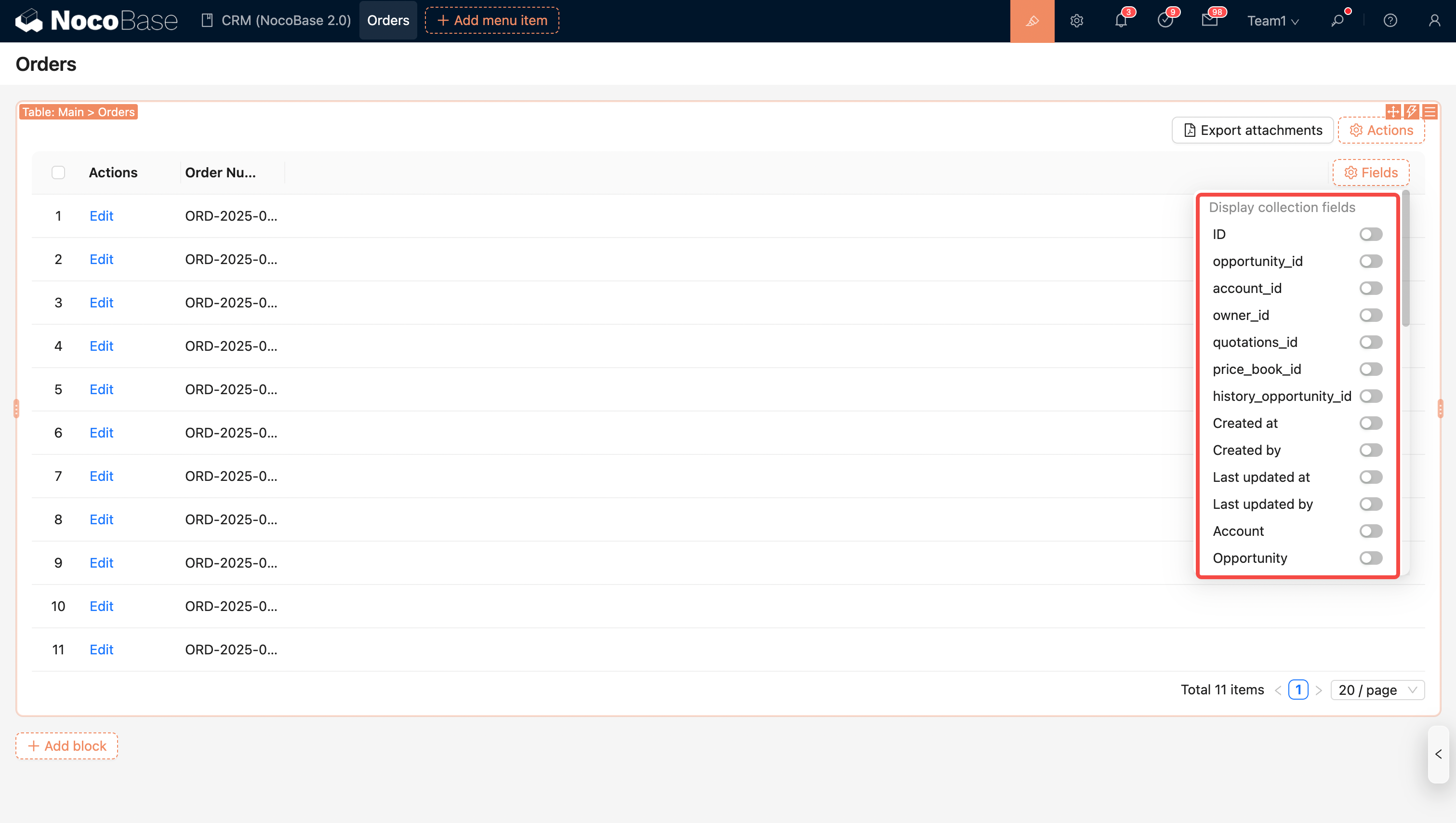
Configure Fields
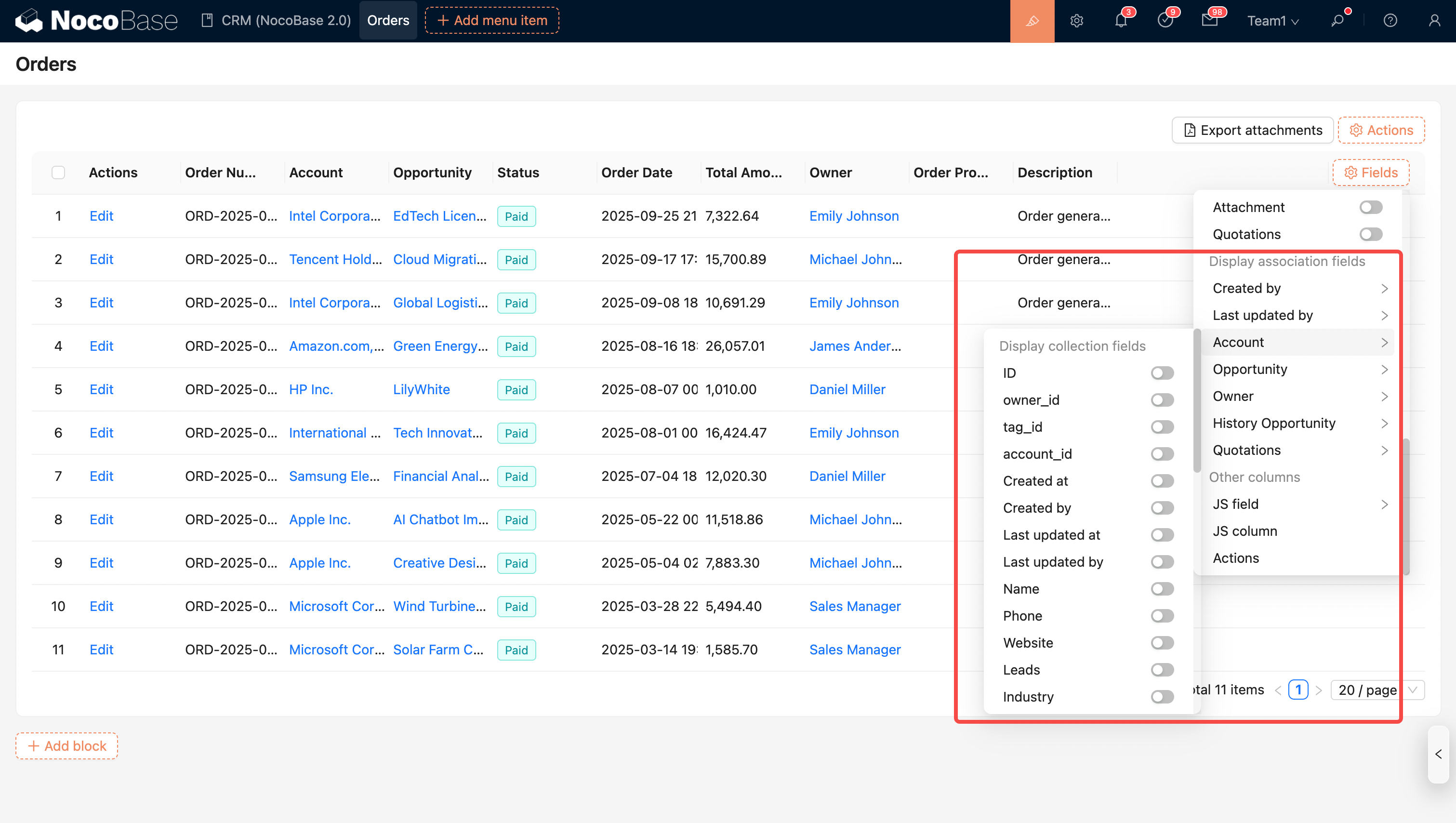
Fields of This Collection
Note: Fields from inherited collections (i.e., parent collection fields) are automatically merged and displayed in the current field list.
Fields of Associated Collections
Note: Supports displaying fields from associated collections (currently only supports to-one relationships).
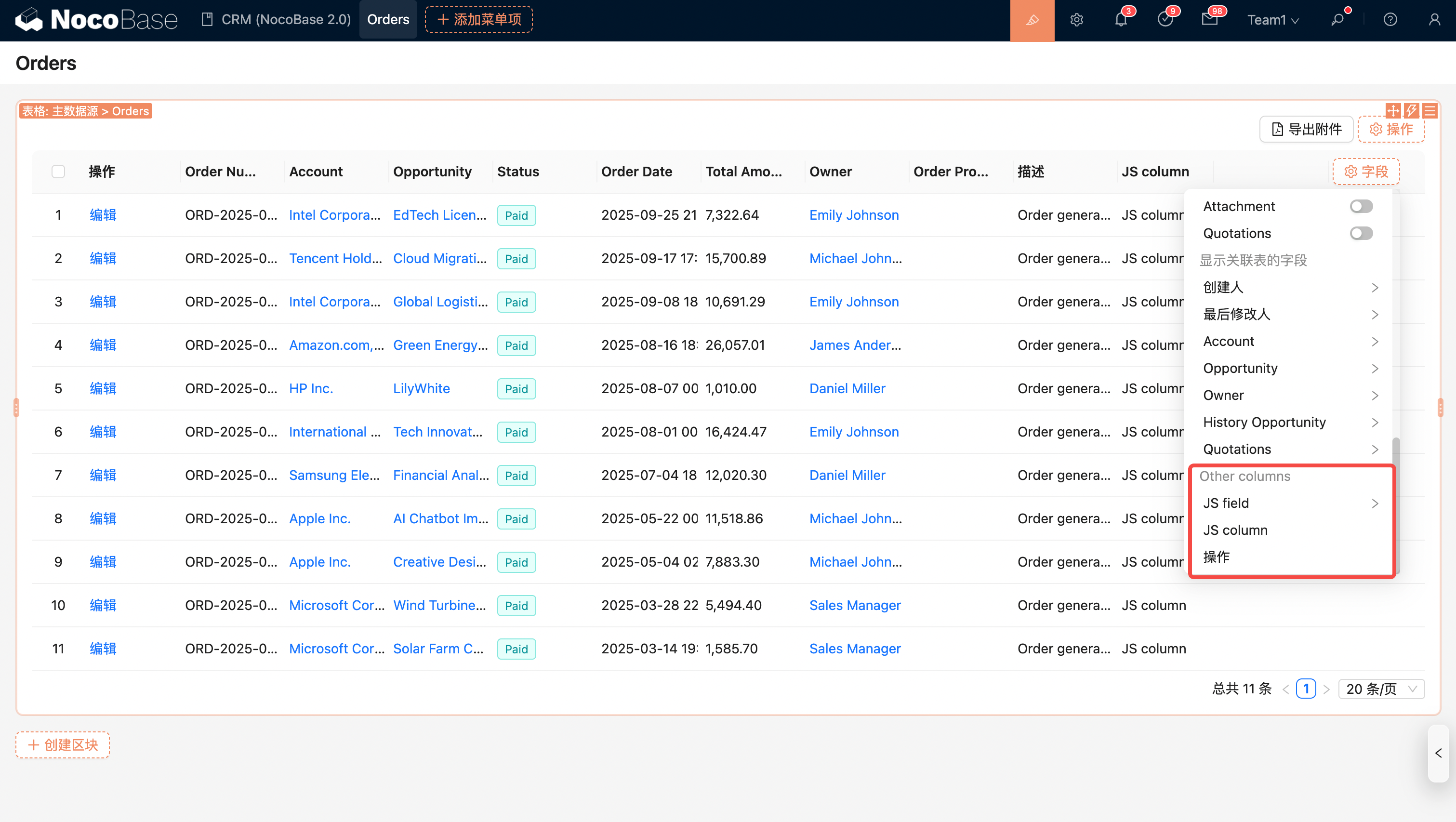
Other Custom Columns
Configure Actions
Global Actions
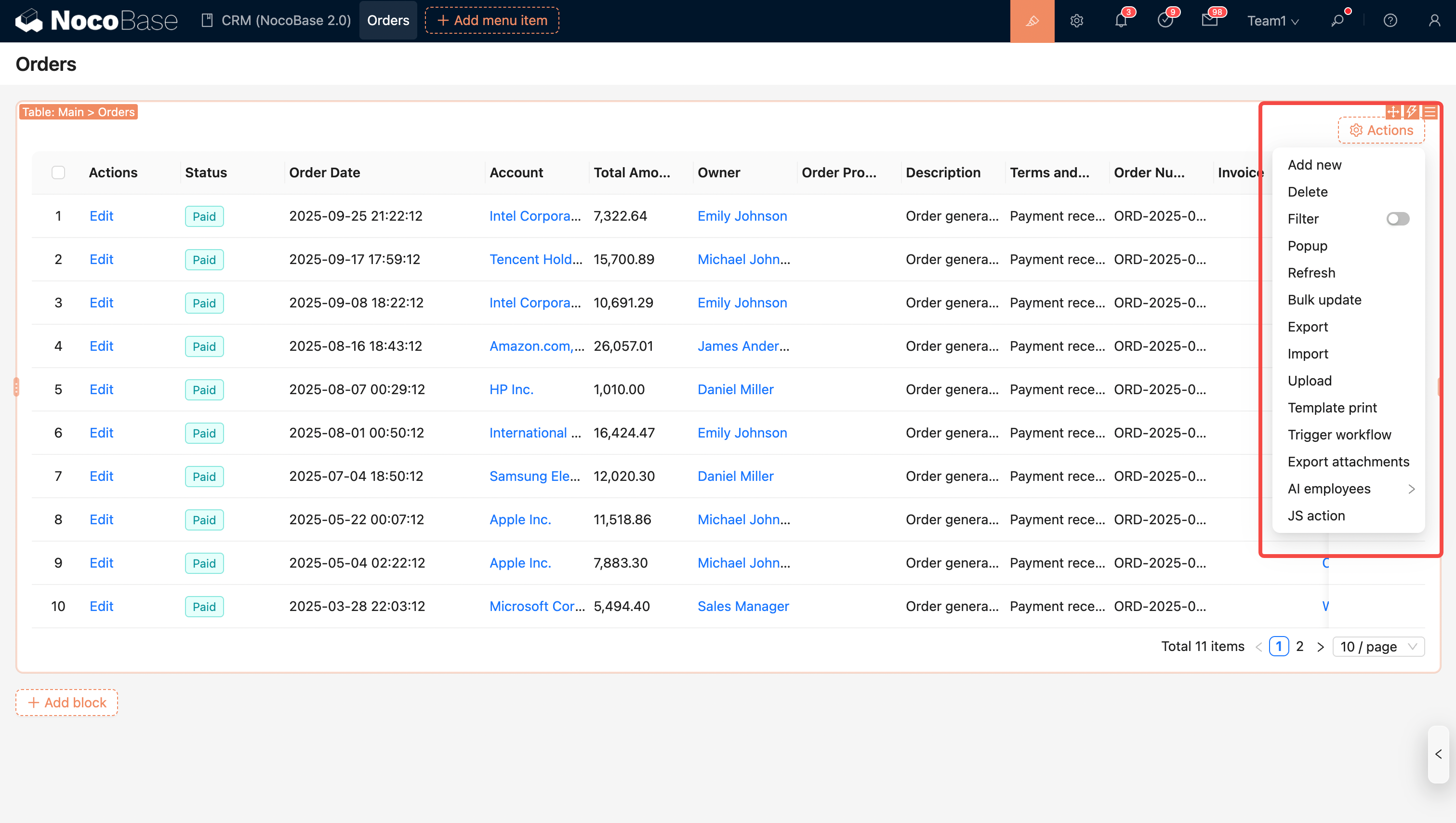
- Filter
- Add New
- Delete
- Refresh
- Import
- Export
- Template Print
- Bulk Update
- Export Attachments
- Trigger Workflow
- JS Action
- AI Employee
Row Actions