Field
In the UI, a field is a field component, which is a carrier for unit data. Different types of data are presented with different field components. Fields can only be attached to blocks and cannot be used independently.
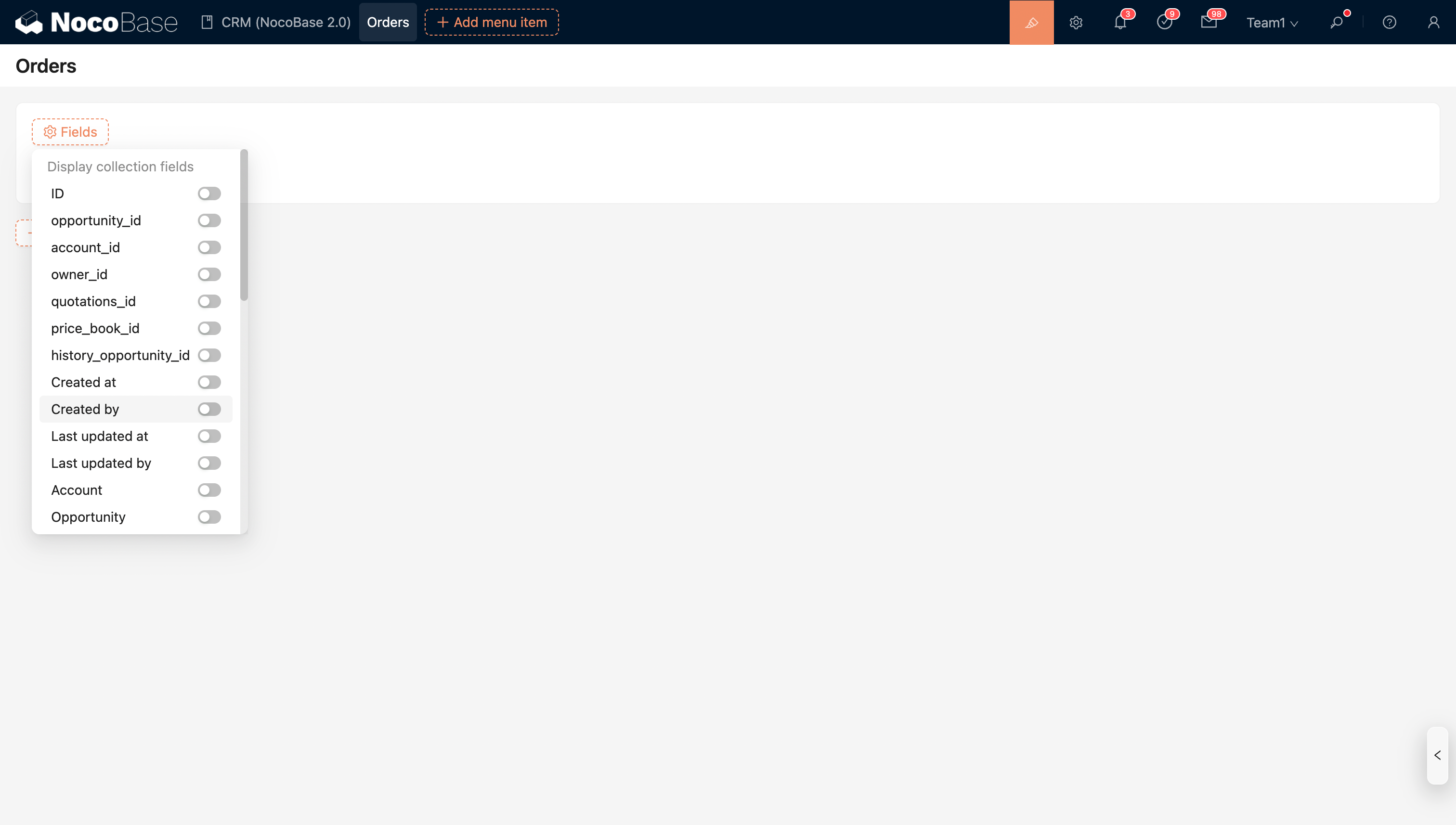
Fields in a Block
Fields are generally not used alone but exist as child elements of data-type blocks. Data-type blocks usually have a "Configure fields" option, and the list of fields is provided by the current collection.
Field Designer (Toolbar)
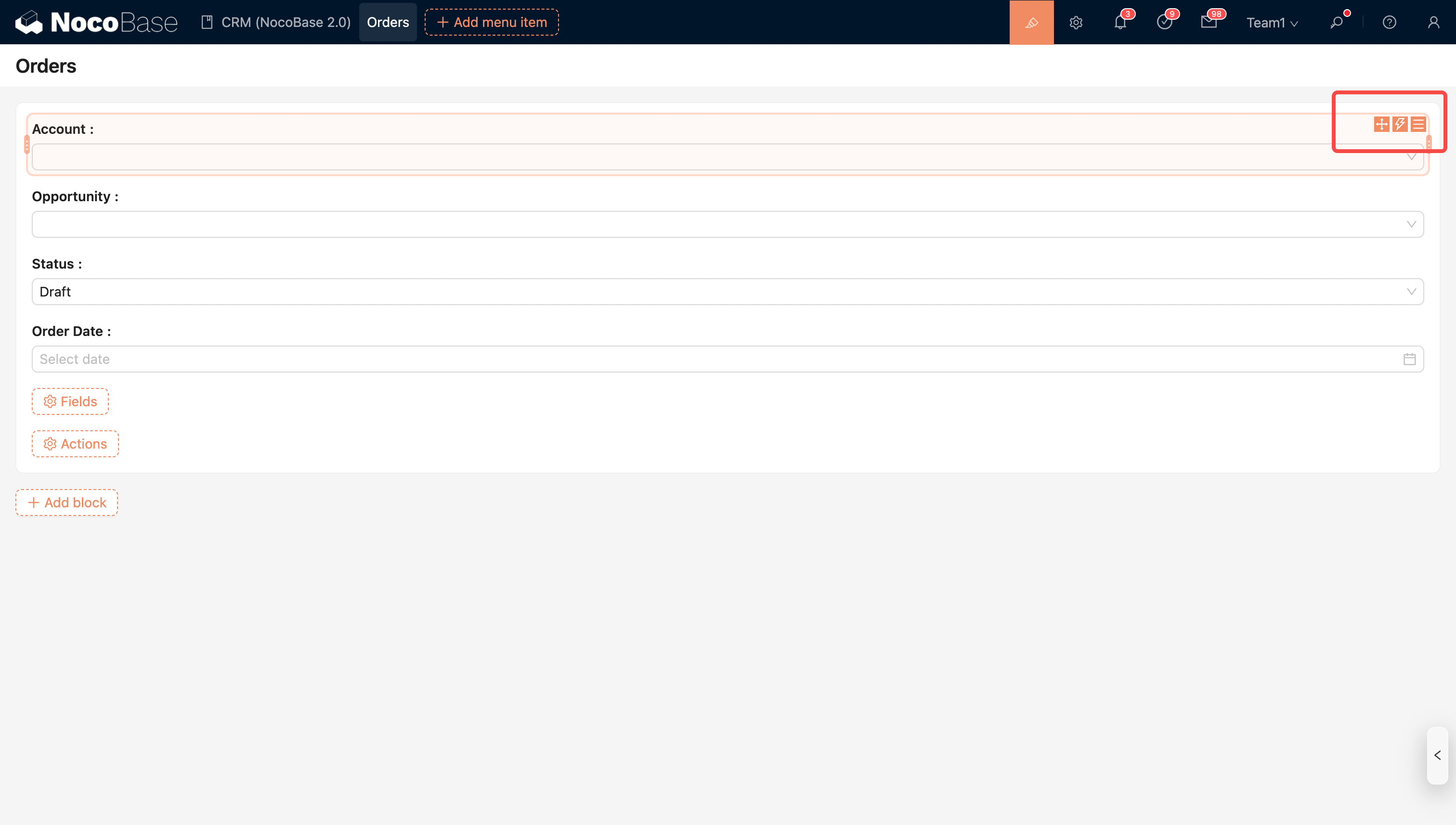
Like blocks, the upper right corner of a field component also has three icons, which are:
- Drag to layout
- Event flow
- Configuration
Field Layout
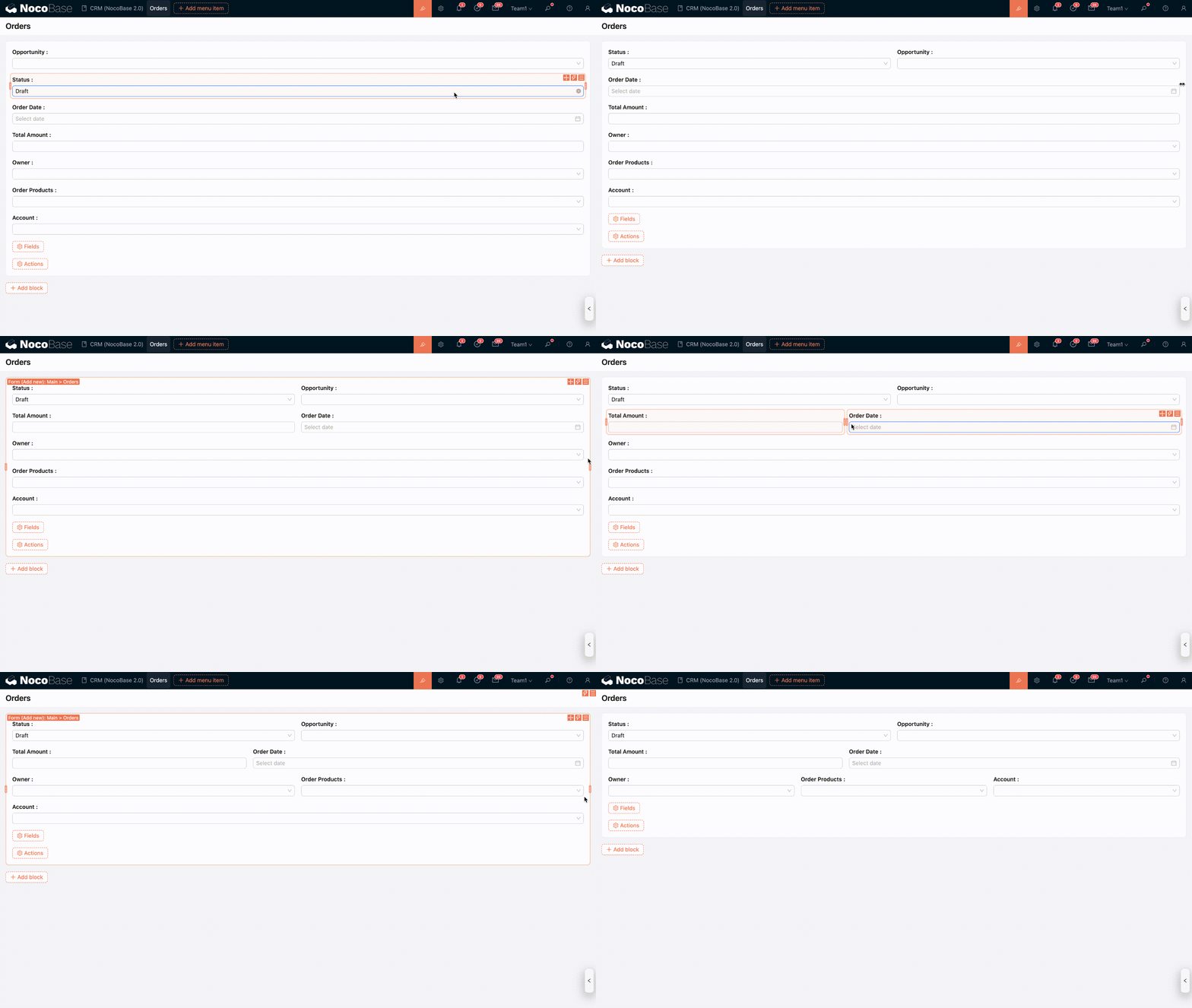
You can customize the layout of fields within a block by dragging and dropping.
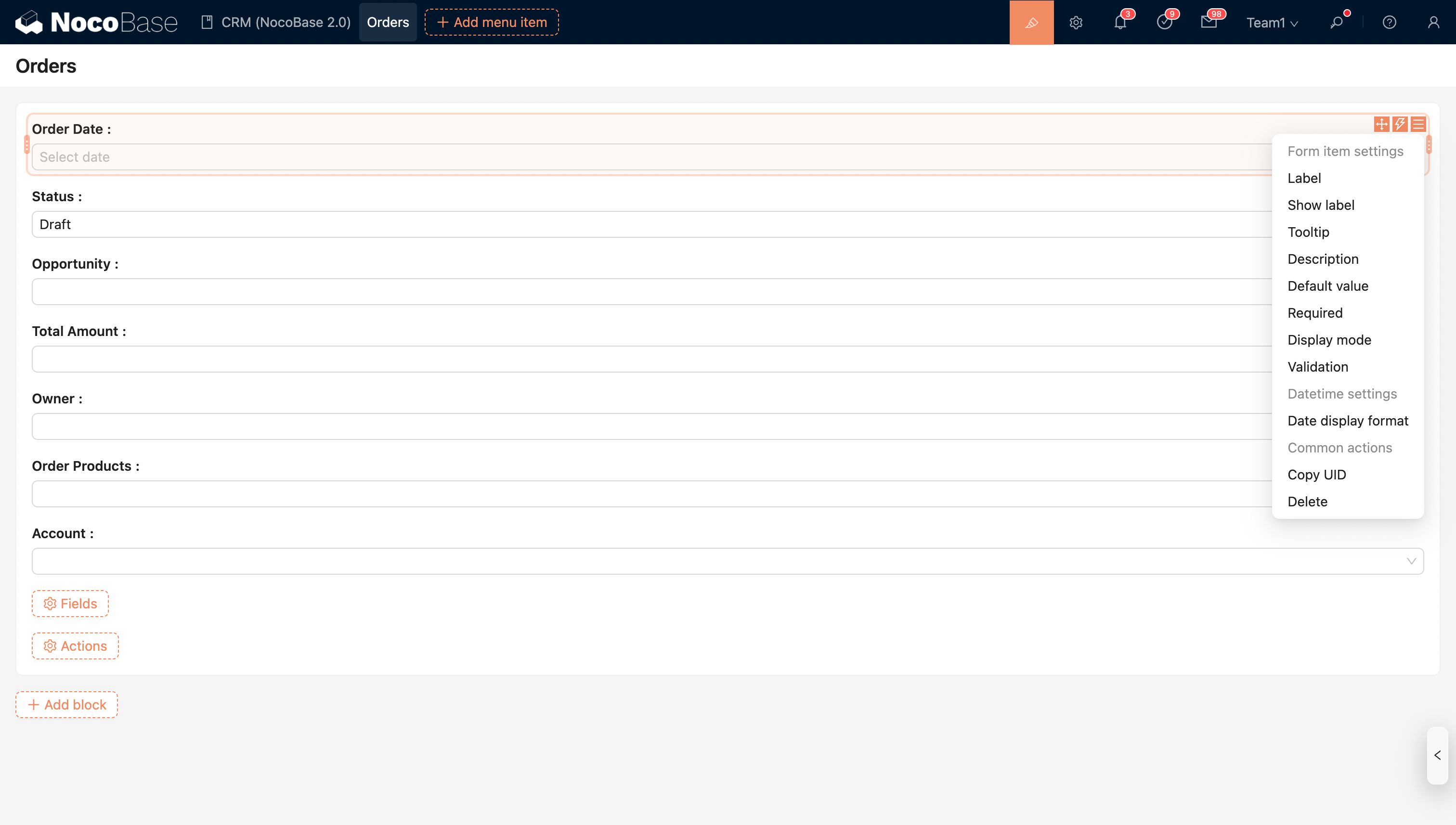
Field Configuration Options
In addition to general field configuration options, different types of fields support specific configuration options.