

JS Field
Introduction
The JS Field is used to custom render content in a field's position using JavaScript. It is commonly used in details blocks, read-only items in forms, or as "Other custom items" in table columns. It is suitable for personalized displays, combining derived information, rendering status badges, rich text, or charts.
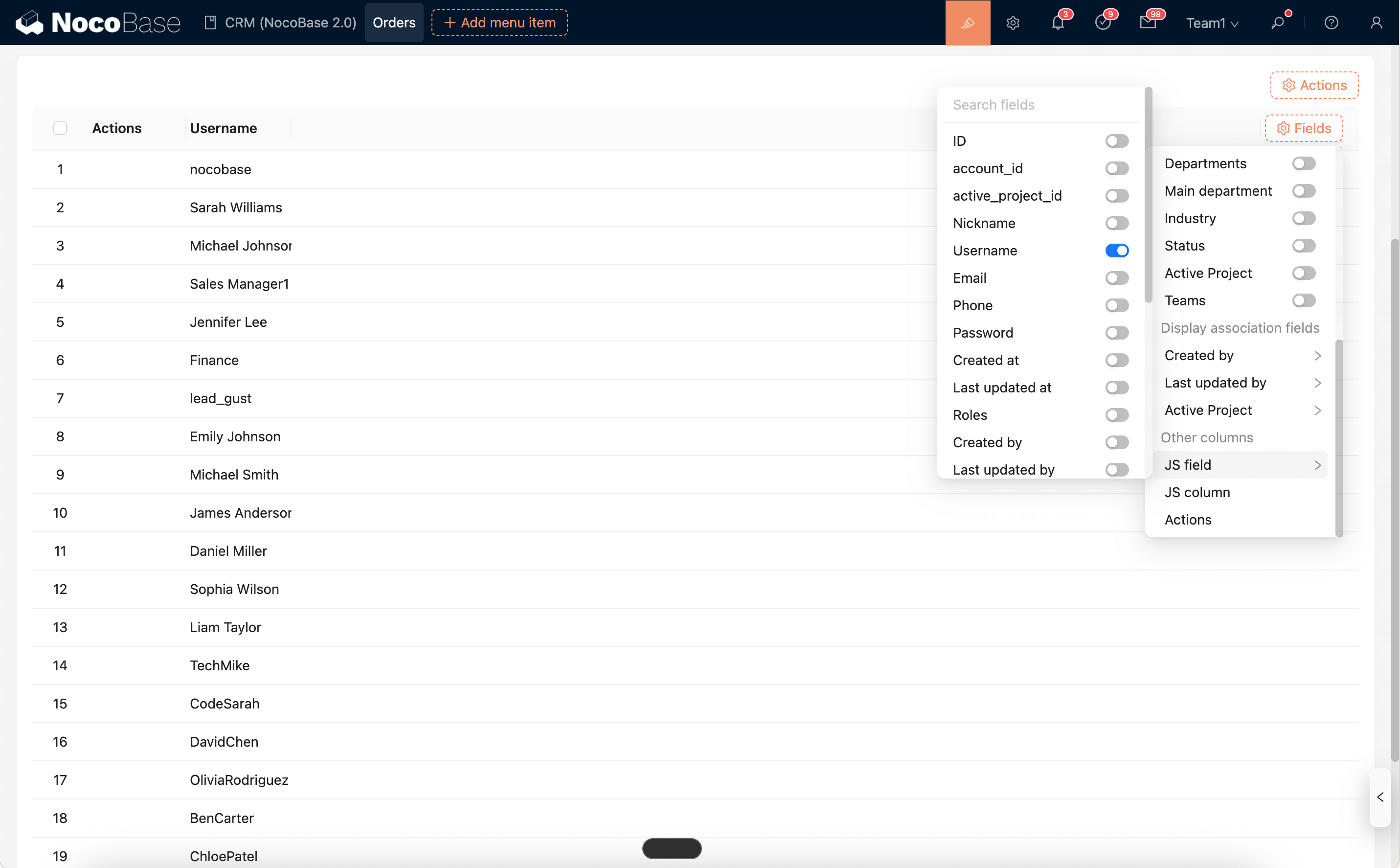
Types
- Read-only: Used for non-editable display, reads
ctx.valueto render output. - Editable: Used for custom input interactions. It provides
ctx.getValue()/ctx.setValue(v)and a container eventjs-field:value-changeto facilitate two-way synchronization with form values.
Use Cases
-
Read-only
- Details block: Display read-only content such as calculation results, status badges, rich text snippets, charts, etc.
- Table block: Used as "Other custom column > JS Field" for read-only display (if you need a column not bound to a field, please use JS Column).
-
Editable
- Form block (CreateForm/EditForm): Used for custom input controls or composite inputs, which are validated and submitted with the form.
- Suitable for scenarios like: input components from external libraries, rich text/code editors, complex dynamic components, etc.
Runtime Context API
The JS Field runtime code can directly use the following context capabilities:
ctx.element: The field's DOM container (ElementProxy), supportinginnerHTML,querySelector,addEventListener, etc.ctx.value: The current field value (read-only).ctx.record: The current record object (read-only).ctx.collection: Metadata of the collection to which the field belongs (read-only).ctx.requireAsync(url): Asynchronously load an AMD/UMD library by URL.ctx.importAsync(url): Dynamically import an ESM module by URL.ctx.openView(options): Open a configured view (popup/drawer/page).ctx.i18n.t()/ctx.t(): Internationalization.ctx.onRefReady(ctx.ref, cb): Render after the container is ready.ctx.libs.React/ctx.libs.ReactDOM/ctx.libs.antd/ctx.libs.antdIcons/ctx.libs.dayjs/ctx.libs.lodash/ctx.libs.math/ctx.libs.formula: Built-in React, ReactDOM, Ant Design, Ant Design icons, dayjs, lodash, math.js, and formula.js libraries for JSX rendering, date-time utilities, data manipulation, and mathematical operations. (ctx.React/ctx.ReactDOM/ctx.antdare kept for compatibility.)ctx.render(vnode): Renders a React element, HTML string, or DOM node into the default containerctx.element. Repeated rendering will reuse the Root and overwrite the existing content of the container.
Specific to Editable type (JSEditableField):
ctx.getValue(): Get the current form value (prioritizes form state, then falls back to field props).ctx.setValue(v): Set the form value and field props, maintaining two-way synchronization.- Container event
js-field:value-change: Triggered when an external value changes, making it easy for the script to update the input display.
Editor and Snippets
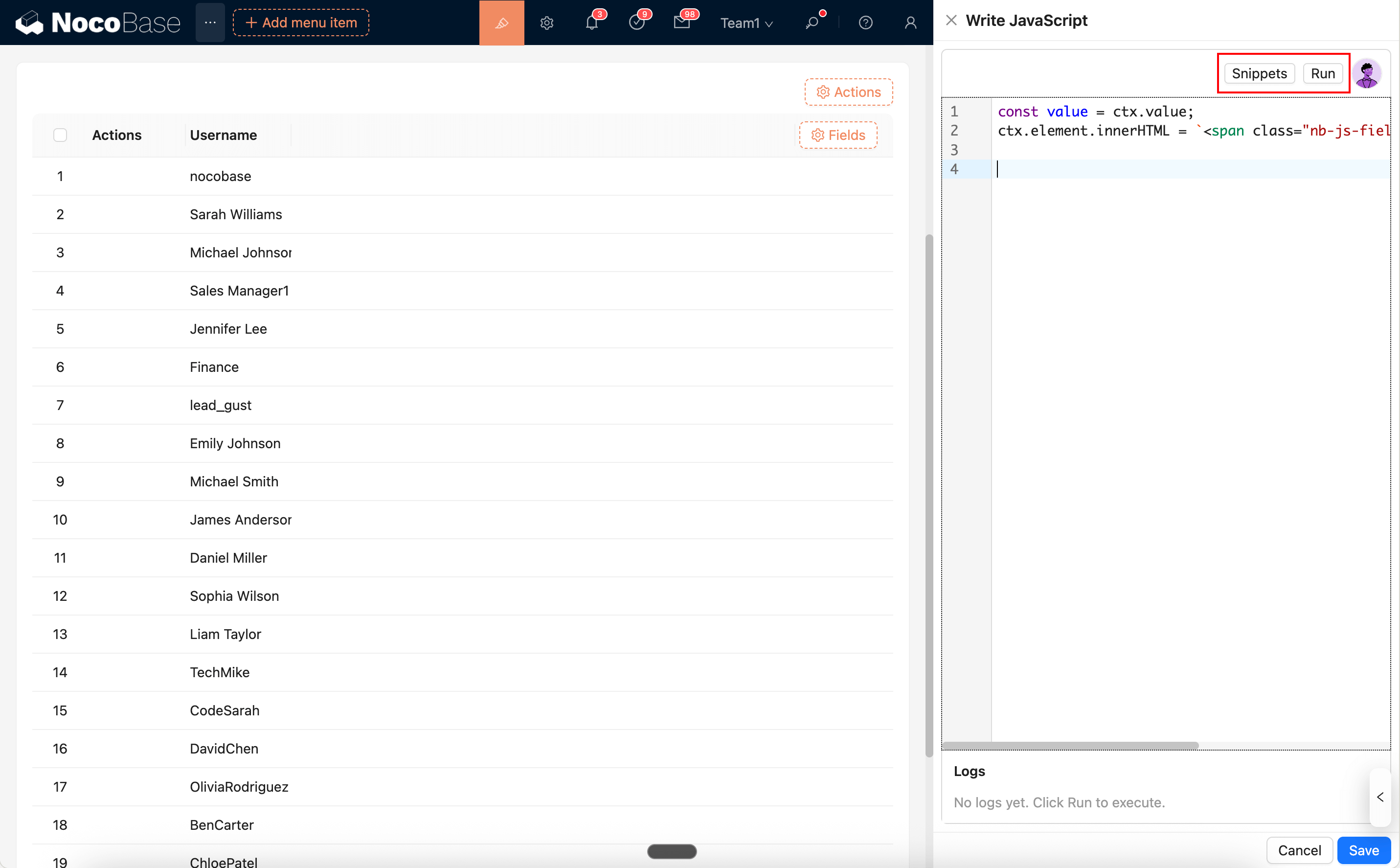
The JS Field script editor supports syntax highlighting, error hints, and built-in code snippets.
Snippets: Opens a list of built-in code snippets, which can be searched and inserted at the current cursor position with one click.Run: Directly executes the current code. The execution log is output to theLogspanel at the bottom, supportingconsole.log/info/warn/errorand error highlighting for easy location.
You can also generate code with the AI Employee:
Common Usage
1) Basic Rendering (Reading Field Value)
2) Using JSX to Render a React Component
3) Loading Third-Party Libraries (AMD/UMD or ESM)
4) Clicking to Open a Popup/Drawer (openView)
5) Editable Input (JSEditableFieldModel)
Notes
- It is recommended to use a trusted CDN for loading external libraries and to have a fallback for failure scenarios (e.g.,
if (!lib) return;). - It is recommended to use
classor[name=...]for selectors and avoid using fixedids to prevent duplicateids in multiple blocks or popups. - Event Cleanup: A field may be re-rendered multiple times due to data changes or view switches. Before binding an event, you should clean it up or deduplicate it to avoid repeated triggers (e.g., "remove first, then add").