

Sub-table (Popup Edit)
Introduction
The Sub-table (Popup Edit) is used to manage multiple association data (such as One-to-Many or Many-to-Many) within a form. The table only displays currently associated records. Adding or editing records is performed within a popup, and the data is submitted to the database collectively when the main form is submitted.
Usage
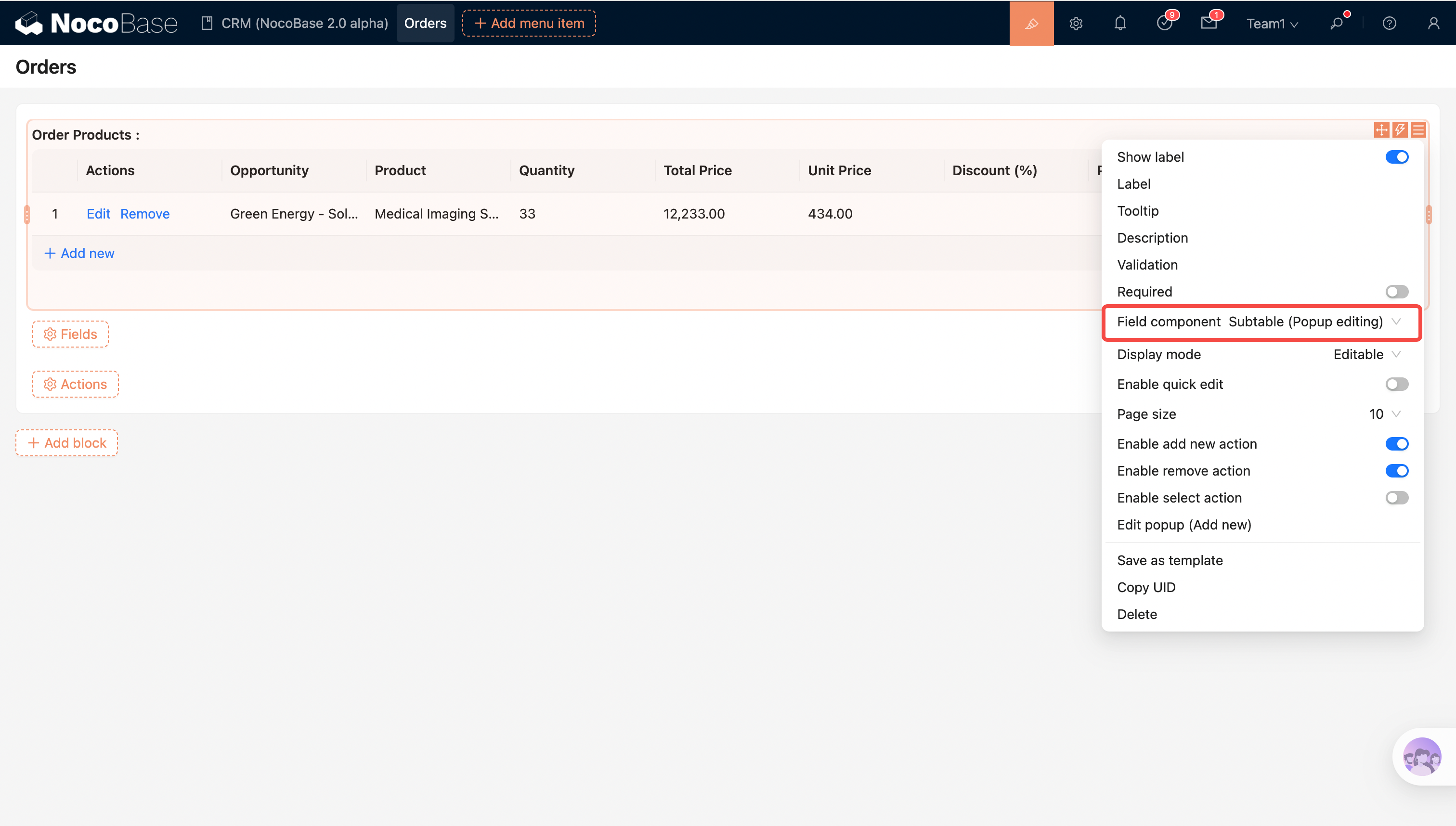
Applicable Scenarios:
- Association fields: O2M / M2M / MBM
- Typical uses: Order details, sub-item lists, associated tags/members, etc.
Field Configuration
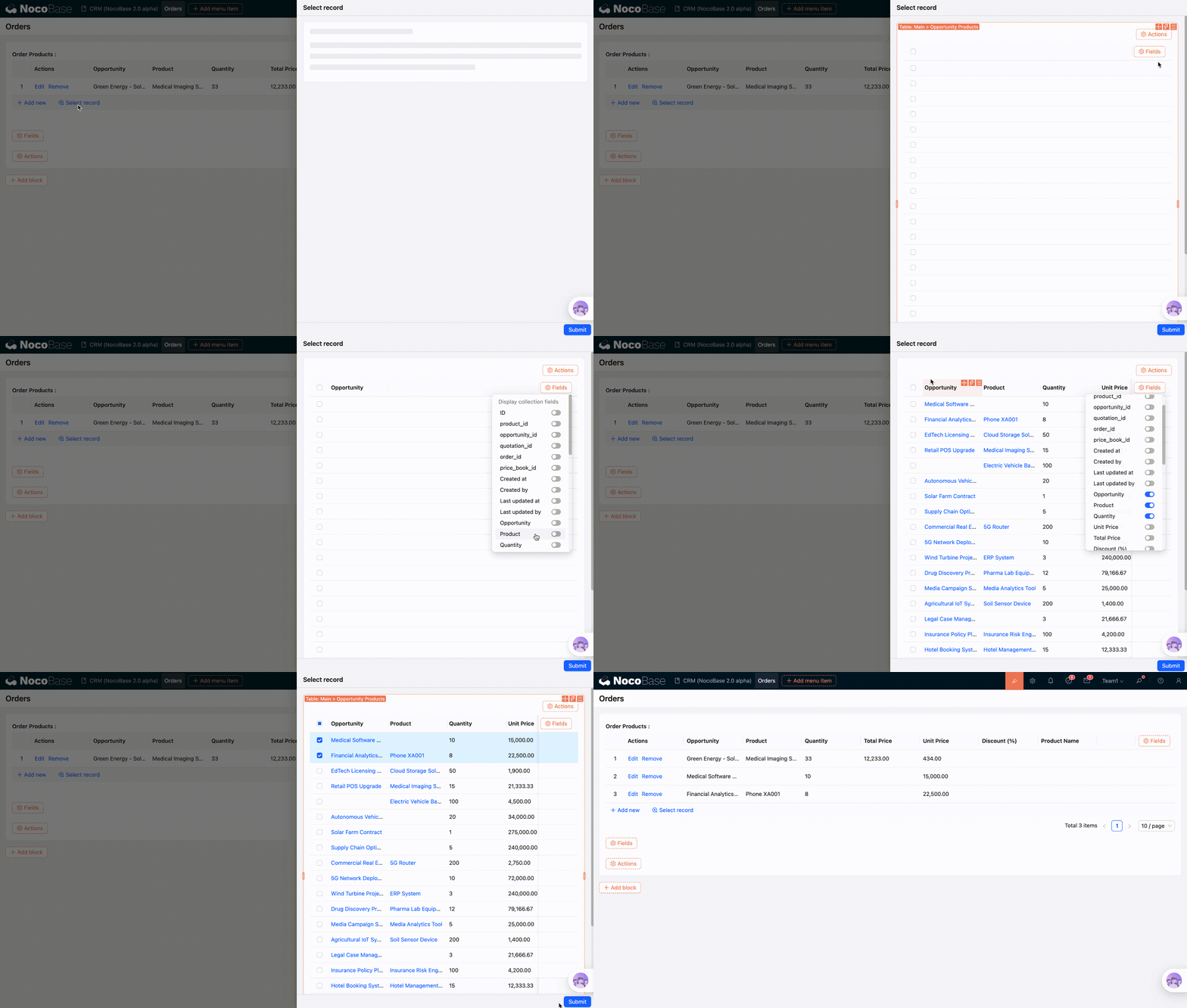
Allow selecting existing data (Default: Enabled)
Supports selecting associations from existing records.
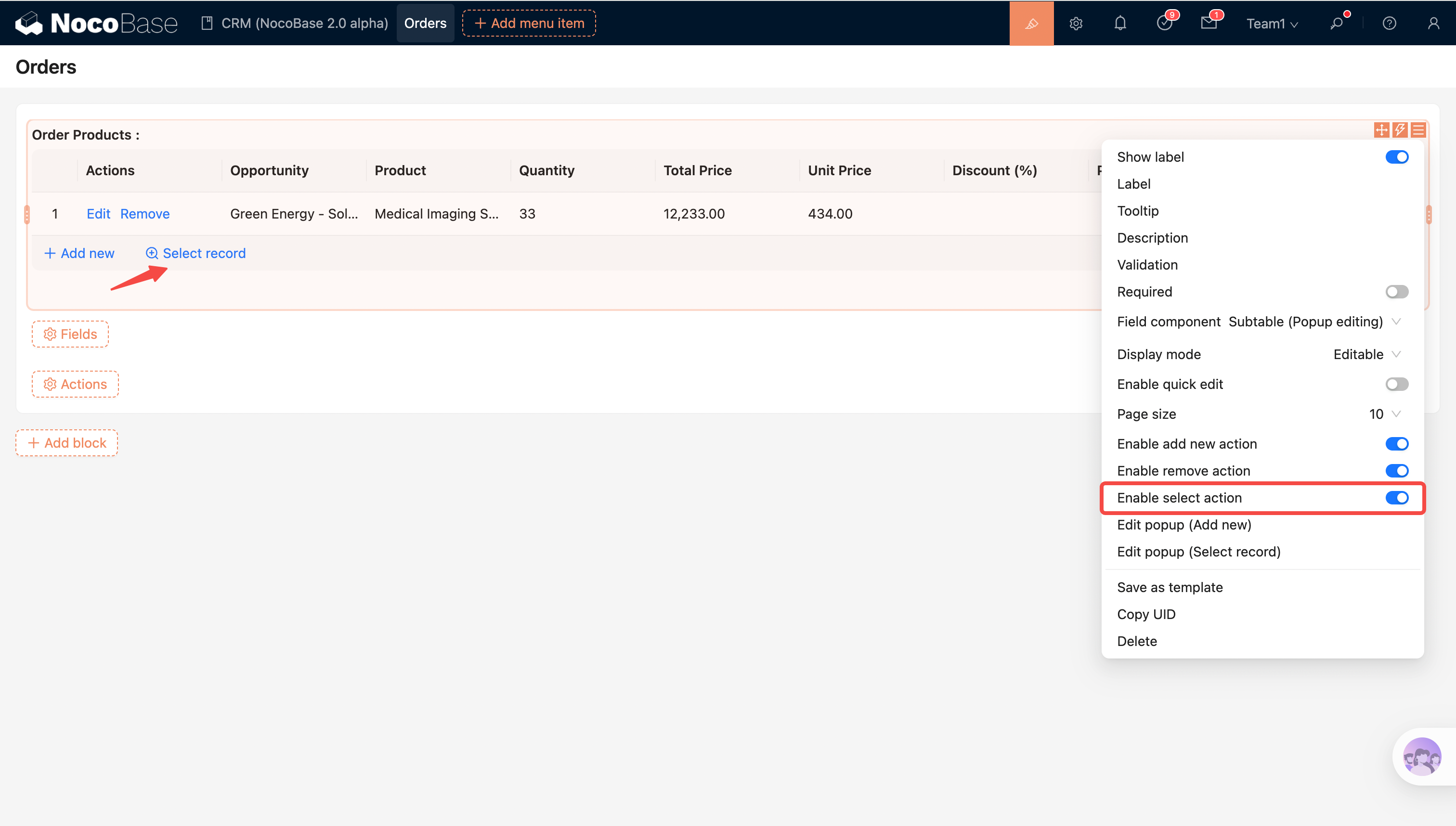
Field component
Field component: Switch to other relationship field components, such as Single select, Collection selector, etc.
Allow unlinking existing data (Default: Enabled)
Controls whether existing associated data in the edit form is allowed to be unlinked. Newly added data can always be removed.
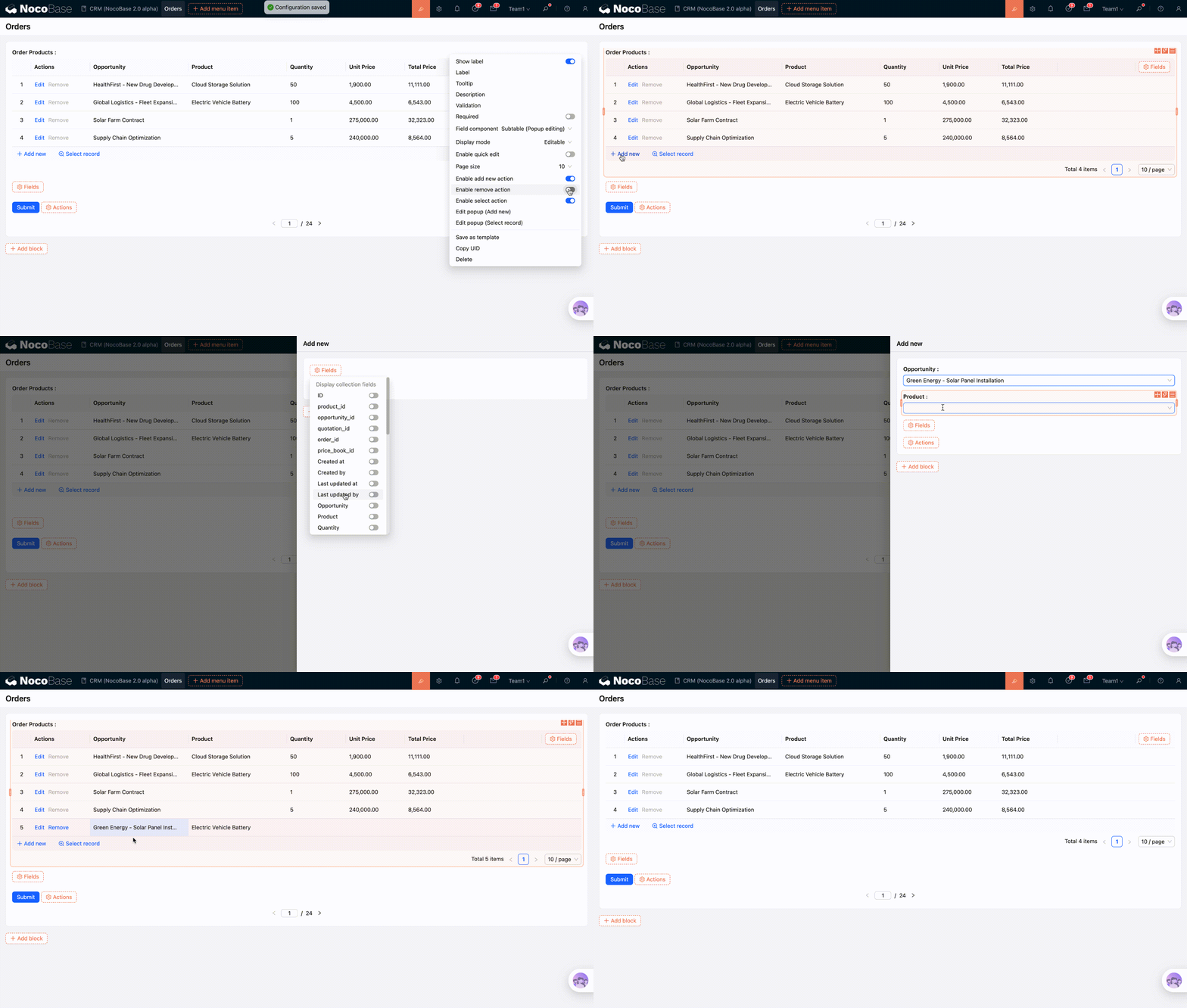
Allow adding (Default: Enabled)
Controls whether the "Add" button is displayed. If the user does not have create permissions for the target collection, the button will be disabled with a "no permission" tooltip.
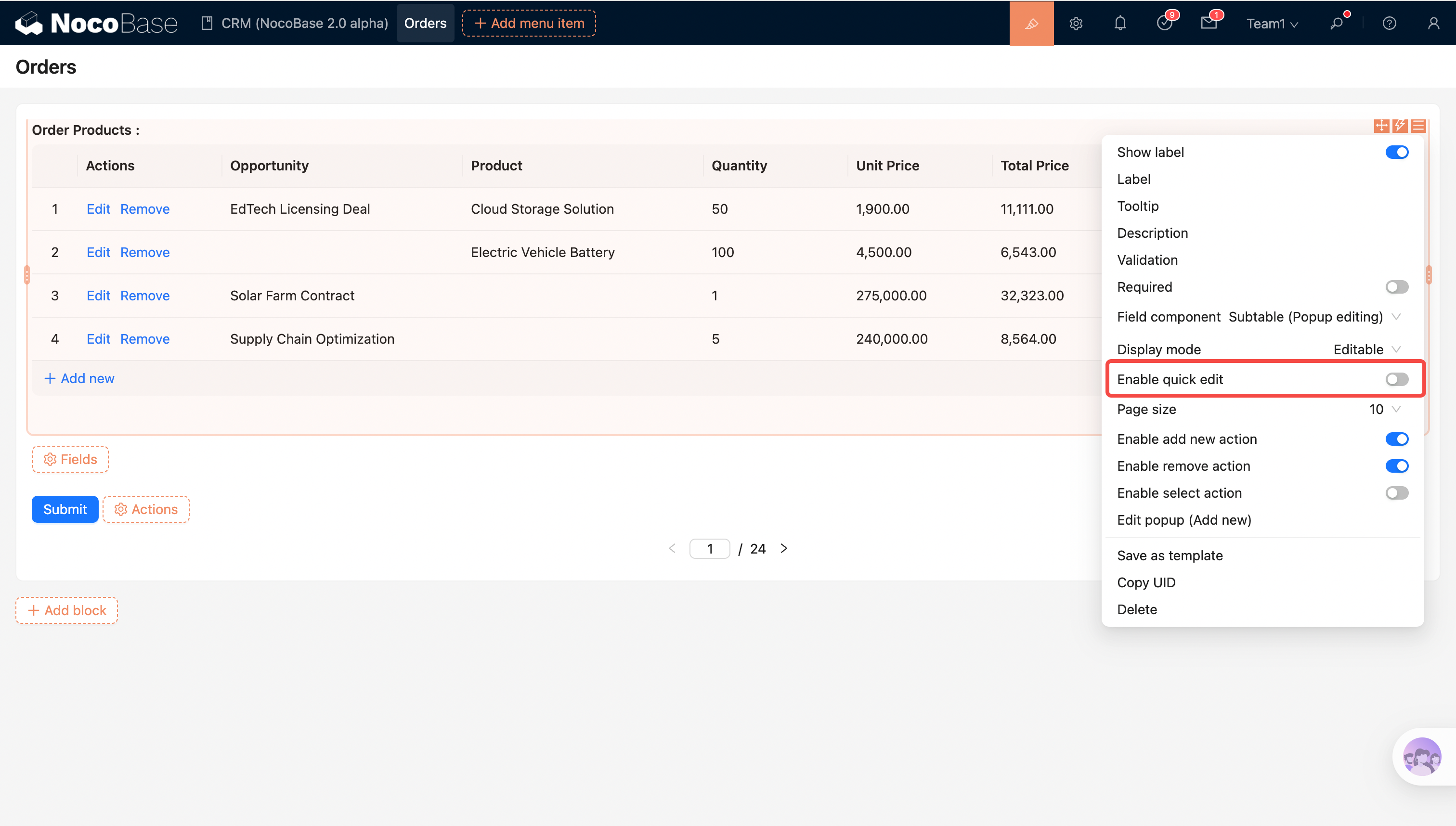
Allow quick edit (Default: Disabled)
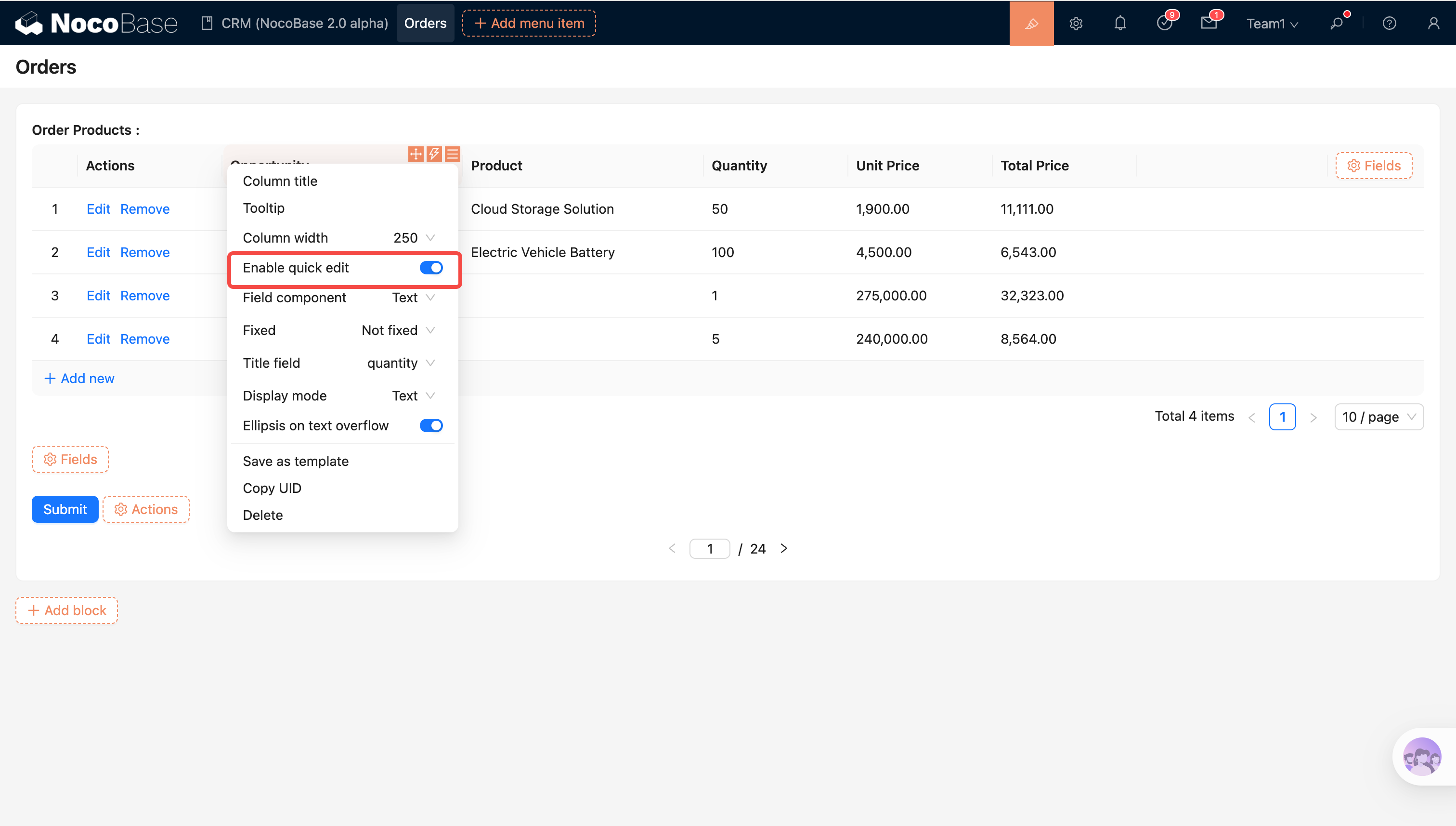
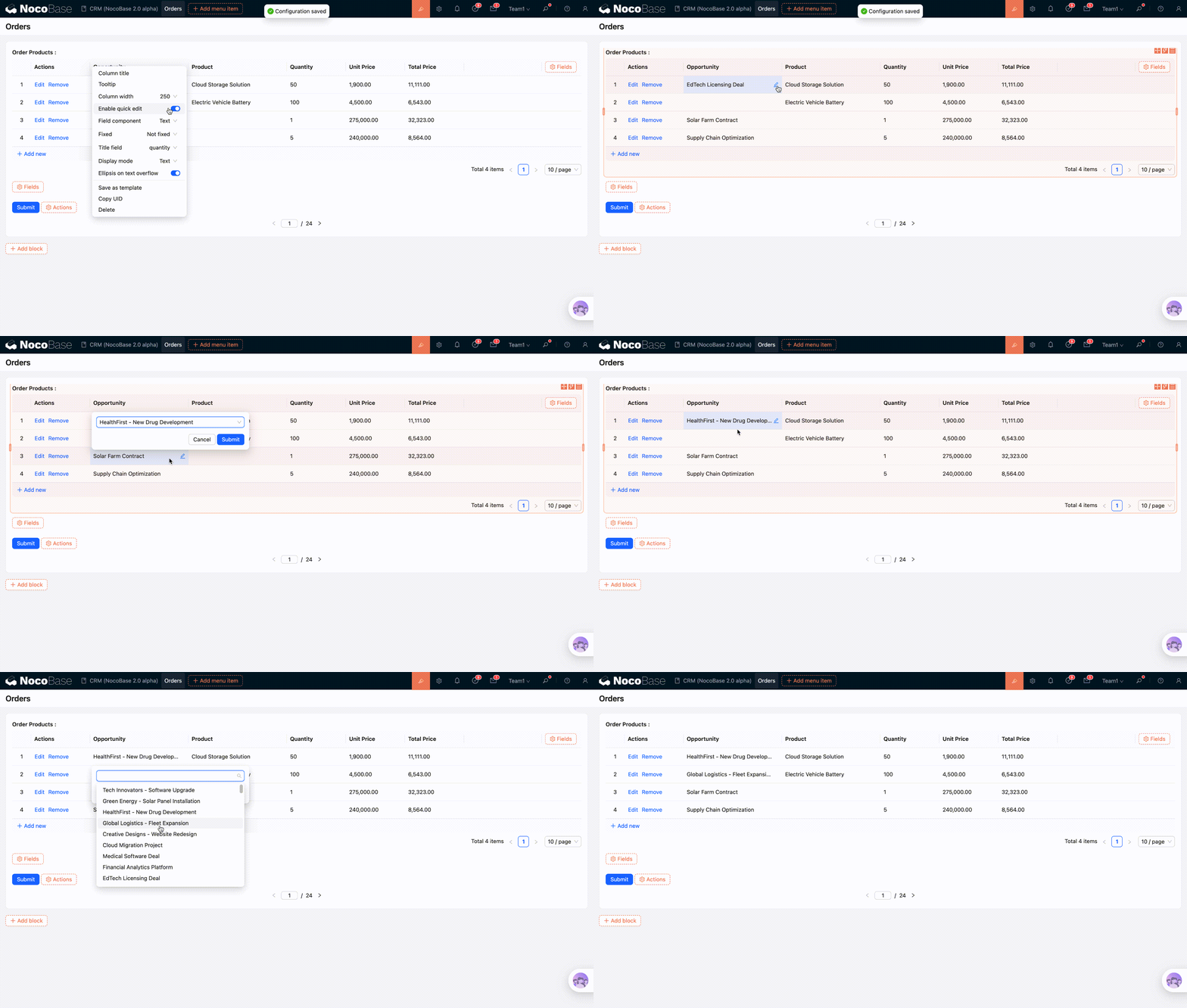
When enabled, hovering over a cell will reveal an edit icon, allowing for quick modification of the cell content.
You can enable quick edit for all fields via the association field component settings.
It can also be enabled for individual column fields.
Page size (Default: 10)
Sets the number of records displayed per page in the sub-table.
Behavior Notes
- When selecting existing records, deduplication is performed based on the primary key to prevent duplicate associations of the same record.
- Newly added records are filled back into the sub-table, and the view automatically jumps to the page containing the new record.
- Inline editing only modifies the data for the current row.
- Removing a record only unlinks the association within the current form; it does not delete the source data from the database.
- Data is saved to the database only when the main form is submitted.