

JS Block
Introduction
The JS Block is a highly flexible "custom rendering block" that allows you to write JavaScript directly to generate interfaces, bind events, call data APIs, or integrate third-party libraries. It is suitable for personalized visualizations, temporary experiments, and lightweight extension scenarios that are difficult to cover with built-in blocks.
Runtime Context API
The JS Block's runtime context has common capabilities injected and can be used directly:
ctx.element: The DOM container of the block (safely wrapped as ElementProxy), supportinginnerHTML,querySelector,addEventListener, etc.ctx.requireAsync(url): Asynchronously loads an AMD/UMD library by URL.ctx.importAsync(url): Dynamically imports an ESM module by URL.ctx.openView: Opens a configured view (popup/drawer/page).ctx.useResource(...)+ctx.resource: Accesses data as a resource.ctx.i18n.t()/ctx.t(): Built-in internationalization capability.ctx.onRefReady(ctx.ref, cb): Renders after the container is ready to avoid timing issues.ctx.libs.React/ctx.libs.ReactDOM/ctx.libs.antd/ctx.libs.antdIcons/ctx.libs.dayjs/ctx.libs.lodash/ctx.libs.math/ctx.libs.formula: Built-in React, ReactDOM, Ant Design, Ant Design icons, dayjs, lodash, math.js, and formula.js libraries for JSX rendering, date-time utilities, data manipulation, and mathematical operations. (ctx.React/ctx.ReactDOM/ctx.antdare kept for compatibility.)ctx.render(vnode): Renders a React element, HTML string, or DOM node to the default containerctx.element. Multiple calls will reuse the same React Root and overwrite the container's existing content.
Adding a Block
You can add a JS Block to a page or a popup.
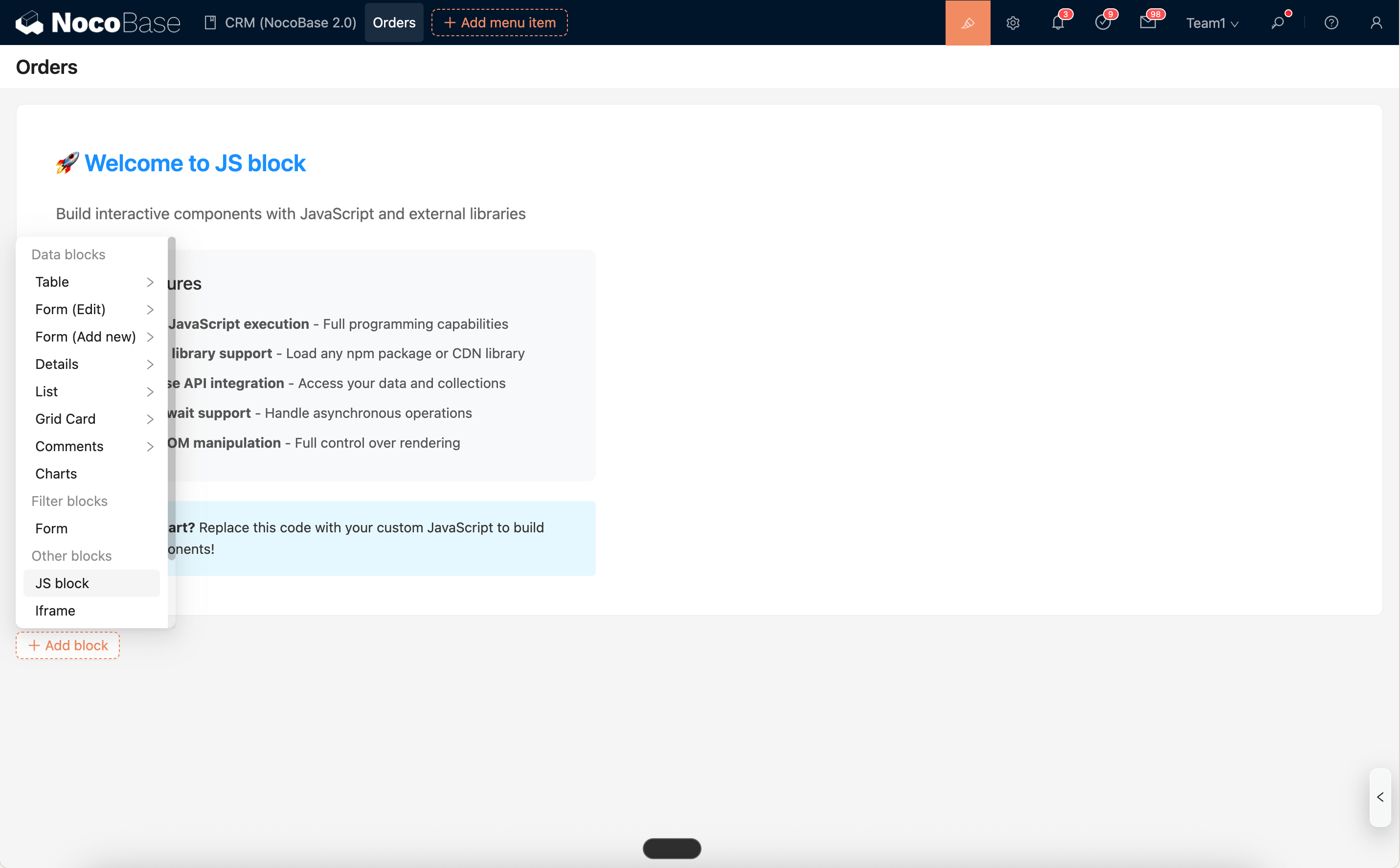
Editor and Snippets
The JS Block's script editor supports syntax highlighting, error hints, and built-in code snippets (Snippets), allowing you to quickly insert common examples such as rendering charts, binding button events, loading external libraries, rendering React/Vue components, timelines, information cards, etc.
Snippets: Opens the list of built-in code snippets. You can search and insert a selected snippet into the code editor at the current cursor position with one click.Run: Directly runs the code in the current editor and outputs the execution logs to theLogspanel at the bottom. It supports displayingconsole.log/info/warn/error, and errors will be highlighted with links to the specific row and column.
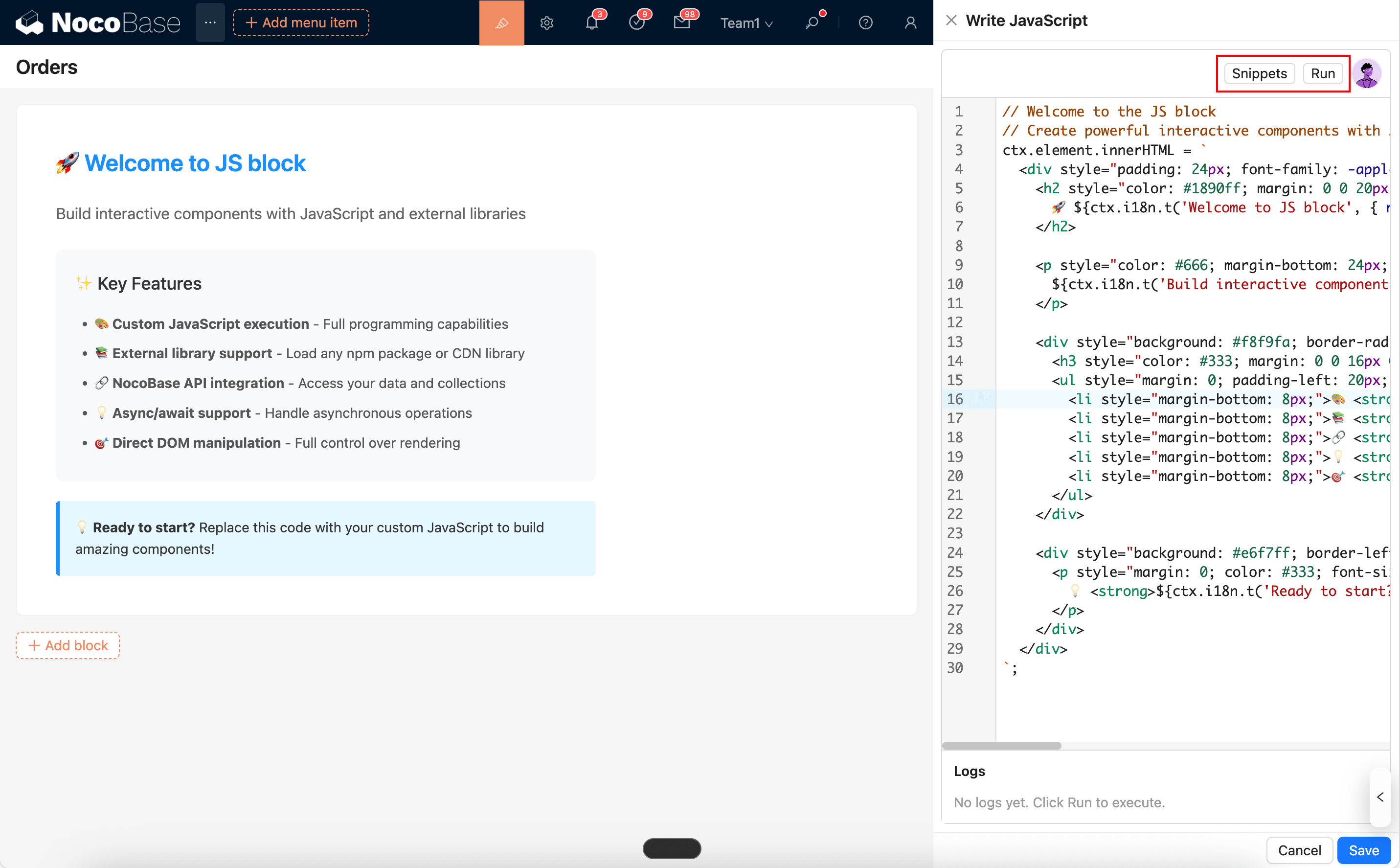
Additionally, you can directly summon the AI employee "Frontend Engineer · Nathan" from the top-right corner of the editor. Nathan can help you write or modify scripts based on the current context. You can then "Apply to editor" with one click and run the code to see the effect. For details, see:
Runtime Environment and Security
- Container: The system provides a secure DOM container
ctx.element(ElementProxy) for the script, which only affects the current block and does not interfere with other areas of the page. - Sandbox: The script runs in a controlled environment.
window/document/navigatoruse secure proxy objects, allowing common APIs while restricting risky behaviors. - Re-rendering: The block automatically re-renders when it is hidden and then shown again (to avoid re-executing the initial mount script).
Common Usage (Simplified Examples)
1) Render React (JSX)
2) API Request Template
3) Load ECharts and Render
4) Open a View (Drawer)
5) Read a Resource and Render JSON
Notes
- It is recommended to use trusted CDNs for loading external libraries.
- Selector Usage Advice: Prioritize using
classor[name=...]attribute selectors. Avoid using fixedids to prevent conflicts from duplicateids when using multiple blocks or popups. - Event Cleanup: Since the block may re-render multiple times, event listeners should be cleaned up or deduplicated before binding to avoid repeated triggers. You can use a "remove then add" approach, a one-time listener, or a flag to prevent duplicates.