

Import Pro
Action: Import records ProStandard Edition+Introduction
The Import Pro plugin provides enhanced features on top of the standard import functionality.
Installation
This plugin depends on the Asynchronous Task Management plugin. You need to enable the Asynchronous Task Management plugin before using it.
Feature Enhancements
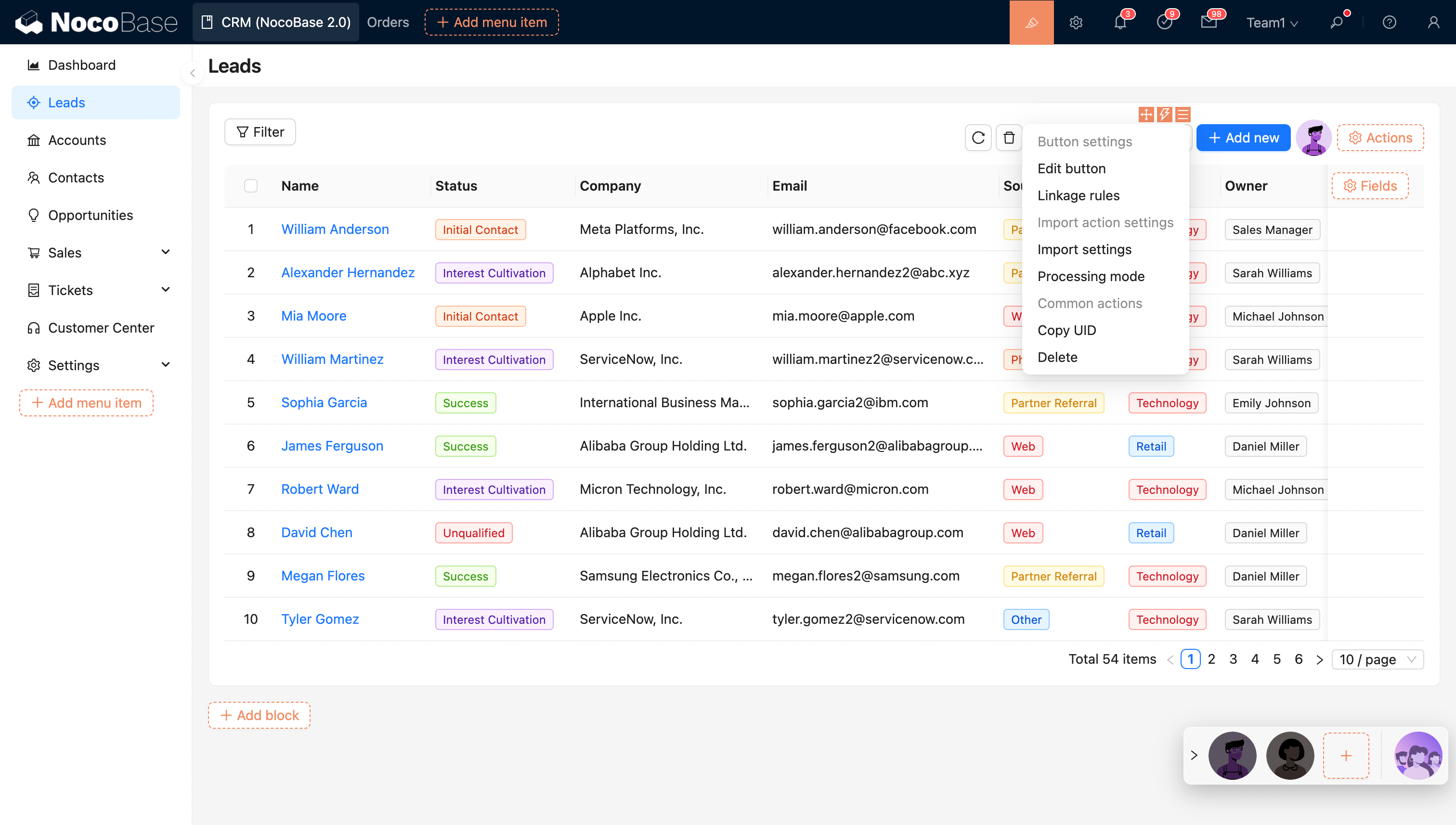
- Supports asynchronous import operations, executed in a separate thread, and supports importing large amounts of data.
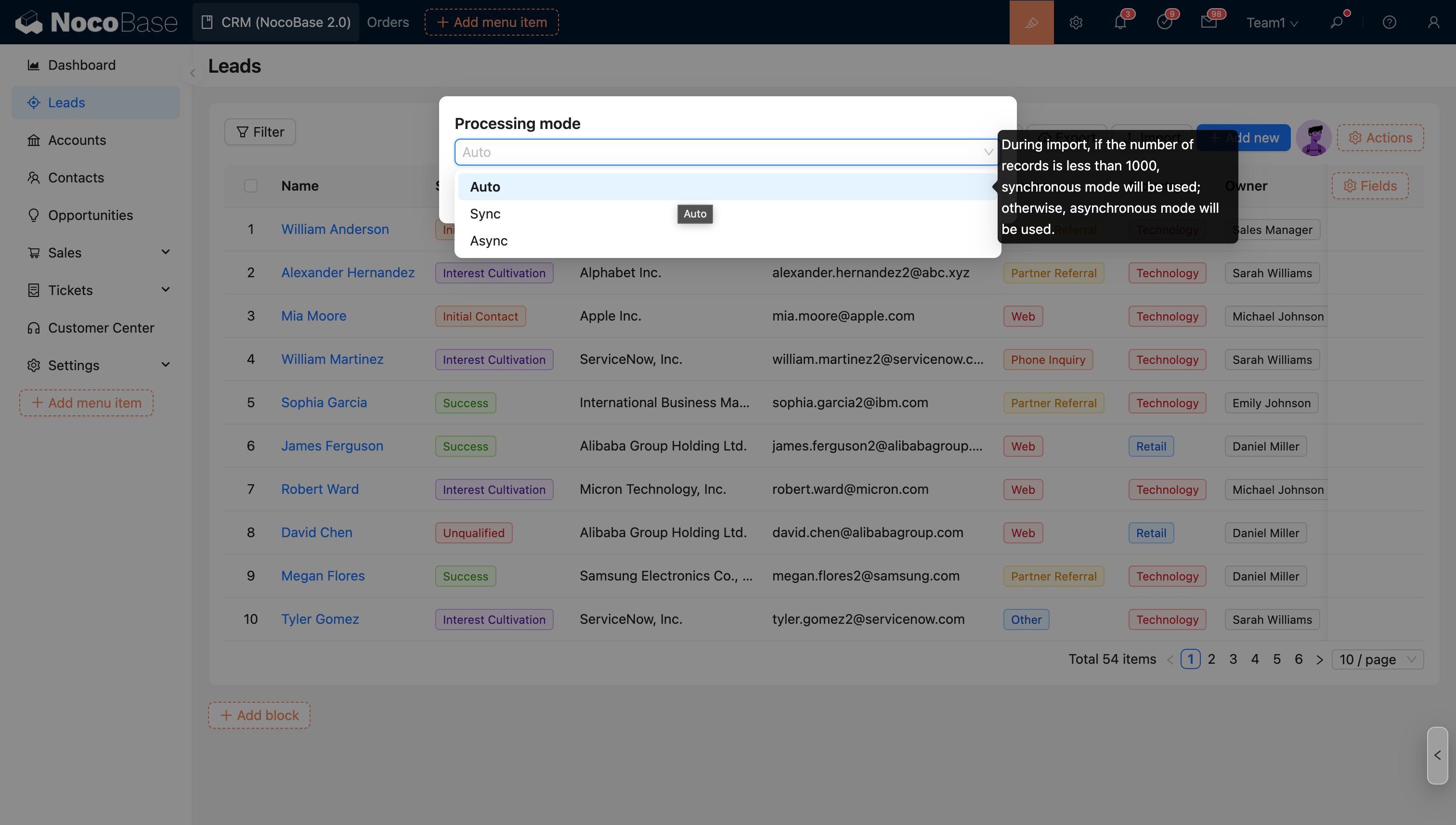
- Supports advanced import options.
User Manual
Asynchronous Import
After executing an import, the process will run in a separate background thread without requiring manual user configuration. In the user interface, after starting an import, the currently running import task will be displayed in the upper right corner, showing the real-time progress of the task.
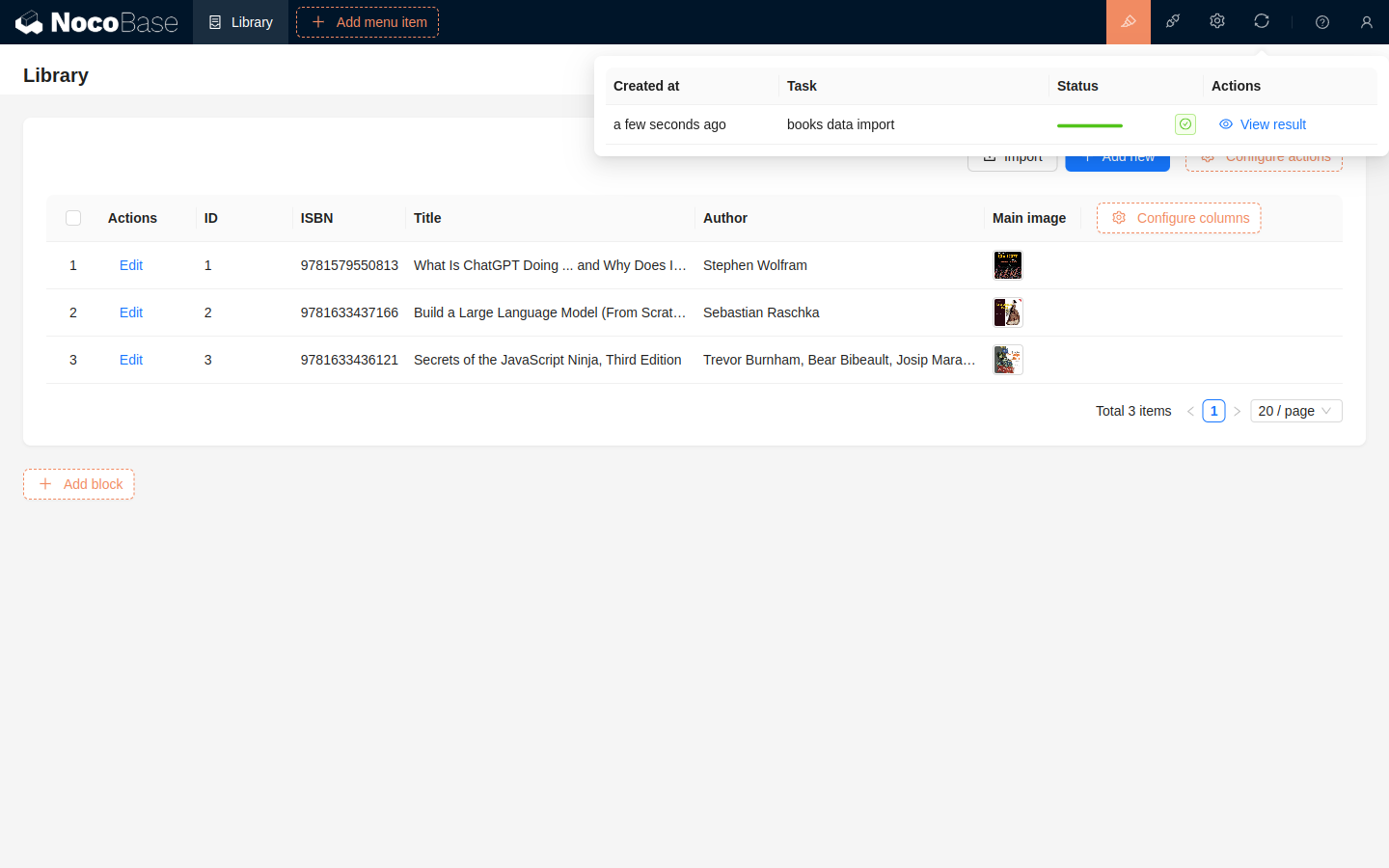
After the import is complete, you can view the results in the import tasks.
About Concurrency
To limit system resource usage when asynchronous tasks are executed concurrently, you can control concurrency and resource allocation using the following environment variables:
ASYNC_TASK_MAX_CONCURRENCY
Limits the number of asynchronous tasks that can run concurrently. Default value: 3.
ASYNC_TASK_CONCURRENCY_MODE
Specifies the concurrency control mode.
Available values: app, process.
Default value: app.
-
When set to
app, the maximum number of asynchronous tasks that can run concurrently per sub-application is limited to the value specified byASYNC_TASK_MAX_CONCURRENCY. -
When set to
process, the total number of concurrent asynchronous tasks across all sub-applications within the same process must not exceed the value specified byASYNC_TASK_MAX_CONCURRENCY. -
ASYNC_TASK_WORKER_MAX_OLDandASYNC_TASK_WORKER_MAX_YOUNG
Limit the maximum heap memory that worker threads executing asynchronous tasks can allocate:
- Old generation heap memory (MB):
ASYNC_TASK_WORKER_MAX_OLD - Young generation heap memory (MB):
ASYNC_TASK_WORKER_MAX_YOUNG
About Performance
To evaluate the performance of large-scale data imports, we conducted comparative tests under different scenarios, field types, and trigger configurations (results may vary depending on server and database configurations and are for reference only):
Based on the performance test results above and some existing designs, here are some explanations and suggestions regarding influencing factors:
-
Duplicate Record Handling Mechanism: When selecting the Update duplicate records or Only update duplicate records options, the system performs query and update operations row by row, which significantly reduces import efficiency. If your Excel file contains unnecessary duplicate data, it will further impact the import speed. It is recommended to clean up unnecessary duplicate data in the Excel file (e.g., using professional deduplication tools) before importing it into the system to avoid wasting time.
-
Relationship Field Processing Efficiency: The system processes relationship fields by querying associations row by row, which can become a performance bottleneck in large data scenarios. For simple relationship structures (such as a one-to-many association between two collections), a multi-step import strategy is recommended: first import the base data of the main collection, and then establish the relationship between collections after it's complete. If business requirements necessitate importing relationship data simultaneously, please refer to the performance test results in the table above to plan your import time reasonably.
-
Workflow Trigger Mechanism: It is not recommended to enable workflow triggers in large-scale data import scenarios, mainly for the following two reasons:
- Even when the import task status shows 100%, it does not end immediately. The system still needs extra time to create workflow execution plans. During this phase, the system generates a corresponding workflow execution plan for each imported record, which occupies the import thread but does not affect the use of the already imported data.
- After the import task is fully completed, the concurrent execution of a large number of workflows may strain system resources, affecting overall system responsiveness and user experience.
The above 3 influencing factors will be considered for further optimization in the future.
Import Configuration
Import Options - Trigger Workflow
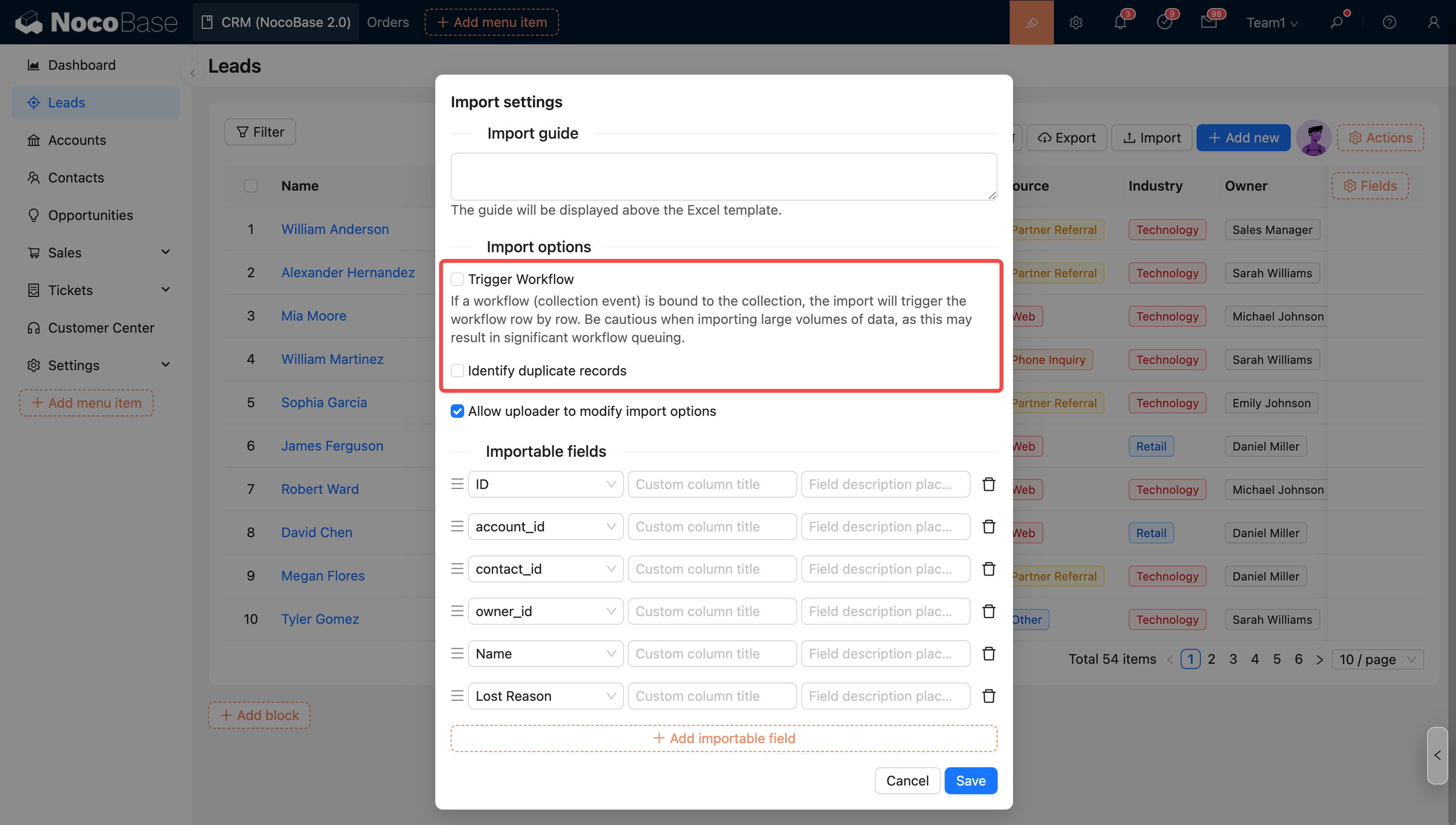
You can choose whether to trigger workflows during import. If this option is checked and the collection is bound to a workflow (collection event), the import will trigger the workflow execution for each row.
Import Options - Identify Duplicate Records
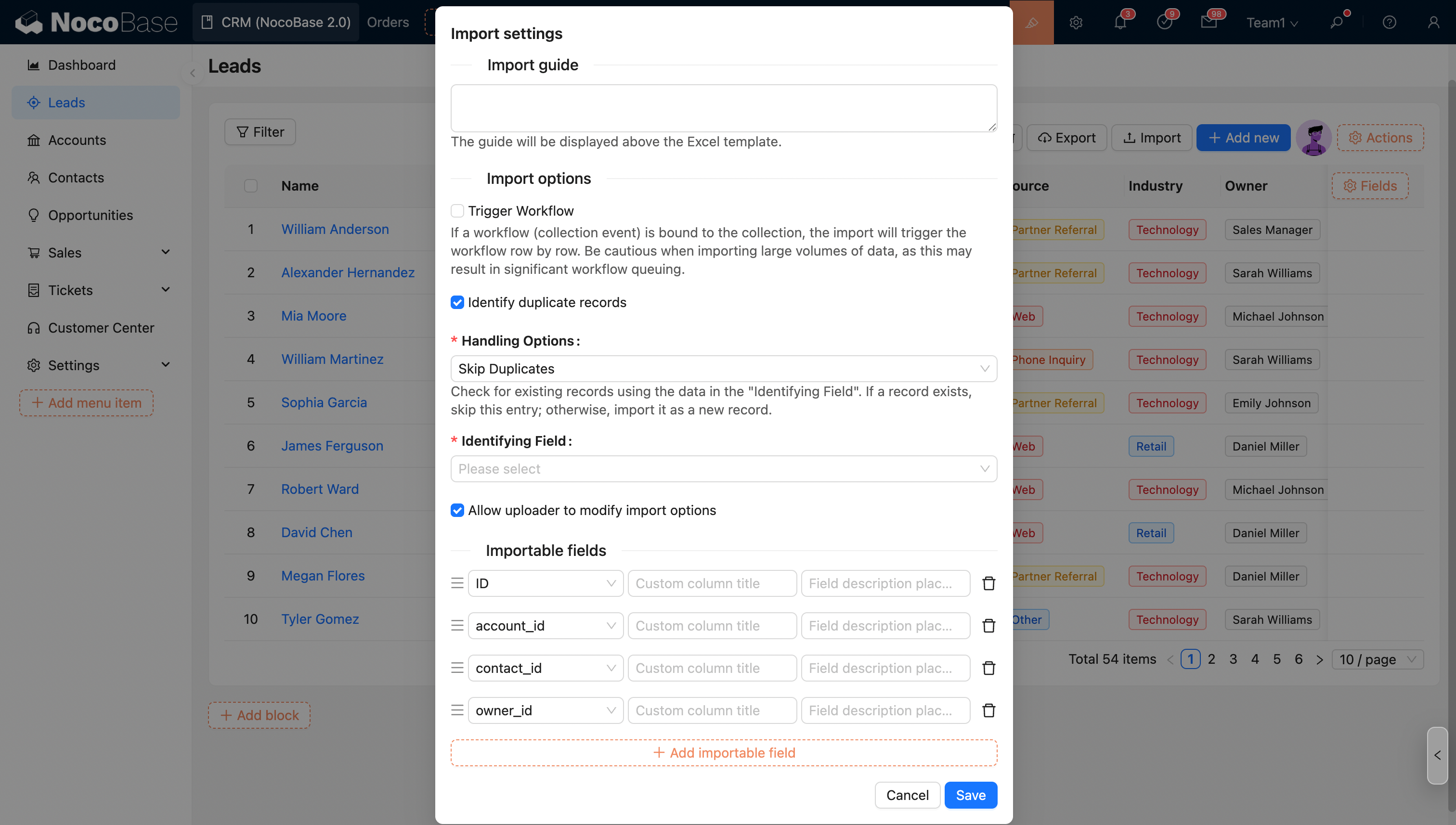
Check this option and select the corresponding mode to identify and process duplicate records during import.
The options in the import configuration will be applied as default values. Administrators can control whether to allow the uploader to modify these options (except for the trigger workflow option).
Uploader Permission Settings
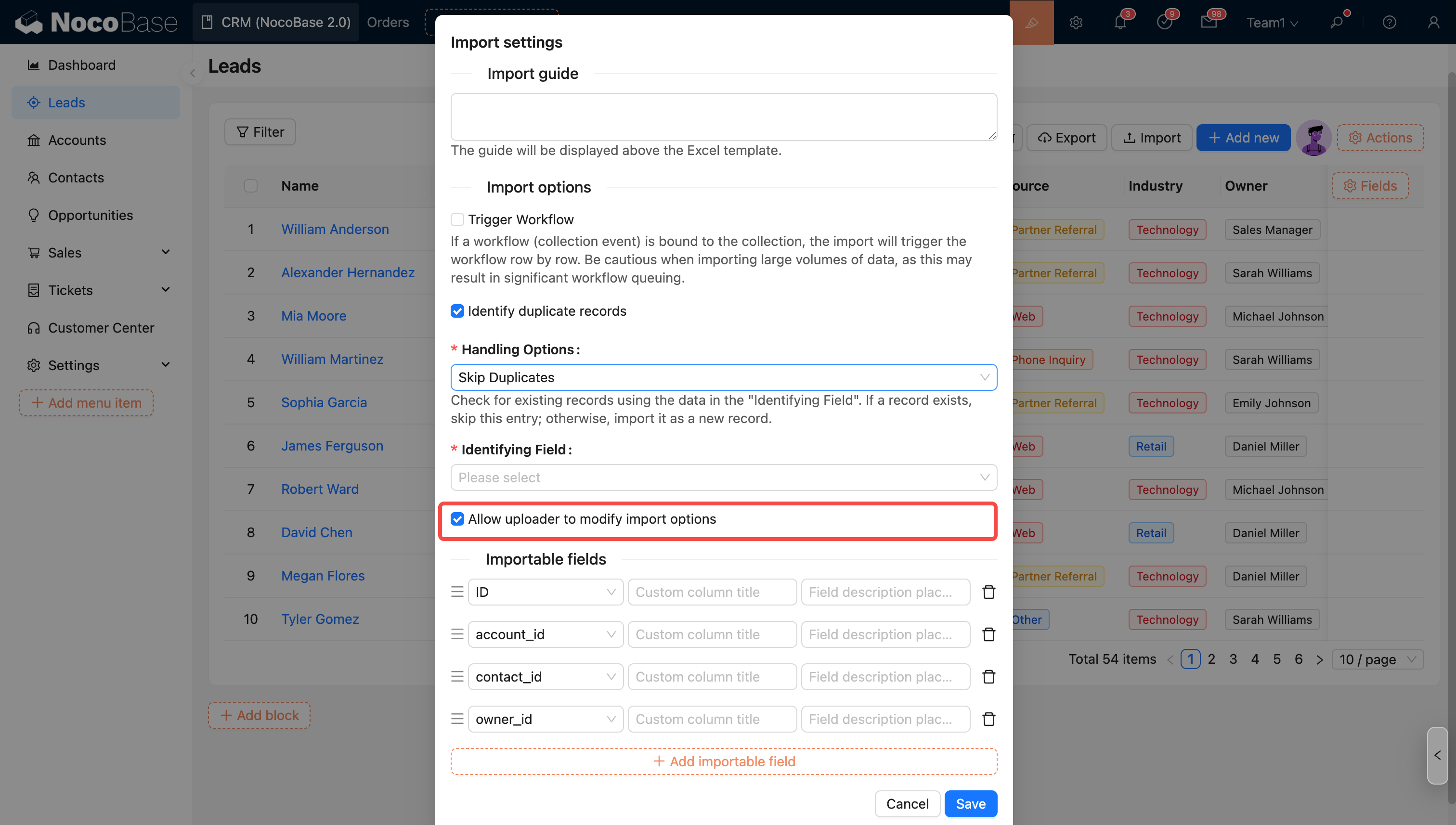
- Allow uploader to modify import options
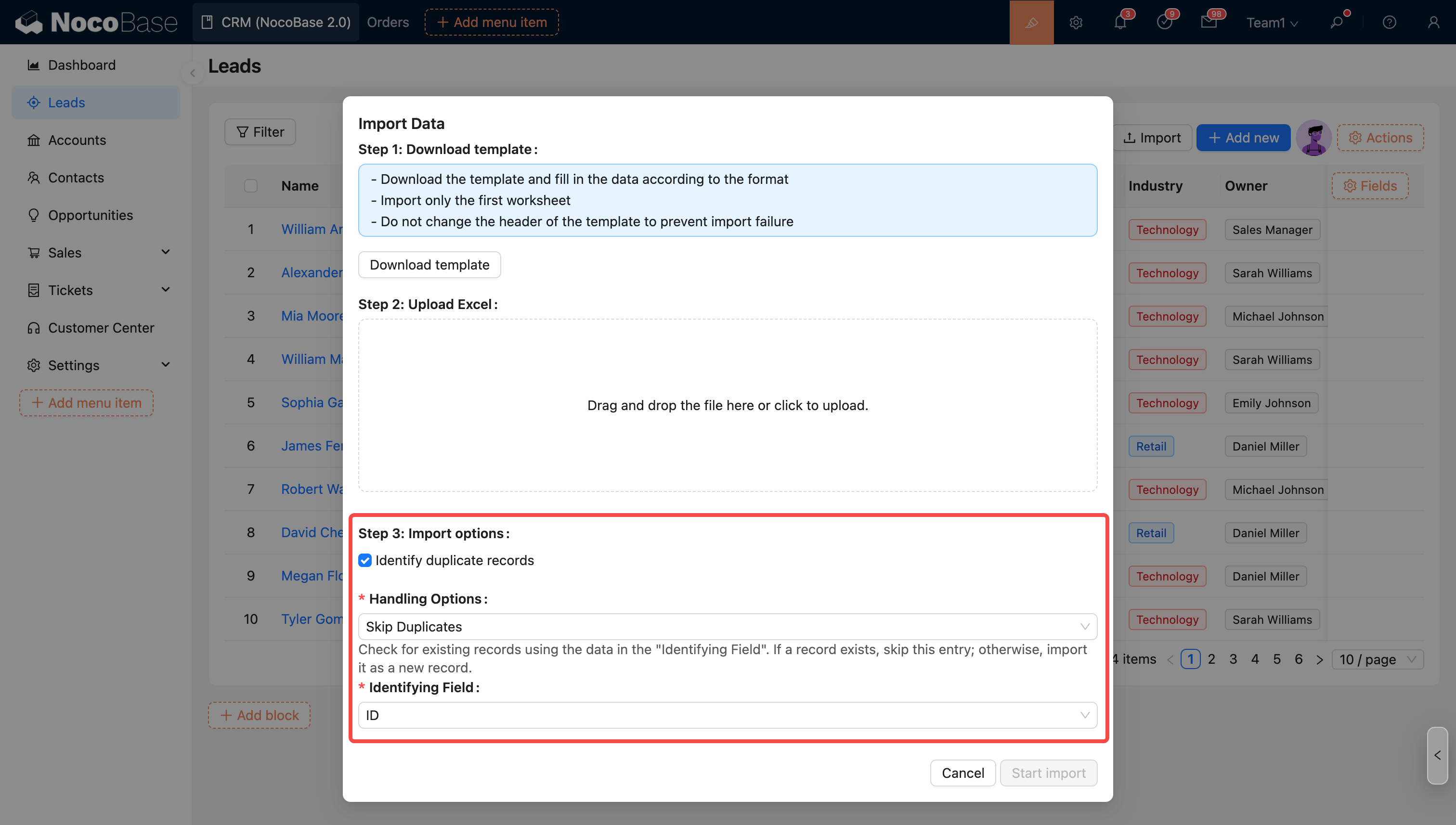
- Disallow uploader from modifying import options
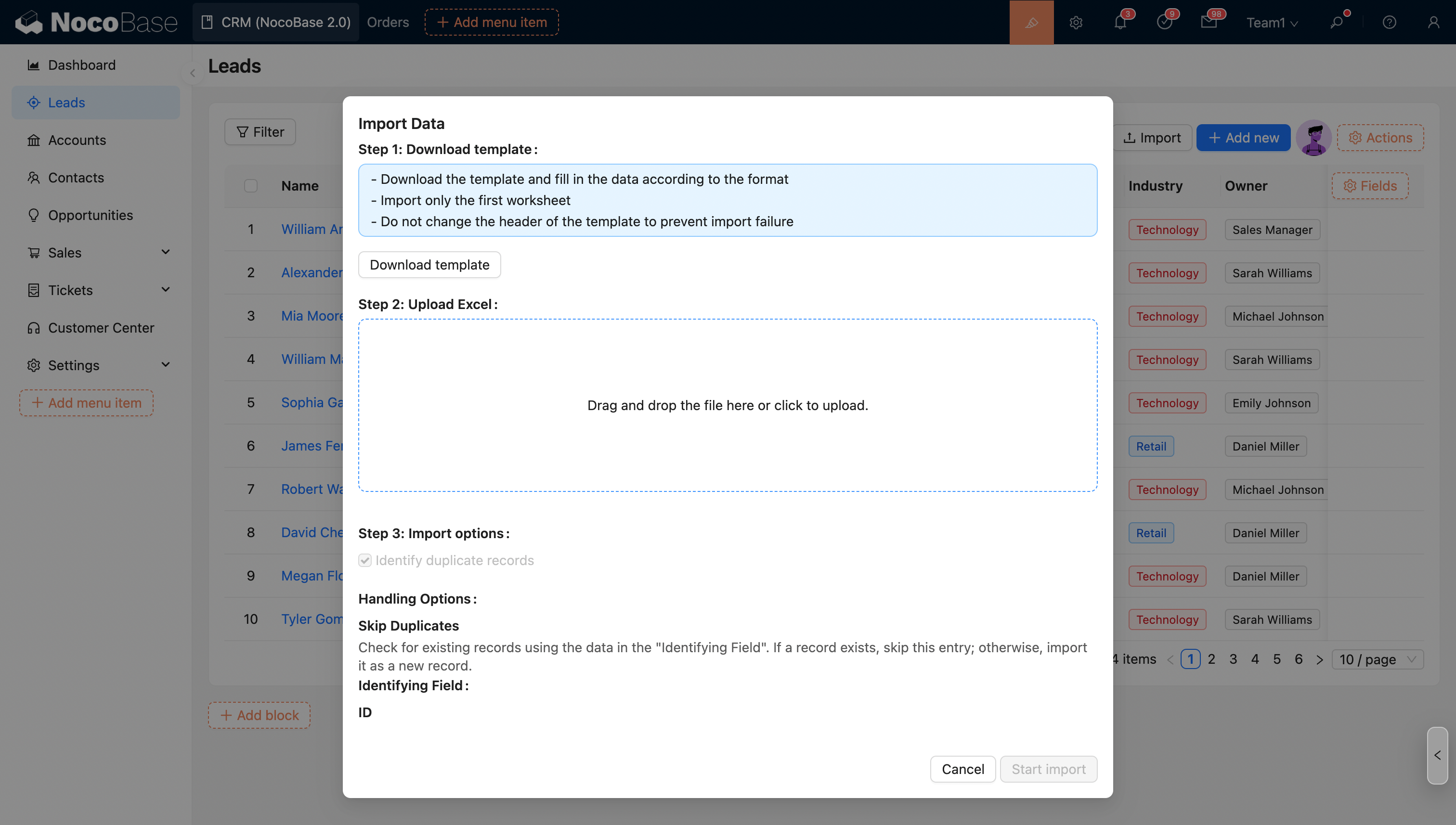
Mode Description
- Skip duplicate records: Queries existing records based on the content of the "Identifier field". If the record already exists, this row is skipped; if it does not exist, it is imported as a new record.
- Update duplicate records: Queries existing records based on the content of the "Identifier field". If the record already exists, this record is updated; if it does not exist, it is imported as a new record.
- Only update duplicate records: Queries existing records based on the content of the "Identifier field". If the record already exists, this record is updated; if it does not exist, it is skipped.
Identifier Field
The system identifies whether a row is a duplicate record based on the value of this field.
- Linkage Rule: Dynamically show/hide buttons;
- Edit Button: Edit the title, type, and icon of the button;