Field Linkage Rules
Introduction
Field linkage rules allow for the dynamic adjustment of the state of fields in Form/Details blocks based on user actions. Currently, the blocks that support field linkage rules include:
Usage Instructions
Form Block
In a Form block, linkage rules can dynamically adjust the behavior of fields based on specific conditions:
- Control field visibility (show/hide): Decide whether the current field is displayed based on the values of other fields.
- Set field as required: Dynamically set a field as required or not required under specific conditions.
- Assign value: Automatically assign a value to a field based on conditions.
- Execute specified JavaScript: Write JavaScript according to business requirements.
Details Block
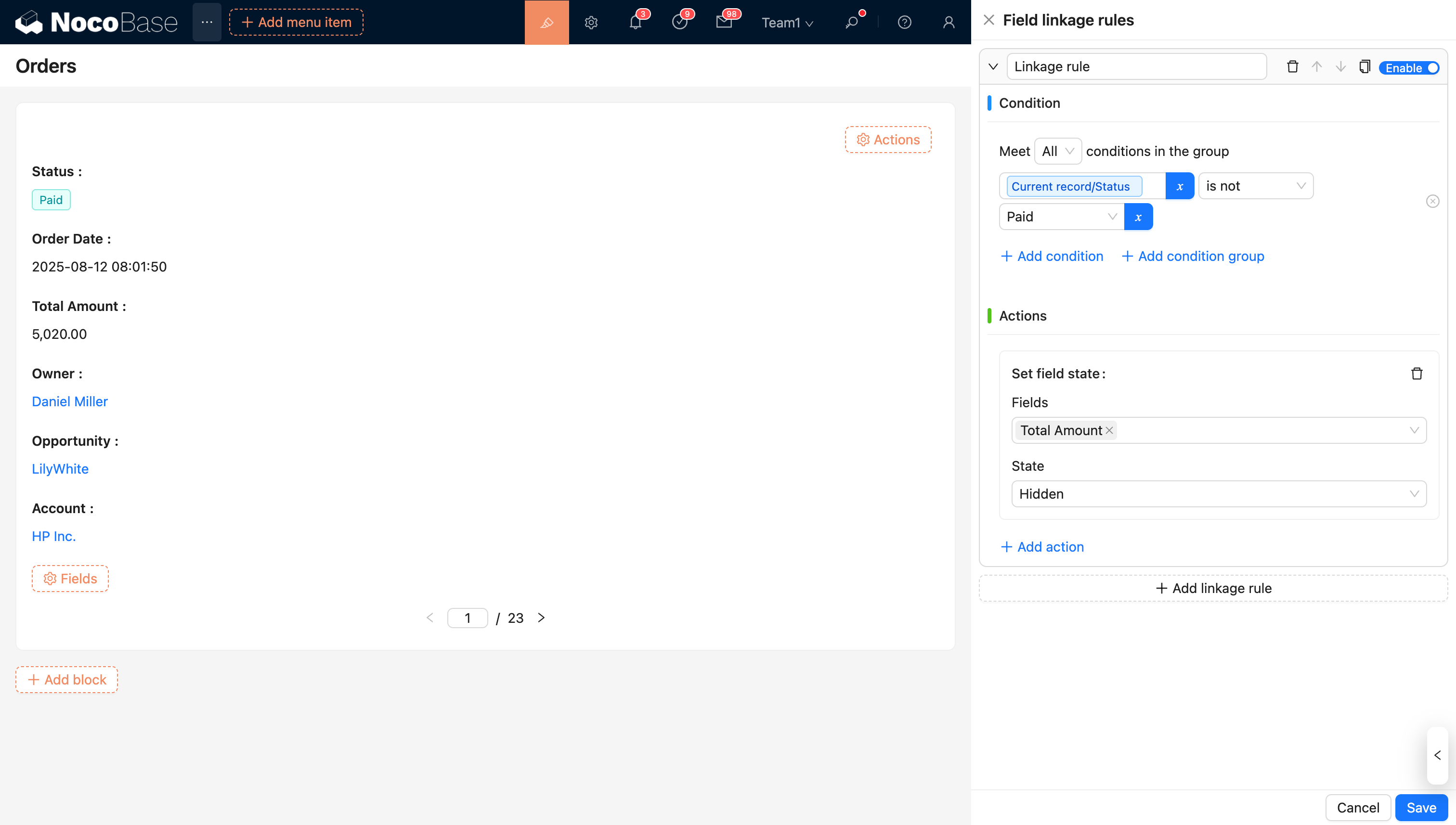
In a Details block, linkage rules are mainly used to dynamically control the visibility (show/hide) of fields on the block.
Property Linkage
Assign Value
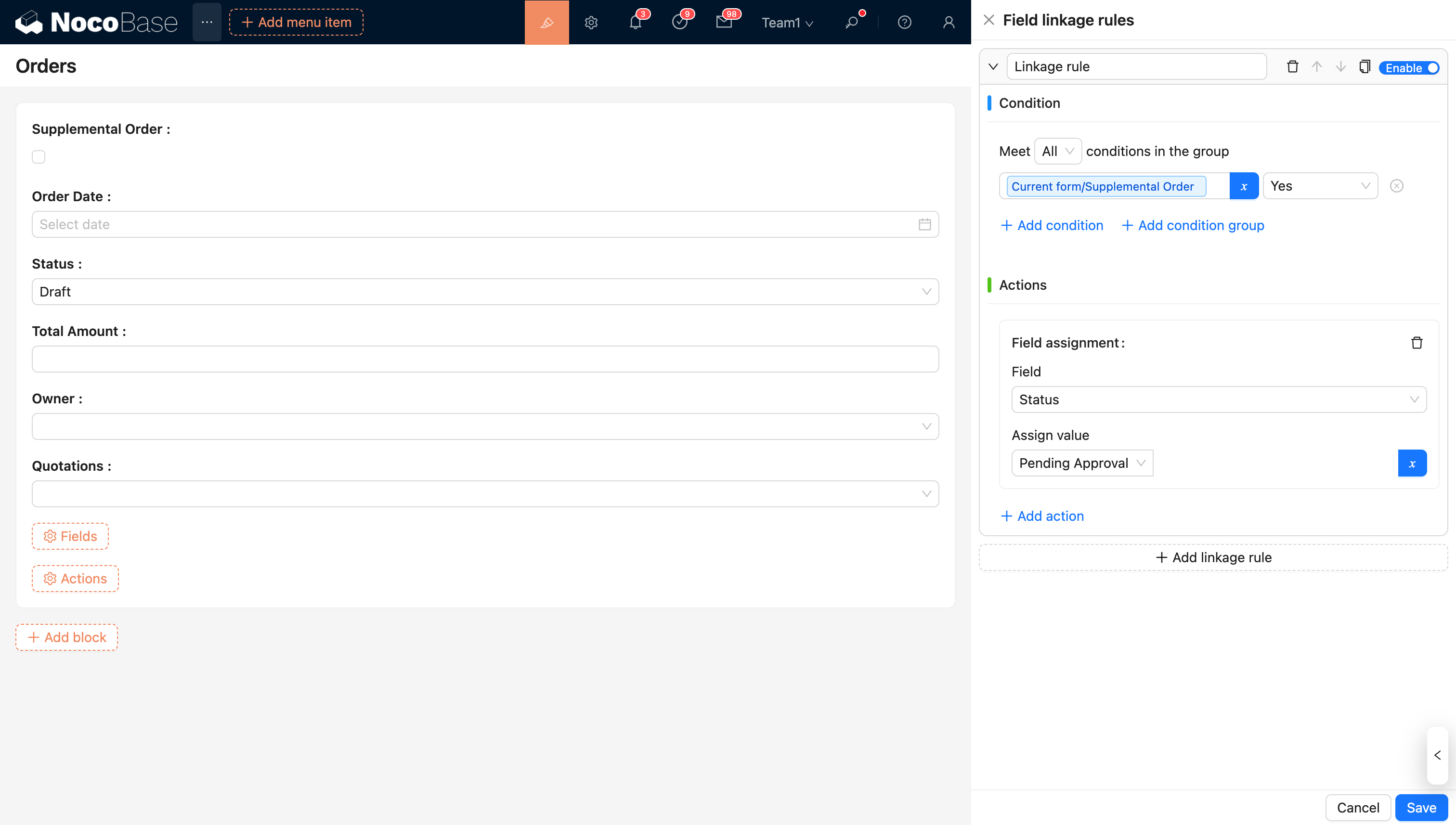
Example: When an order is checked as a supplementary order, the order status is automatically assigned the value 'Pending Review'.
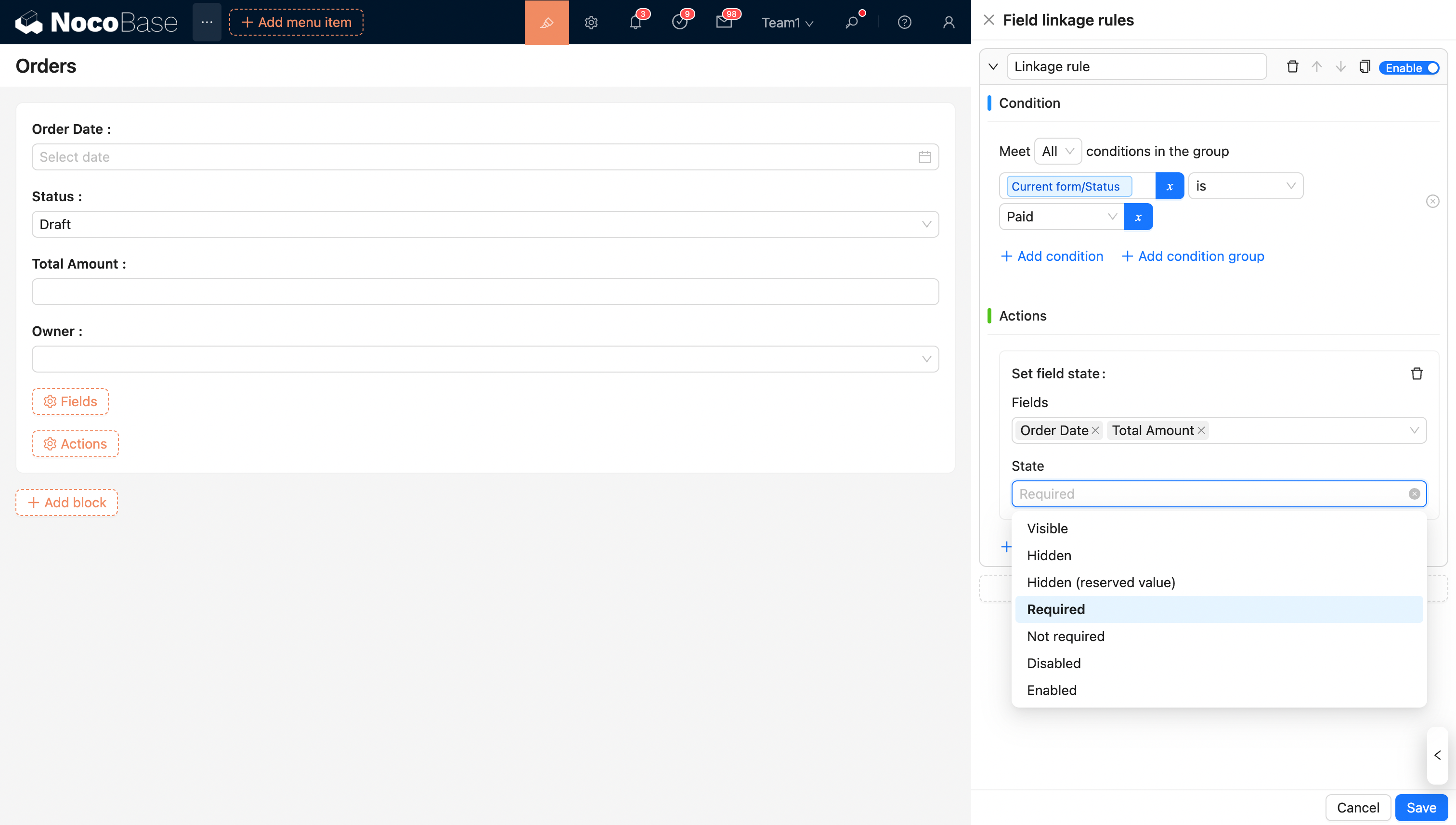
Required
Example: When the order status is 'Paid', the order amount field is required.
Show/Hide
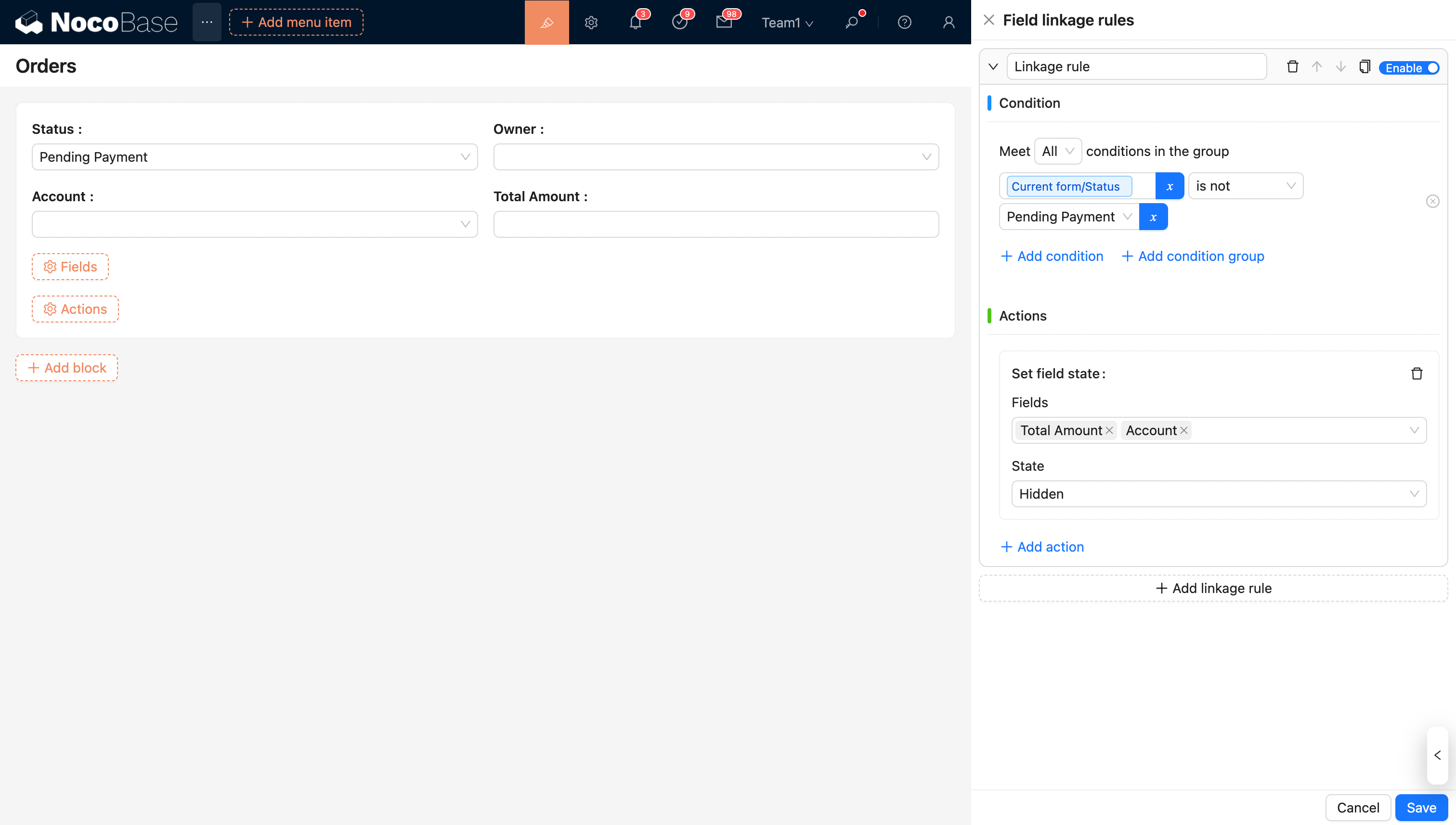
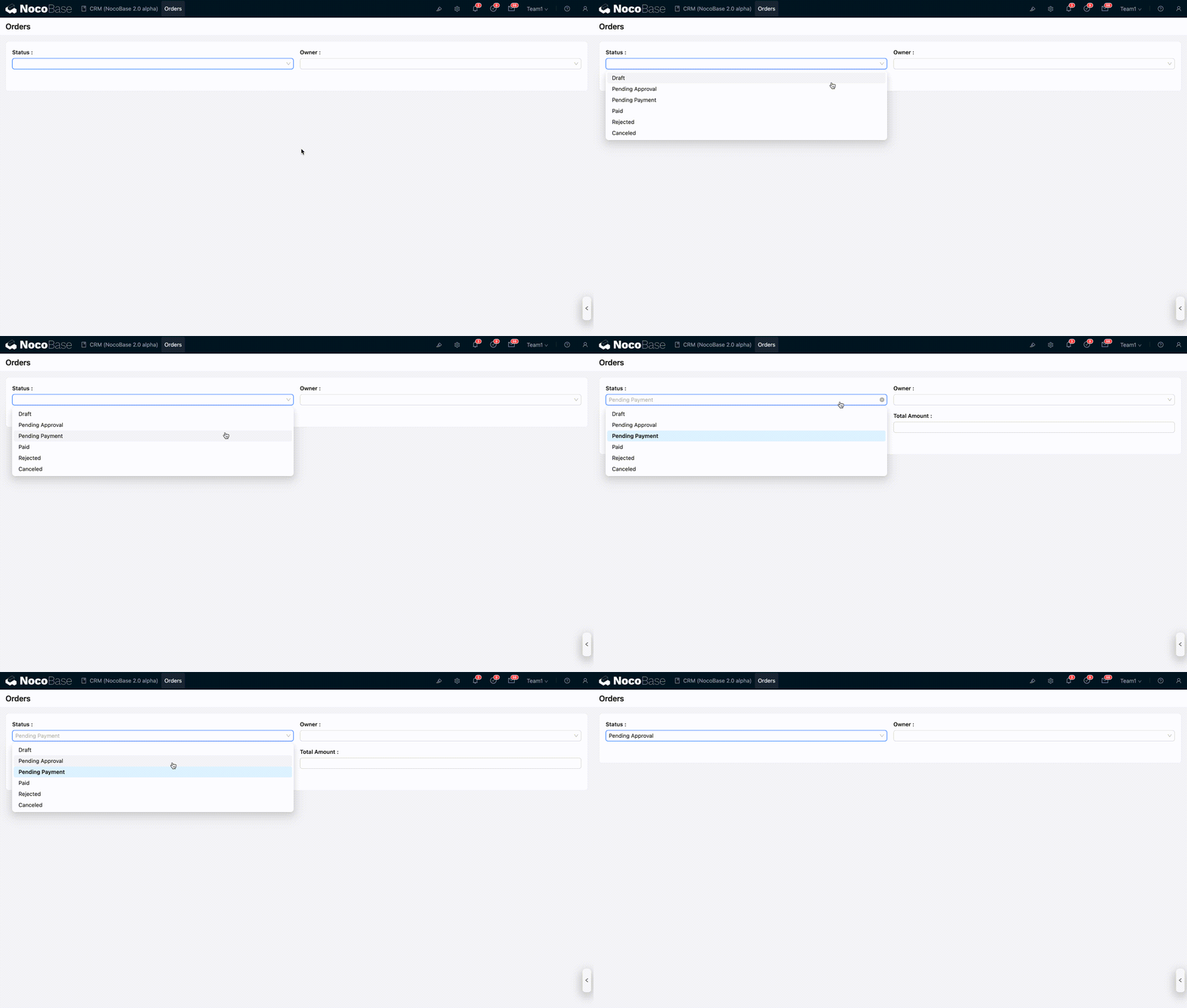
Example: The payment account and total amount are displayed only when the order status is 'Pending Payment'.