

JS Column
Introduction
JS Column is used for "custom columns" in tables, rendering the content of each row's cell via JavaScript. It is not bound to a specific field and is suitable for scenarios such as derived columns, combined displays across fields, status badges, action buttons, and remote data aggregation.
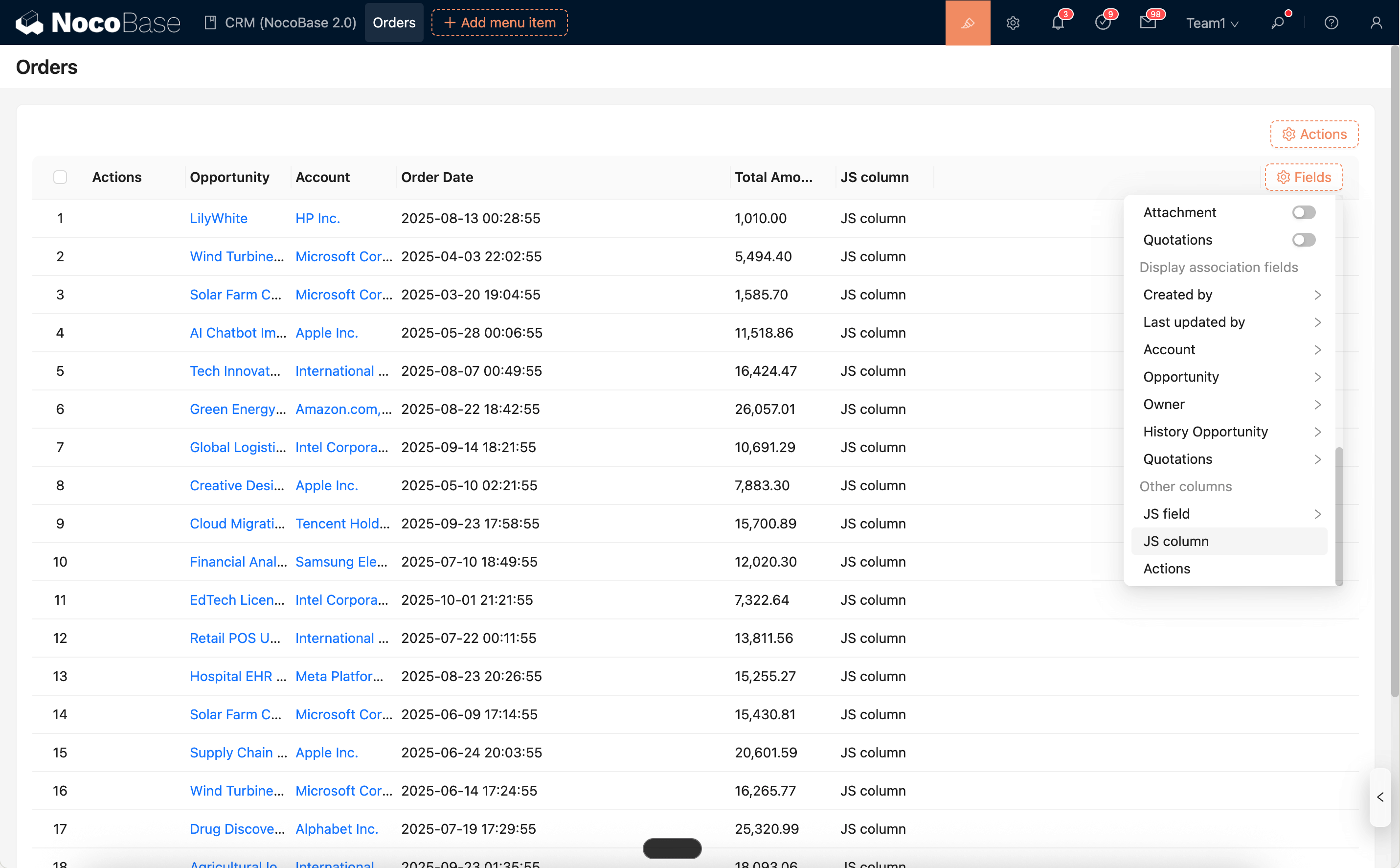
Runtime Context API
When rendering each cell, JS Column provides the following context APIs:
ctx.element: The DOM container of the current cell (ElementProxy), supportinginnerHTML,querySelector,addEventListener, etc.ctx.record: The current row's record object (read-only).ctx.recordIndex: The row index within the current page (starts from 0, may be affected by pagination).ctx.collection: The metadata of the collection bound to the table (read-only).ctx.requireAsync(url): Asynchronously loads an AMD/UMD library by URL.ctx.importAsync(url): Dynamically imports an ESM module by URL.ctx.openView(options): Opens a configured view (modal/drawer/page).ctx.i18n.t()/ctx.t(): Internationalization.ctx.onRefReady(ctx.ref, cb): Renders after the container is ready.ctx.libs.React/ctx.libs.ReactDOM/ctx.libs.antd/ctx.libs.antdIcons/ctx.libs.dayjs/ctx.libs.lodash/ctx.libs.math/ctx.libs.formula: Built-in React, ReactDOM, Ant Design, Ant Design icons, dayjs, lodash, math.js, and formula.js libraries for JSX rendering, date-time utilities, data manipulation, and mathematical operations. (ctx.React/ctx.ReactDOM/ctx.antdare kept for compatibility.)ctx.render(vnode): Renders a React element/HTML/DOM to the default containerctx.element(the current cell). Multiple renders will reuse the Root and overwrite the existing content of the container.
Editor and Snippets
The script editor for JS Column supports syntax highlighting, error hints, and built-in code snippets.
Snippets: Opens the list of built-in code snippets, allowing you to search and insert them at the current cursor position with one click.Run: Runs the current code directly. The execution log is output to theLogspanel at the bottom, supportingconsole.log/info/warn/errorand error highlighting.
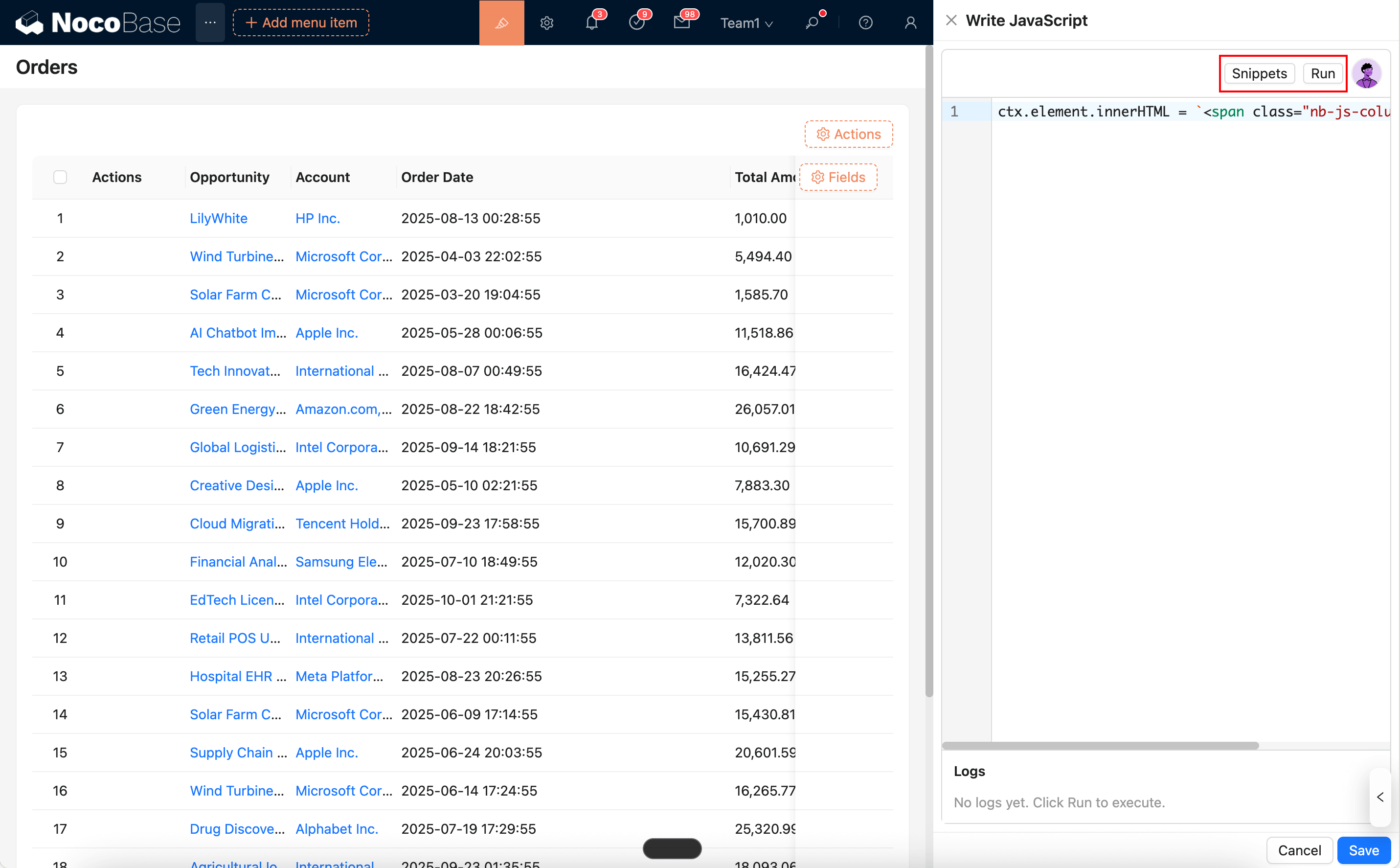
You can also use an AI Employee to generate code:
Common Usage
1) Basic Rendering (Reading the current row record)
2) Using JSX to Render React Components
3) Opening a Modal/Drawer from a Cell (View/Edit)
4) Loading Third-Party Libraries (AMD/UMD or ESM)
Notes
- It is recommended to use a trusted CDN for loading external libraries and to have a fallback for failure scenarios (e.g.,
if (!lib) return;). - It is recommended to use
classor[name=...]selectors instead of fixedids to prevent duplicateids across multiple blocks or modals. - Event Cleanup: Table rows can change dynamically with pagination or refresh, causing cells to re-render multiple times. You should clean up or deduplicate event listeners before binding them to avoid repeated triggers.
- Performance Tip: Avoid repeatedly loading large libraries in every cell. Instead, cache the library at a higher level (e.g., using a global or table-level variable) and reuse it.