logologo
  • Get Started
  • AI
  • Tutorials
  • Guide
  • Development
  • Plugins
  • API
  • Home
  • English
    • English
    • 简体中文
    • 日本語
    • Español
    • Português
    • Deutsch
    • Français
    • Русский
    • Bahasa Indonesia
    • Tiếng Việt
    • Overview
      Blocks
      Overview
      Data Blocks
      Table
      Form
      Details
      List
      Grid Card
      Chart
      Calendar
      Kanban
      Filter Blocks
      Form
      Tree
      Other Blocks
      Action Panel
      Iframe
      Markdown
      JS Block
      Block Settings
      Data Scope
      Layout
      Block Linkage Rules
      Field Linkage Rules
      Sorting Rules
      Drag-and-drop Sorting
      Block Deletion
      Block Title
      Form Drafts
      Block Height
      Form Drafts
      Fields
      Overview
      Generic Settings
      Table Column
      Detail Form Item
      Filter Form Item
      Form Item
      Specific Settings
      Date
      File Manager
      Sub-form
      Select
      Picker
      Cascade Select
      Sub-table
      Sub-detail
      Title
      JS Field
      JS Item
      JS Column
      JS Column
      Field Settings
      Default Value
      Field Label
      Show Label
      Field Tooltip
      Data Scope
      Field Component
      Number Format
      Pattern
      Required
      Title Field
      Validation Rules
      Association Field
      Actions
      Overview
      Action Settings
      Edit Button
      Double Check
      Assign Values
      Bind Workflow
      Edit Popup
      Action Linkage Rules
      Action Types
      Add New
      View
      Delete
      Edit
      Import
      Import Pro
      Export
      Export Pro
      Export Attachments
      Filter
      Link
      Custom Request
      Pop-up
      Refresh
      Submit
      Trigger Workflow
      Update Record
      Bulk Update
      Bulk Edit
      Add Child
      JS Action
      JS Action
      JS Item
      Action Permissions
      Advanced
      Linkage Rules
      Event Flow
      Variables
      RunJS
      UI Templates

      #Edit Tooltip

      #Introduction

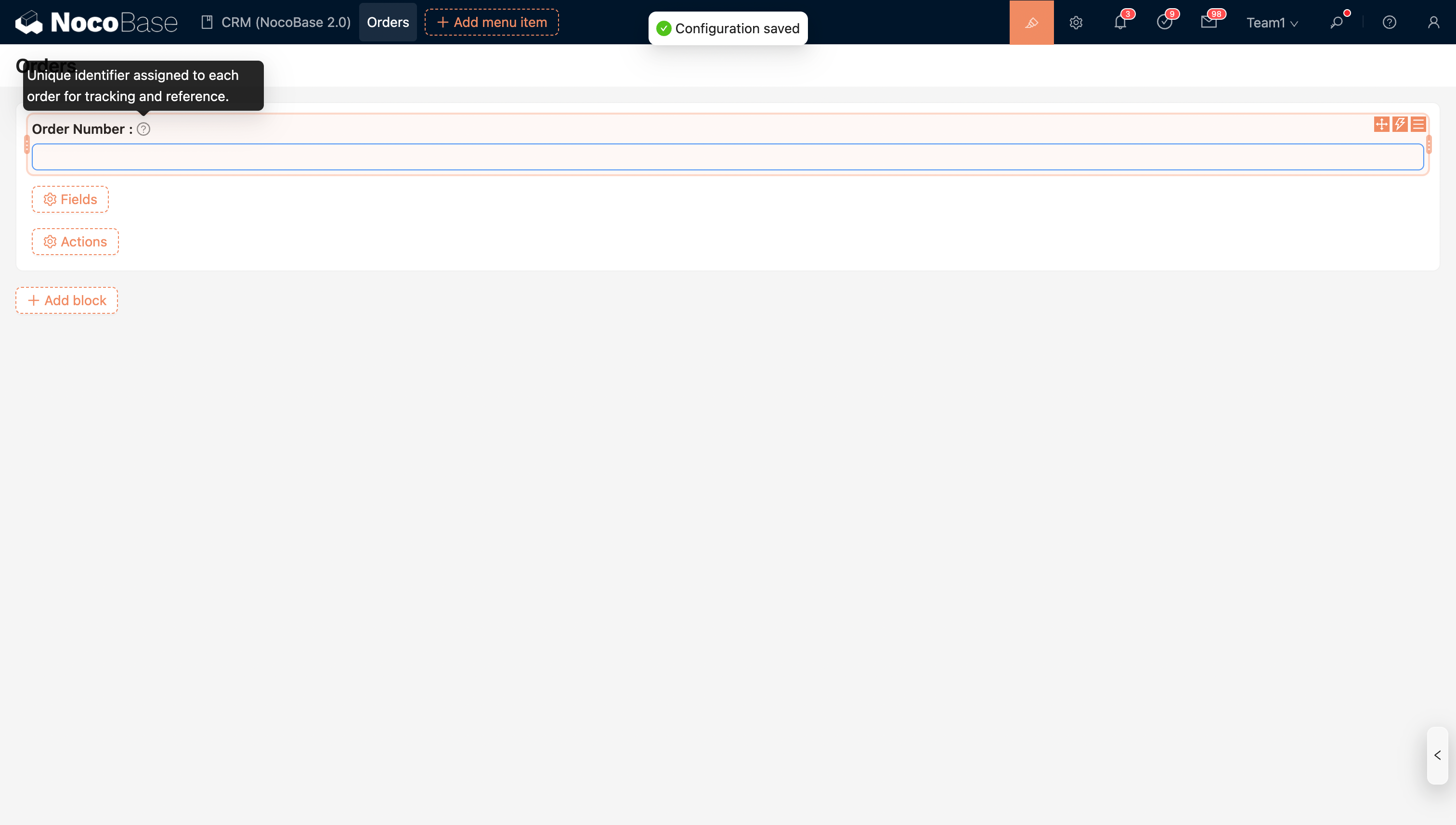
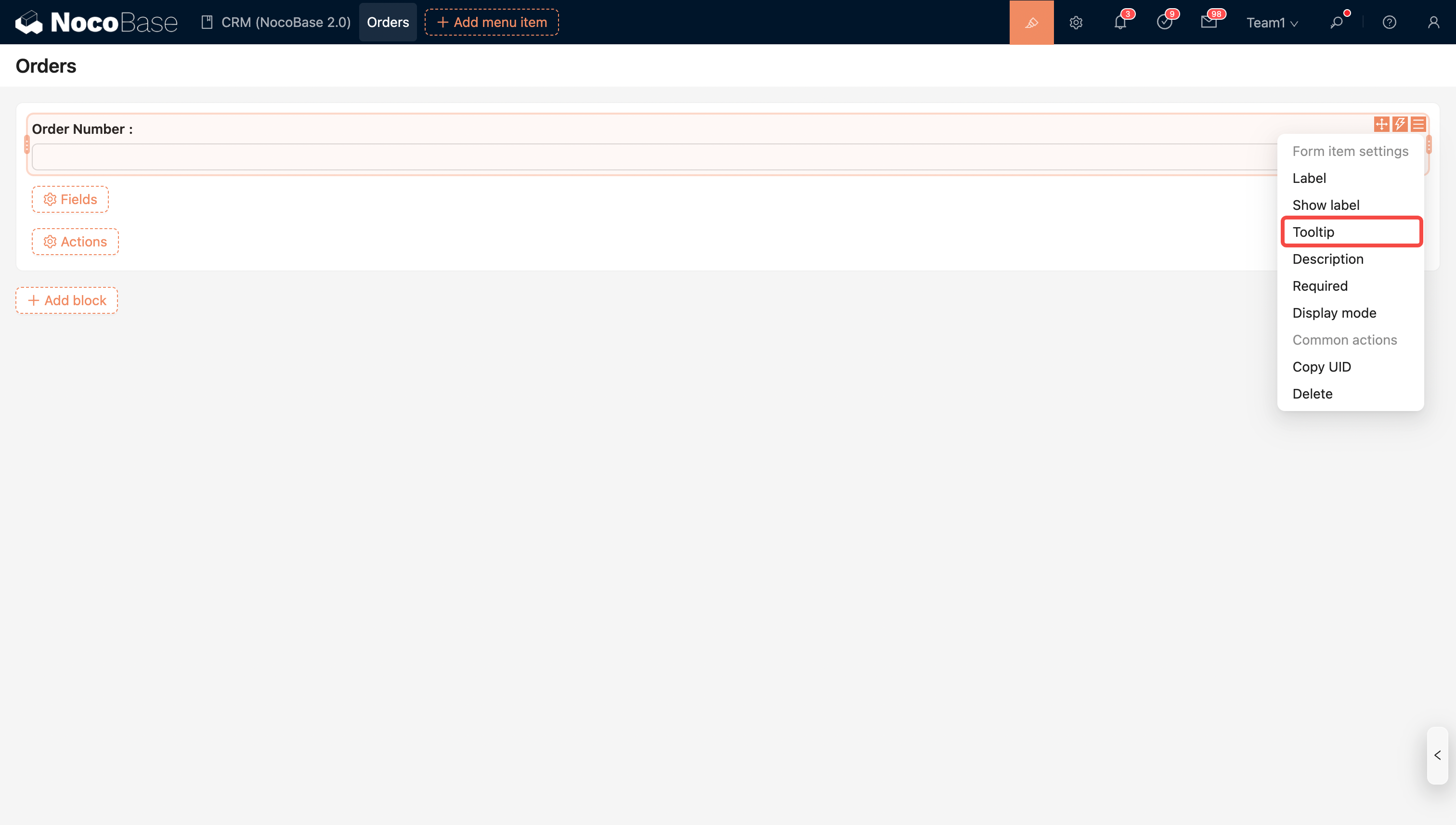
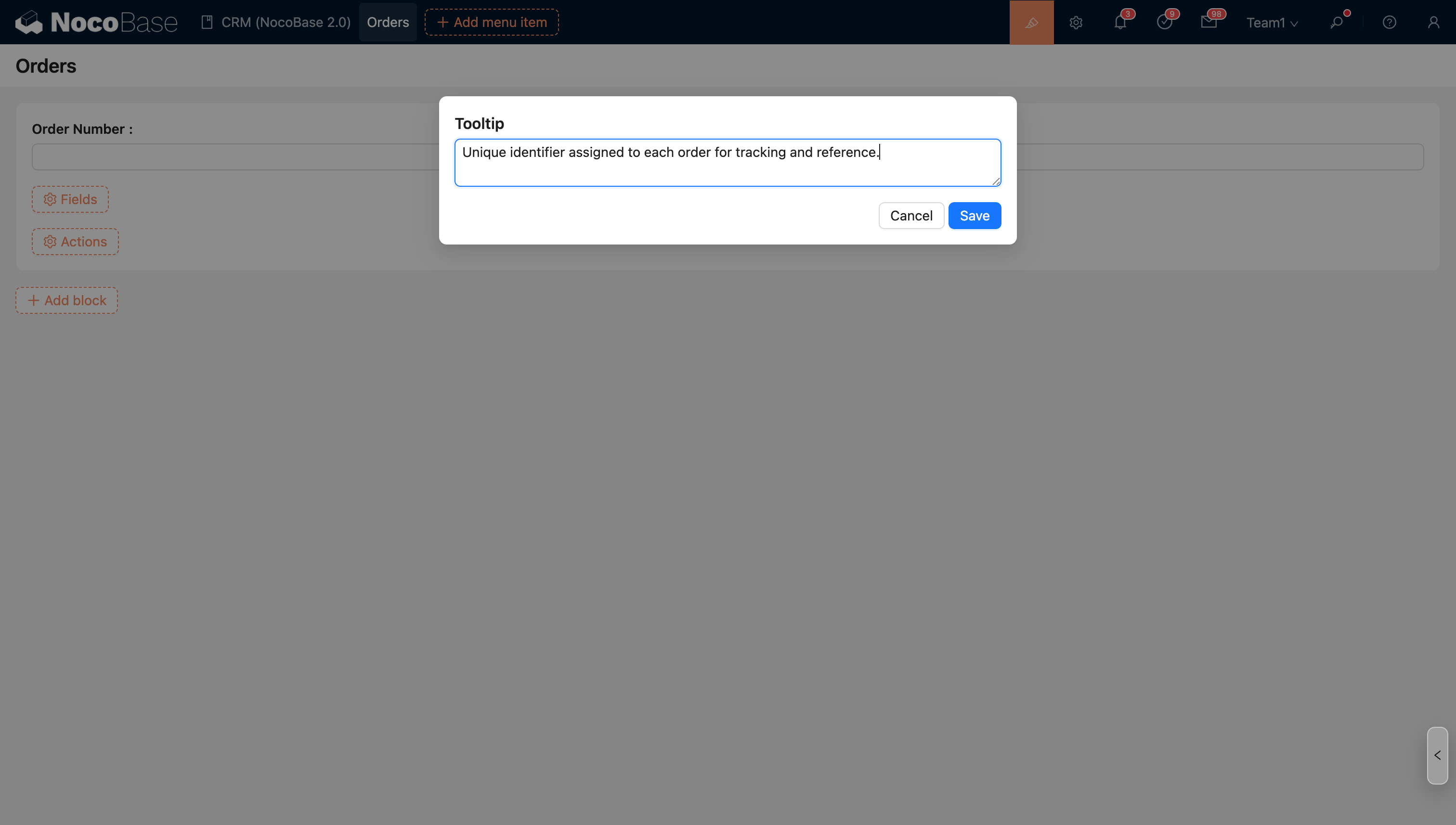
      A field tooltip is the text that appears when you hover over a field, designed to provide additional explanation or guidance about that field. These tooltips usually include information such as the field's purpose, input format, and constraints, helping users to better understand and use the field.
      20251028210852

      20251028211127

      20251028211144

      Previous pageShow LabelNext pageData Scope
      ON THIS PAGE
      Introduction