

Action Linkage Rules
Introduction
Action linkage rules allow users to dynamically control the state of an action (such as show, enable, hide, disable, etc.) based on specific conditions. By configuring these rules, users can link the behavior of action buttons to the current record, user role, or contextual data.
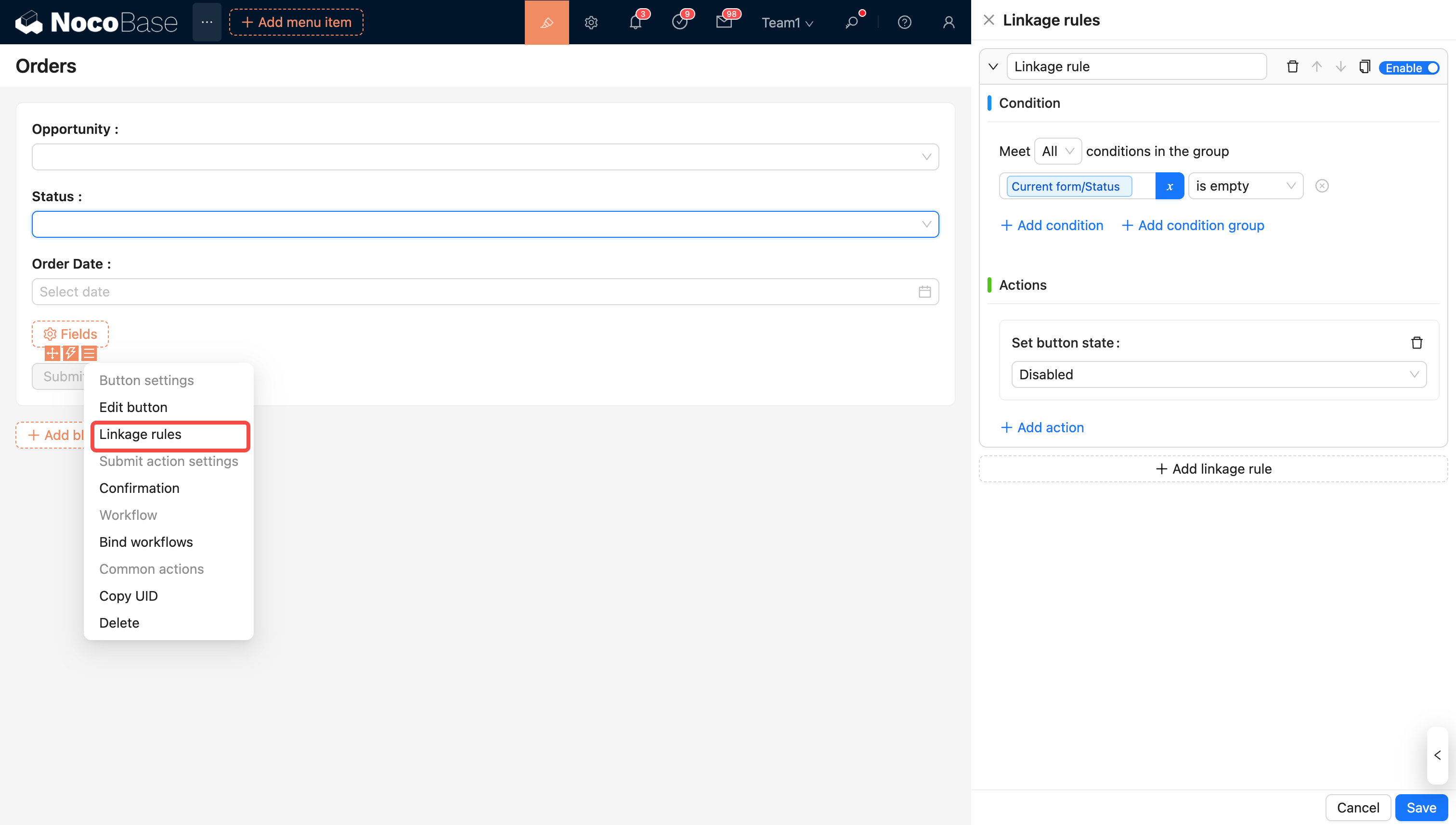
How to Use
When the condition is met (it passes by default if no condition is set), it triggers the execution of property settings or JavaScript. Constants and variables are supported in the conditional judgment.
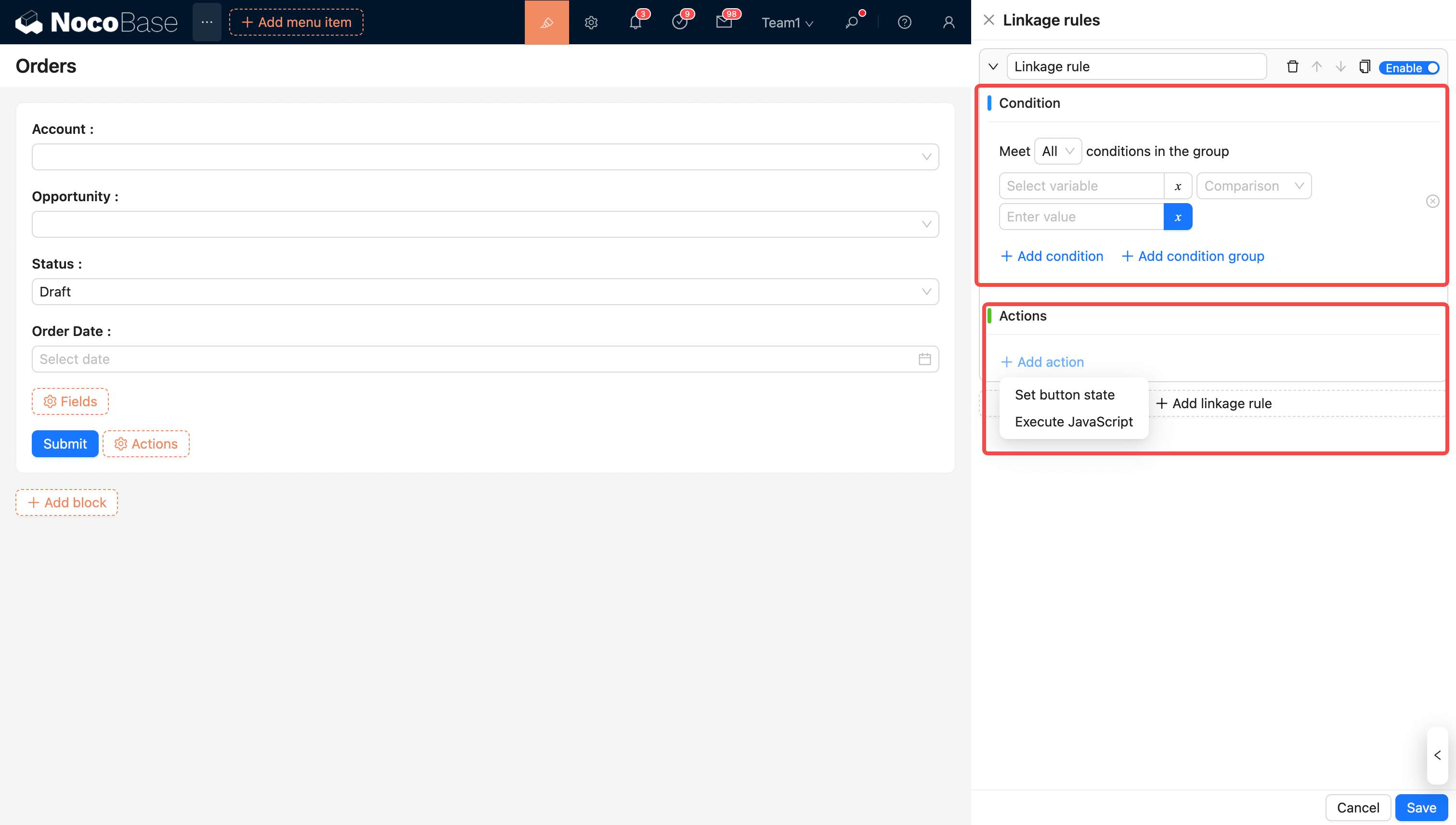
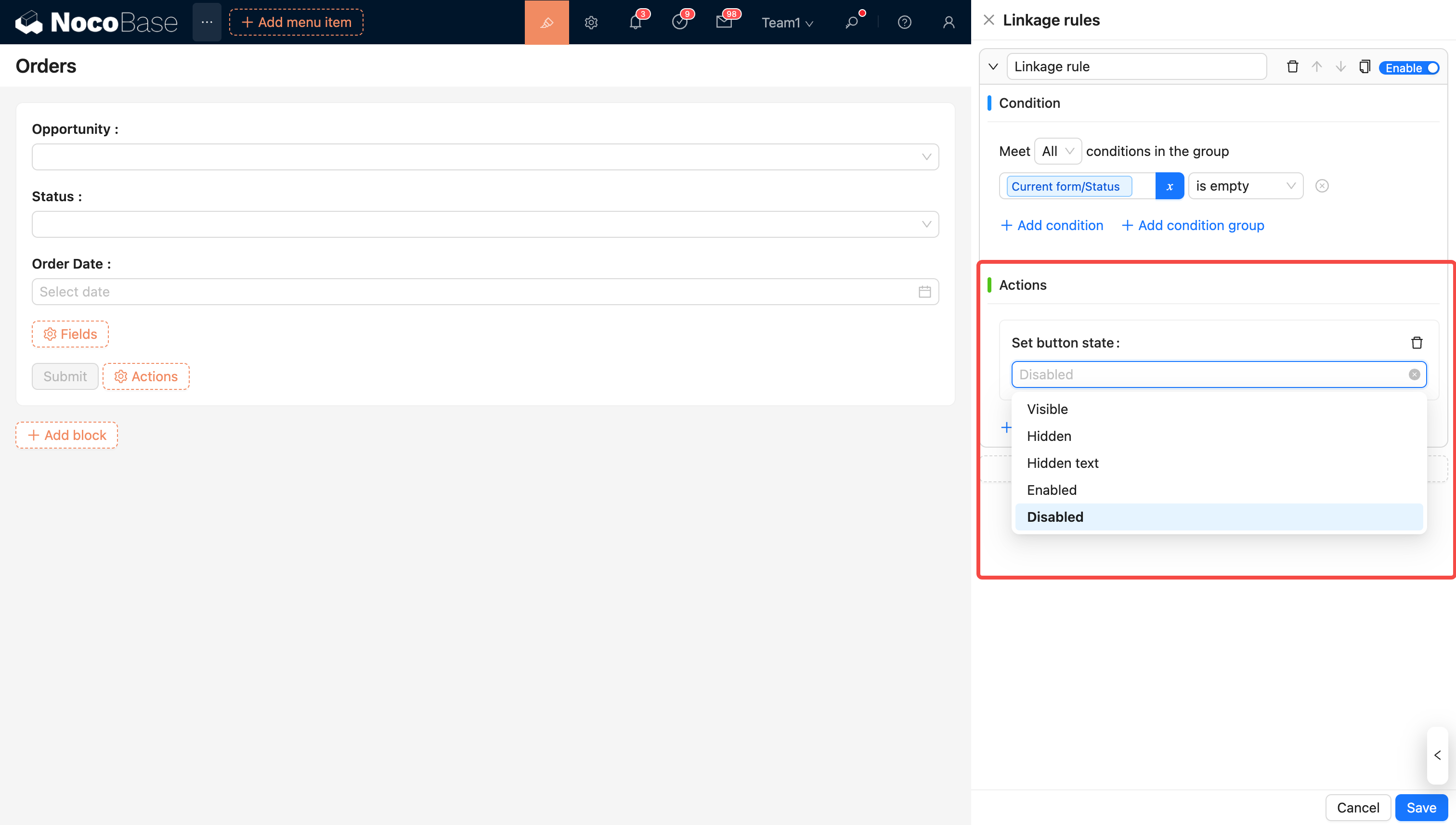
The rule supports modifying button properties.
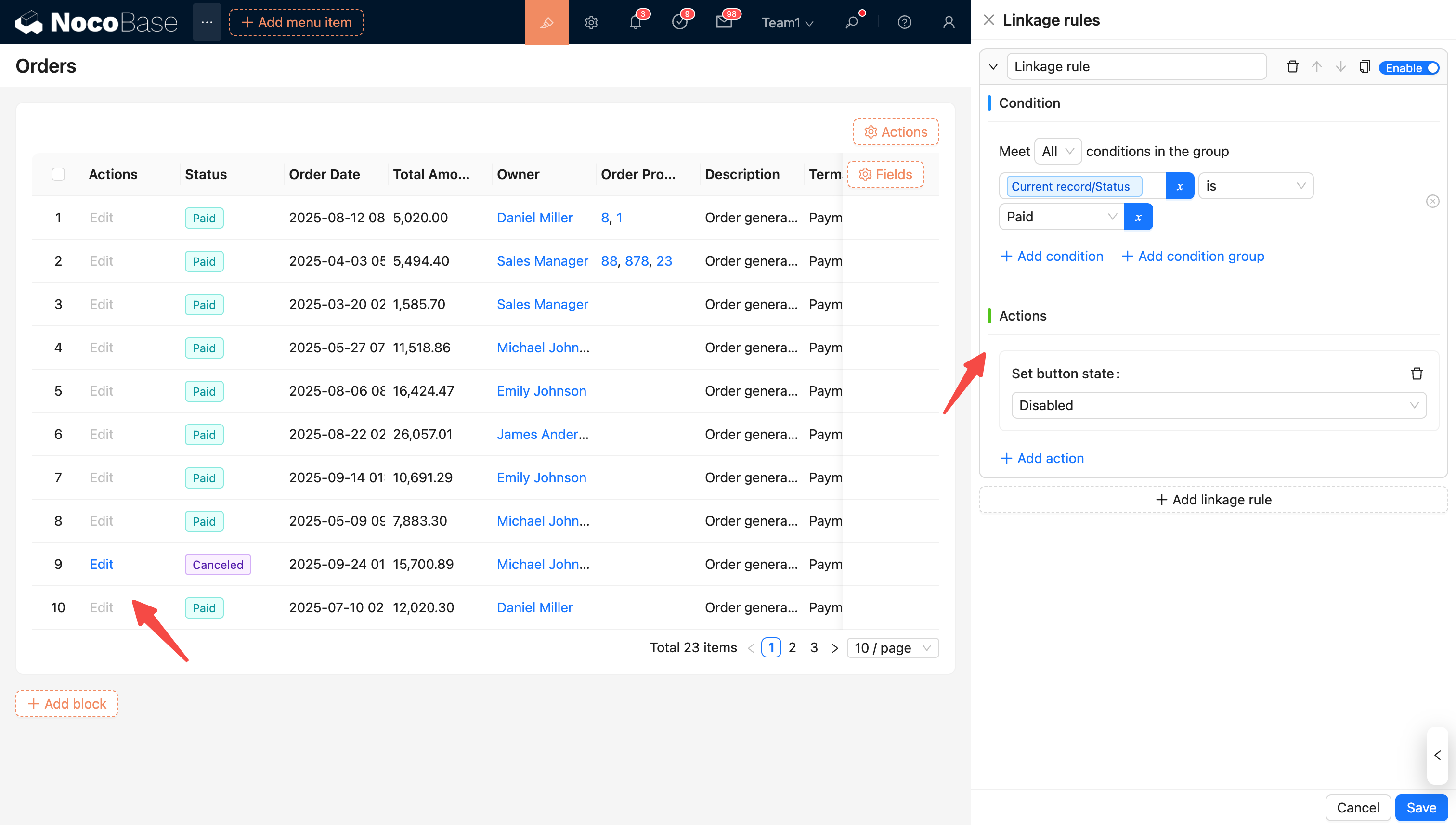
Constants
Example: Paid orders cannot be edited.
Variables
System Variables
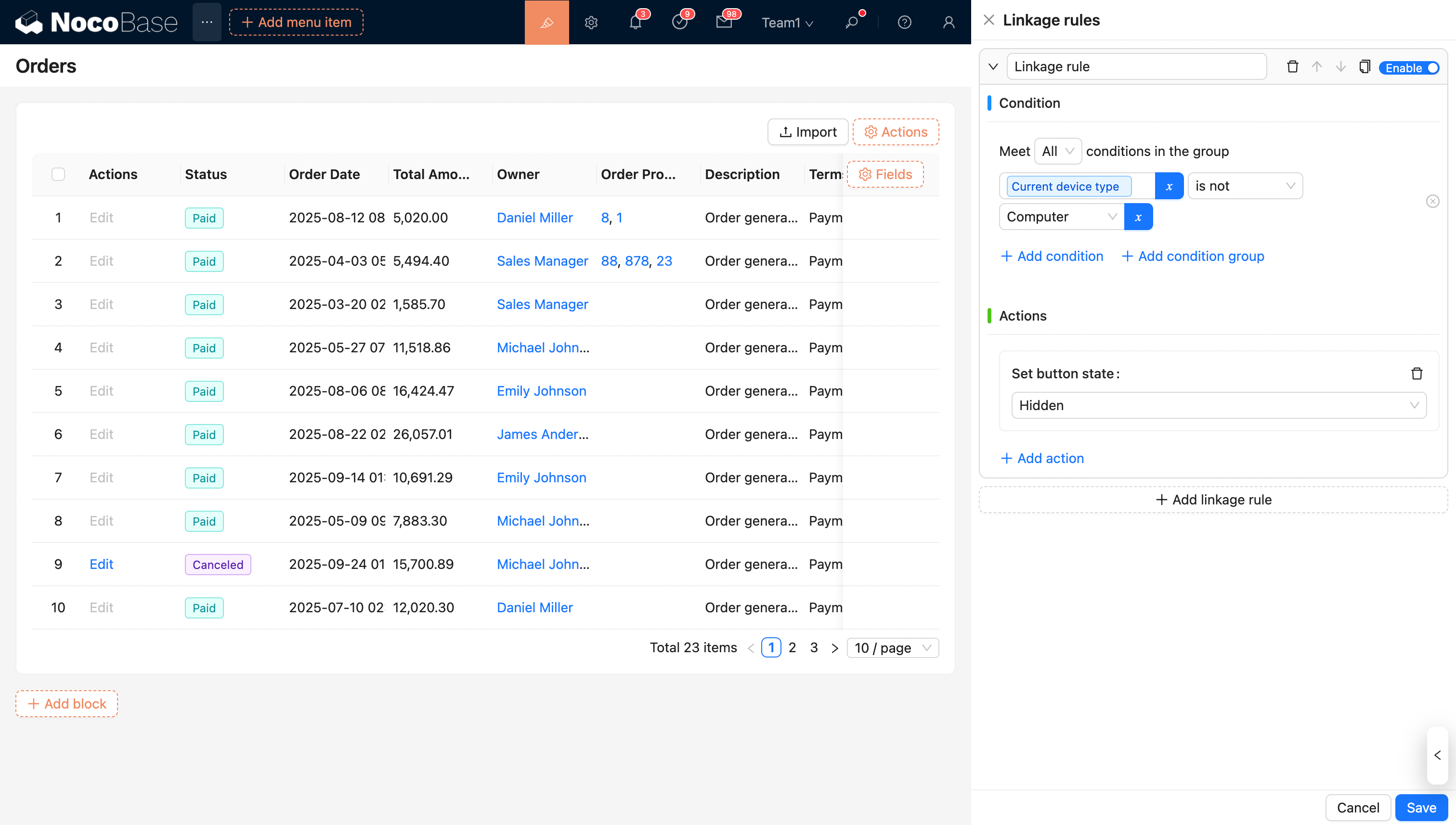
Example 1: Control the visibility of a button based on the current device type.
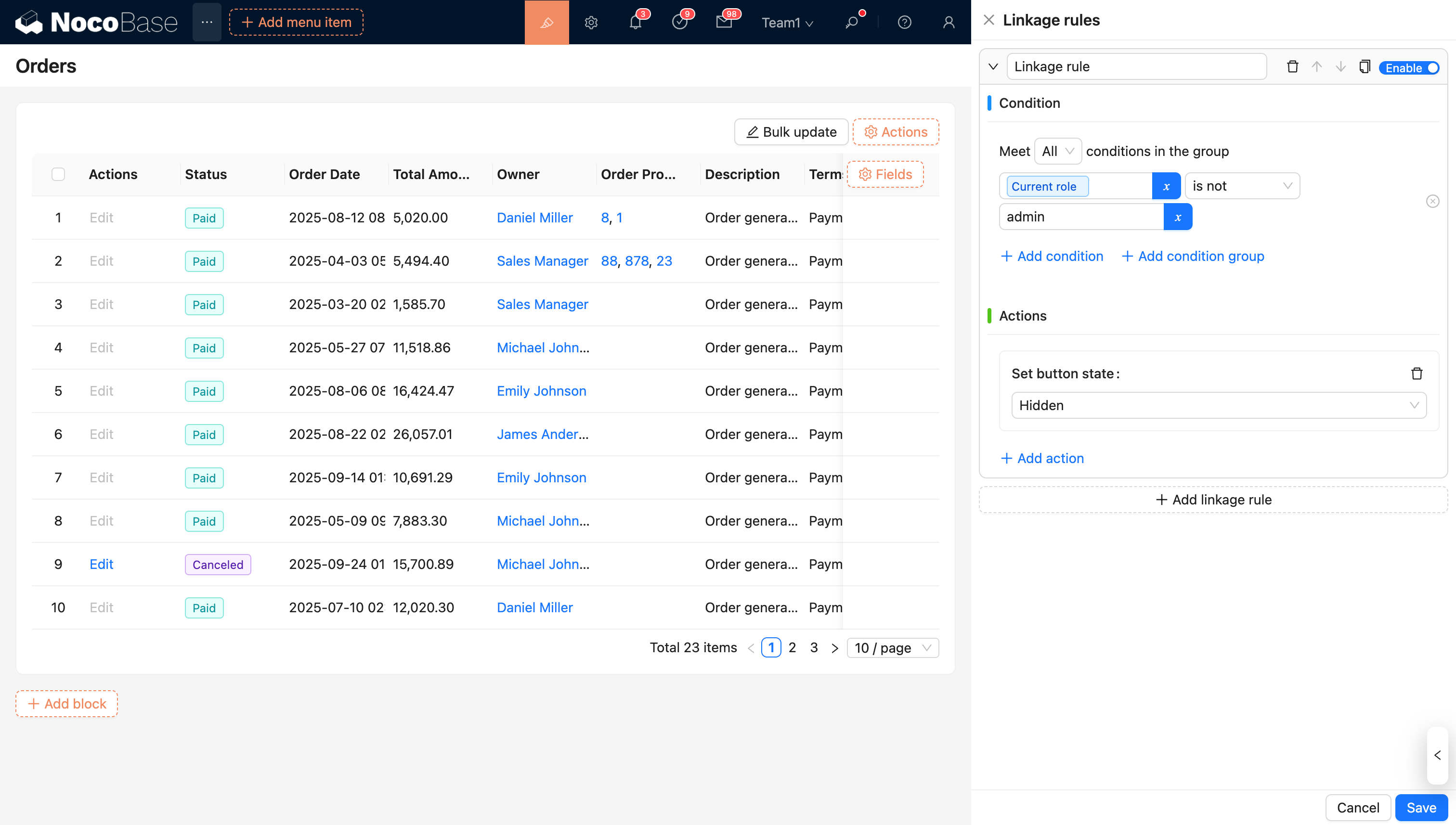
Example 2: The bulk update button in the header of the orders block table is only available to the Admin role; other roles cannot perform this action.
Contextual Variables
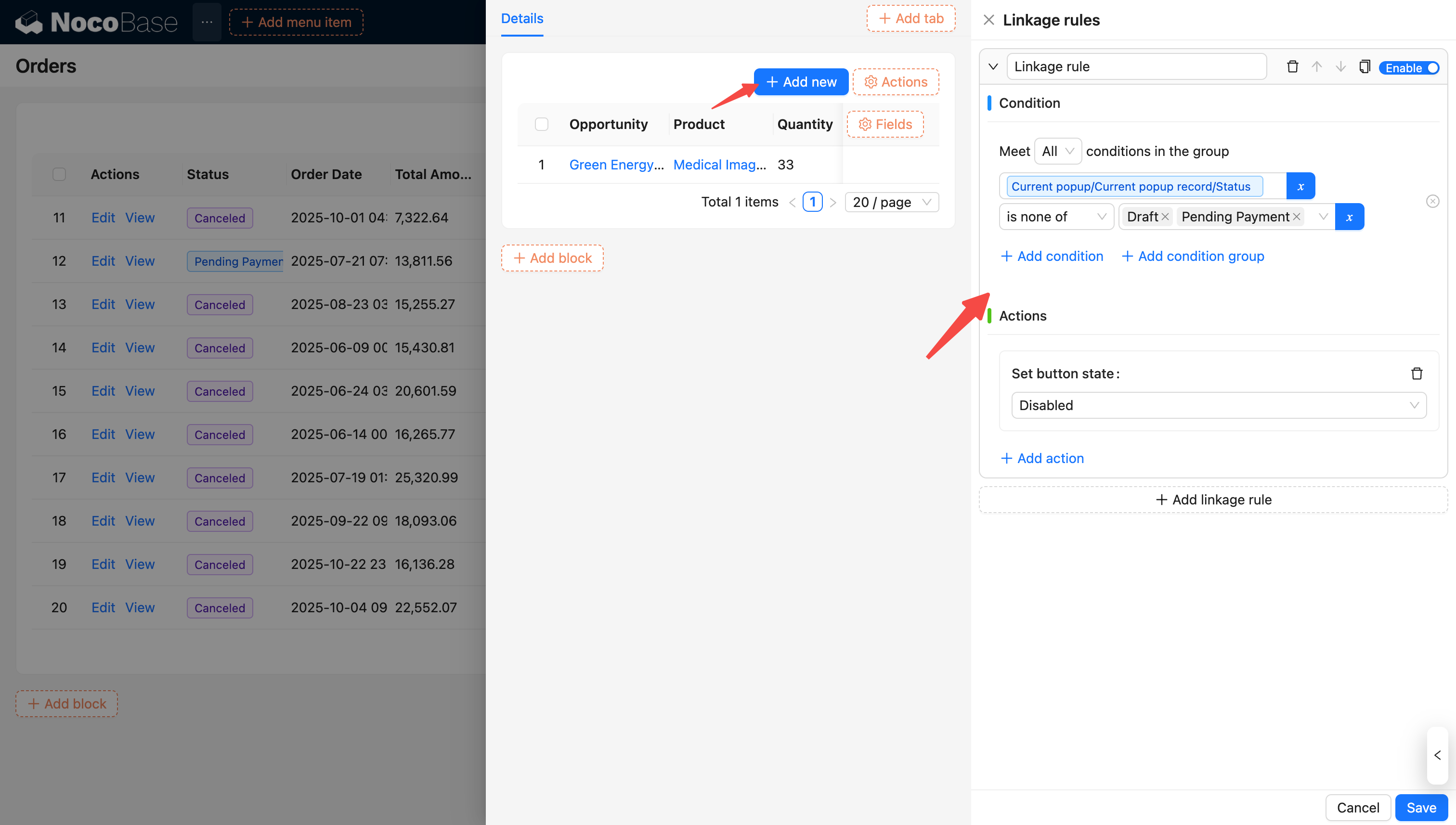
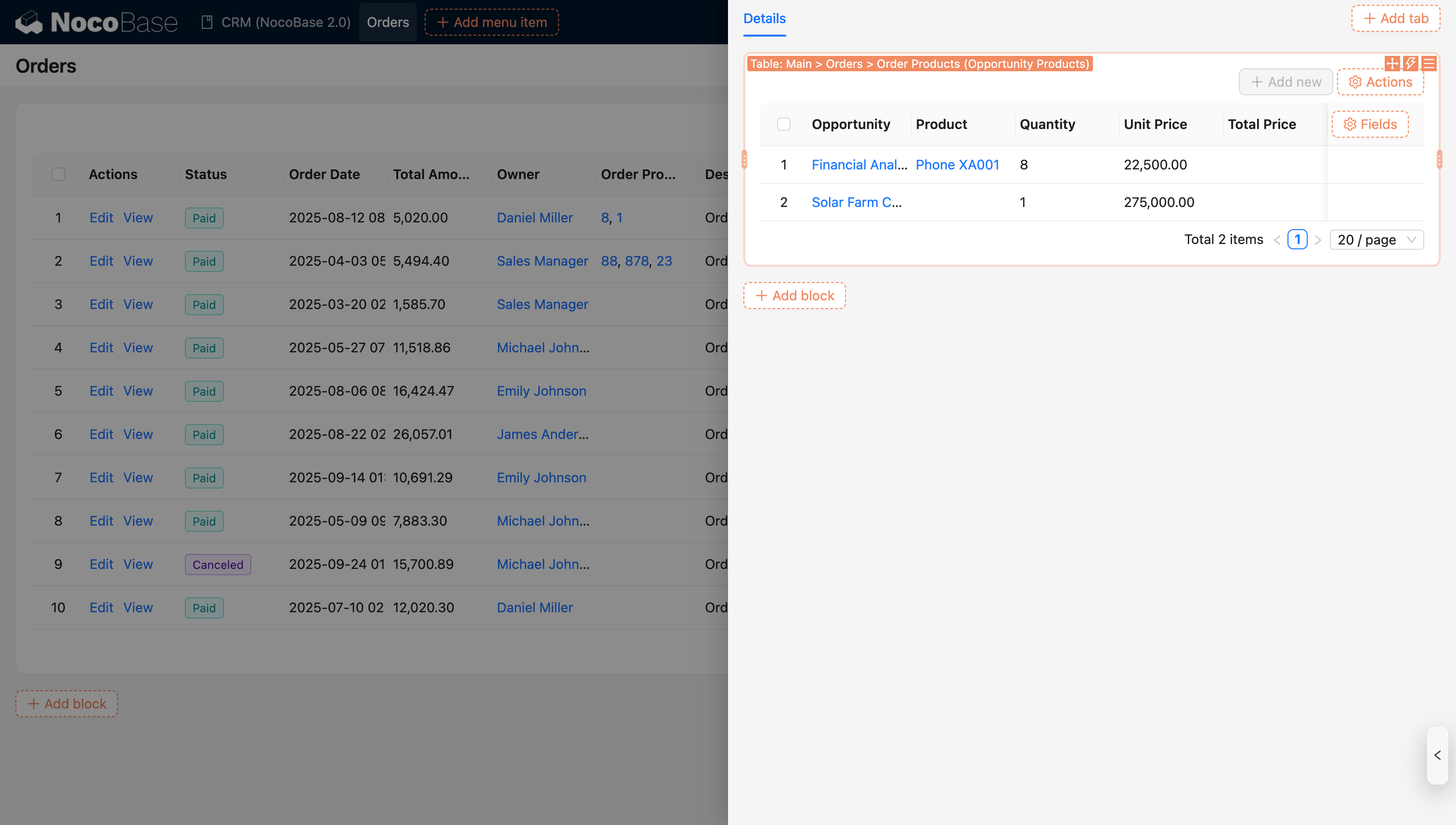
Example: The Add button on the order opportunities (association block) is only enabled when the order status is "Pending Payment" or "Draft". In other statuses, the button will be disabled.
For more information on variables, see Variables.