

Block Linkage Rules
Introduction
Block linkage rules allow users to dynamically control the display of blocks, managing the presentation of elements at the block level. As blocks serve as containers for fields and action buttons, these rules enable users to flexibly control the display of the entire view from the block dimension.
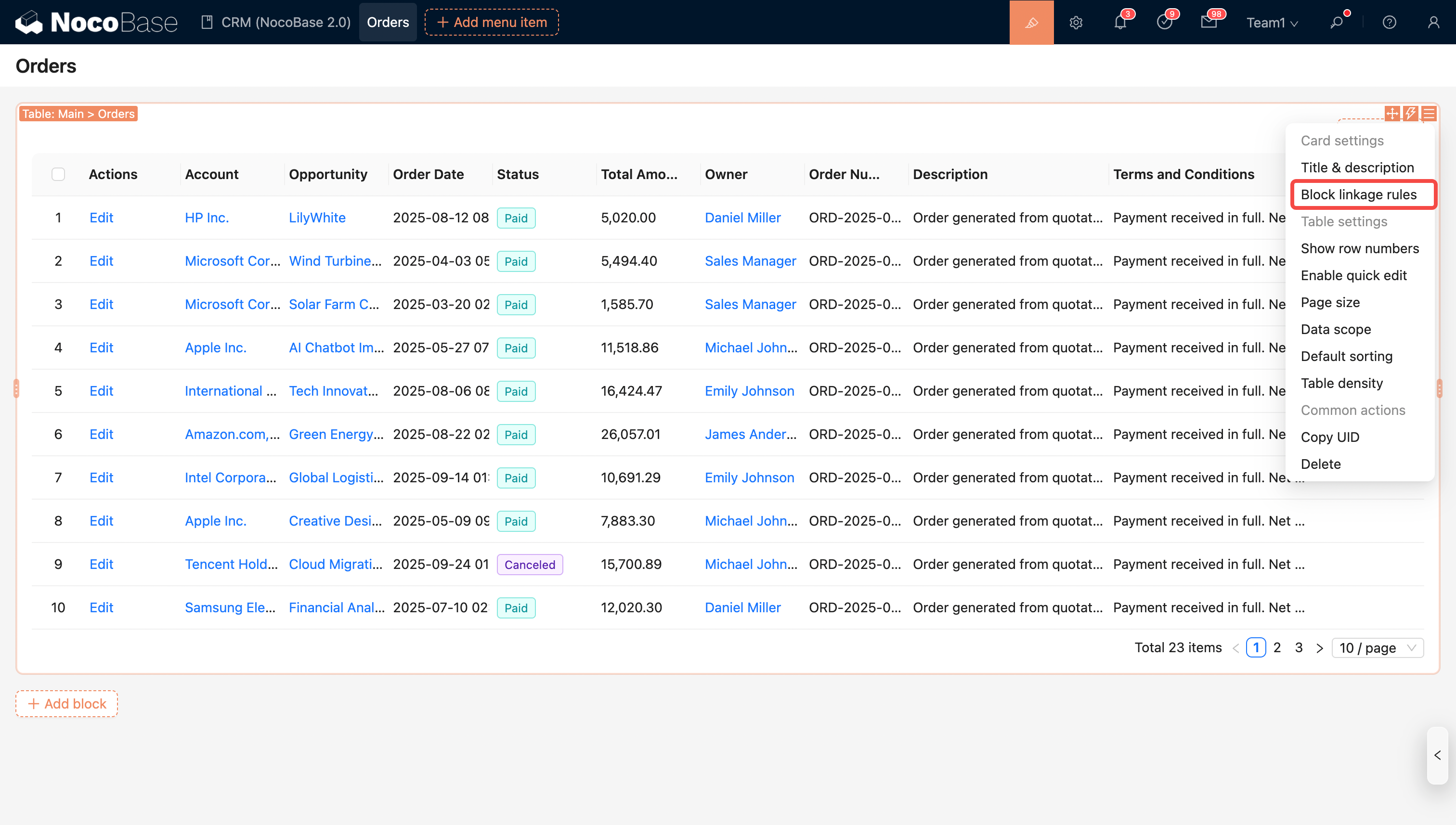
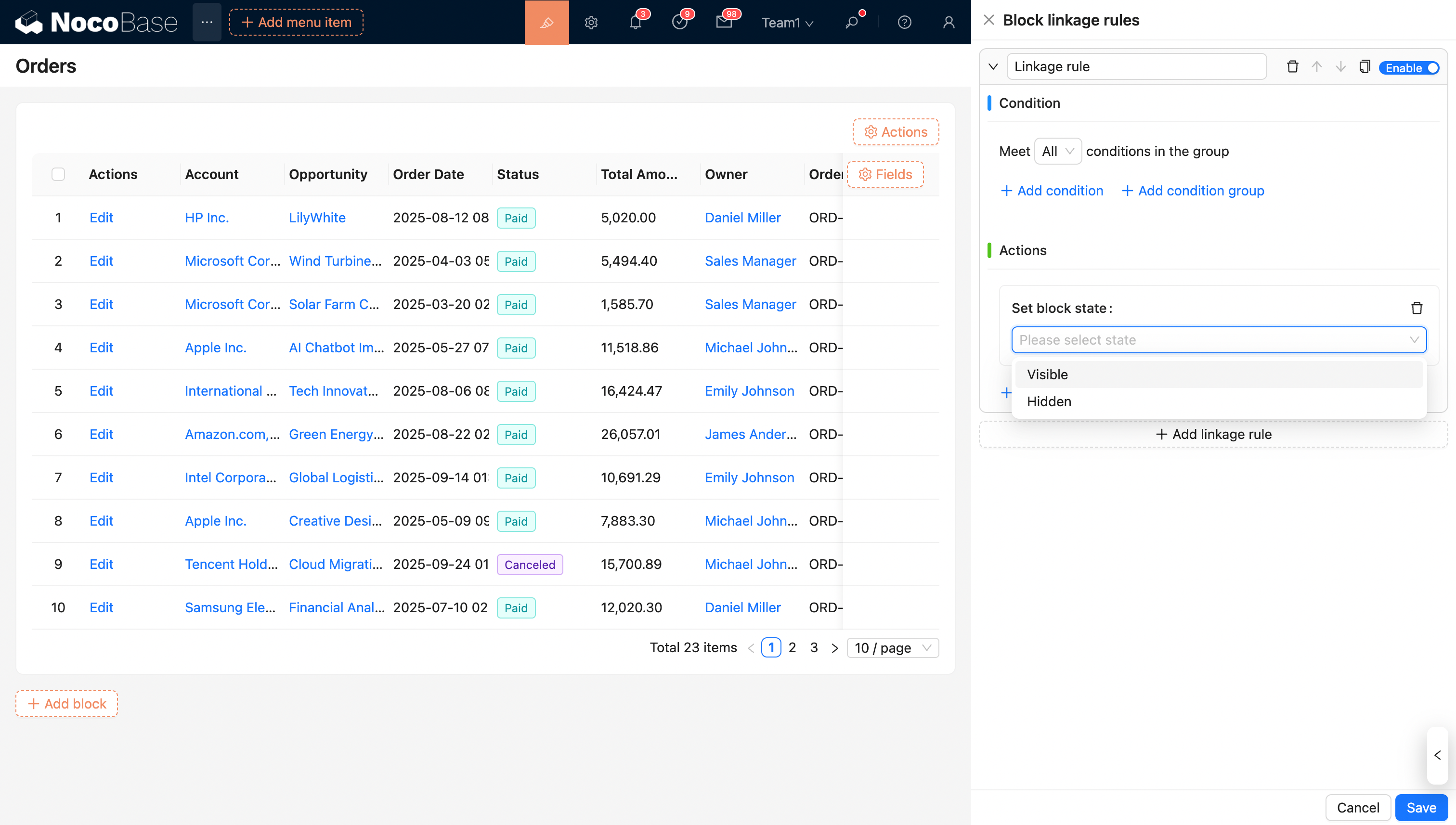
Note: Before executing block linkage rules, the block's display must first undergo an ACL permission check. Only when a user has the corresponding access permissions will the logic for the block linkage rules be evaluated. In other words, block linkage rules only take effect after the ACL view permission requirements are met. If there are no block linkage rules, the block is displayed by default.
Controlling Blocks with Global Variables
Block linkage rules support the use of global variables to dynamically control the content displayed in blocks, allowing users with different roles and permissions to see and interact with customized data views. For example, in an order management system, although different roles (such as administrators, sales staff, and finance personnel) all have permission to view orders, the fields and action buttons each role needs to see may differ. By configuring global variables, you can flexibly adjust the displayed fields, action buttons, and even data sorting and filtering rules based on the user's role, permissions, or other conditions.
Specific Use Cases:
- Role and Permission Control: Control the visibility or editability of certain fields based on the permissions of different roles. For example, sales staff can only view basic order information, while finance personnel can view payment details.
- Personalized Views: Customize different block views for different departments or teams, ensuring that each user only sees content relevant to their work, thereby improving efficiency.
- Action Permission Management: Control the display of action buttons using global variables. For example, some roles may only be able to view data, while others can perform actions like modifying or deleting.
Controlling Blocks with Contextual Variables
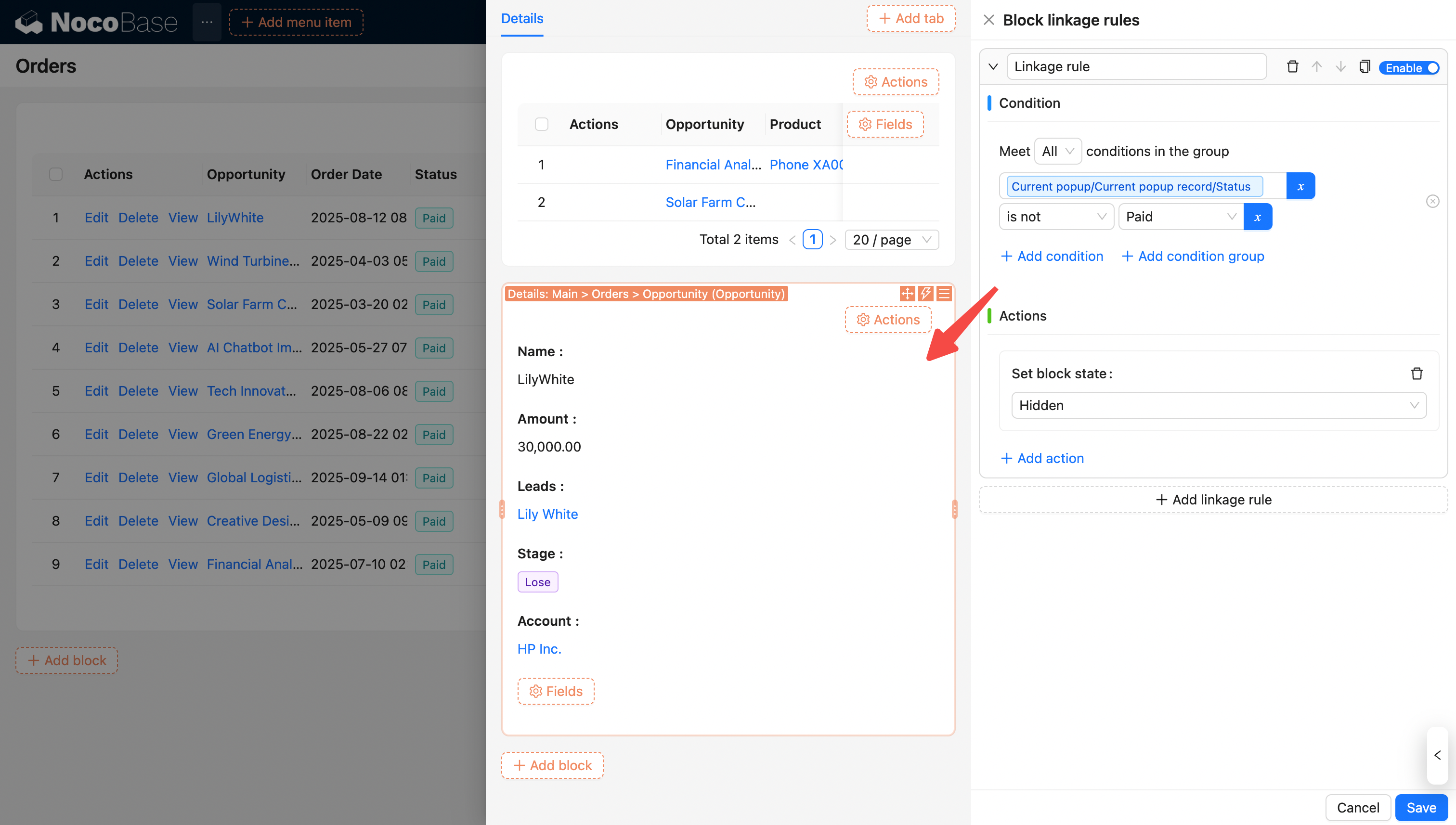
Blocks can also be controlled by variables in the context. For example, you can use contextual variables like "Current record", "Current form", and "Current popup record" to dynamically show or hide blocks.
Example: The "Order Opportunity Information" block is displayed only when the order status is "Paid".
For more information on linkage rules, see Linkage Rules.