

Custom request
Introduction
When you need to call external APIs or third-party services in a flow, you can use Custom request to trigger a custom HTTP request. Common scenarios include:
- Calling external system APIs, such as CRM or AI services
- Retrieving remote data and processing it in subsequent flow steps
- Pushing data to third-party systems, such as webhooks or notification services
- Triggering internal or external service automation flows
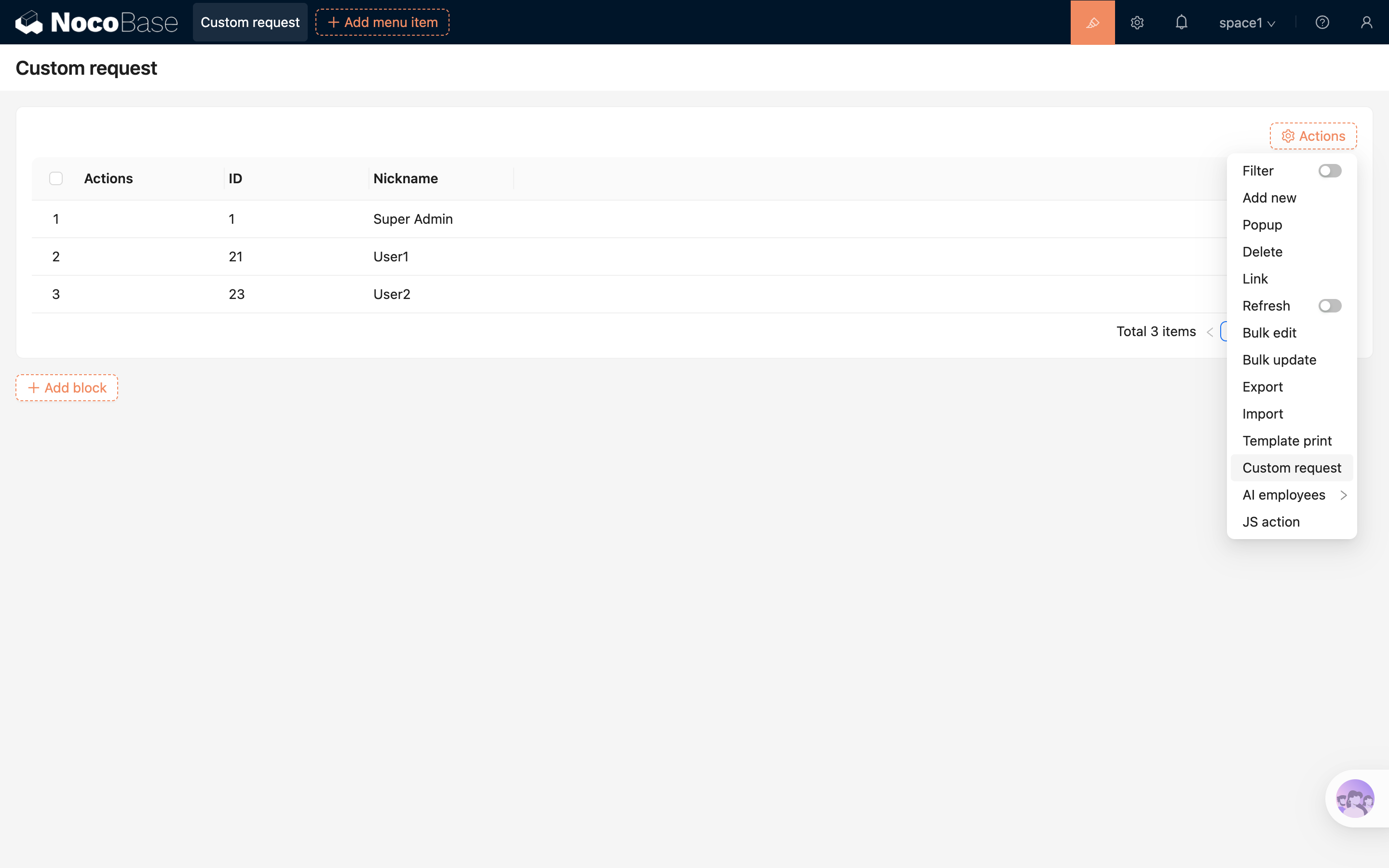
Action Settings
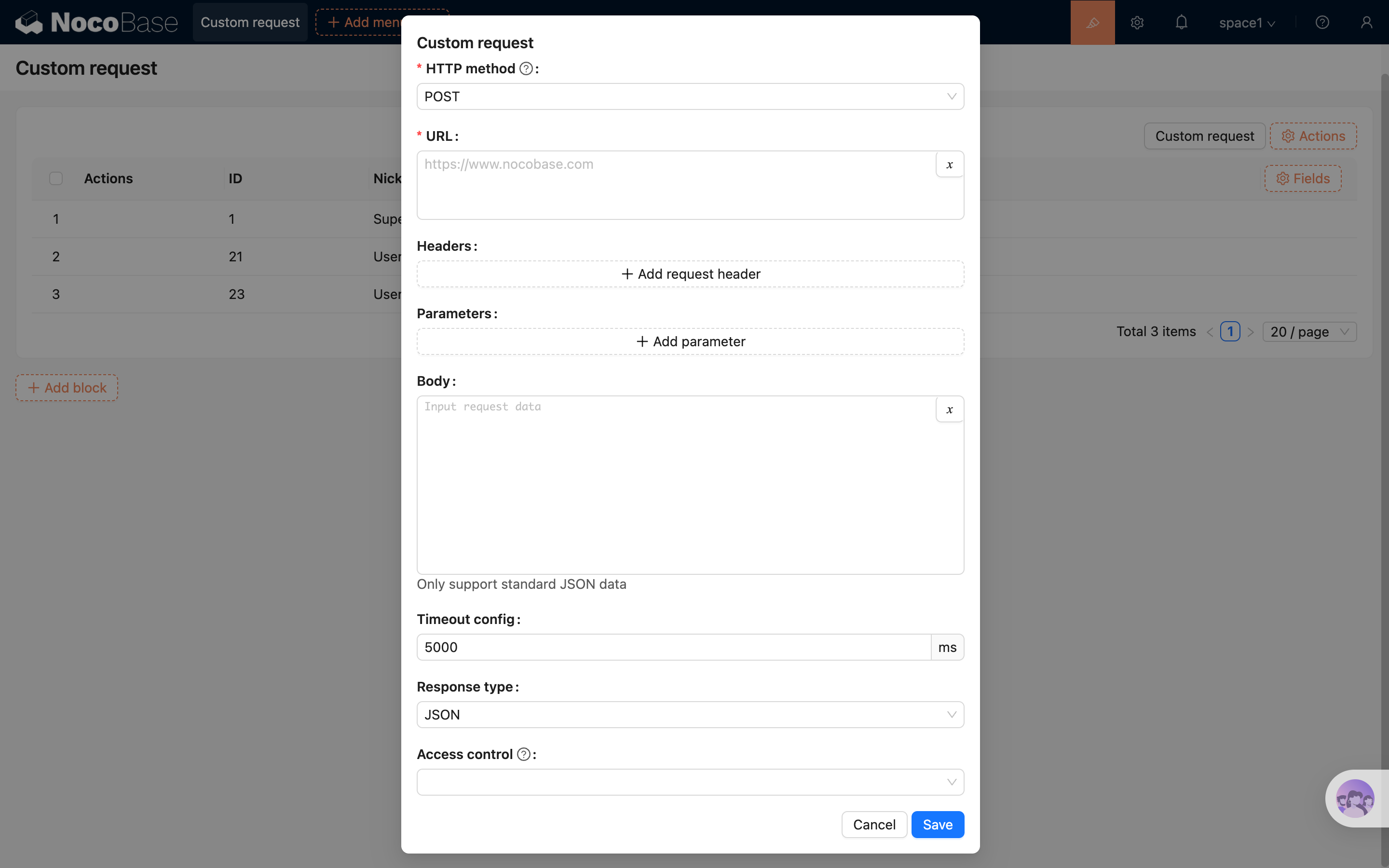
In Button settings -> Custom request, you can configure the following:
- HTTP method: The HTTP request method, such as GET, POST, PUT, or DELETE.
- URL: The target request URL. You can enter a full endpoint URL or dynamically compose it with variables.
- Headers: Request headers used to pass authentication information or API-specific settings, such as Authorization or Content-Type.
- Parameters: URL query parameters, typically used for GET requests.
- Body: The request payload, typically used for POST or PUT requests. You can provide JSON, form data, and so on.
- Timeout config: The request timeout setting, used to limit the maximum waiting time and avoid blocking the flow for too long.
- Response type: The response data type returned by the request.
- JSON: The API returns JSON data. The response result will be injected into the flow context and can be accessed in subsequent steps through
ctx.steps. - Stream: The API returns a data stream. After the request succeeds, the file download will be triggered automatically.
- Access control: Used to restrict which roles can trigger this request step and ensure the security of API calls.
Other Action Settings
In addition to request settings, the custom request button also supports these common configurations:
- Edit button: Configure the button title, style, icon, and more;
- Action linkage rule: Dynamically control the visibility and disabled state of the button;
- Double check: Show a confirmation dialog before the request is actually sent;