Sub-form
Introduction
Sub-forms are suitable for scenarios where you create new associated data before linking it. Multi-level associated data is clearly displayed as a nested form. Compared to the Data Selector and Dropdown components, a sub-form allows you to directly manage the fields of the associated collection within the current page block, and the associated data is submitted along with the main form.
Usage
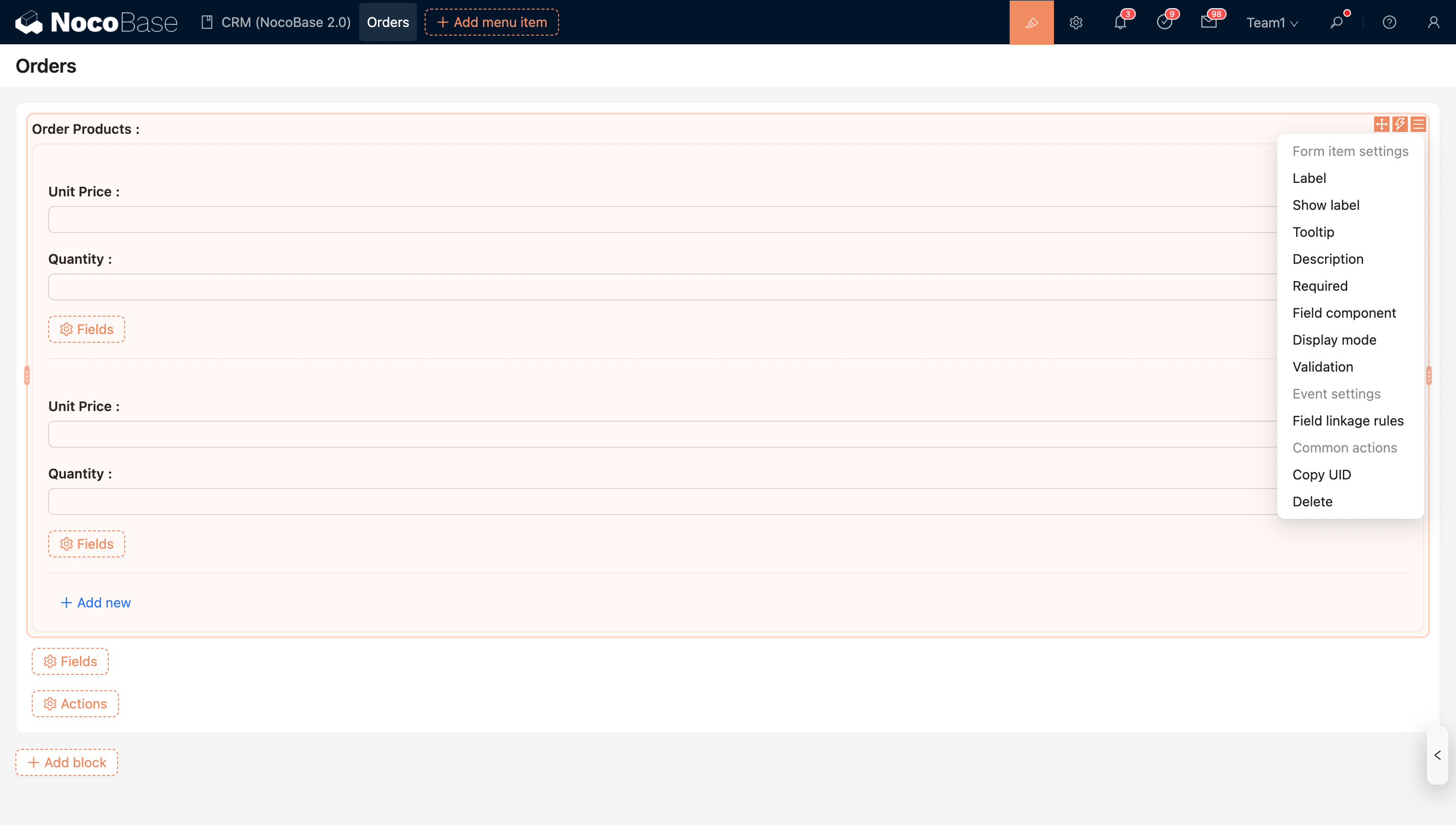
Sub-form for to-many association fields
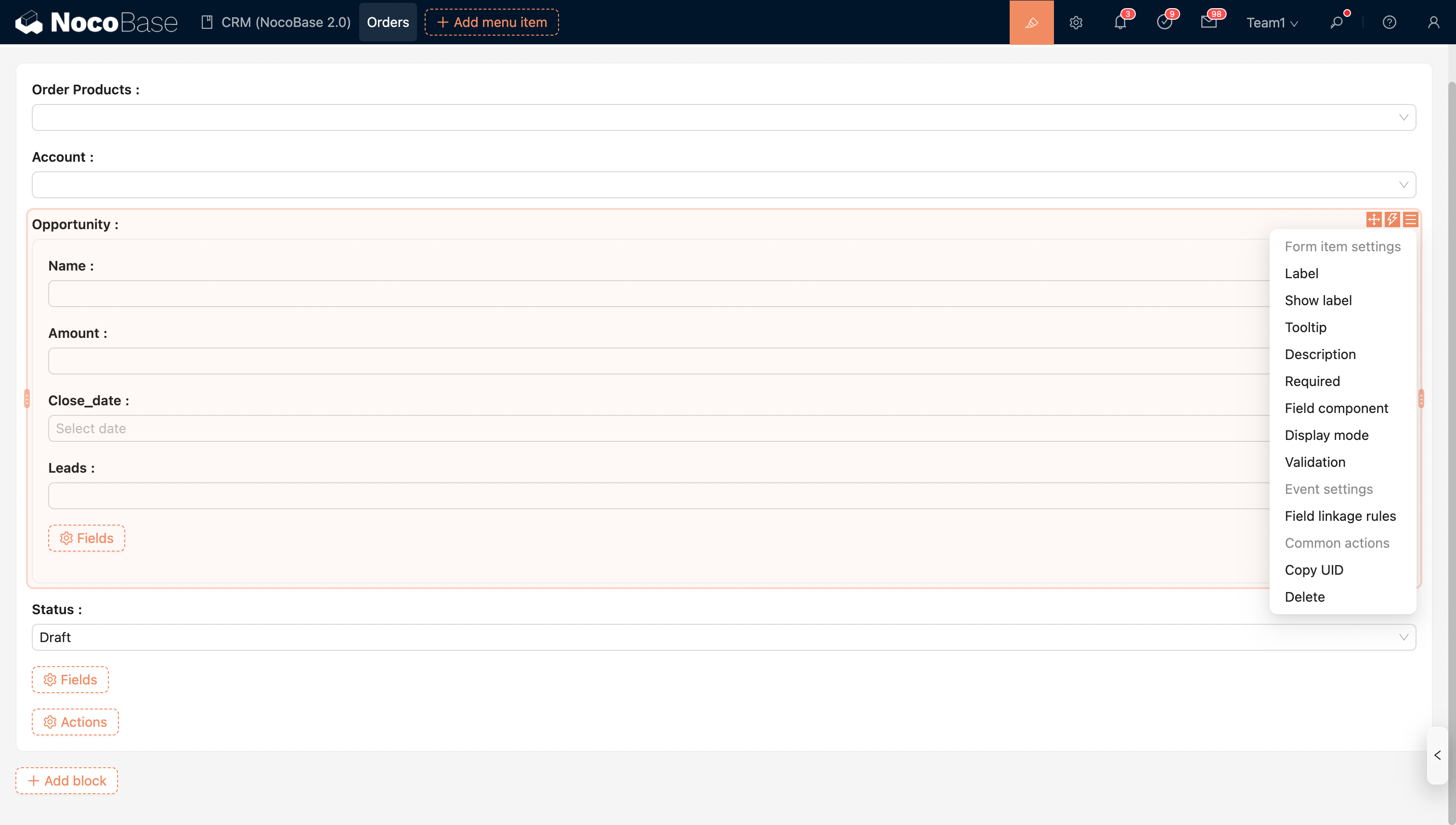
Sub-form for to-one association fields
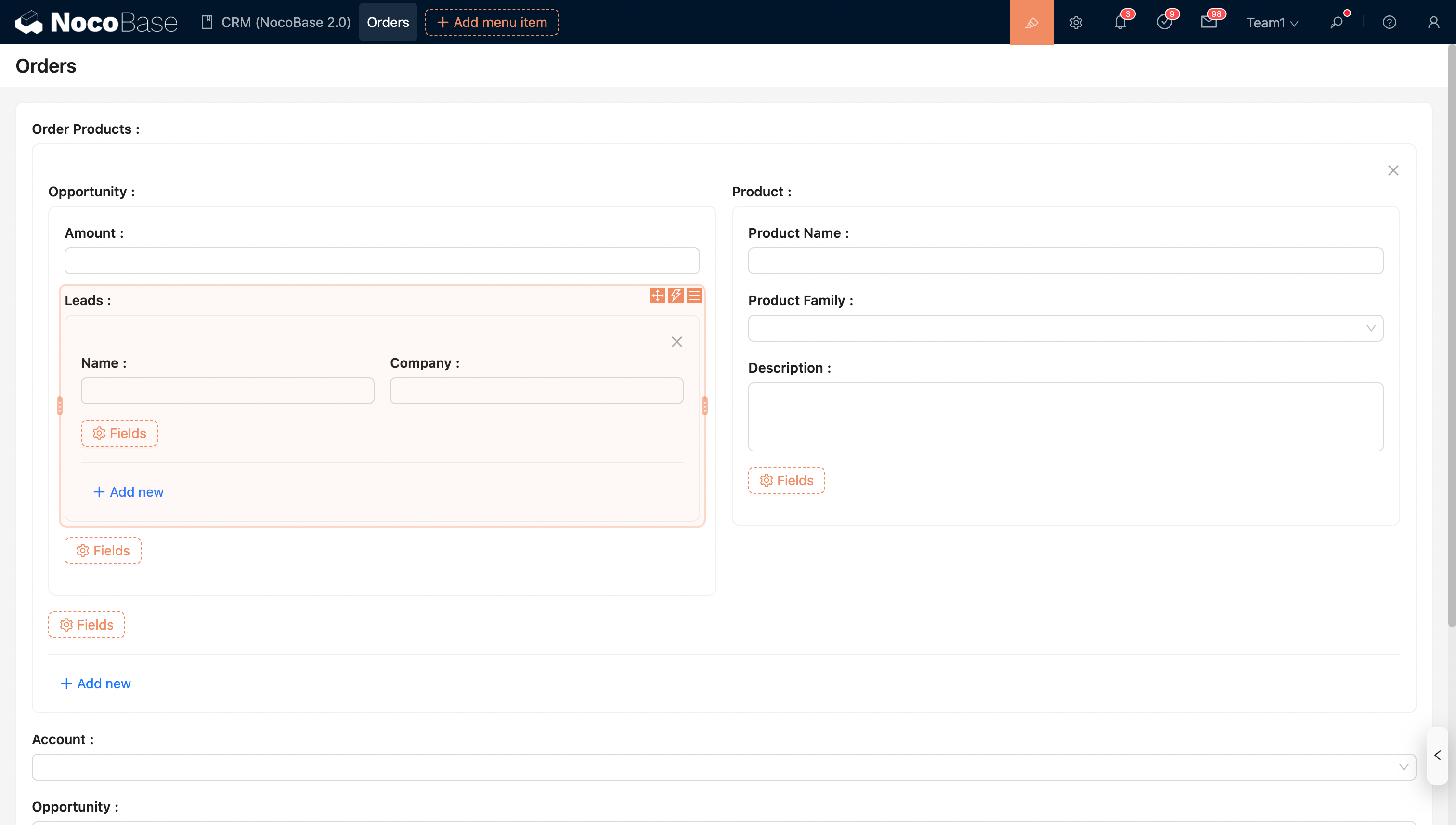
Supports nested configuration for multi-level association fields.
Field Configuration Options
Field Component
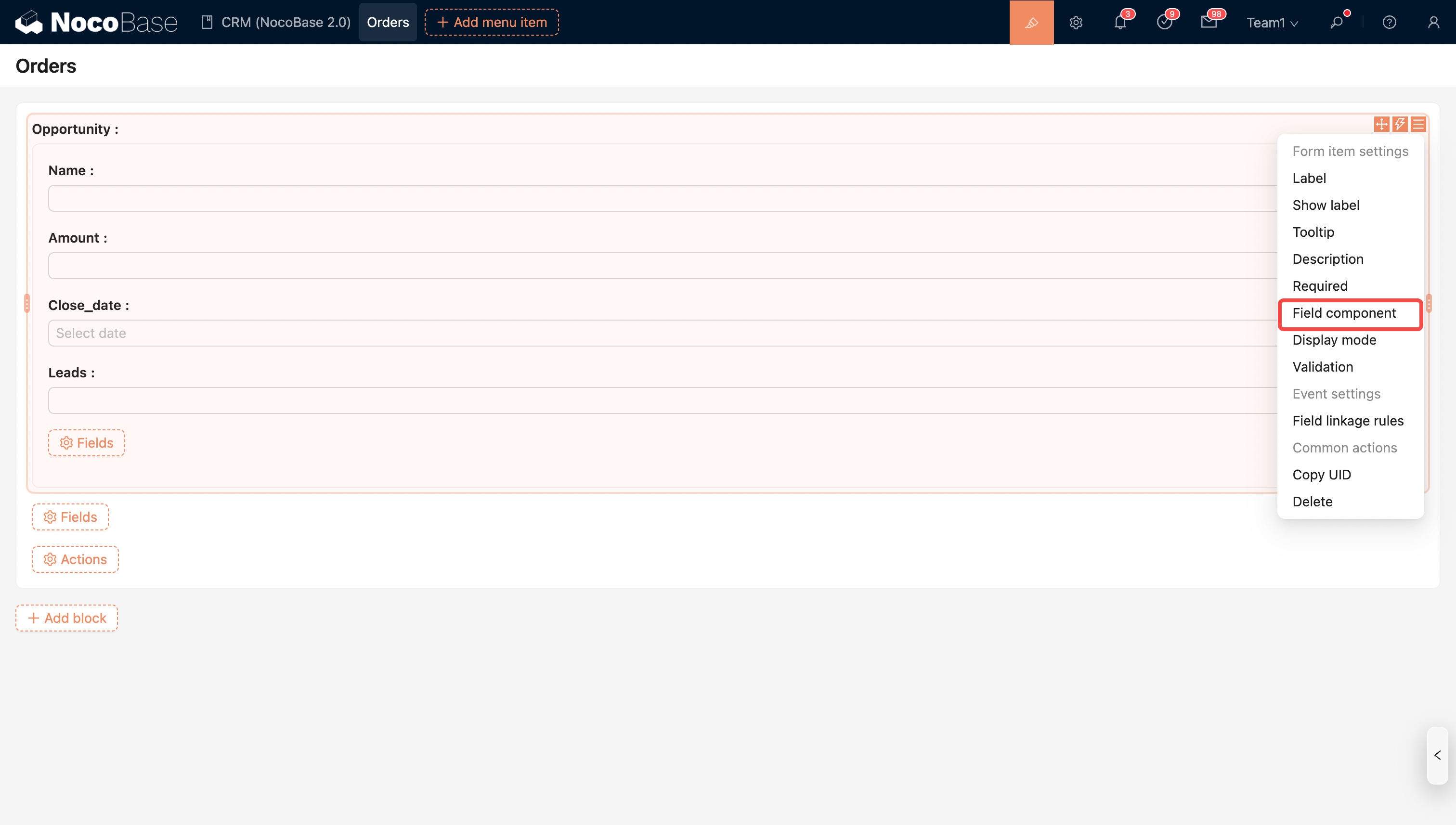
Field Component: Switch to other association field components, such as Dropdown, Data Selector, etc.
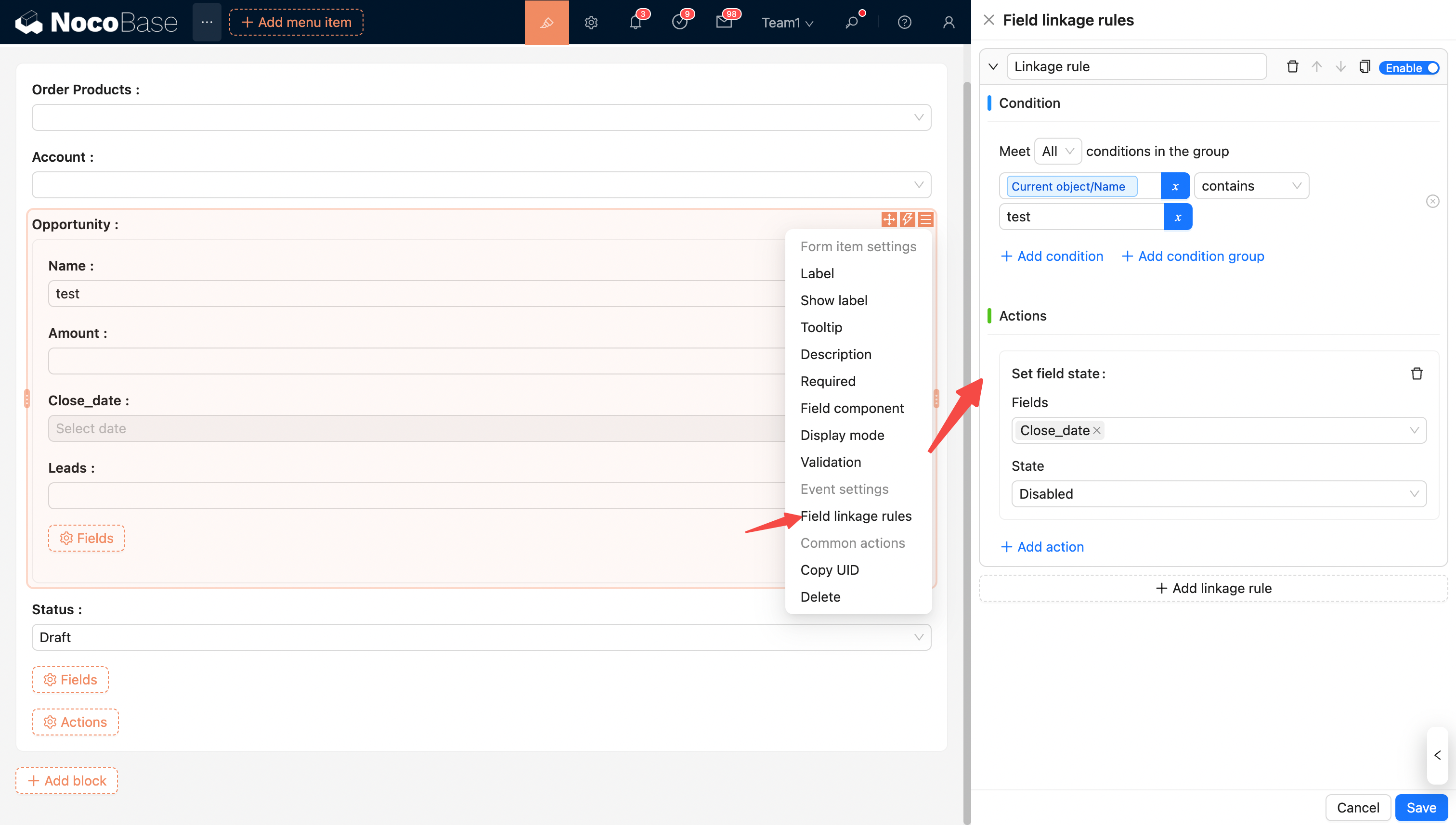
Linkage Rules
Linkage Rules: Configure linkage rules for sub-form fields.