Table Fields
Introduction
In addition to adjusting column width, field title, sorting, etc., table fields also support more personalized display configurations for specific fields (such as date fields, association fields, and number fields).
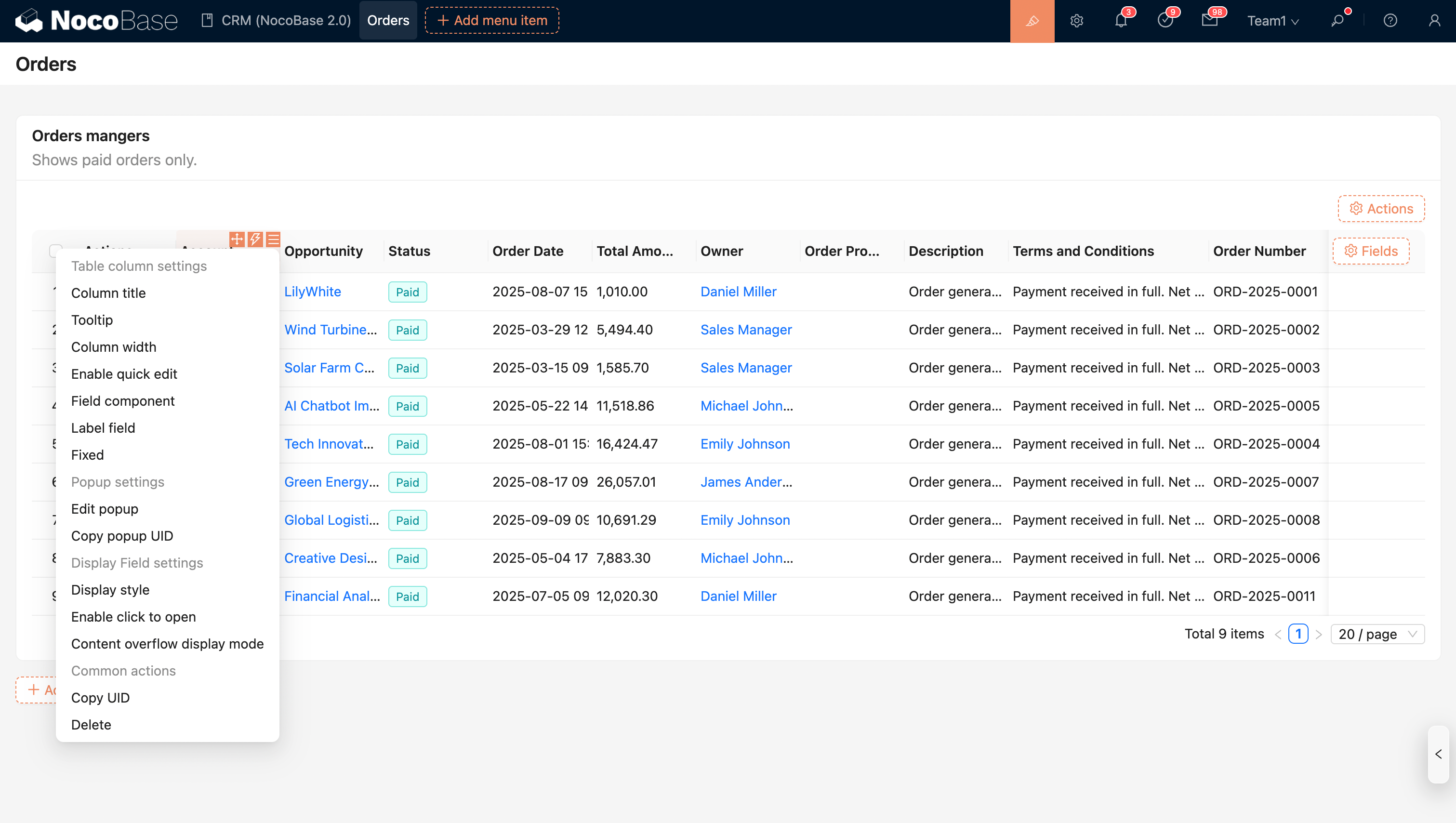
Field Configuration Options
Date Field Formatting
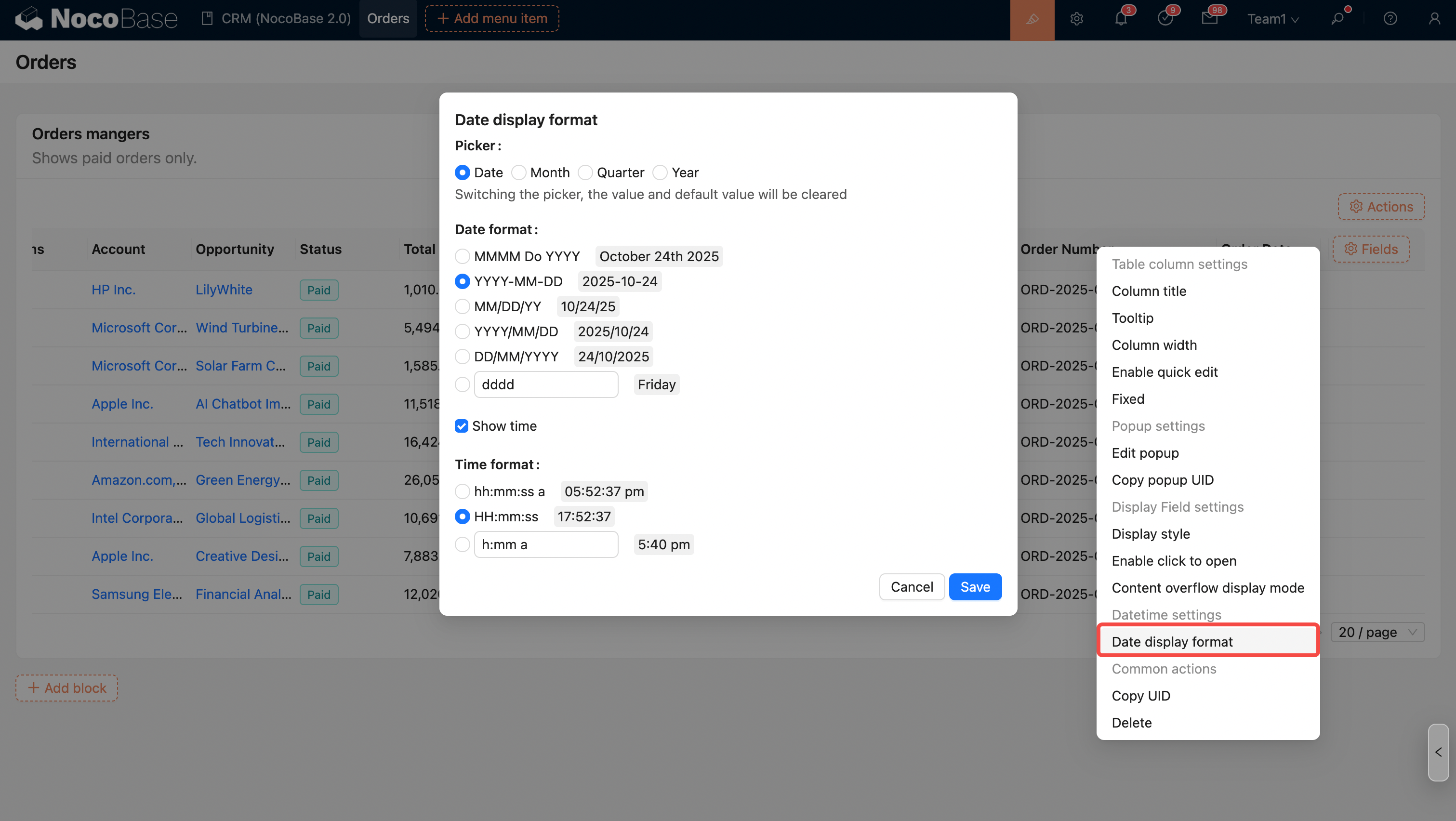
For more details, see Date Formatting
Number Field Formatting
Supports simple unit conversion, thousand separators, prefixes and suffixes, precision, and scientific notation.
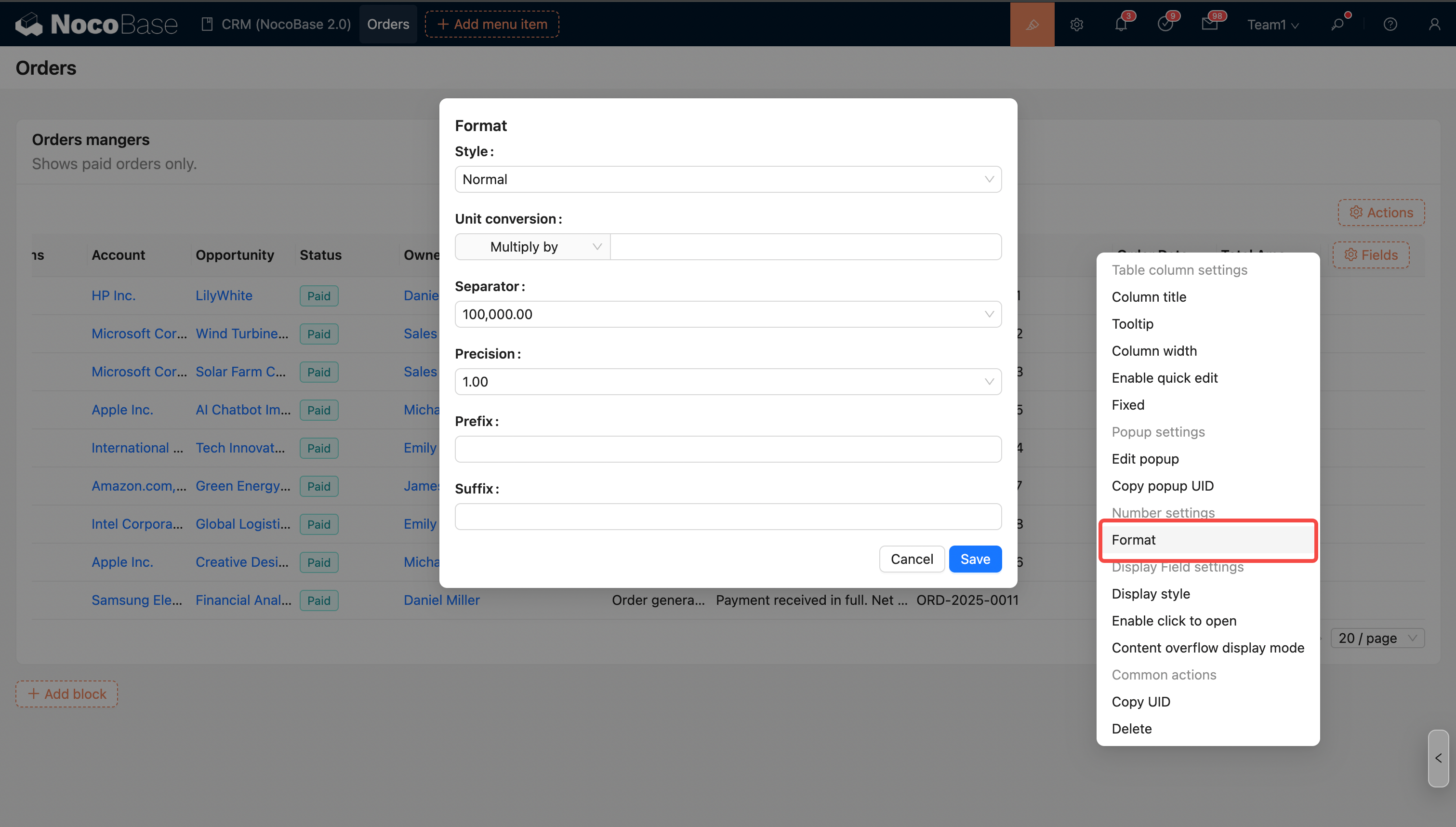
For more details, see Number Formatting
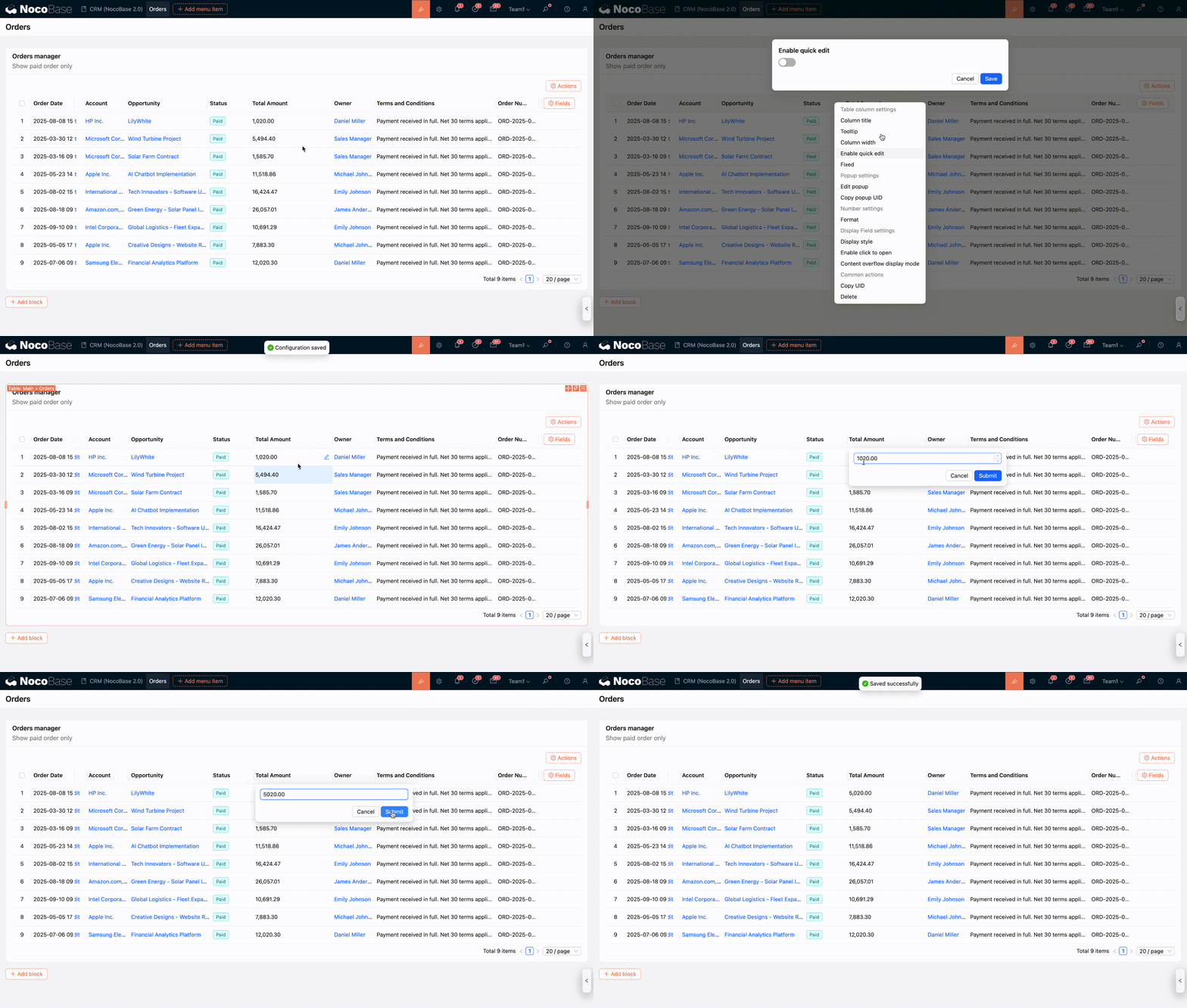
Enable Quick Edit
When quick edit is enabled, an edit button will appear on mouse hover over the column. Click it to quickly edit and save data in a pop-up window.
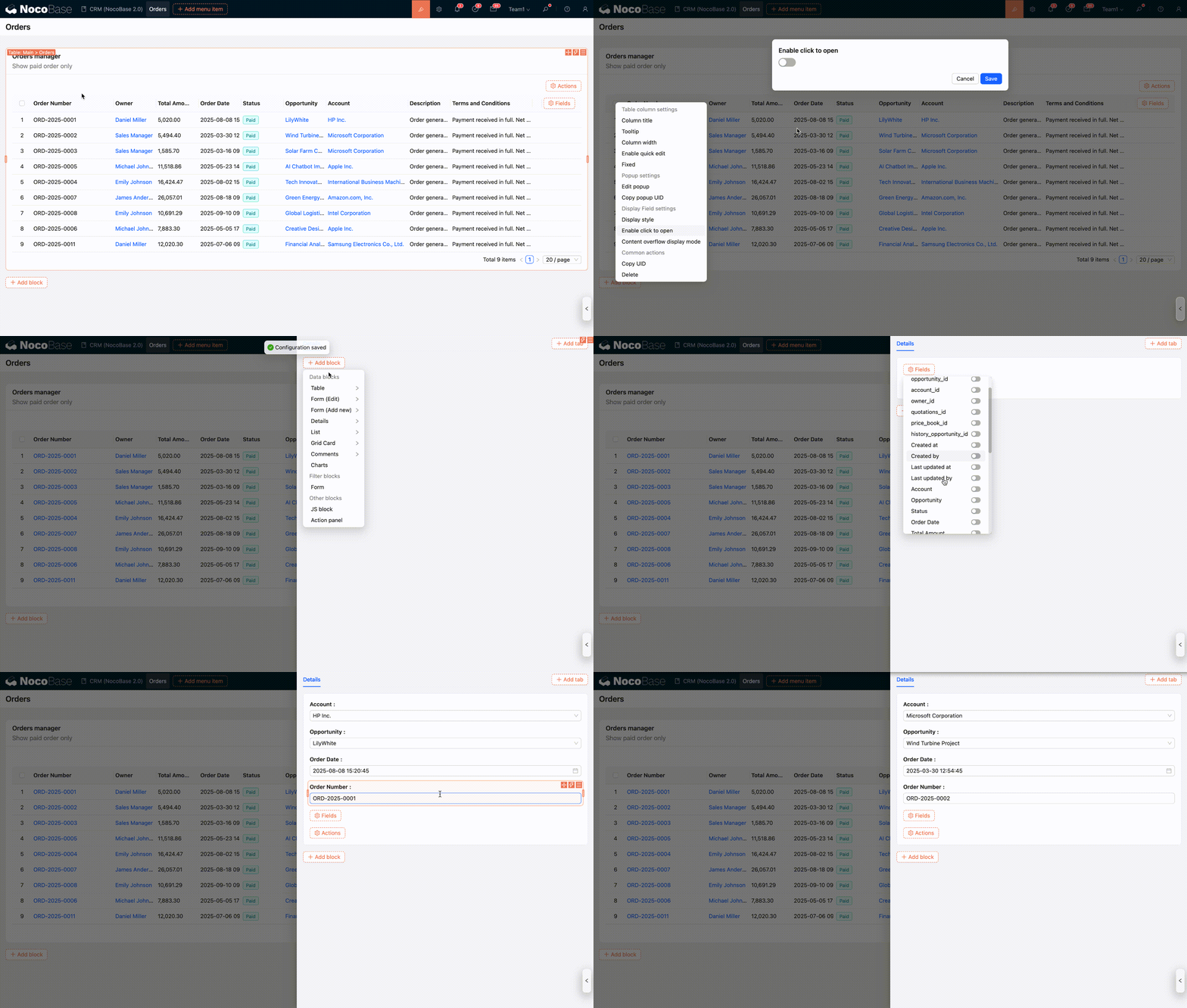
Enable Click to Open
In addition to association fields that support clicking to open a pop-up, regular fields can also be enabled with "Click to Open" to serve as an entry point for opening a pop-up.
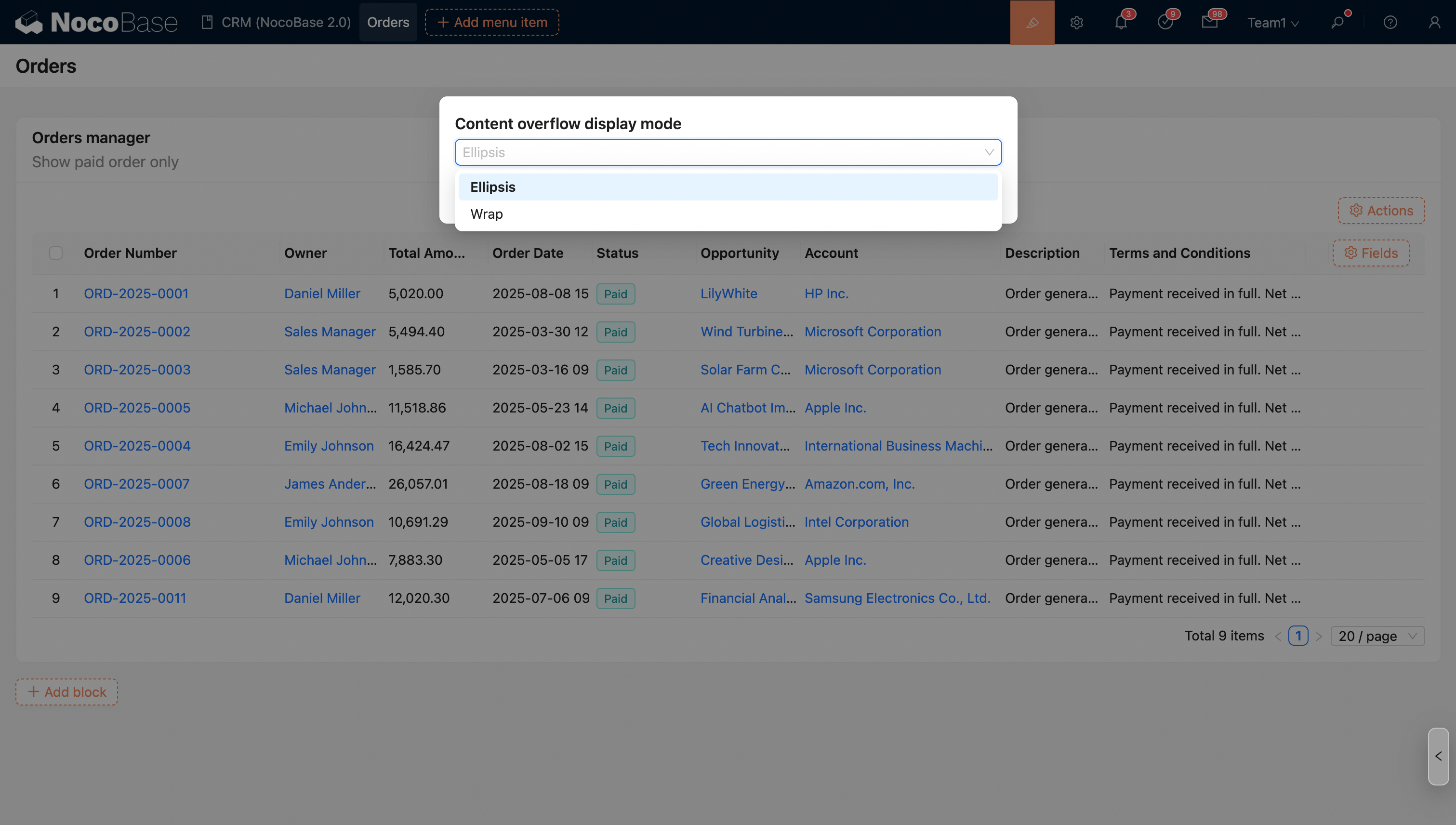
Content Overflow Display Mode
When the column content overflows the table column width, you can set the overflow mode:
- Ellipsis (default)
- Wrap
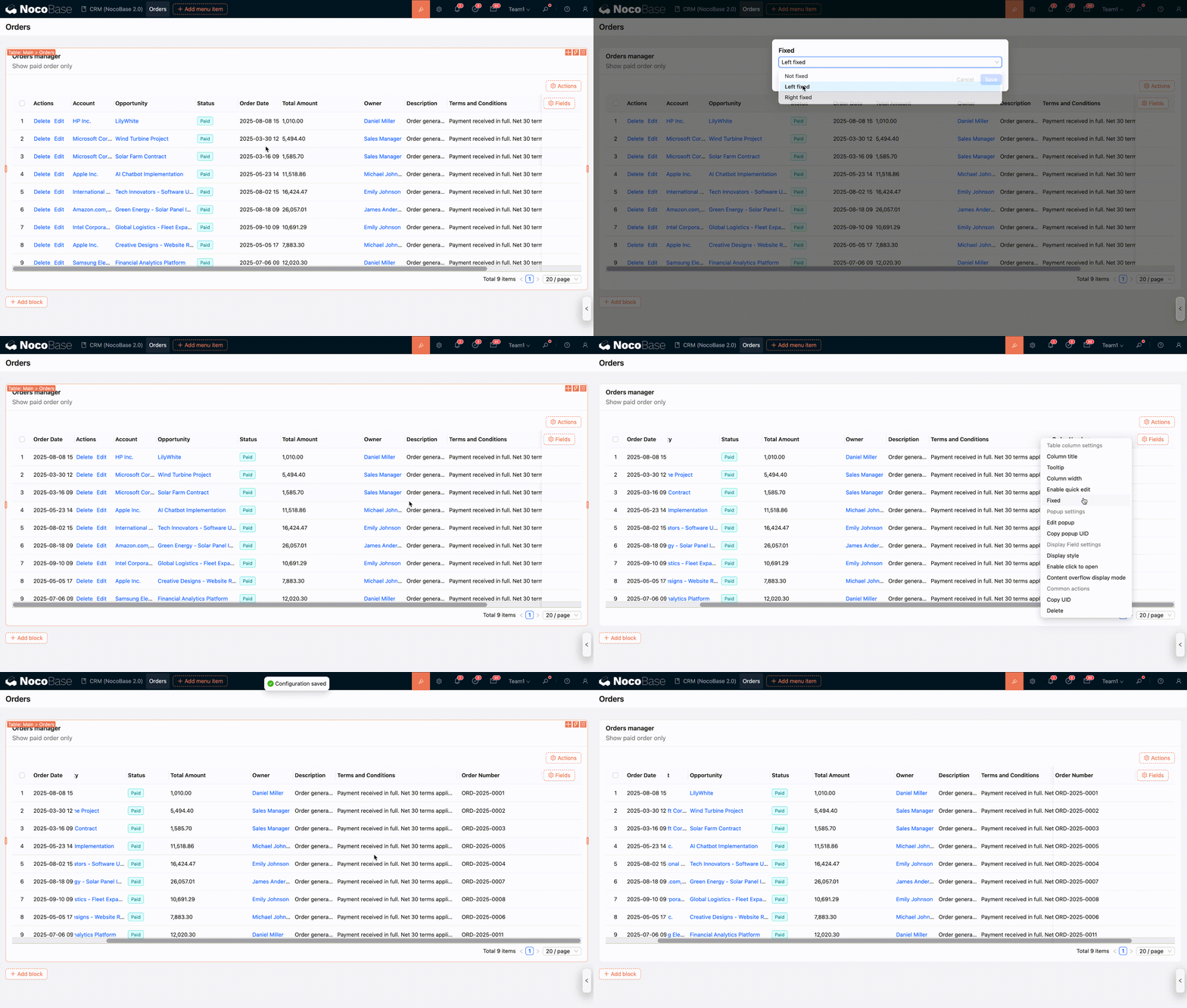
Fixed Column
Field Component
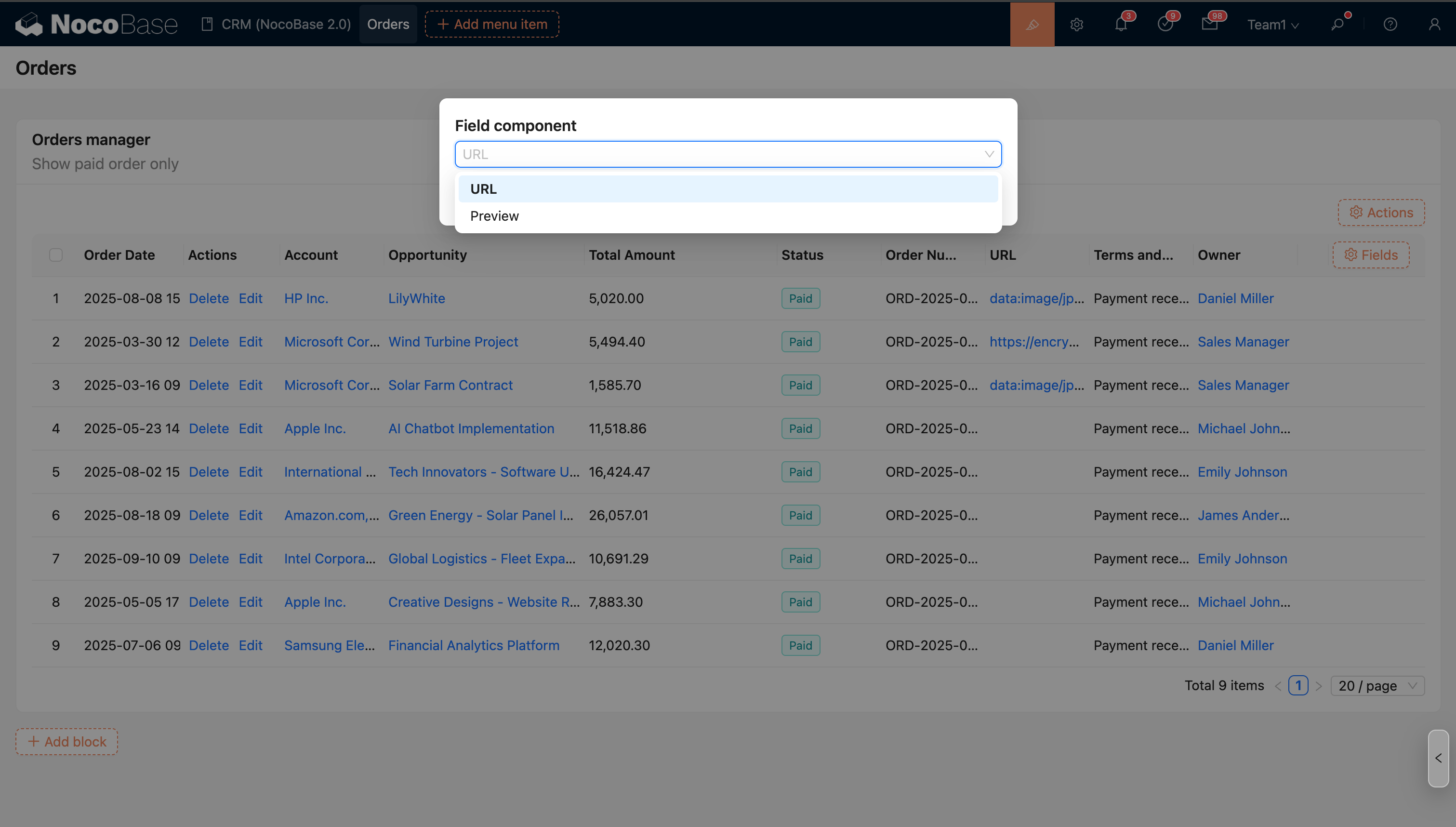
Some fields support multiple display formats. Users can switch field components to achieve different display effects to meet the needs of different scenarios. For example, a URL type field can be switched to a Preview component to better display link content or image previews.
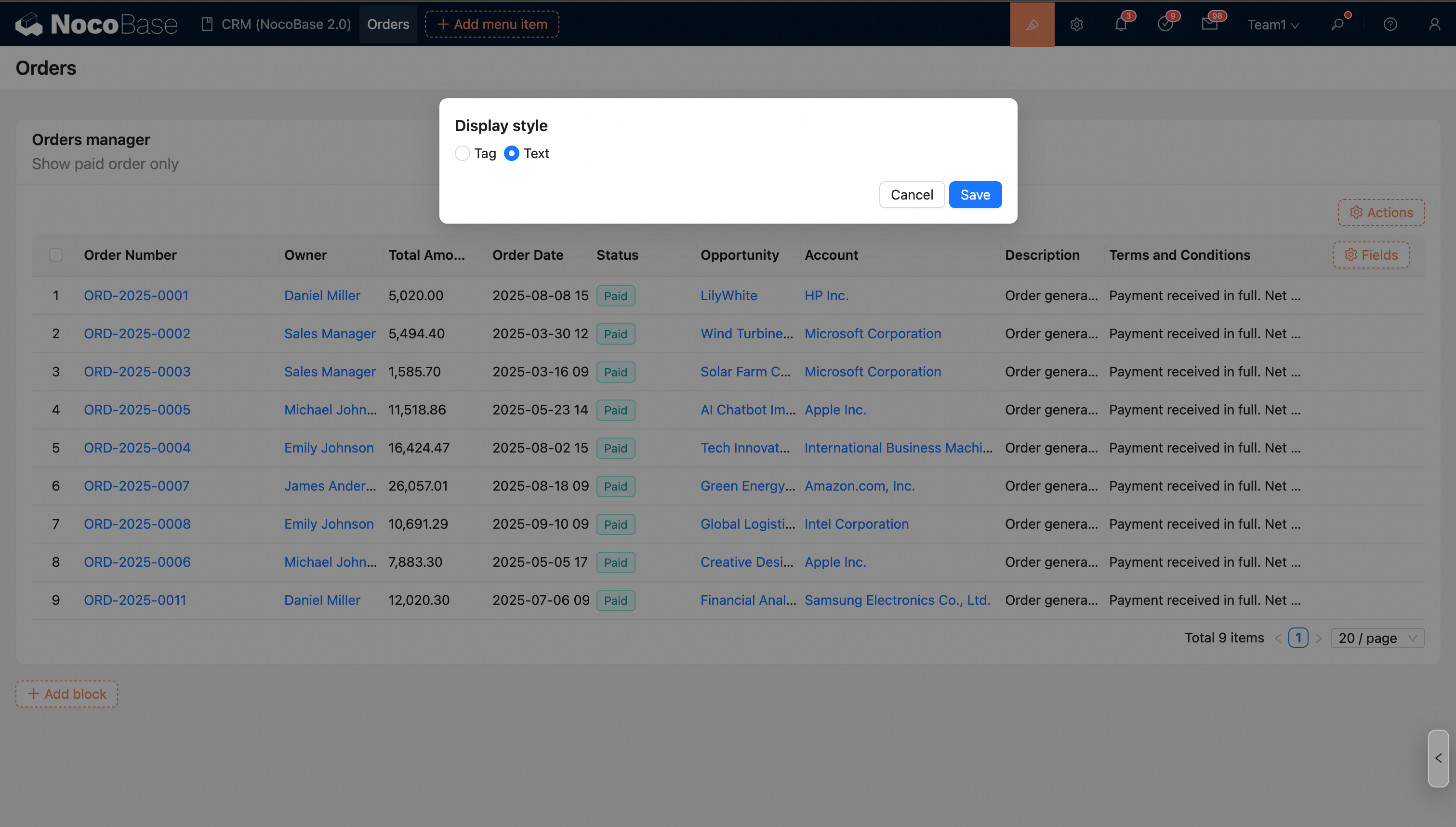
Display Style
- Tag
- Text
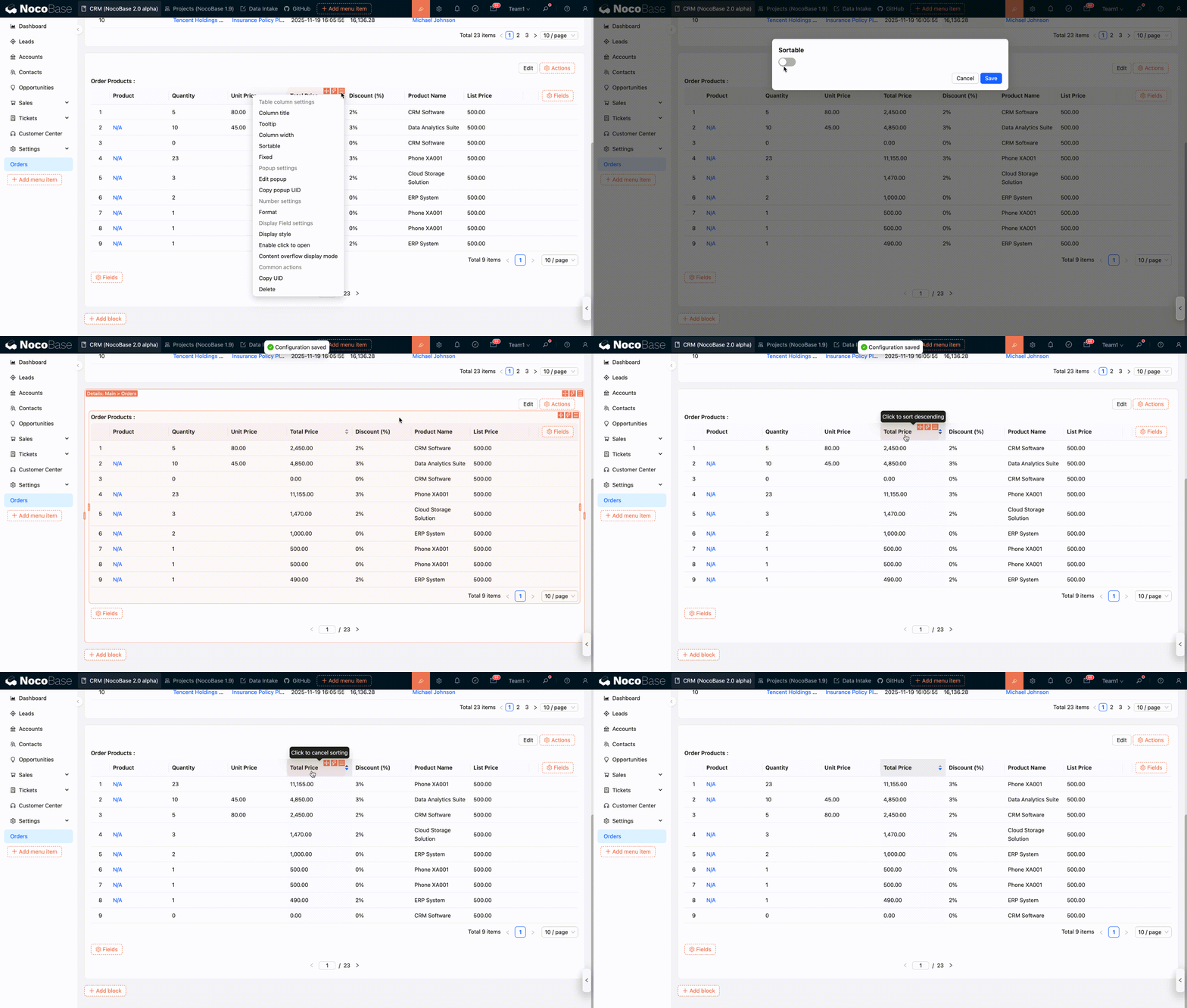
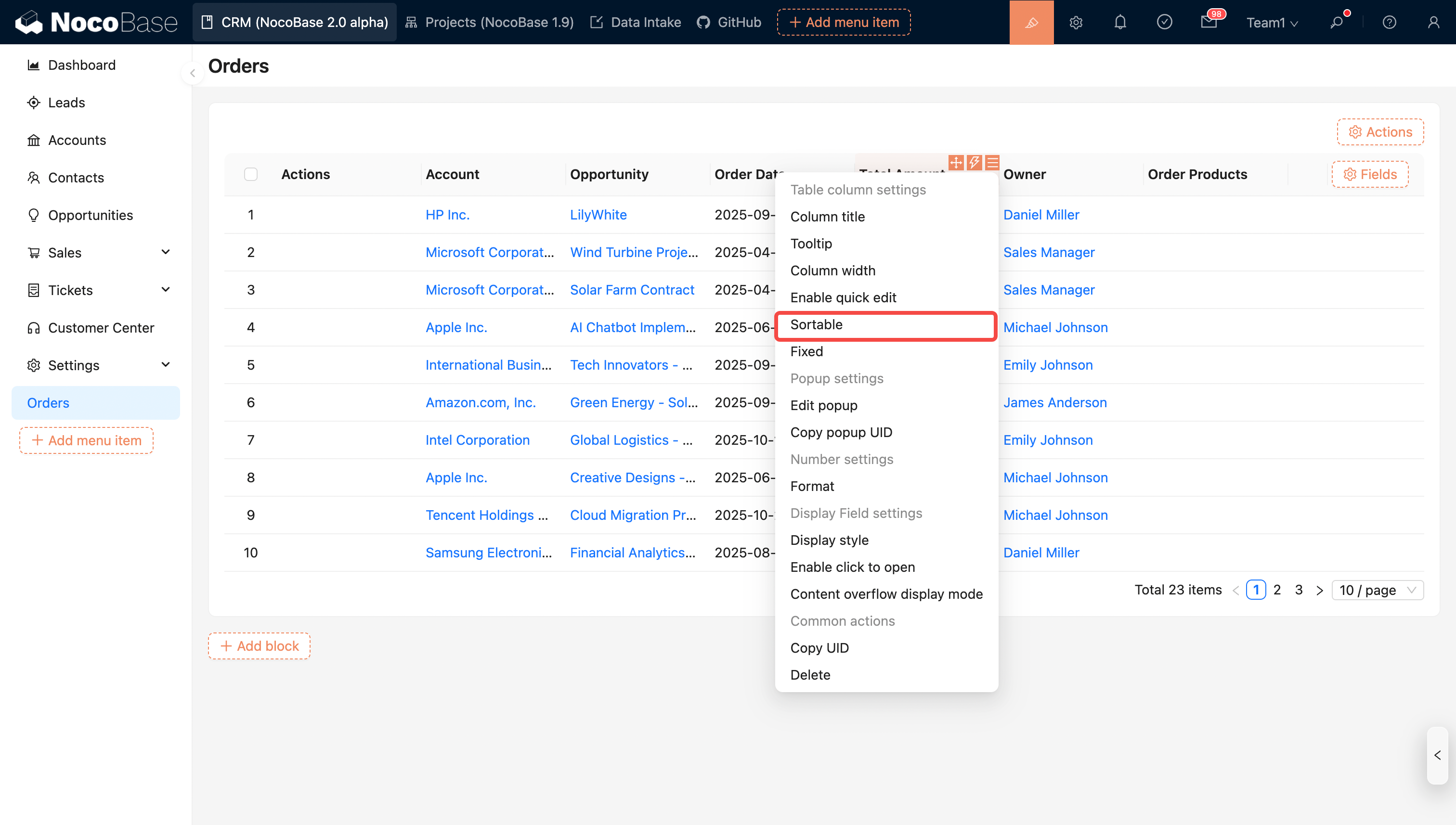
Sortable
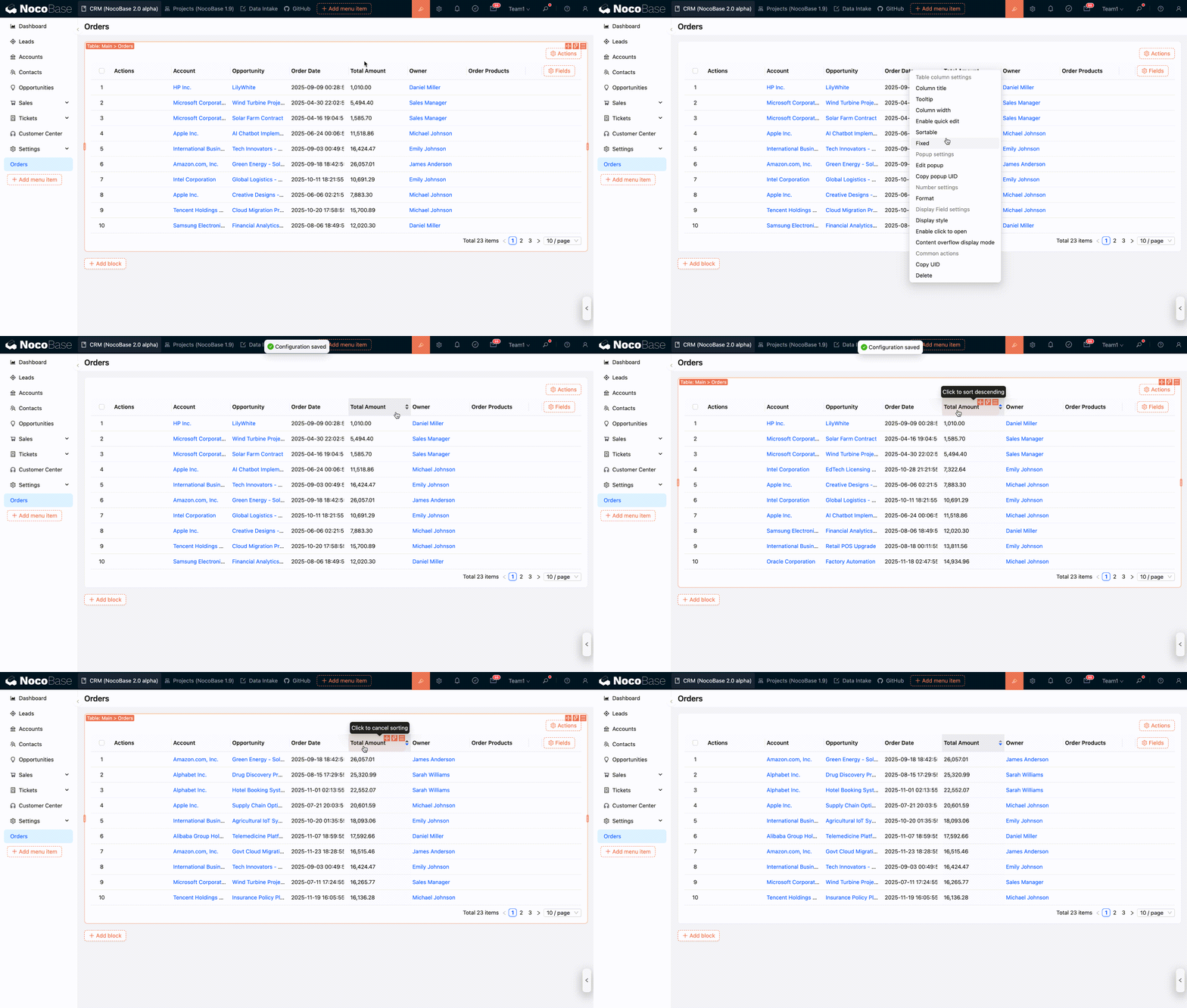
Most field types currently support server-side sorting. When sorting is enabled, data can be sorted in ascending or descending order based on the target field.
Field Sorting in Table Blocks
Field Sorting in SubTable within Detail Blocks